Send Fax App-Faxes From iPhone

Send Fax App-Faxes From iPhone

Herunterladen auf App Store
Logo von Send Fax App-Faxes From iPhone

Send Fax App: Der zuverlässigste Weg, um von Ihrem iPhone zu faxen, zu scannen und zu unterschreiben

Verabschieden Sie sich von sperriger Hardware und Telefonleitungen. Faxen Sie hochwertige, sichere Dokumente weltweit in Sekundenschnelle mit Echtzeit-Tracking und nahtloser Cloud-Integration für den modernen Profi.

Herunterladen auf App Store

Herausgeber

7 Mobile Teknoloji Anonim Sirketi

Kategorie

Business

Downloads

116K+

Bewertung

4.2/5

Bewertungen gesamt

1K+

Sprachen

33

Modernes Faxen

Entdecken Sie die Oberfläche, die von 116K+ Nutzern verwendet wird.
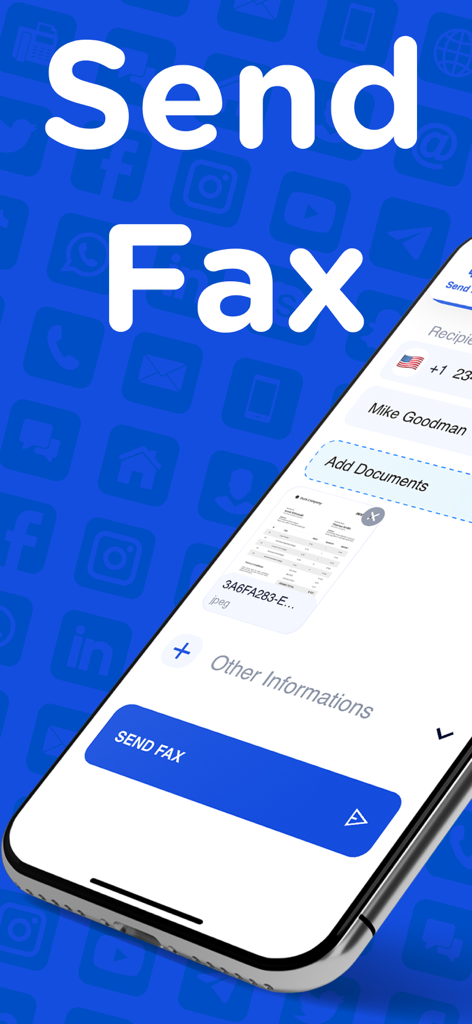
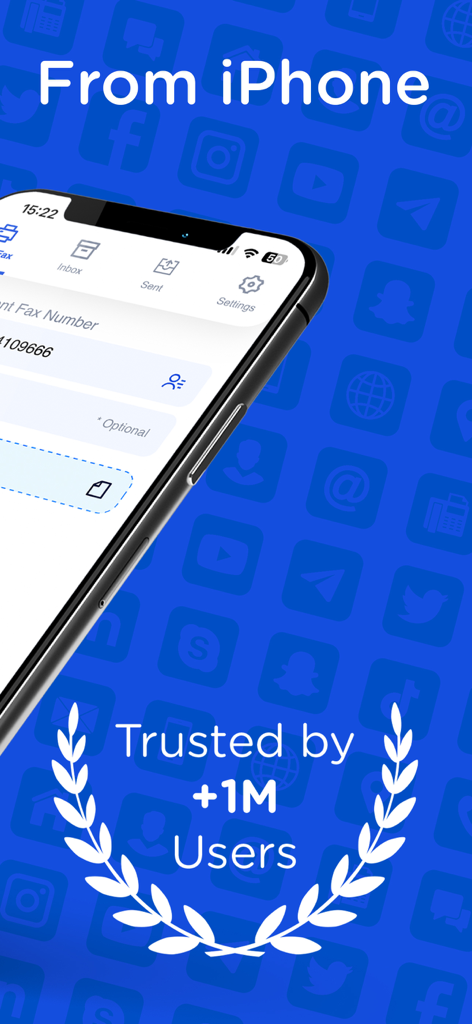
Oberfläche der Send Fax App auf einem iPhone, die Empfängerdetails und ein zur Sendung bereites Dokument anzeigt.

Oberfläche der Send Fax App auf einem iPhone, die Empfängerdetails und ein zur Sendung bereites Dokument anzeigt.

Oberfläche der Send Fax App für iPhone, die die Auszeichnung „Vertraut von über einer Million Nutzern“ anzeigt

Oberfläche der Send Fax App für iPhone, die die Auszeichnung „Vertraut von über einer Million Nutzern“ anzeigt

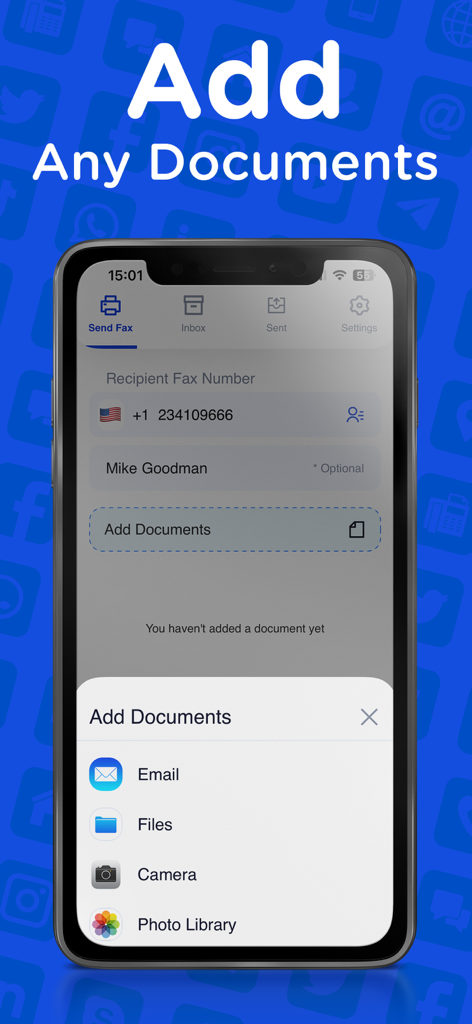
Oberfläche der Send Fax App, die Optionen zum Hinzufügen von Dokumenten aus E-Mail, Dateien, Kamera und Fotobibliothek anzeigt

Oberfläche der Send Fax App, die Optionen zum Hinzufügen von Dokumenten aus E-Mail, Dateien, Kamera und Fotobibliothek anzeigt

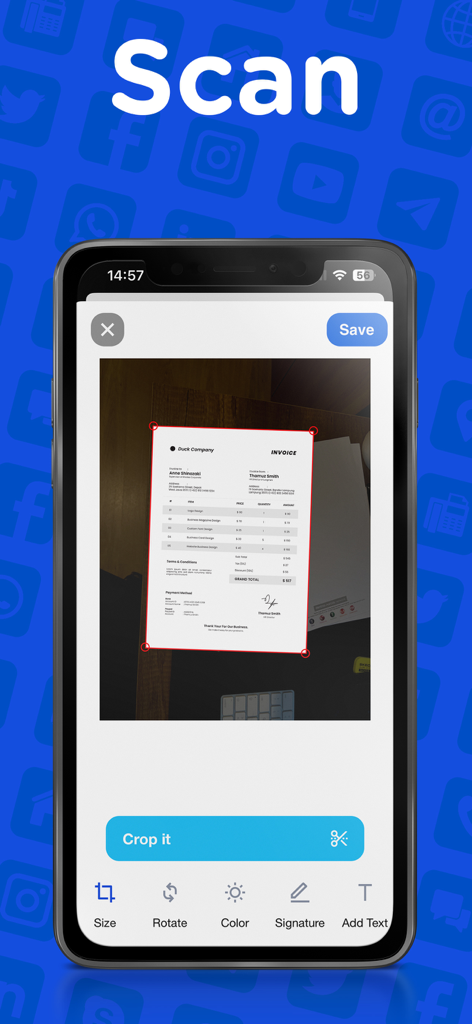
Ein iPhone-Bildschirm, der die Benutzeroberfläche zum Scannen und Zuschneiden von Dokumenten der Send Fax App anzeigt

Ein iPhone-Bildschirm, der die Benutzeroberfläche zum Scannen und Zuschneiden von Dokumenten der Send Fax App anzeigt

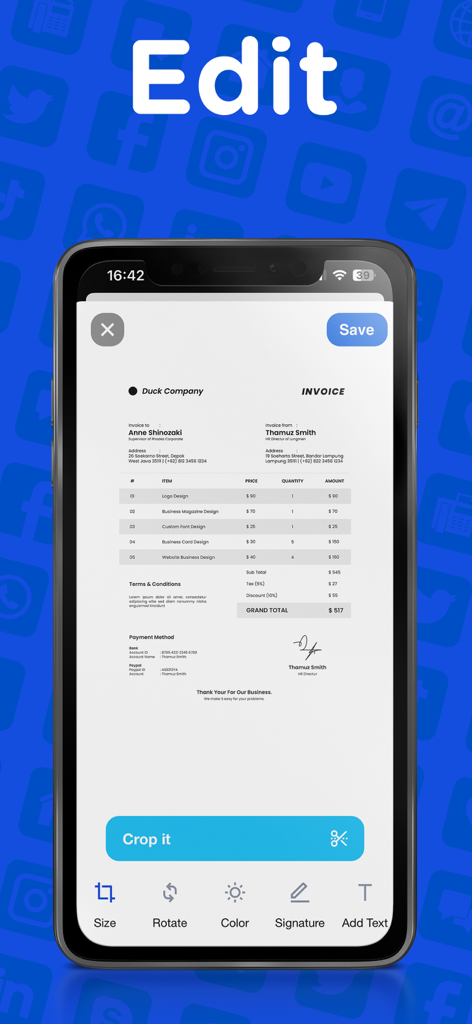
Ein Smartphone, das die Bearbeitungsansicht einer Fax-App mit Werkzeugen zum Zuschneiden, Unterschreiben und Hinzufügen von Text zu einer Rechnung anzeigt

Ein Smartphone, das die Bearbeitungsansicht einer Fax-App mit Werkzeugen zum Zuschneiden, Unterschreiben und Hinzufügen von Text zu einer Rechnung anzeigt

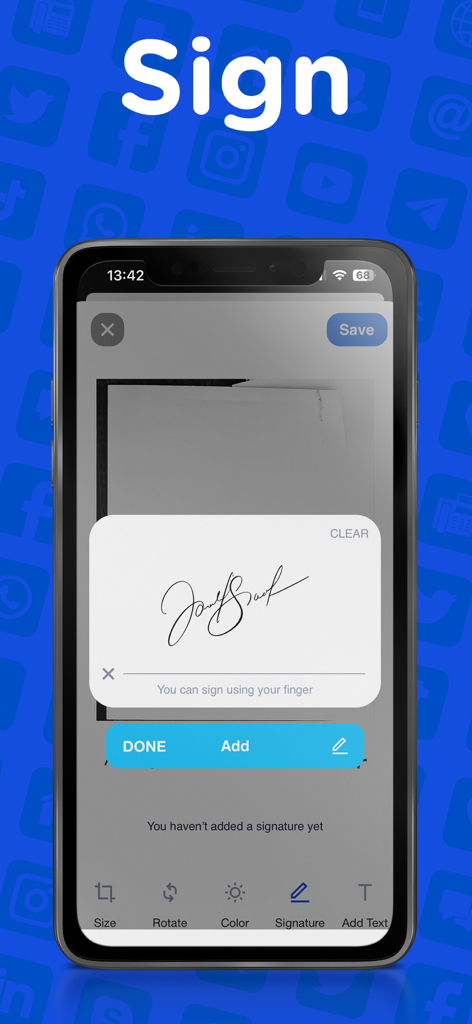
Smartphone-Oberfläche, die zeigt, wie man eine digitale Unterschrift zu einem Dokument zum Faxen hinzufügt

Smartphone-Oberfläche, die zeigt, wie man eine digitale Unterschrift zu einem Dokument zum Faxen hinzufügt

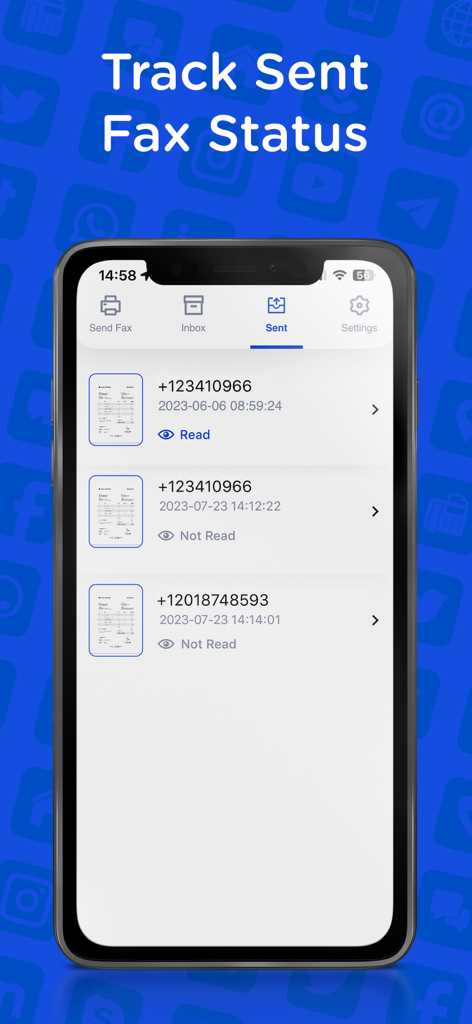
iPhone-Screenshot der Send Fax App, der eine Historie gesendeter Faxe mit Lieferstatus und Empfängertelefonnummern anzeigt.

iPhone-Screenshot der Send Fax App, der eine Historie gesendeter Faxe mit Lieferstatus und Empfängertelefonnummern anzeigt.

Alles, was Sie zum professionellen Faxen brauchen

Die Tools, die diese App auszeichnen, gewählt von 116K+ Nutzern.

✍️

Scannen & digital unterschreiben

Scannen Sie Dokumente mit Ihrer Kamera und fügen Sie sofort Ihre Unterschrift hinzu. Überspringen Sie den Drucker und sparen Sie Zeit bei jedem Vertrag.

🔔

Sofortige Status-Updates

Bleiben Sie mit der Echtzeit-Übermittlungsverfolgung auf dem Laufenden. Erhalten Sie eine Bestätigung in dem Moment, in dem Ihr Fax sein Ziel erreicht, für absolute Sicherheit.

🌍

Globale Cloud-Konnektivität

Importieren Sie Dateien direkt aus iCloud, Google Drive oder Dropbox. Senden Sie jeden Dateityp mit einem Fingertipp an jede Faxnummer weltweit.

Über die App

Alles, was Sie über wissen müssen Send Fax App-Faxes From iPhone.

Beschreibung

Send high-quality fax all around the world! Fast, reliable, fully capable fax app. Scan and send as many faxes as you want in seconds! This is not another fax app that can’t do the work. With our fax app, your documents will be cropped properly, will be sent and received with lightning-fast and high quality. This app is suitable for all your fax needs. Send your school or business documents, book pages, receipts, IDs, passports, licenses, certificates, music scores, and more! ALL OF OUR BEST FEATURES - HIGH QUALITY: Send readable documents of the best quality to anyone! - FAST & EASY: A few taps and you’re ready. Send fax apps just like sending a text! - EDIT & SIGN: Just take a photo or upload your document. Add comments and signature, fill forms. Edit, crop, and send in seconds. - SEE YOUR FAX STATUS: Watch the delivery status of your document and see any success or failure. - CROP PERFECTLY: Unlike other apps, your fax documents will be cropped and formatted properly and perfectly. - VIEW FAX HISTORY: See and organize your fax archive that many other apps don't have. - AUTO SCAN & AUTO DETECT: Our app recognizes your documents and helps you to scan & crop properly in the best way! - ANY FILE TYPES: Send a fax in any type of file. (PDF, DOC, JPG, PNG & TIFF, HTML) No need to convert your files! - ANYWHERE IN THE WORLD: Send and receive your fax documents all around the world. WHY SEND & RECEIVE FAX APP? * Perfect for iOS devices, this fax app will be the go-to app you can use from your iPhone & iPad. * No need for a fax machine or a dedicated phone line. * You can upload or attach documents from your device or your cloud storage, Dropbox, Google Drive, Box, iCloud Drive. * Resend your faxes to any fax machine. * Our modern layout will simply let you do everything you need. Just like sending a text, sending a fax is supposed to be fast and simple, not complicated. From a student to office employee, everyone needs to send a fax. If you’re looking for the right app that will help you to send fax documents, you’ve come to the right place. These days fax documents are still needed and we know how struggling to find an app that won't disappoint their users. You may only need to send a fax and you may try several services that are complicated, expensive, or low quality. Send & Receive Fax is the most affordable, easy, and fast way to send your documents from your iOS devices. No matter where you are if you have an iOS device, you can send your fax document anywhere in the world. Download and try now! Terms and Conditions: https://madduck.com/terms-of-use/ Privacy Policy: https://madduck.com/privacy-policy/ Support: https://support.madduck.app/fax/help-center

Neueste Version

5.4.1

Größe

26.6 MB

Erstveröffentlichung

3. März 2019

Verabschieden Sie sich vom Faxgerät. Beginnen Sie noch heute mit dem Faxen von Ihrem iPhone.

Schließen Sie sich über 116.000 Fachleuten an, die sichere Dokumente in Sekundenschnelle scannen, unterschreiben und versenden – jederzeit, überall, ohne Festnetzanschluss.

Herunterladen auf App Store

App information, icons, screenshots, and descriptions displayed on this page are sourced from the Apple App Store and are the property of their respective developers. Download estimates and rankings are based on MWM's proprietary models and may not reflect actual figures. This page is provided for informational and analytical purposes only.

Believe this page infringes your intellectual property? File a dispute