ShowMe Interactive Whiteboard

ShowMe Interactive Whiteboard

Herunterladen auf App Store
Logo von ShowMe Interactive Whiteboard

ShowMe Interaktives Whiteboard: Der einfachste Weg, online zu unterrichten und zu teilen

Verwandeln Sie Ihr iPad in ein leistungsstarkes interaktives Whiteboard. Nehmen Sie Tutorials mit Sprachkommentar auf, erklären Sie komplexe Konzepte und schließen Sie sich Tausenden von Pädagogen an, die ihre Klassenzimmer mühelos umdrehen.

Herausgeber

Learnbat, Inc.

Kategorie

Education

Downloads

455K+

Bewertung

4.4/5

Bewertungen gesamt

38K+

Sprachen

1

Ihr Klassenzimmer, visualisiert

Entdecken Sie die Oberfläche, die von 455K+ Nutzern verwendet wird.
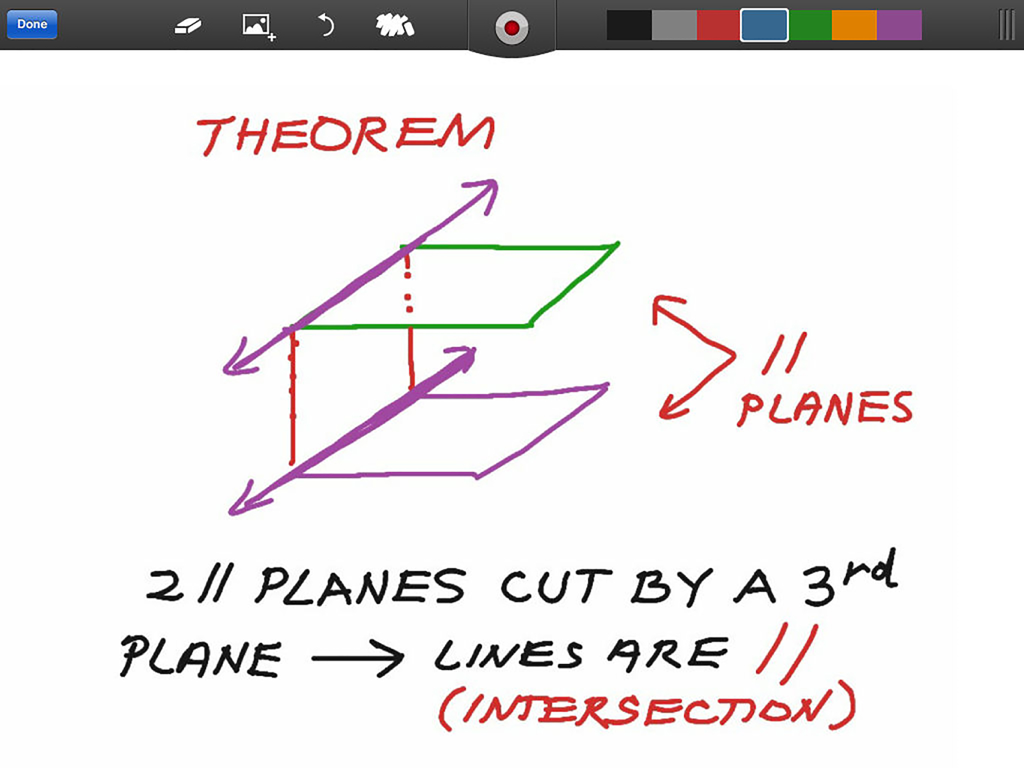
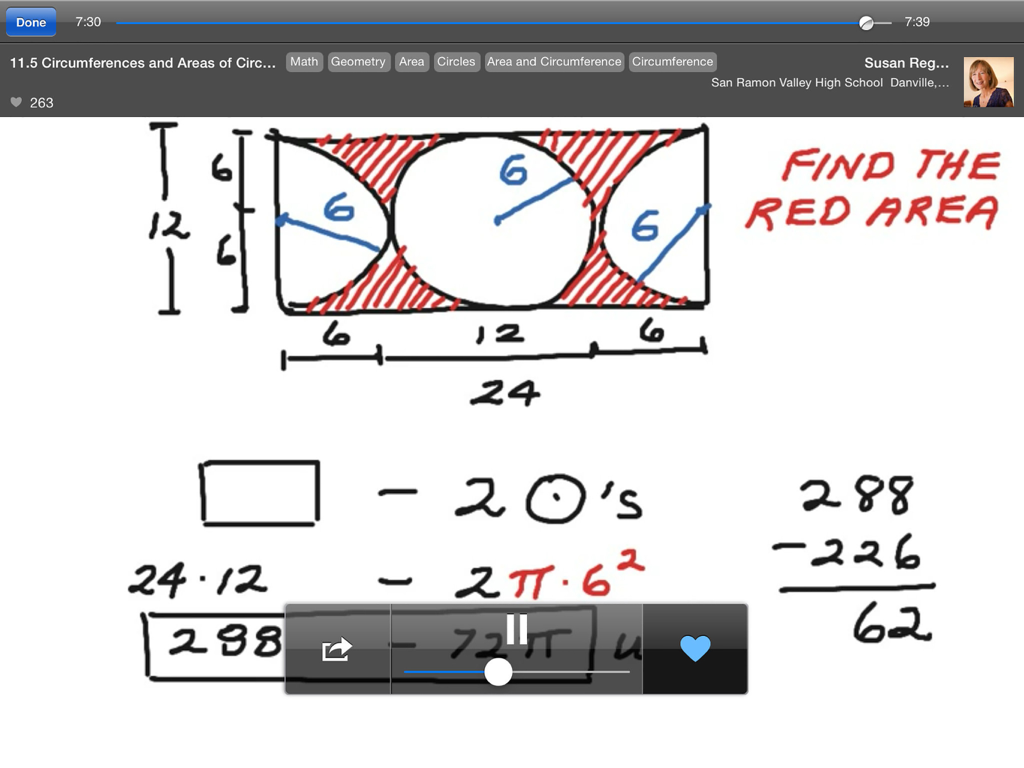
Ein Geometrieunterricht über parallele Ebenen, illustriert auf der interaktiven Whiteboard-App ShowMe für iPad

Ein Geometrieunterricht über parallele Ebenen, illustriert auf der interaktiven Whiteboard-App ShowMe für iPad

Ein Mathematiklehrer erklärt Geometriekonzepte auf der interaktiven Whiteboard-App ShowMe

Ein Mathematiklehrer erklärt Geometriekonzepte auf der interaktiven Whiteboard-App ShowMe

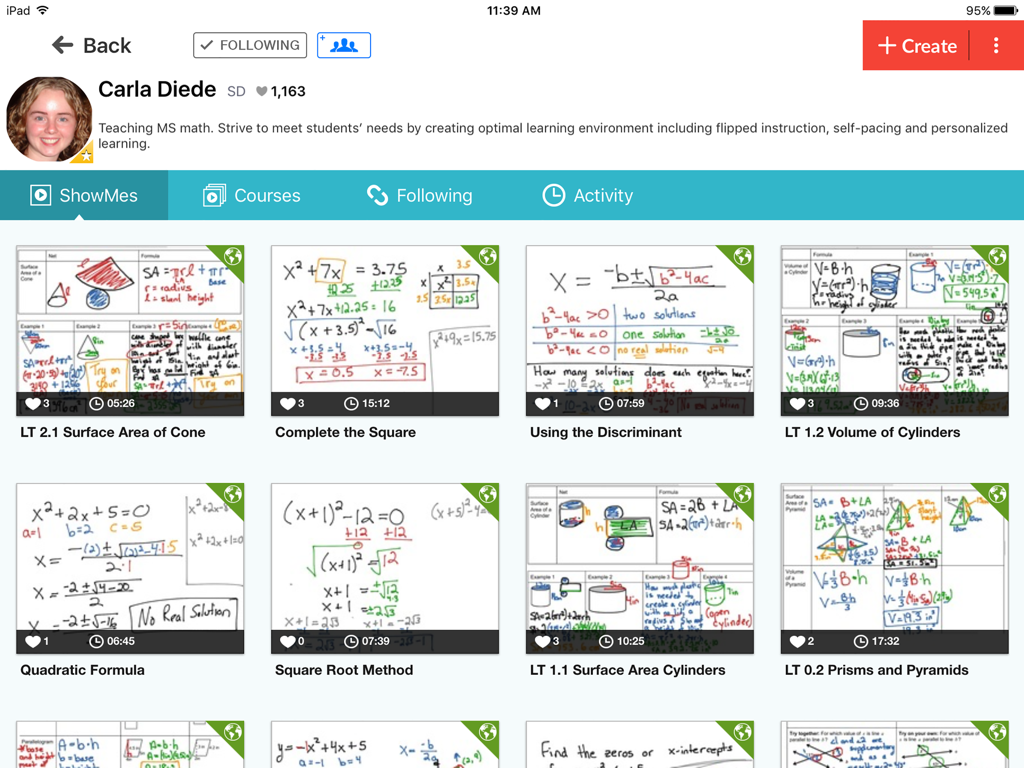
Ein Profilbildschirm in der ShowMe-App, der die Sammlung von Whiteboard-Video-Tutorials eines Mathematiklehrers zu Themen wie Algebra und Geometrie zeigt.

Ein Profilbildschirm in der ShowMe-App, der die Sammlung von Whiteboard-Video-Tutorials eines Mathematiklehrers zu Themen wie Algebra und Geometrie zeigt.

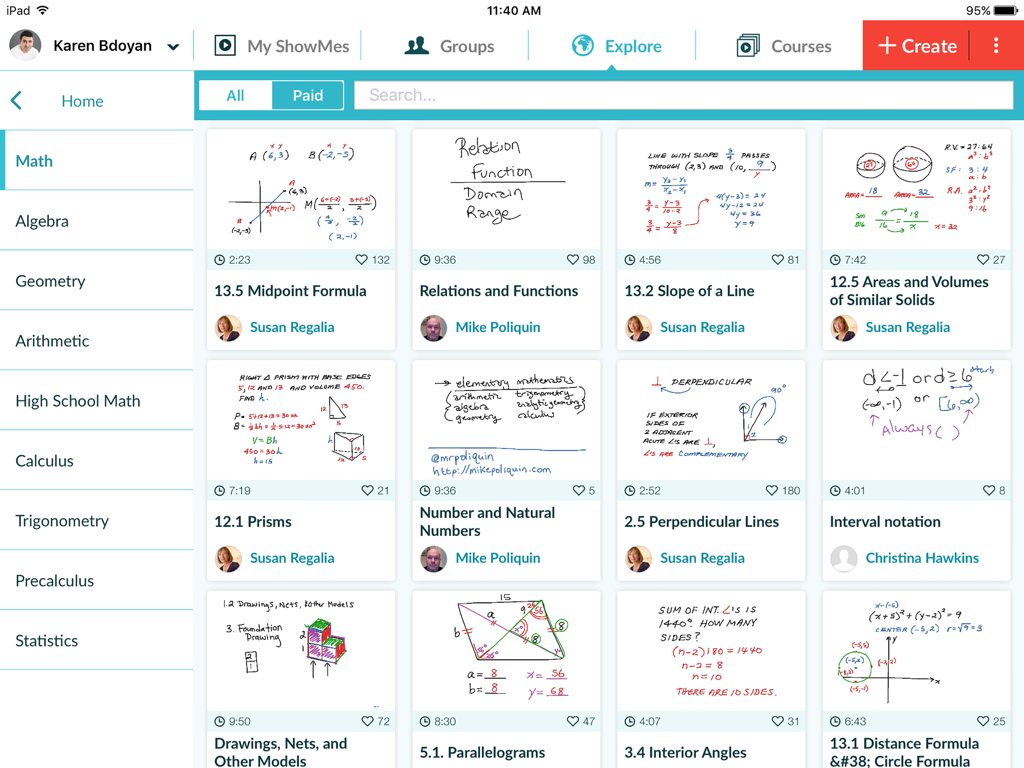
Der Erkundungsbildschirm von ShowMe zeigt eine Vielzahl von Whiteboard-Mathematikunterricht.

Der Erkundungsbildschirm von ShowMe zeigt eine Vielzahl von Whiteboard-Mathematikunterricht.

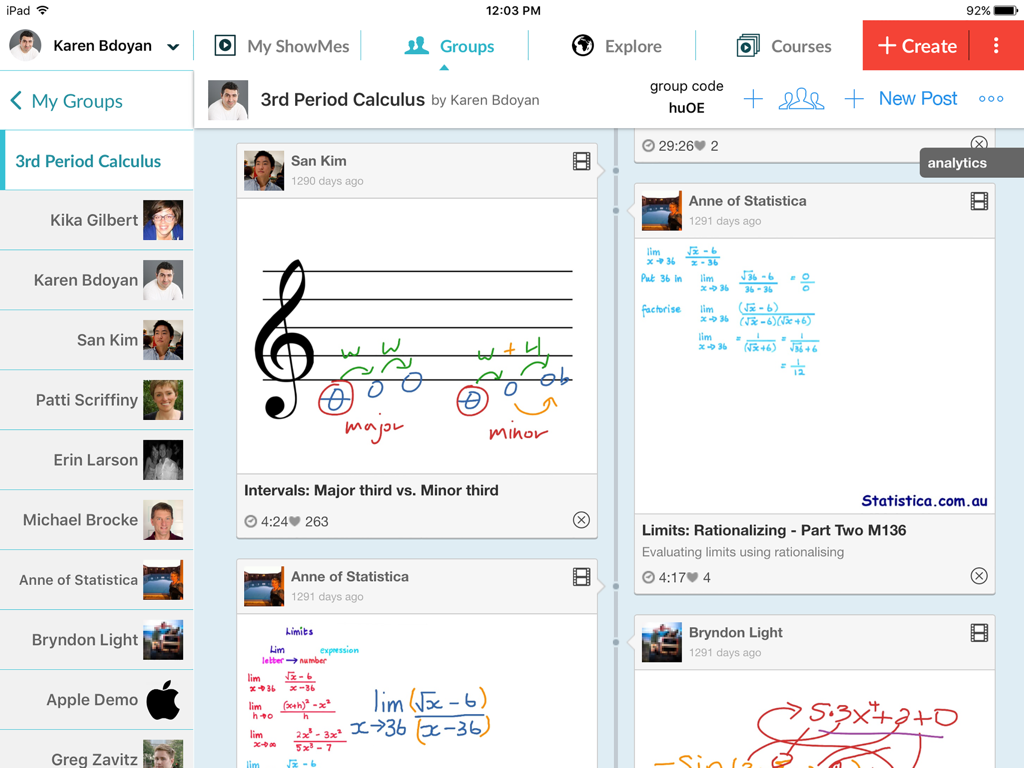
iPad-Oberfläche der ShowMe-App, die einen Klassen-Gruppenfeed mit verschiedenen handgeschriebenen Bildungslektionen und Diagrammen zeigt.

iPad-Oberfläche der ShowMe-App, die einen Klassen-Gruppenfeed mit verschiedenen handgeschriebenen Bildungslektionen und Diagrammen zeigt.

Verwandeln Sie Ihren Unterricht mit visuellen Erzählungen

Die Tools, die diese App auszeichnen, gewählt von 455K+ Nutzern.

🎙️

Sofort aufnehmen und erklären

Erfassen Sie Ihre Stimme und Zeichnungen in Echtzeit, um ansprechende Video-Tutorials zu erstellen. Keine Handbücher oder komplexe Bearbeitungen erforderlich – einfach aufnehmen und unterrichten.

📝

Dynamische Dokumentenmarkierung

Importieren Sie Arbeitsblätter und Dokumente direkt von Google Drive oder Dropbox. Kommentieren Sie jede Datei, um komplexe Konzepte für Ihre Schüler kristallklar zu machen.

🏫

Meistern Sie das umgedrehte Klassenzimmer

Organisieren Sie Lektionen in Kurse und teilen Sie sie privat mit Schülergruppen. Perfekt für Fernunterricht, Sporttraining und personalisierte Benotung.

Über die App

Alles, was Sie über wissen müssen ShowMe Interactive Whiteboard.

Beschreibung

Turn your iPad into your personal interactive whiteboard! ShowMe allows you to record voice-over whiteboard tutorials and share them online. It’s an amazingly simple app that anyone can use, no matter how young or old! INTUITIVE AND POWERFUL - Record your ShowMe tutorial right away — no manuals or complicated menus needed - Drop in images onto the whiteboard - Easily switch between drawing and erasing (as well as pausing and playing) to make your ShowMe flow from concept to concept - You can make your ShowMe as long or as short as it needs to be, and record as many ShowMe’s as you want. Go nuts! - Once you’re finished recording, upload your ShowMe to share with the community (or keep it private if you prefer) - Discover awesome tutorials created by other members of the ShowMe community A VARIETY OF USES - Easily explain a range of topics from math to chemistry to music theory to basket weaving. - Add ShowMe’s to your Do-It-Yourself blog - Attach a personal message to any travel photos you want to share - Diagram offensive and defensive strategies for sports - Grade student work with commentary explaining the reasoning behind their performance - Use ShowMe as an interactive whiteboard substitute Implement a “flipped classroom” - Showcase your ShowMes online and share your knowledge with your students, friends, family, or the world! FEATURES - Voice-record - Multiple brush colors - Enter text - Pause and erase - Import pictures from your photo library, built-in camera, or web image search - Import documents as pictures from Dropbox, or Google drive - Create video from any document - Unlimited lesson length - Free to upload and share your recordings with friends - Easy embedding for sharing anywhere - Manage students with Groups USING GROUPS "Groups" allows teachers to share their ShowMes and interact with students privately. A teacher with ShowMe Premium subscription can create an unlimited amount of groups and invite their students. Students can join groups for free! SHOWME PREMIUM ShowMe Premium is an auto-renewing monthly or yearly subscription which unlocks all ShowMe features. For just $9.99 a month or $89.99 a year: - Upload up to 300 hours of ShowMes - Post privately - Create study groups - Markup and share any documents in groups - Import documents into ShowMe - Search and import images from the web - Download your video files - Create student accounts - Create courses COURSES With "Courses" ShowMe creators can organize multiple ShowMe lessons and tutorials into one comprehensive lesson plan. PAID COURSES The ShowMe Marketplace allows premium users to earn extra income by posting paid premium courses for other educators or students within the ShowMe community. AS SEEN ON - TechCrunch - Business Insider - Numerous teacher blogs and educational blogs WE’RE HERE FOR YOU The ShowMe team is small, nimble, and quick to respond to suggestions/requests. Follow us on twitter at @showmeapp. Or feel free to drop us a line at support@showme.com with any questions, concerns, or stories about how you’re using ShowMe. LEGAL Privacy Policy: http://www.showme.com/privacy Terms & Conditions: http://www.showme.com/termsofuse - Payment will be charged to iTunes Account at confirmation of purchase - Subscription automatically renews unless auto-renew is turned off at least 24-hours before the end of the current period - Account will be charged for renewal within 24-hours prior to the end of the current period, and identify the cost of the renewal - Subscriptions may be managed by the user and auto-renewal may be turned off by going to the user's Account Settings after purchase - No cancellation of the current subscription is allowed during active subscription period

Neueste Version

8.9.0

Größe

54.7 MB

Erstveröffentlichung

24. Juni 2011

Bereit, Ihre nächste Klasse zu inspirieren?

Schließen Sie sich über 455.000 Pädagogen und Studenten an, die ShowMe nutzen, um Klassenzimmer umzudrehen und komplexe Konzepte zu vereinfachen. Starten Sie noch heute Ihr erstes interaktives Tutorial.

Herunterladen auf App Store

App information, icons, screenshots, and descriptions displayed on this page are sourced from the Apple App Store and are the property of their respective developers. Download estimates and rankings are based on MWM's proprietary models and may not reflect actual figures. This page is provided for informational and analytical purposes only.

Believe this page infringes your intellectual property? File a dispute