Smart Tools Pro - SmartTools

Smart Tools Pro - SmartTools

Herunterladen auf App Store
Logo von Smart Tools Pro - SmartTools

Smart Tools Pro - SmartTools: Das ultimative professionelle Toolkit in Ihrer Tasche

Bewältigen Sie jedes DIY-Projekt oder jede professionelle Aufgabe mit 30 Präzisionsinstrumenten, einschließlich AR-Messung, Bolzenfindern und Wasserwaagen – alles in einer leistungsstarken App.

Herausgeber

Shajir Kalady

Kategorie

Utilities

Downloads

169K+

Bewertung

2.6/5

Bewertungen gesamt

0

Sprachen

1

Ihre digitale Werkzeugkiste im Überblick

Entdecken Sie die Oberfläche, die von 169K+ Nutzern verwendet wird.
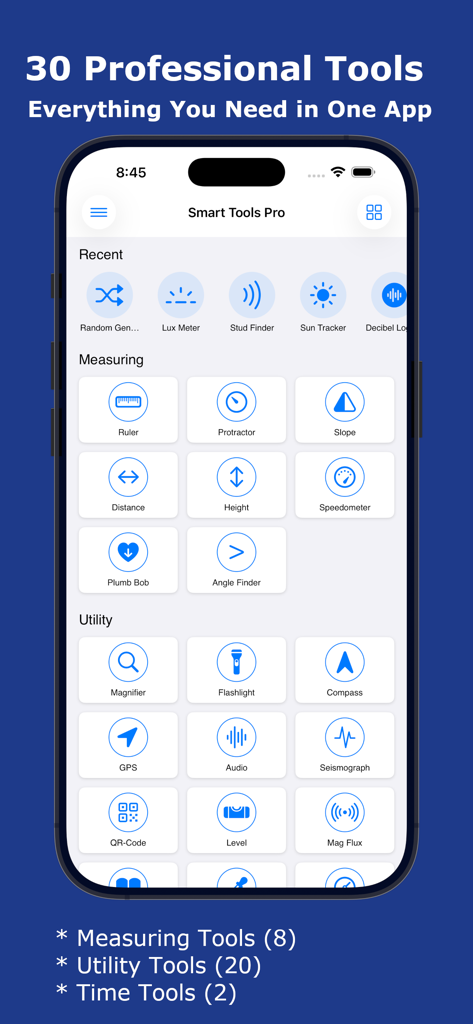
Smart Tools Pro App-Oberfläche, die eine Vielzahl von professionellen Mess- und Dienstwerkzeugen zeigt

Smart Tools Pro App-Oberfläche, die eine Vielzahl von professionellen Mess- und Dienstwerkzeugen zeigt

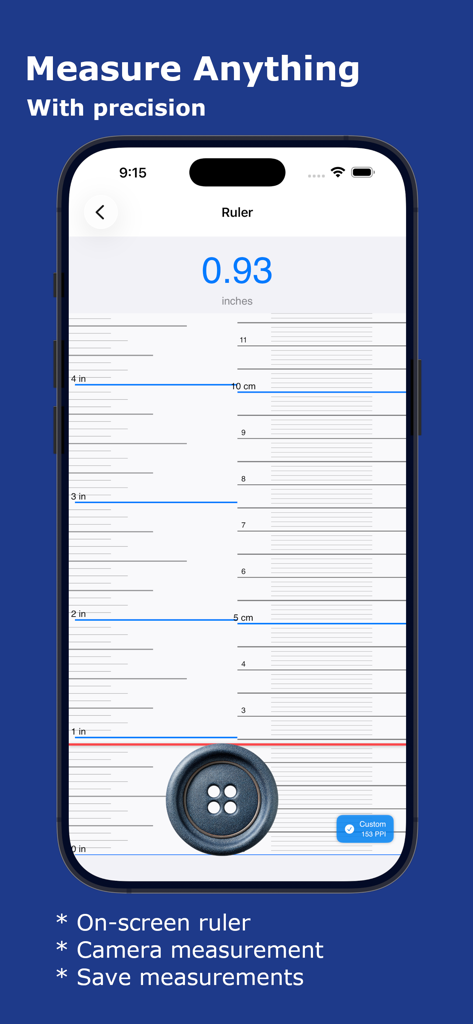
Smart Tools Pro App Bildschirm-Lineal misst einen Knopf in Zoll auf einem iPhone

Smart Tools Pro App Bildschirm-Lineal misst einen Knopf in Zoll auf einem iPhone

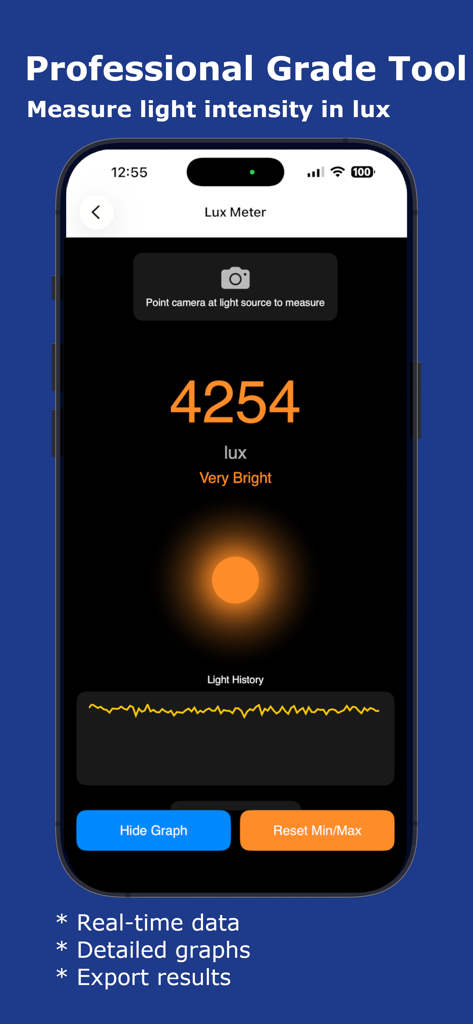
Luxmeter-Oberfläche in der Smart Tools Pro App, die die Echtzeit-Lichtintensitätsmessung in Lux mit einem Verlaufsgraphen anzeigt.

Luxmeter-Oberfläche in der Smart Tools Pro App, die die Echtzeit-Lichtintensitätsmessung in Lux mit einem Verlaufsgraphen anzeigt.

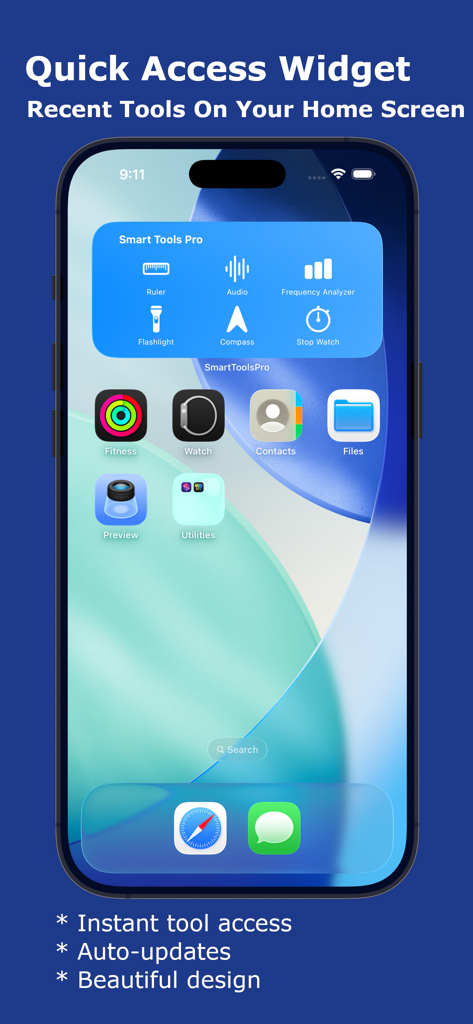
Smart Tools Pro Schnelleinstiegs-Widget auf einem iPhone-Startbildschirm, das Werkzeug-Shortcuts anzeigt.

Smart Tools Pro Schnelleinstiegs-Widget auf einem iPhone-Startbildschirm, das Werkzeug-Shortcuts anzeigt.

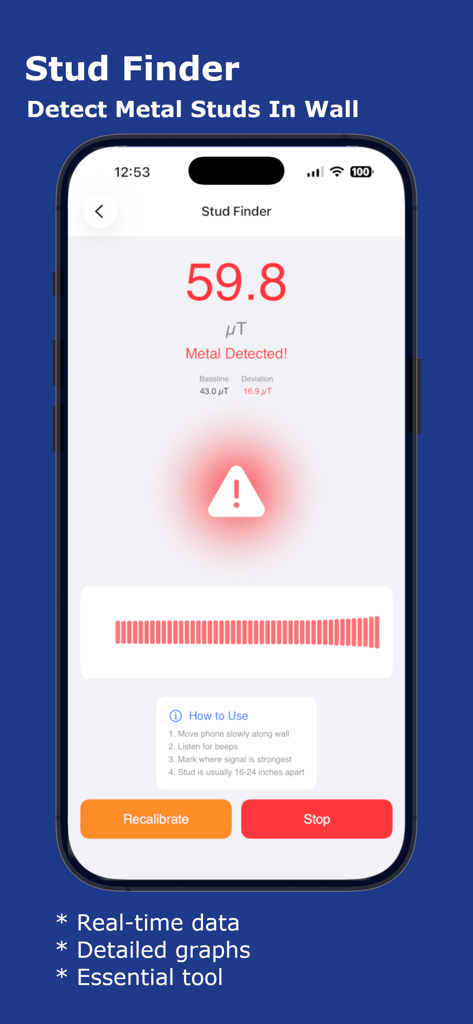
Smart Tools Pro App-Bildschirm zeigt das Bolzenfinder-Werkzeug an, das Metallbolzen mit Echtzeit-Magnetfelddaten erkennt.

Smart Tools Pro App-Bildschirm zeigt das Bolzenfinder-Werkzeug an, das Metallbolzen mit Echtzeit-Magnetfelddaten erkennt.

Ihr komplettes professionelles Toolkit

Die Tools, die diese App auszeichnen, gewählt von 169K+ Nutzern.

📐

Präzise DIY- und Layout-Werkzeuge

Erzielen Sie bei jedem Projekt eine perfekte Ausrichtung mit unserer professionellen Wasserwaage, unserem magnetischen Bolzenfinder und unserer Lot-Schnur.

📏

Erweiterte AR-Messung

Vergessen Sie das physische Maßband. Nutzen Sie Augmented Reality, um Entfernungen, Objektgrößen und komplexe Winkel sofort zu berechnen.

💡

Profi-Sensor-Suite

Schöpfen Sie das volle Potenzial Ihres iPhones aus mit einem Luxmeter für Beleuchtung, einem Sonnenverfolger zur Planung und einer Lupe für feine Details.

Über die App

Alles, was Sie über wissen müssen Smart Tools Pro - SmartTools.

Beschreibung

**Smart Tools Pro - Your Complete iOS Toolkit** Transform your iPhone into a professional measurement and utility toolkit with Smart Tools Pro. Whether you're a DIY enthusiast, professional contractor, photographer, or just need quick access to essential tools, Smart Tools Pro has everything you need in one beautifully designed app - 30 powerful tools at your fingertips! MEASURING TOOLS (8) * Ruler - Measure objects with precision using your screen or camera. Perfect for quick measurements when you don't have a physical ruler. * Protractor - Measure angles accurately for DIY projects, construction, or educational purposes. Real-time angle display with degree precision. * Slope - Calculate slope angles and percentages. Essential for construction, landscaping, and accessibility compliance. * Distance - Measure distances using AR technology. Point your camera and get instant distance measurements for room planning. * Height - Measure heights of objects using your phone's sensors and AR. Perfect for measuring buildings, trees, or furniture. * Speedometer - Track your speed in real-time with GPS. HUD mode for windshield reflection. Max speed and distance tracking. * Plumb Bob - Check vertical alignment with a virtual plumb bob. Essential for construction and hanging fixtures. * Angle Finder - Measure angles using camera-based angle detection. Draw and compare multiple angles. UTILITY TOOLS (20) * Magnifier - Magnify small text or objects with zoom control and flash support. Perfect for reading fine print and inspecting details. * Flashlight - Powerful LED flashlight with adjustable brightness and strobe modes. Never be in the dark again. * Compass - Navigate with confidence using the built-in digital compass. Shows direction, coordinates, altitude, and magnetic field strength. * GPS - Track your location with precision. View latitude, longitude, altitude, speed, and accuracy. Save favorite locations. * Audio - Advanced audio analyzer with frequency spectrum, waveform visualization, and real-time audio monitoring. * Seismograph - Detect and monitor vibrations and movements. Track seismic activity and record shake events. * QR-Code - Scan and generate QR codes. Create custom QR codes for URLs, text, contacts, and more. * Level - Turn your iPhone into a professional spirit level with bubble display. Surface and edge modes with calibration. * Mag Flux - Measure magnetic field strength in microteslas. Detect magnetic objects and monitor field variations. * Reader - Text-to-speech reader for PDFs and images. OCR technology extracts text from photos. Adjustable reading speed. * Color Picker - Pick colors from your camera in real-time. Save color palettes with hex, RGB, and HSB values. * Barometer - Monitor atmospheric pressure. Track weather changes with pressure trends and altitude compensation. * Random Generator - Generate random numbers, flip coins, roll dice, and create secure passwords. Perfect for games and decisions. * Lux Meter - Measure light intensity in lux. Professional light measurement for photography and workspace optimization. * Stud Finder - Detect metal studs and magnetic objects in walls using your phone's magnetometer. Essential for hanging fixtures. * Sun Tracker - Track sun position throughout the day. Plan photography sessions and solar panel installations with sunrise/sunset times. * Decibel Logger - Measure and log sound levels. Monitor noise pollution and track daily noise exposure with detailed history. * Frequency Analyzer - Analyze audio frequencies in real-time. Spectrum analyzer with harmonic detection for musicians and audio professionals. TIME TOOLS (2) * Stop Watch - Precision stopwatch with volume button control for races and workouts. Record multiple laps with highest/lowest indicators. * Timer - Countdown timer with volume button control for hands-free operation. Download Smart Tools Pro today and discover 30 professional tools in one beautifully designed app!

Neueste Version

10.1

Größe

10.9 MB

Erstveröffentlichung

26. Nov. 2013

Tragen Sie 30 professionelle Werkzeuge in Ihrer Tasche

Schließen Sie sich über 169.000 Heimwerkern und Fachleuten an, die Smart Tools Pro vertrauen, um die Arbeit richtig zu erledigen. Laden Sie noch heute Ihr ultimatives digitales Toolkit herunter.

Herunterladen auf App Store

App information, icons, screenshots, and descriptions displayed on this page are sourced from the Apple App Store and are the property of their respective developers. Download estimates and rankings are based on MWM's proprietary models and may not reflect actual figures. This page is provided for informational and analytical purposes only.

Believe this page infringes your intellectual property? File a dispute