SmartSDR™ - FlexRadio Systems®

SmartSDR™ - FlexRadio Systems®

Herunterladen auf App Store
Logo von SmartSDR™ - FlexRadio Systems®

SmartSDR™ - Professionelle Fernsteuerung für Ihre FlexRadio-Systeme®

Entfesseln Sie die volle Leistung Ihres SDR der 6000er oder 8000er Serie auf iPad und iPhone. Von FT8 und DX-Clustern bis hin zur fortschrittlichen Panadapter-Steuerung – erleben Sie totale Freiheit für Ihre Funkstation mit professionellem Fernbetrieb.

Herunterladen auf App Store

Herausgeber

Marcus Roskosch

Kategorie

Utilities

Downloads

6K+

Bewertung

4.2/5

Bewertungen gesamt

200

Sprachen

1

Die Funkstation, grenzenlos frei

Entdecken Sie die Oberfläche, die von 6K+ Nutzern verwendet wird.
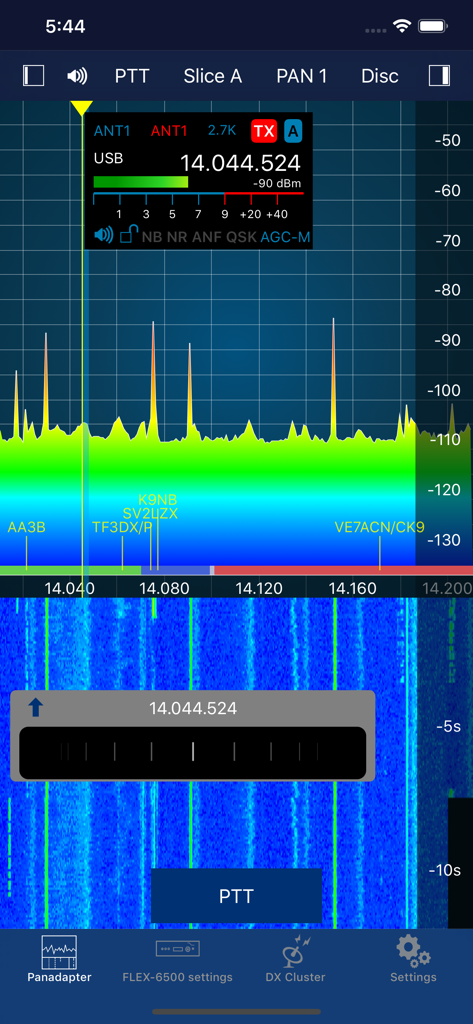
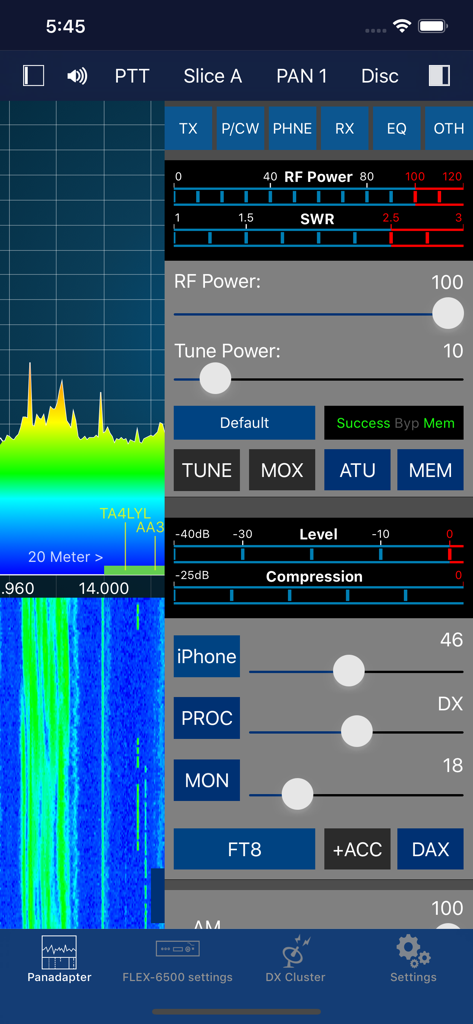
Benutzeroberfläche der SmartSDR Mobil-App mit Hochfrequenz-Panadapter und Wasserfallanzeige

Benutzeroberfläche der SmartSDR Mobil-App mit Hochfrequenz-Panadapter und Wasserfallanzeige

Oberfläche der SmartSDR App mit Spektrum-Panadapter und Bedienelementen für die Funkübertragung

Oberfläche der SmartSDR App mit Spektrum-Panadapter und Bedienelementen für die Funkübertragung

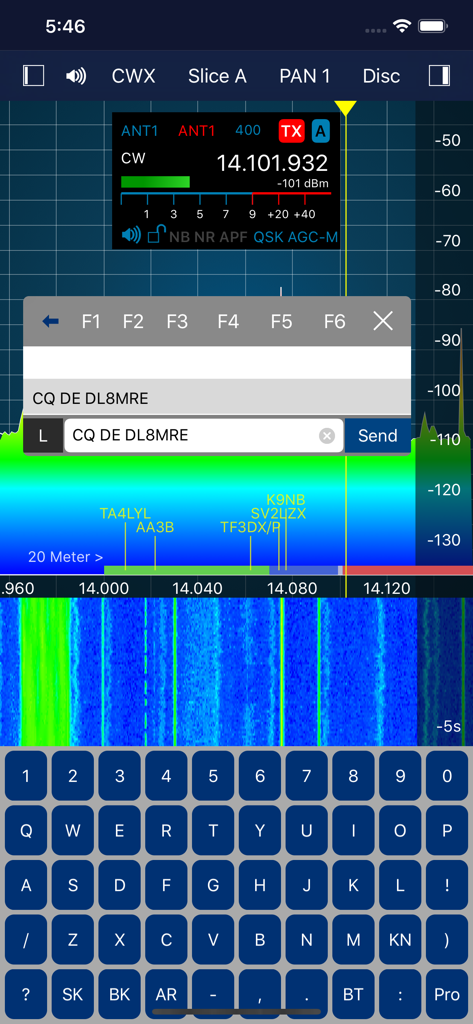
Oberfläche der SmartSDR App mit Funkspektrum-Wasserfall und Tastatur zur CW-Texteingabe

Oberfläche der SmartSDR App mit Funkspektrum-Wasserfall und Tastatur zur CW-Texteingabe

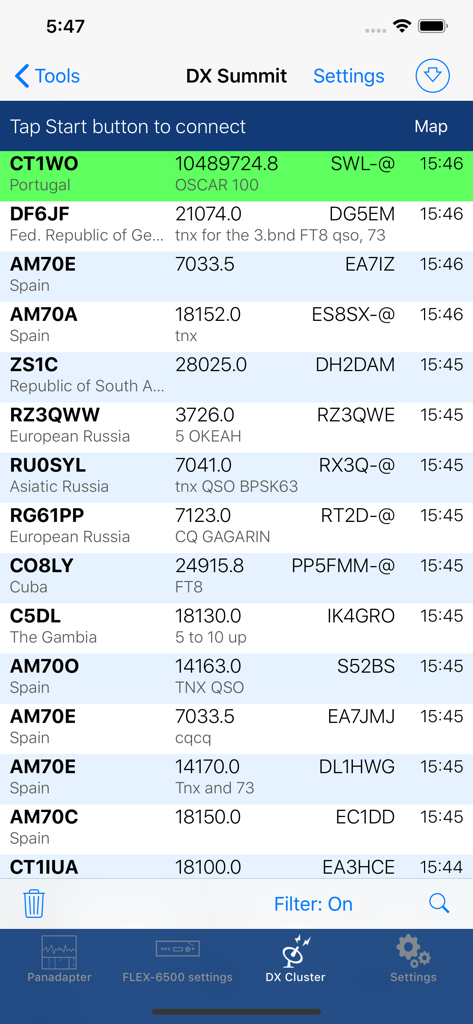
Ein Bildschirm in der SmartSDR App, der eine Liste von DX-Spots mit Rufzeichen und Frequenzen zeigt

Ein Bildschirm in der SmartSDR App, der eine Liste von DX-Spots mit Rufzeichen und Frequenzen zeigt

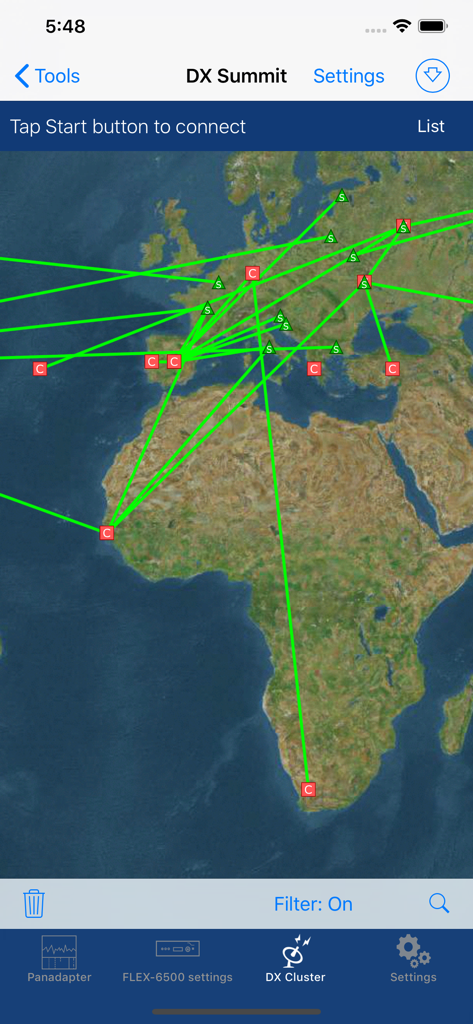
DX-Cluster-Oberfläche der SmartSDR App, die Amateurfunk-Spots auf einer Weltkarte anzeigt

DX-Cluster-Oberfläche der SmartSDR App, die Amateurfunk-Spots auf einer Weltkarte anzeigt

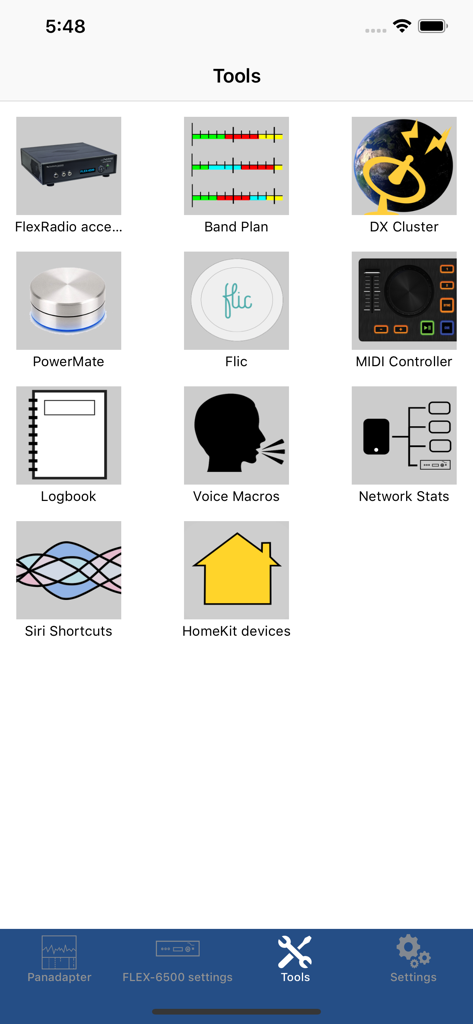
Werkzeugmenü der SmartSDR App mit Icons für Amateurfunk-Utilities wie Bandplan und DX-Cluster

Werkzeugmenü der SmartSDR App mit Icons für Amateurfunk-Utilities wie Bandplan und DX-Cluster

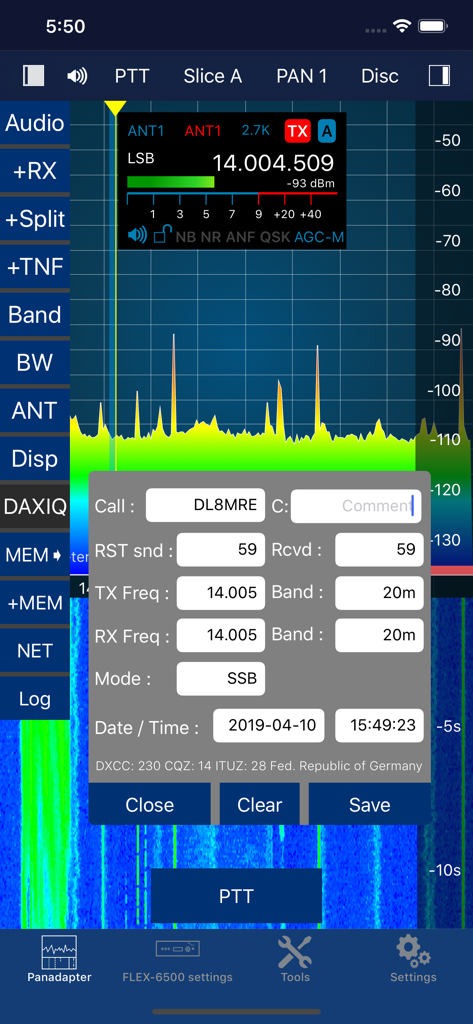
Oberfläche der SmartSDR App mit Hochfrequenz-Panadapter und Fenster zur Protokollierung von Amateurfunkkontakten.

Oberfläche der SmartSDR App mit Hochfrequenz-Panadapter und Fenster zur Protokollierung von Amateurfunkkontakten.

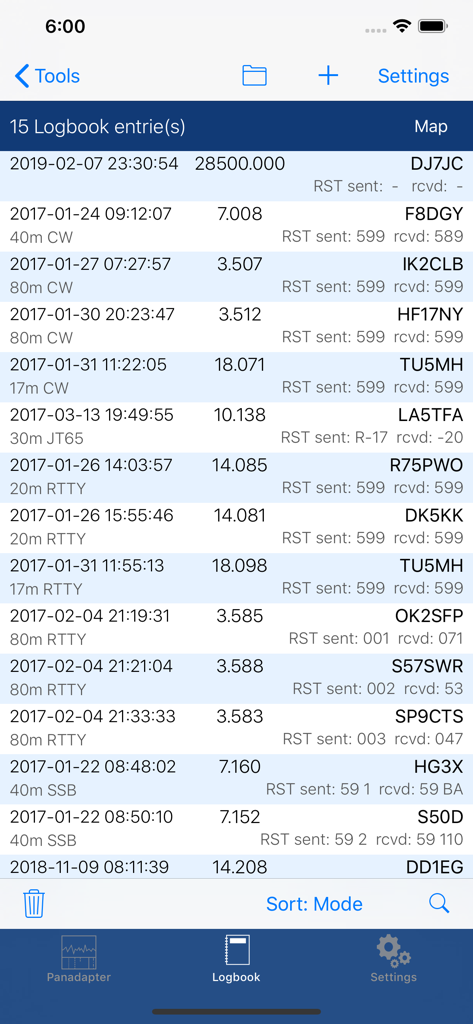
Digitaler Logbuch-Bildschirm mit Einträgen von Amateurfunkkontakten inklusive Rufzeichen und Frequenzen

Digitaler Logbuch-Bildschirm mit Einträgen von Amateurfunkkontakten inklusive Rufzeichen und Frequenzen

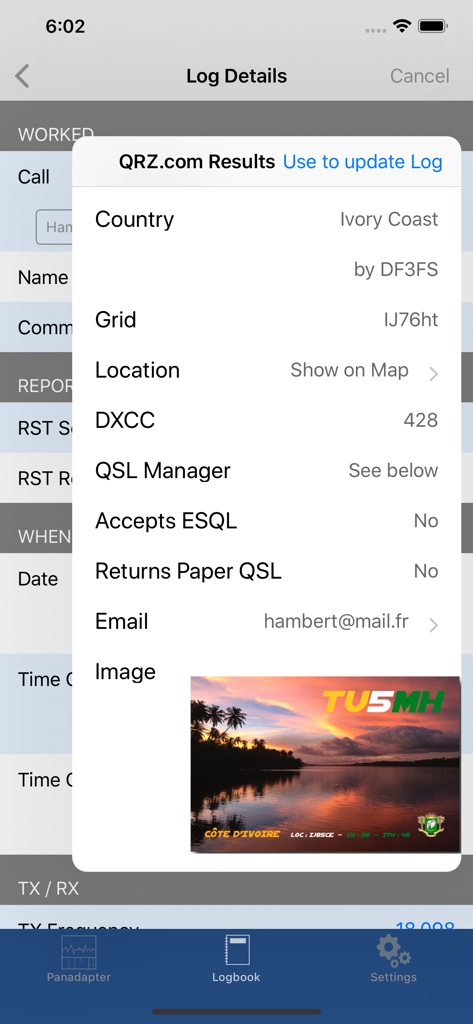
Logbuch-Details und QRZ-Suchergebnisse in der SmartSDR App für einen Kontakt aus der Elfenbeinküste

Logbuch-Details und QRZ-Suchergebnisse in der SmartSDR App für einen Kontakt aus der Elfenbeinküste

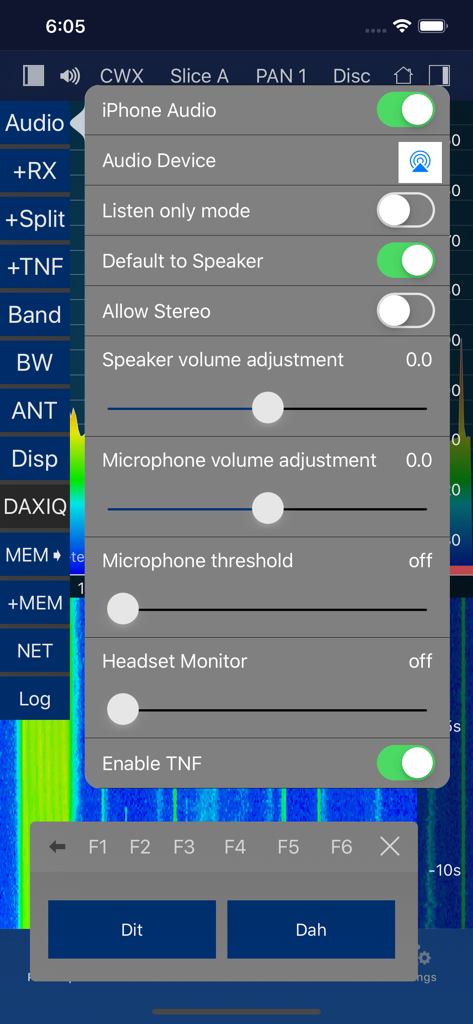
Oberfläche der SmartSDR App mit Audio-Konfigurationseinstellungen und einem Morse-CW-Keyer mit Dit- und Dah-Tasten

Oberfläche der SmartSDR App mit Audio-Konfigurationseinstellungen und einem Morse-CW-Keyer mit Dit- und Dah-Tasten

Desktop-Leistung direkt in Ihrer Handfläche

Die Tools, die diese App auszeichnen, gewählt von 6K+ Nutzern.

🌍

Globaler SmartLink™ Fernzugriff

Betreiben Sie Ihre FLEX-6000 oder 8000 Station von überall auf der Welt mit vollem Funktionsumfang und der gleichen geringen Latenz, die Sie von Ihrer Funkstation gewohnt sind.

🛰️

Integrierte digitale Betriebsarten & Tools

Nutzen Sie FT8, FT4, SSTV und CW-Dekodierung direkt auf Ihrem Gerät. Keine externen PCs, komplexen Kabel oder Drittanbietersoftware für ein komplettes digitales Setup erforderlich.

🔍

Fortschrittliche Spektrum-Entdeckung

Visualisieren Sie die Bänder mit hochauflösenden Panadaptern und integrierten DX-Cluster-Spots, sodass Sie seltene Signale mit chirurgischer Präzision finden und protokollieren können.

Über die App

Alles, was Sie über wissen müssen SmartSDR™ - FlexRadio Systems®.

Beschreibung

Official FlexRadio Systems® Client - NOW: All-Inclusive, no In-App Purchase! SmartSDR is a full featured radio client that enables your iPad or iPhone to operate your FlexRadio device. It is fully compatible to SmartSDR v1, v2 (including SmartLink) and v3 (including MultiFlex and SmartControl) and v4. Please note: This App requires a FlexRadio Systems® Series 6000 or 8000 Software Defined Radio (SDR) Device. FACTS AND FEATURES: SmartSDR offers almost all features of SmartSDR for Windows such as: ■ Supports FT8 and FT4 (iPad and iPhone Max, Firmware 2 required) ■ SSTV TX and RX (NEW!) ■ APRS TX and RX (NEW!) ■ Included CW Decoder and keyer ■ Weather Fax (HF-Fax) Decoder ■ Creation, maintenance of Slices, TNFs, Filters ■ Unlimited number of Slices, Panadapters (limited only by radio model) ■ CWX support including Sidetone and live send mode ■ Software Paddle or Straight-Key support ■ Maintain all Radio, Slice and Panadapter settings ■ Support for Memories ■ Profiles integration (TX, Microphone and Global) ■ Audio settings supported including equalizers ■ Support for TX Settings like Power including all Tuning features ■ Transverter support ■ SmartLink™ remote access ■ APD / SmartSignal™ support ■ MultiFlex™ support ■ SmartControl support ■ HomeKit support to control radio, antenna switches etc. remotely ■ Direct support for Power Genius XL (PGXL), Tuner Genius (TGXL), Antenna Genius (AGXL) and Rotator Genius (RGXL) local and remote For HomeKit, you can use any Power Plug or Switch that are HomeKit compatible. In addition to SmartSDR for Windows, this App offers these features: ■ Band limits and Band maps and modes will be displayed inside the Pan adapter ■ DX Cluster support which displays spots directly inside the Pan adapter ■ Graphical tuning knob for easy and exact frequency selection. ■ Various additional minor bells and whistles such as easy TNF maintenance, ■ Direct Bandwidth selection, Split Mode, instant Memory creation and more. ■ Device logging and device parameter monitoring (e.g. PA Temperature etc.) ■ Logbook integration with ADIF Im- and Export ■ Support for two Bluetooth and USB Controllers ■ Voice Macro recording and playback There are just a few limitations compared to SmartSDR for Windows which are: - Only one Panadapter visible at the same time. - Diversity is not implemented. WHAT YOU NEED: - A FlexRadio Systems® FLEX-6000 or 8000 series radio - An iPhone or iPad that runs at least iOS 17 NETWORK REQUIREMENTS: To run this App at your home, nothing else but a regular WiFi connection is needed that can access your FLEX Radio. You can immediately start using the App. For Remote operation via SmartLink™ a Version 2 License is required for your Radio. The App supports Splitscreen Multitasking on the newer iPads so you can run SmartSDR in split mode parallel to your browser, Email software or any other App. SUPPORTED SDR HARDWARE: FLEX-6300, FLEX-6400, FLEX-6400M, FLEX-6500, FLEX-6600, FLEX-6600M, FLEX-6700,FLEX-8400, FLEX-8400M, FLEX-8600, FLEX-8600M Find out more here: https://ham-radio-apps.com Read the Manual: https://go-to.me/smartsdr-manual

Neueste Version

7.0.94

Größe

58.3 MB

Erstveröffentlichung

2. Sept. 2016

Übernehmen Sie die volle Kontrolle über Ihr FlexRadio

Schließen Sie sich tausenden von Top-Funkamateuren an, die den leistungsstärksten All-in-One-Mobil-Client für FLEX-6000 und 8000 Hardware nutzen. Erleben Sie die Freiheit, losgelöst von Ihrer Funkstation zu sein.

Herunterladen auf App Store

App information, icons, screenshots, and descriptions displayed on this page are sourced from the Apple App Store and are the property of their respective developers. Download estimates and rankings are based on MWM's proprietary models and may not reflect actual figures. This page is provided for informational and analytical purposes only.

Believe this page infringes your intellectual property? File a dispute