Speede Scooters

Speede Scooters

Herunterladen auf App Store
Logo von Speede Scooters

Speede Roller: Das ultimative Smart-Armaturenbrett für deine Fahrt

Übernimm die volle Kontrolle über deinen E-Scooter mit Echtzeit-Geschwindigkeitsverfolgung, präzisen Reichweitenaktualisierungen und nahtloser Konnektivität für den modernen Stadtpendler.

Herunterladen auf App Store

Herausgeber

Matus Vido

Kategorie

Travel

Downloads

4K+

Bewertung

4.1/5

Bewertungen gesamt

0

Sprachen

7

Deine Fahrt, visualisiert

Entdecken Sie die Oberfläche, die von 4K+ Nutzern verwendet wird.
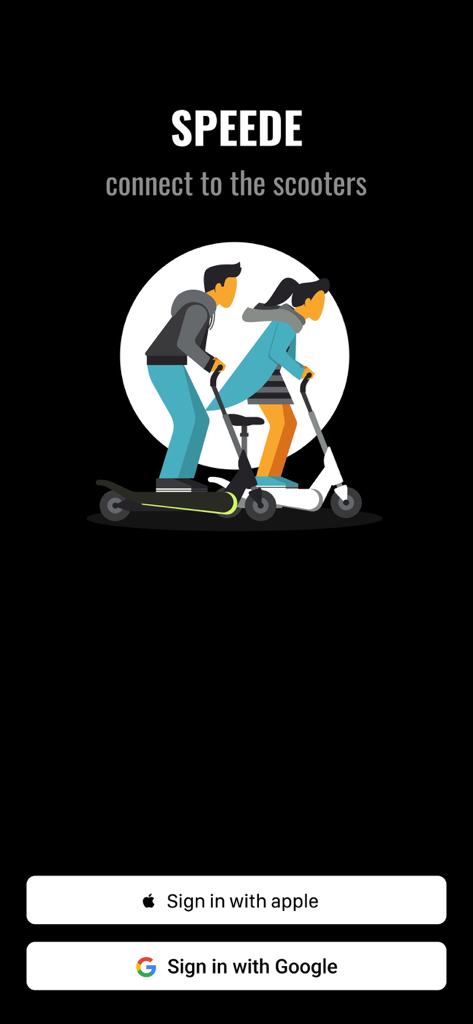
Speede Roller App Login-Bildschirm mit Apple und Google Anmeldebuttons und einer Illustration von Menschen auf Elektrorollern

Speede Roller App Login-Bildschirm mit Apple und Google Anmeldebuttons und einer Illustration von Menschen auf Elektrorollern

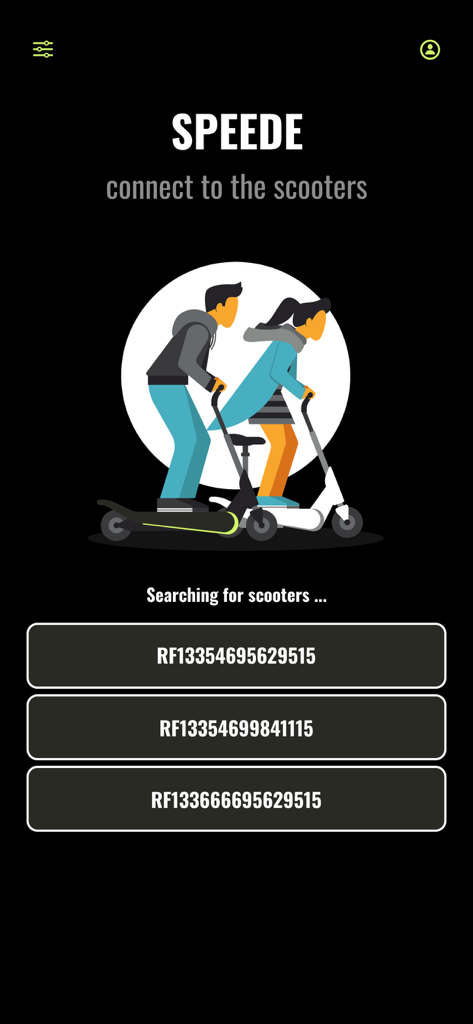
Speede Roller App-Bildschirm, der nach nahegelegenen Elektrorollern sucht und diese zur Verbindung auflistet.

Speede Roller App-Bildschirm, der nach nahegelegenen Elektrorollern sucht und diese zur Verbindung auflistet.

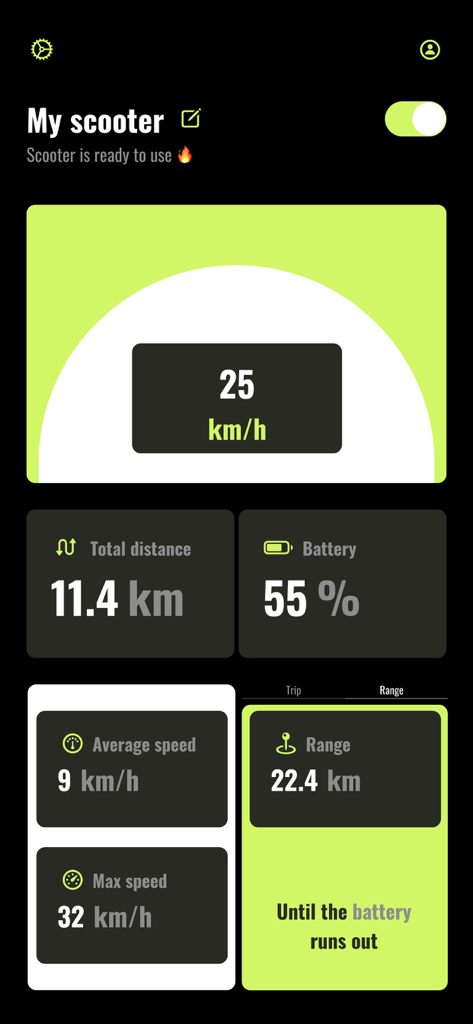
Armaturenbrett der Speede Roller App, das Geschwindigkeit, Akkulaufzeit und zurückgelegte Strecke anzeigt.

Armaturenbrett der Speede Roller App, das Geschwindigkeit, Akkulaufzeit und zurückgelegte Strecke anzeigt.

Meistere deine urbane Reise

Die Tools, die diese App auszeichnen, gewählt von 4K+ Nutzern.

Präziser HUD-Tachometer

Verfolge deine Live-Geschwindigkeit, Durchschnittsgeschwindigkeit und Höchstgeschwindigkeit auf einem kontrastreichen Armaturenbrett, das für perfekte Sicht während der Fahrt entwickelt wurde.

🔋

Eliminiere Reichweitenangst

Erhalte präzise Updates darüber, wie viele Kilometer du vor der nächsten Aufladung fahren kannst, damit du nie wieder liegen bleibst.

📲

Intelligente Fernbedienung

Schalte deinen Roller mit einem Fingertipp ein oder aus und personalisiere deine Geräteeinstellungen für ein wirklich maßgeschneidertes Besitzerlebnis.

Über die App

Alles, was Sie über wissen müssen Speede Scooters.

Beschreibung

Introducing Speede, the ultimate app for enhancing your electric scooter experience. The app was made by a team of scooter lovers who want to provide the users with the best experience. Seamlessly connect to your scooter, customize device settings, and track your rides with the Speedometer and Trip features. Enjoy convenient control over scooter. 1. Sign in effortlessly with your Apple or Google account. Your travel data will be securely stored and automatically loaded each time you log in. 2. Automatically scan the devices around you and connect to the scooter: you are able to see the nearby scooters available to connect. When you tap on the scooter name you will be connected and redirected to the scooter page. 3. Changing the name of the scooter: To customize the name of your device, you have the ability to do so on the main screen by tapping the edit icon located next to the scooter name when it is detected nearby. 4. Turning the scooter on/off: Once you are connected to your scooter, you can locate the power button in the upper right corner. Tapping on this button will turn on the scooter. Likewise, the same procedure applies in reverse when you wish to turn off the scooter. Please note that when you toggle the turn off button, the scooter may not immediately power down. In most cases, you will observe two red flashes on the scooter's head LED, indicating that the scooter is in the process of turning off. However, in certain instances, the scooter's LED may attempt to flash multiple times for a brief duration. Please be advised that this behavior is normal, and the scooter will eventually power off after approximately one minute. 5. Speedometer: Showing the current scooter speed. 6. Battery state visibility. 7. Total distance traveled: The cumulative distance traveled on your scooter begins counting from the moment you install the application and start using it for the first time. If you power off the scooter and then turn it back on the following day, the distance displayed will remain the same as when you last left it on the previous day. 8. Average and maximum speed: Those speeds are calculated for the whole usage of the application. You are able to reset the values by settings icon once you are connected to the scooter. 9. Trip feature: Feature allows you to track your personal trip by restarting the traveled distance while the total distance is unchanged. 10. Filter distance: Filter icon on the upper left corner of the main page represents the functionality to have an option to limit visibility of the closes devices by the range. Set it to min to see the scooters within the range 1 meter, medium with 5 meters and the maximum to 10. 11. Settings icon: If you ever wondered if you can reset your previous speed or distance traveled with your scooter, now you are able to do it. Once you connected to your scooter locate the setting icon just next to power button. Just click on the icon and choose which value you want to reset and the app will do it for you. 12. Range: Get precise updates on how many kilometers you can still travel before your scooter needs a recharge Thank you for the purchase, enjoy the time spent on the scooters and ride safe Speede team.

Neueste Version

1.0.8

Größe

14.0 MB

Erstveröffentlichung

6. Juli 2024

Bereit, deine Fahrt zu verbessern?

Schließe dich über 4.000 Stadtpendlern an und verwandle dein iPhone in das ultimative High-Tech-Armaturenbrett. Verfolge jede Fahrt, eliminiere Reichweitenangst und übernimm noch heute die volle Kontrolle über deinen E-Scooter.

Herunterladen auf App Store

App information, icons, screenshots, and descriptions displayed on this page are sourced from the Apple App Store and are the property of their respective developers. Download estimates and rankings are based on MWM's proprietary models and may not reflect actual figures. This page is provided for informational and analytical purposes only.

Believe this page infringes your intellectual property? File a dispute