SyncGene Sync Contact Calendar

SyncGene Sync Contact Calendar


Herunterladen auf App Store
Logo von SyncGene Sync Contact Calendar

SyncGene: Synchronisieren Sie Ihre Kontakte, Kalender und Aufgaben nahtlos über alle Plattformen hinweg

Überbrücken Sie die Lücke zwischen iCloud, Google und Outlook. Vereinheitlichen Sie Ihr Berufs- und Privatleben automatisch mit einer Hintergrundsynchronisierung auf Unternehmensebene, maßgeschneidert für vielbeschäftigte Fachleute.

Herunterladen auf App Store

Herausgeber

Cira Apps Limited

Kategorie

Productivity

Downloads

9K+

Bewertung

1.9/5

Bewertungen gesamt

0

Sprachen

3

Effizienz in Bewegung

Entdecken Sie die Oberfläche, die von 9K+ Nutzern verwendet wird.
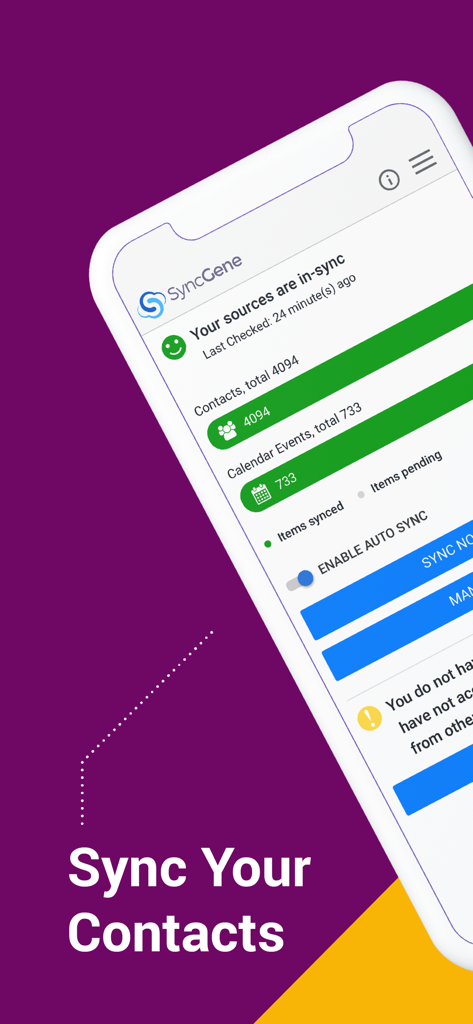
SyncGene App-Dashboard zeigt synchronisierte Kontakte und Kalenderereignisse.

SyncGene App-Dashboard zeigt synchronisierte Kontakte und Kalenderereignisse.

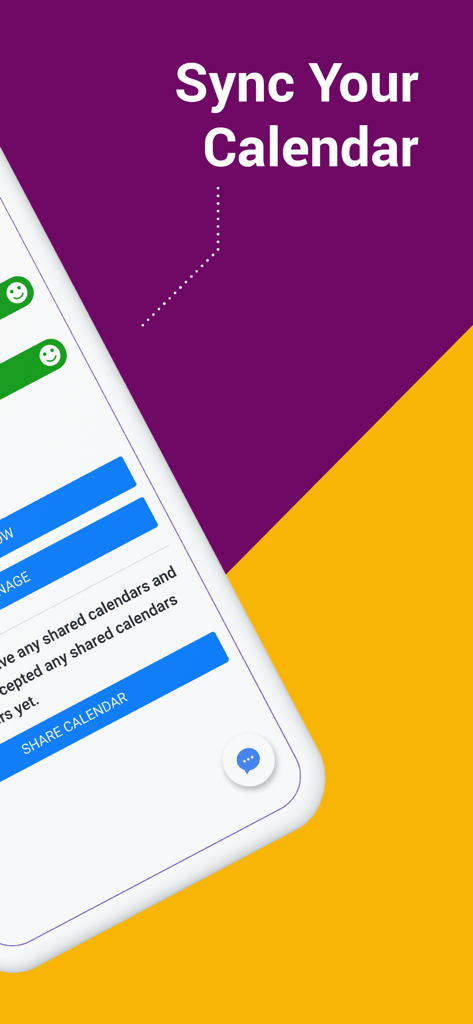
Bildschirm 'Kalender synchronisieren' aus der SyncGene App

Bildschirm 'Kalender synchronisieren' aus der SyncGene App

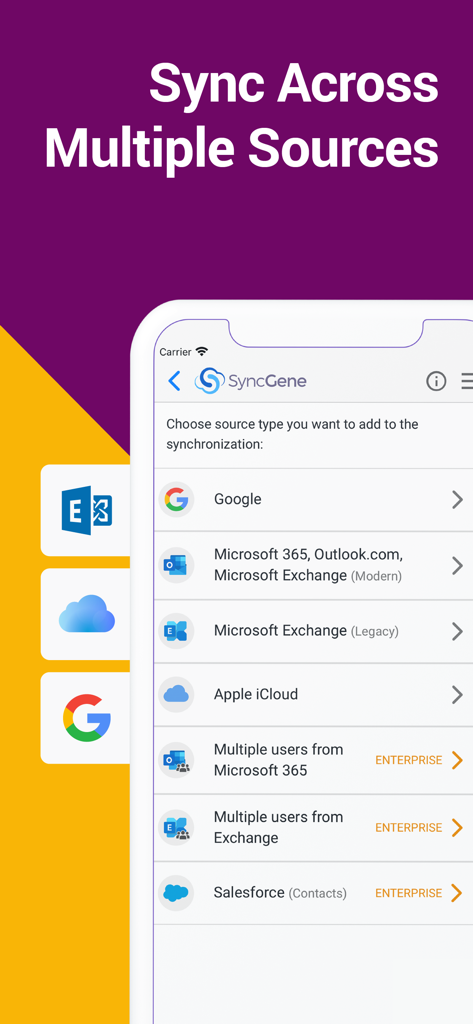
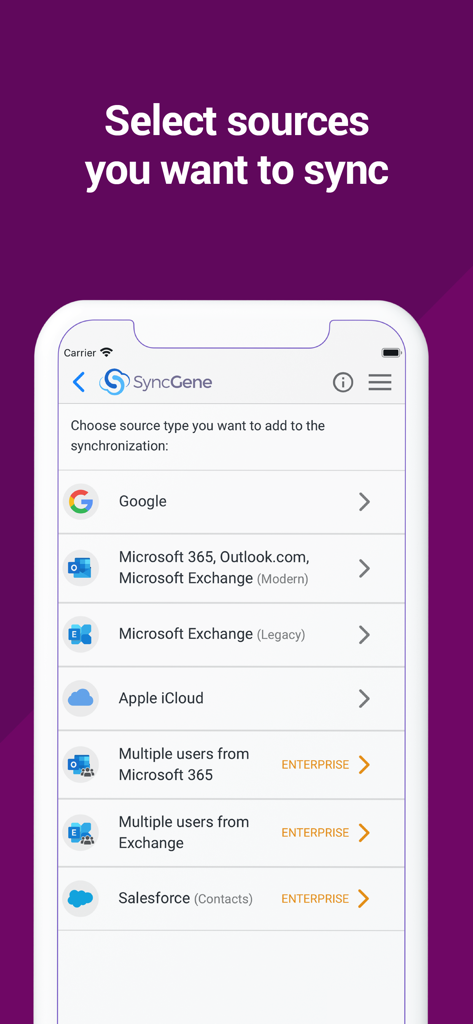
SyncGene App-Bildschirm zeigt Optionen zur Synchronisierung von Konten von Google, Microsoft 365, iCloud und Salesforce.

SyncGene App-Bildschirm zeigt Optionen zur Synchronisierung von Konten von Google, Microsoft 365, iCloud und Salesforce.

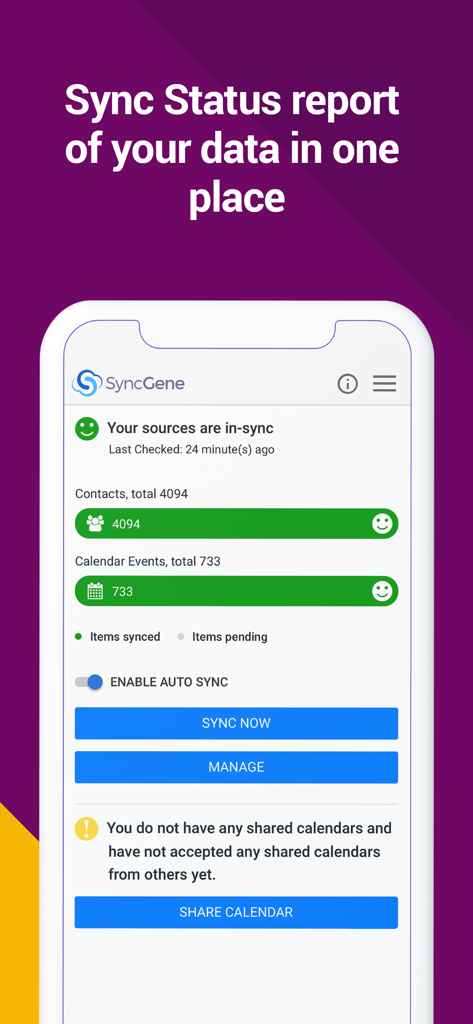
SyncGene Dashboard zeigt den Synchronisierungsstatus für Kontakte und Kalenderdaten.

SyncGene Dashboard zeigt den Synchronisierungsstatus für Kontakte und Kalenderdaten.

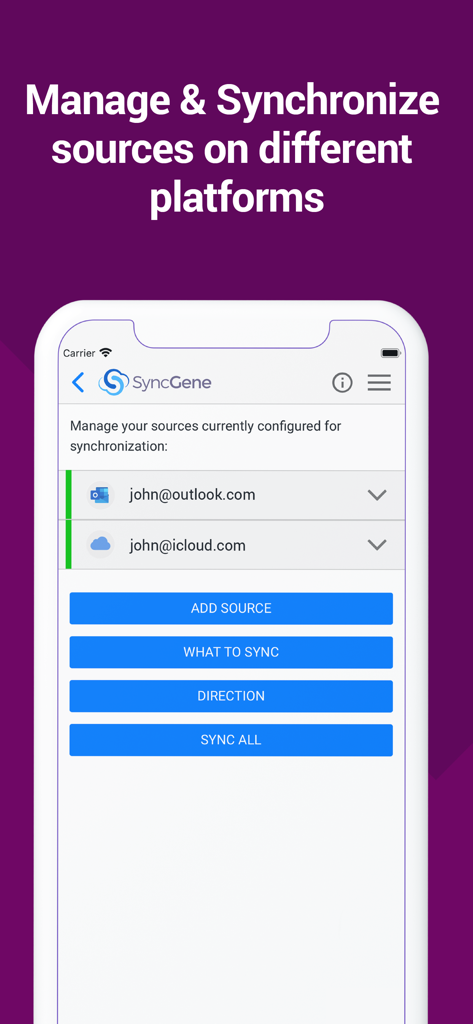
SyncGene mobile App-Oberfläche zeigt konfigurierte Outlook- und iCloud-Konten zur Synchronisierung.

SyncGene mobile App-Oberfläche zeigt konfigurierte Outlook- und iCloud-Konten zur Synchronisierung.

SyncGene App-Bildschirm zeigt Optionen zur Synchronisierung von Google, Microsoft Outlook und Apple iCloud.

SyncGene App-Bildschirm zeigt Optionen zur Synchronisierung von Google, Microsoft Outlook und Apple iCloud.

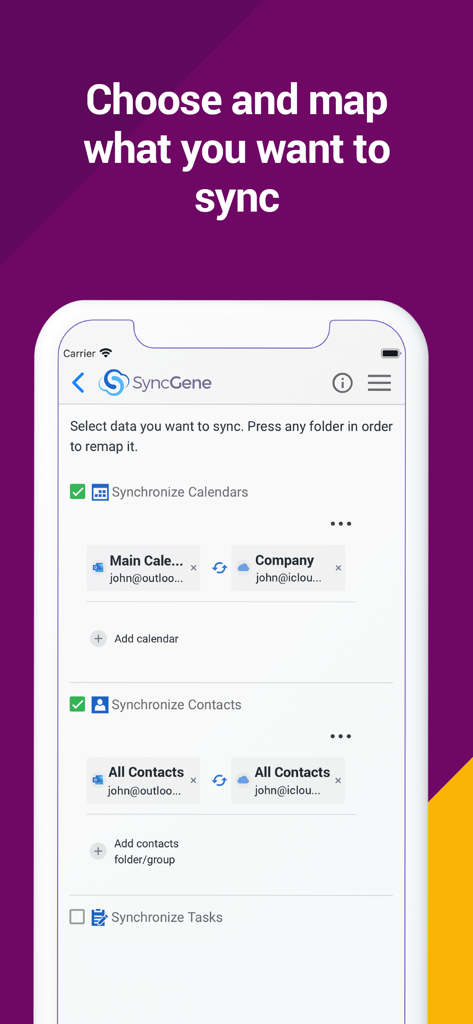
SyncGene mobile App-Oberfläche zeigt Optionen zur Auswahl und Zuordnung der Kalender- und Kontaktsynchronisierung zwischen Outlook und iCloud.

SyncGene mobile App-Oberfläche zeigt Optionen zur Auswahl und Zuordnung der Kalender- und Kontaktsynchronisierung zwischen Outlook und iCloud.

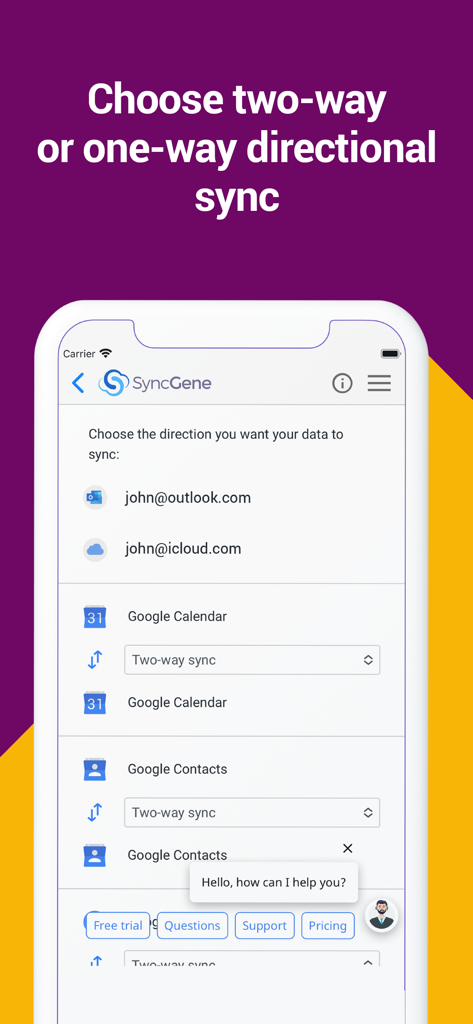
SyncGene mobile App-Oberfläche zeigt die Einstellungen für die direktionale Synchronisierung von Google Kalender und Kontakten.

SyncGene mobile App-Oberfläche zeigt die Einstellungen für die direktionale Synchronisierung von Google Kalender und Kontakten.

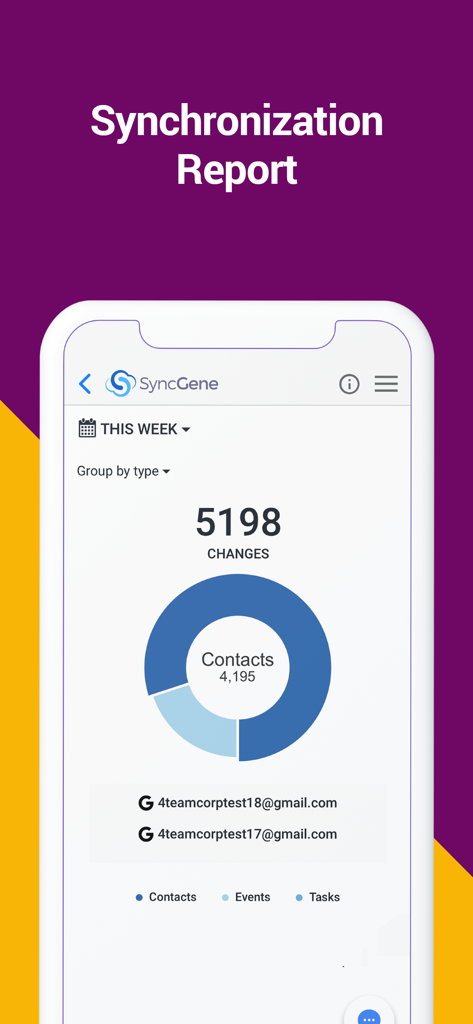
SyncGene App-Synchronisierungsbericht-Dashboard zeigt Änderungen für Kontakte, Ereignisse und Aufgaben.

SyncGene App-Synchronisierungsbericht-Dashboard zeigt Änderungen für Kontakte, Ereignisse und Aufgaben.

Meistern Sie Ihren digitalen Workflow

Die Tools, die diese App auszeichnen, gewählt von 9K+ Nutzern.

🔄

Einrichten und Vergessen-Automation

Aktualisieren Sie einen Kontakt auf Ihrem iPhone und sehen Sie ihn sofort in Outlook. Unsere Hintergrundsynchronisierung stellt sicher, dass Ihre digitale Welt immer gespiegelt wird, ohne dass Sie einen Finger rühren müssen.

🌉

Jedes Ökosystem überbrücken

Die ultimative Lösung für 'Ökosystem-Nomaden'. Verbinden Sie Google Kalender, iCloud Kontakte und Microsoft Exchange nahtlos zu einer einheitlichen Ansicht.

🛠️

Granulare Zuordnungskontrolle

Behalten Sie die volle Kontrolle über Ihre Daten. Passen Sie Einweg- oder Zweiweg-Synchronisierungsrichtungen an und verwenden Sie die Ordnerzuordnung, um geschäftliche und private Einträge perfekt organisiert zu halten.

Über die App

Alles, was Sie über wissen müssen SyncGene Sync Contact Calendar.

Beschreibung

Free Cloud synchronization service to sync your Calendar, Contacts and Tasks with another iPhone, iPad, Mac, iCloud account, as well as Google and Microsoft devices and services. Sync Contacts, Calendar Events, and Tasks between your iPhone/iPad via iCloud with Google Gmail, Outlook 365, Outlook.com, Hotmail and Exchange. With SyncGene you can sync iCloud Calendar and Contacts with Google Calendar and Gmail Contacts. You can sync Calendar and Contacts using SyncGene app or online. Main features of SyncGene sync service: SYNC CONTACTS, CALENDAR, AND TASKS Sync Contacts, Calendar Events, and Tasks automatically across multiple devices, email accounts, Web Apps, and services. No more manual exporting, importing, double-entry, and data duplication. SYNC MULTIPLE SOURCES One tool to sync iCloud, Google Calendar, Gmail Contacts and Tasks, Outlook.com/Hotmail, Office 365 and Microsoft Exchange sources, and more coming soon. Any changes you make in your Contacts, Calendars and Tasks will appear on all your connected devices and services used. AUTO & CONSTANT SYNCHRONIZATION SyncGene stands out for its auto-sync, which is happening in the background. If you change anything in your data, SyncGene will automatically & constantly update all the sources and devices with the latest changes. MERGE PERSONAL INFORMATION. SAVE YOUR TIME One Calendar, one Address Book, and one To-do list for your hassle-free management. No more lost, duplicate or incomplete entries. MAPPING With SyncGene you can map folders and groups on the “What to sync” page. Use Folder Mapping to sync data between any chosen Folders or Groups. For example, you can sync your contacts from the “All People” group in Google Contacts with the “Contacts from Google” folder on Microsoft Exchange. SYNC DIRECTIONS You also can change sync direction - choose between one-way or two-way sync; & also free to busy sync; • You can change synchronization “Direction” when there are 2 sources configured. • To keep things simple, when adding 3rd and more sources it will inherit one-way/two-way settings from the first 2 sources automatically. • In case you have 3 or more sources and you still need to change sync directions' setup, please contact our support and they will help you. SyncGene PREMIUM Keep your digital life up to date across all devices and services. With SyncGene Premium you can: • Sync your data automatically • Sync an unlimited number of Contacts • Sync up to 5 different sources Compatible with: iPhone, iPad, Mac. Time saver: easy automation tool for busy people. SyncGene will sync your web apps, email accounts and devices automatically. No need to enter the same information on multiple devices or services. Synchronization is performed without you ever noticing, just set up SyncGene once and you can forget about it. Safe, secure and reliable: all your data is backed up to your Google Drive and can be easily restored. We never keep your synchronized information. SyncGene is hosted on Microsoft Azure – the most trusted cloud service. Every SyncGene service user has easy & fast access to our free 5 Star Live Chat and Email support. Terms of use - https://www.syncgene.com/terms-of-use

Neueste Version

2.6

Größe

3.2 MB

Erstveröffentlichung

21. Dez. 2016

Bereit, Ihre Produktivität auf Autopilot zu stellen?

Beenden Sie den Frust fragmentierter Kalender und Kontakte. Starten Sie noch heute Ihre automatische Synchronisierung über iCloud, Google und Office 365 – denn Ihre Zeit ist zu wertvoll für manuelle Eingaben.

Herunterladen auf App Store

App information, icons, screenshots, and descriptions displayed on this page are sourced from the Apple App Store and are the property of their respective developers. Download estimates and rankings are based on MWM's proprietary models and may not reflect actual figures. This page is provided for informational and analytical purposes only.

Believe this page infringes your intellectual property? File a dispute