Text Simplifier

Text Simplifier

Herunterladen auf App Store
Logo von Text Simplifier

Text Simplifier: Verwandeln Sie komplizierte Texte in klare, leicht lesbare Sprache

Das ultimative Werkzeug für Barrierefreiheit für Schüler, Lehrer und lebenslange Lerner. Vereinfachen Sie sofort Arbeitsblätter, Webseiten und Bücher mit KI, um Barrieren abzubauen und Lesebegeisterung zu fördern.

Herunterladen auf App Store

Herausgeber

Christian Urff

Kategorie

Education

Downloads

4K+

Bewertung

4.3/5

Bewertungen gesamt

0

Sprachen

4

Erleben Sie die Klarheit

Entdecken Sie die Oberfläche, die von 4K+ Nutzern verwendet wird.
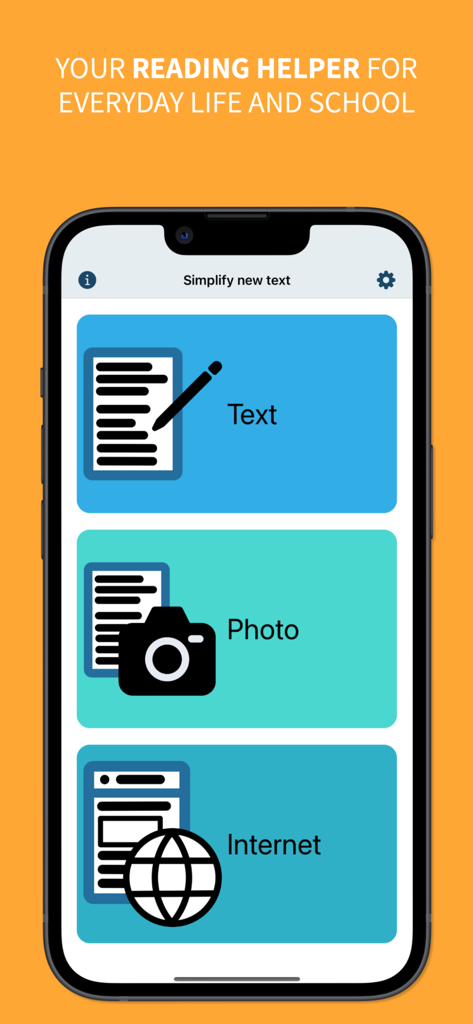
Hauptmenü der Text Simplifier App mit Schaltflächen zum Vereinfachen von Text durch manuelle Eingabe von Fotos oder dem Internet

Hauptmenü der Text Simplifier App mit Schaltflächen zum Vereinfachen von Text durch manuelle Eingabe von Fotos oder dem Internet

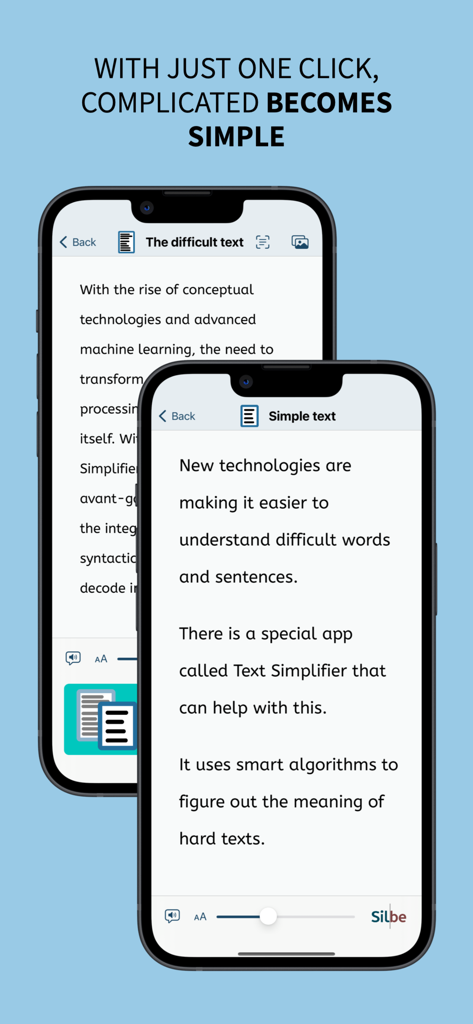
Vergleich von schwierigem Text und seiner vereinfachten Version auf Handybildschirmen.

Vergleich von schwierigem Text und seiner vereinfachten Version auf Handybildschirmen.

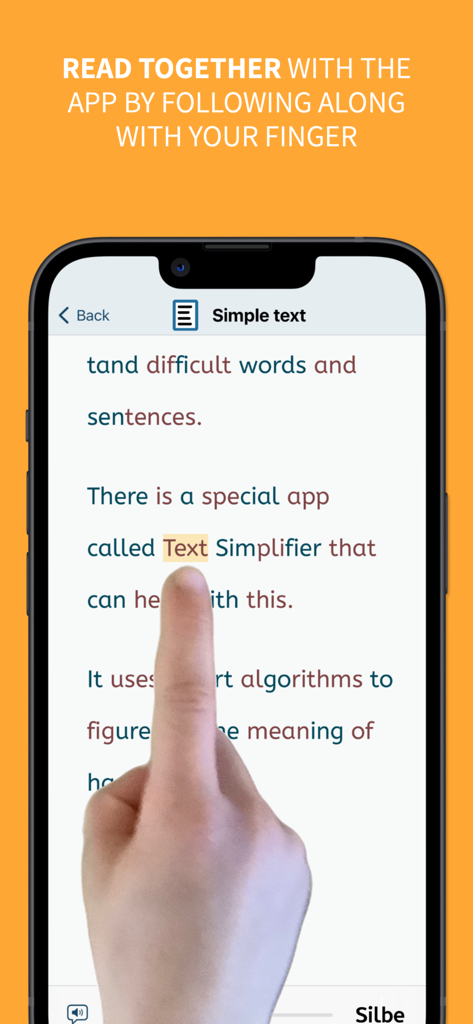
Ein Smartphone-Bildschirm zeigt die Lesefinger-Funktion, bei der ein Benutzer mit seinem Finger mitverfolgt, während die App Text vereinfacht

Ein Smartphone-Bildschirm zeigt die Lesefinger-Funktion, bei der ein Benutzer mit seinem Finger mitverfolgt, während die App Text vereinfacht

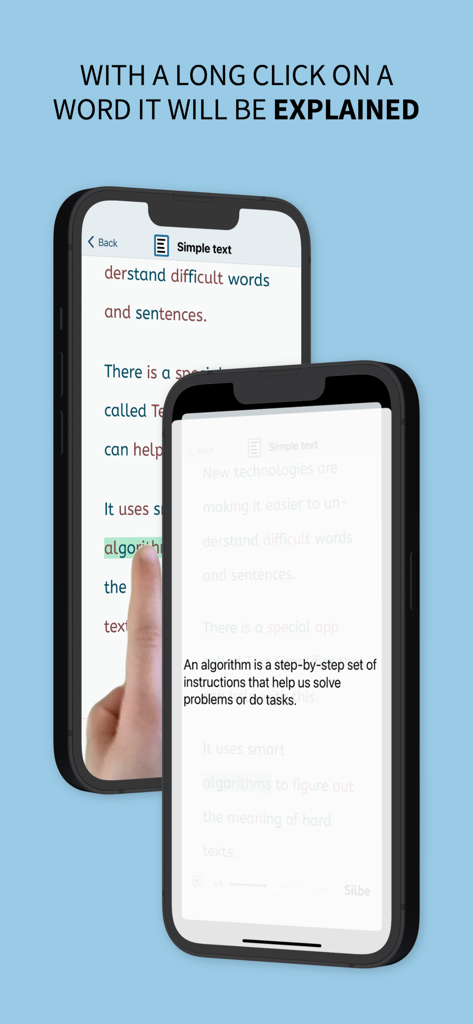
Die Text Simplifier App zeigt eine einfache Definition für ein schwieriges Wort nach einem langen Klick an

Die Text Simplifier App zeigt eine einfache Definition für ein schwieriges Wort nach einem langen Klick an

Befähigen Sie jeden Leser

Die Tools, die diese App auszeichnen, gewählt von 4K+ Nutzern.

🪄

KI-Vereinfachung mit einem Fingertipp

Unsere fortschrittliche KI übersetzt sofort dichte Fachsprache und schwierige Absätze in klare, einfache Sprache, die an Ihr spezifisches Leseniveau angepasst ist.

📸

Arbeitsblätter scannen & lesen

Verwandeln Sie physische Lehrbücher und Unterrichtsmaterialien in zugängliche digitale Inhalte. Machen Sie einfach ein Foto, um den Text zu vereinfachen und ihn sofort vorlesen zu lassen.

☝️

Geführte Leseunterstützung

Steigern Sie die Leseflüssigkeit mit synchronisierter Wortmarkierung und dem 'Lesefinger'-Werkzeug, das Benutzern mit Legasthenie oder ADHS hilft, sich auf jedes Wort zu konzentrieren.

Über die App

Alles, was Sie über wissen müssen Text Simplifier.

Beschreibung

You're facing difficult texts and wish they were easier to understand? This app is exactly what you need! Whether in inclusive education, for beginning readers, or for anyone who appreciates clear and understandable language - with just one click, complicated becomes simple. The Text Simplifier app makes difficult texts easier and translates them to plain language and easy read. Then the texts are easier to read and understand. And if you need help reading, the app can also read words to you. To do this, just follow along under the words with your finger. This app is for people with reading difficulties or beginning readers. It can also be very helpful in inclusive classroom instruction. There are then fewer barriers due to difficult texts. You have several options for simplifying texts: 1. Enter text: You can write a text, speak (dictate) or copy from another source. When you press the "Simplify Text" button, the text becomes simpler. 2. Take a picture of a text: You can take a photo of a text, for example from a book or worksheet. Then the app can read you the text or simplify it. 3. Internet texts: If you are reading on the internet and want a easy to read text, just press the "Simplify Texts" button. The app is actually very suitable for children and beginning readers, but due to the integrated browser, Apple recommends it only from age 17+, as any web page can be accessed. The app can do even more: - The app can read along with you. For this you have to use your reading finger. Move your finger along under the text as you read. And turn on the speaker. The app will then help you read. - The app can also read the entire text to you. If you want, the words are even highlighted as they are read. - You can long press on a word if you don't understand it. An explanation will then be displayed and read aloud (please turn on speaker). - You can make the letters bigger or smaller. - You can decide how simple the text should be. This is done in the settings. - Web pages can be displayed in "Reader Mode". Only the text and images are shown (without text simplification). Ads and menus are not shown. ## Tip: How to improve the voice! ## The iOS voice sometimes doesn't sound very good. You can simply use a different voice. To do this, go to the "Settings" app. Then to "Accessibility". Then select "Spoken Content" and then "Voices". Now you can select and download other voices. The enhanced voices sound especially good. ## What does it cost? ## The app is ad-free. It uses artificial intelligence (choose your preferred model) to simplify texts. The texts are sent over the internet for simplification. Each simplification costs some money. That's why the app costs something. Once you've purchased the app, you can simplify about 250 texts (depending on length). If you need more, you have to pay more via in-app-purchase.

Neueste Version

2.0

Größe

10.1 MB

Erstveröffentlichung

22. Aug. 2023

Sind Sie bereit, kompliziertes Lesen einfach zu machen?

Schließen Sie sich Tausenden von Schülern, Eltern und Pädagogen an, die Text Simplifier verwenden, um schwierige Texte in klare, leicht lesbare Sprache zu verwandeln. Laden Sie es jetzt herunter und beginnen Sie Ihre Reise zur Lesefreiheit.

Herunterladen auf App Store

App information, icons, screenshots, and descriptions displayed on this page are sourced from the Apple App Store and are the property of their respective developers. Download estimates and rankings are based on MWM's proprietary models and may not reflect actual figures. This page is provided for informational and analytical purposes only.

Believe this page infringes your intellectual property? File a dispute