Text Viewer - txt file viewer

Text Viewer - txt file viewer


Herunterladen auf App Store
Logo von Text Viewer - txt file viewer

Text Viewer – Ihre ultimative tragbare Bibliothek für Txt-Romane

Die Wahl des technikaffinen Lesers für ein ablenkungsfreies Erlebnis. Synchronisieren Sie nahtlos aus der Cloud, passen Sie jedes Pixel an und tauchen Sie mit fortschrittlichem Auto-Scroll und für iPad optimierten Ansichten in Ihre Lieblingswebromane ein.

Herausgeber

kim juyoung

Kategorie

Books

Downloads

590K+

Bewertung

4.7/5

Bewertungen gesamt

4K+

Sprachen

3

Ihr Lesen, Ihre Art

Entdecken Sie die Oberfläche, die von 590K+ Nutzern verwendet wird.
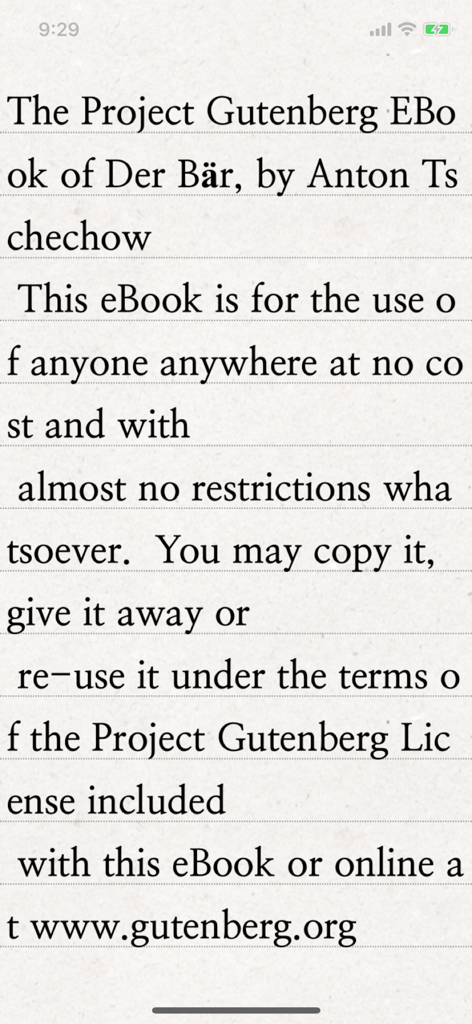
Ein Smartphone-Bildschirm zeigt die Text Viewer-App, die ein klassisches E-Book vom Project Gutenberg mit klarer Serifenschrift auf einem strukturierten Papierhintergrund anzeigt.

Ein Smartphone-Bildschirm zeigt die Text Viewer-App, die ein klassisches E-Book vom Project Gutenberg mit klarer Serifenschrift auf einem strukturierten Papierhintergrund anzeigt.

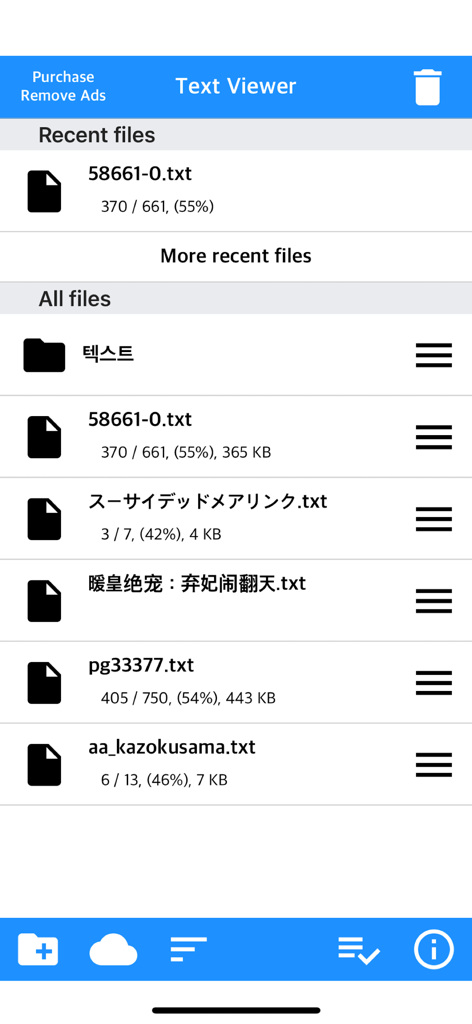
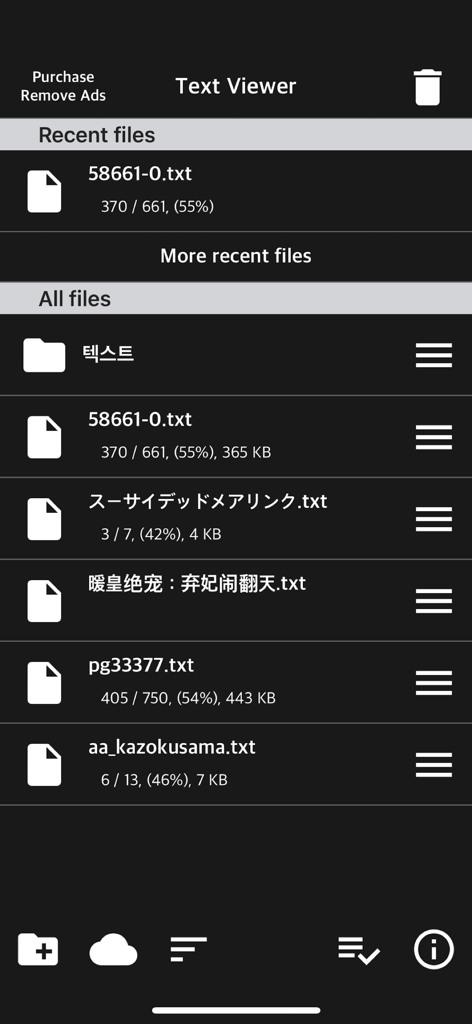
Der Hauptbildschirm zur Dateiverwaltung der Text Viewer-App zeigt eine Liste von TXT-Dateien mit Lesefortschritt.

Der Hauptbildschirm zur Dateiverwaltung der Text Viewer-App zeigt eine Liste von TXT-Dateien mit Lesefortschritt.

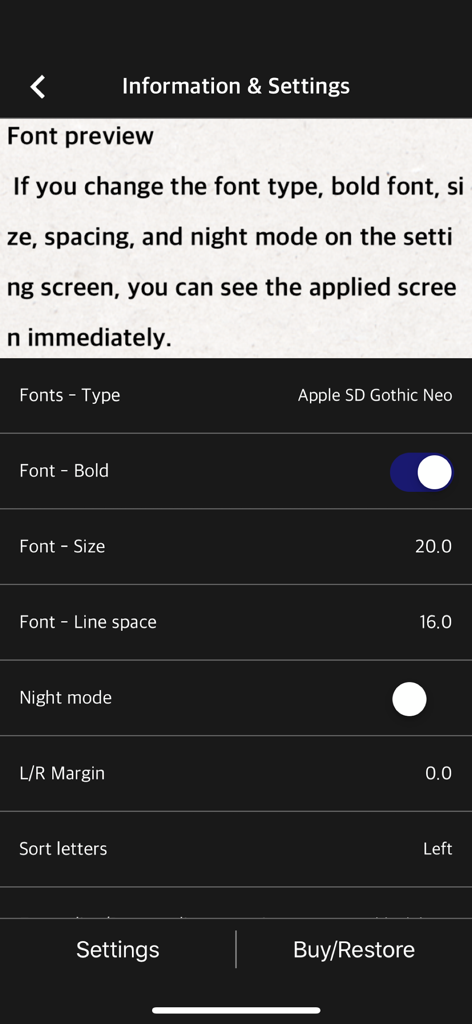
Einstellungen-Bildschirm einer mobilen App zum Anpassen von Schriftart, -größe und Zeilenabstand in einem Text-Reader.

Einstellungen-Bildschirm einer mobilen App zum Anpassen von Schriftart, -größe und Zeilenabstand in einem Text-Reader.

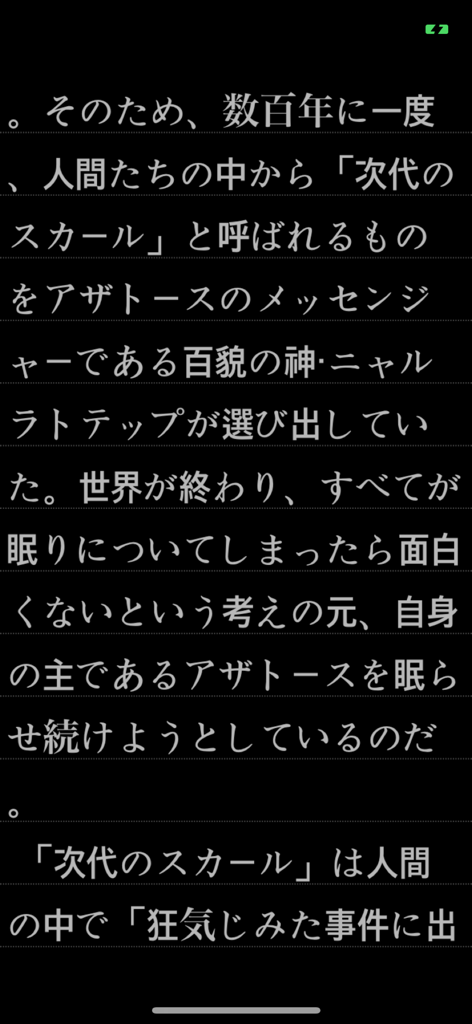
Japanischer Text, der im Dark Mode in der Text Viewer-App für Mobilgeräte angezeigt wird.

Japanischer Text, der im Dark Mode in der Text Viewer-App für Mobilgeräte angezeigt wird.

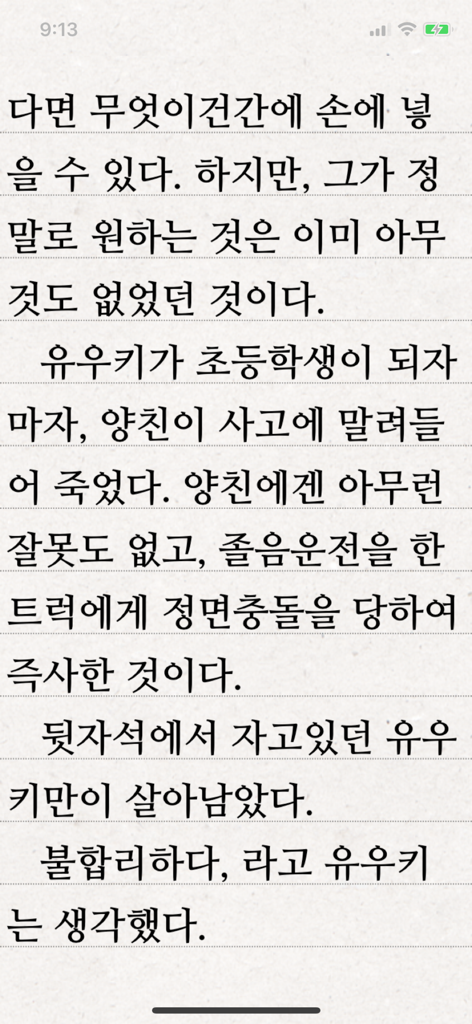
Die Text Viewer-App zeigt eine Seite mit koreanischem Text auf einem linierte Hintergrund an.

Die Text Viewer-App zeigt eine Seite mit koreanischem Text auf einem linierte Hintergrund an.

Die Benutzeroberfläche der Text Viewer-App zeigt eine Liste von zuletzt geöffneten und gespeicherten Textdateien im Dark Mode.

Die Benutzeroberfläche der Text Viewer-App zeigt eine Liste von zuletzt geöffneten und gespeicherten Textdateien im Dark Mode.

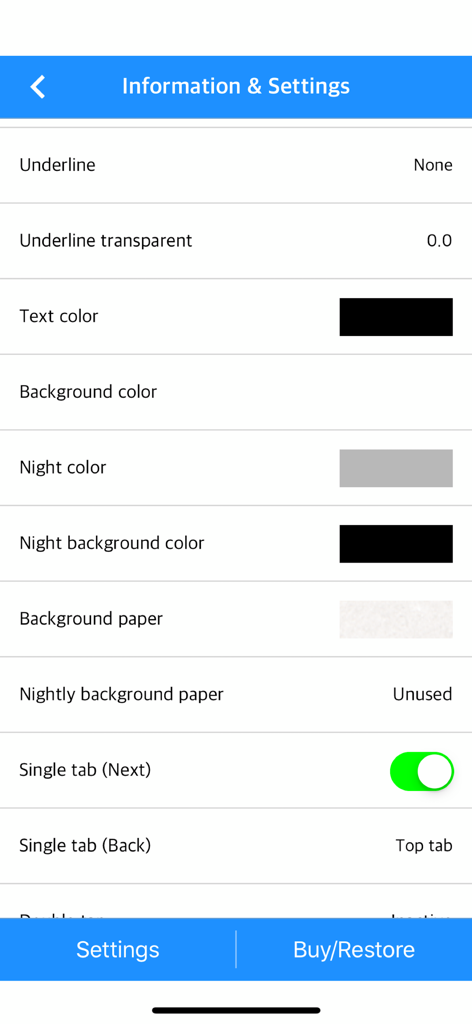
Das Einstellungsmenü der Text Viewer-App zeigt Anpassungsoptionen für Text- und Hintergrundfarben.

Das Einstellungsmenü der Text Viewer-App zeigt Anpassungsoptionen für Text- und Hintergrundfarben.

Lesen Sie genau so, wie Sie es möchten

Die Tools, die diese App auszeichnen, gewählt von 590K+ Nutzern.

🎨

Vollständige visuelle Kontrolle

Ahmen Sie einen High-End-E-Reader mit detaillierten Steuerelementen für Schriftstärke, Zeilenabstand und benutzerdefinierte Ränder nach. Wechseln Sie zwischen vertikalem und horizontalem Modus, um Ihren perfekten Fluss zu finden.

☁️

Ihre Bibliothek, überall

Vergessen Sie klobige Kabel. Importieren Sie Ihre private Sammlung sofort über iCloud, Dropbox, FTP oder direkte WLAN-Übertragung von Ihrem PC auf Ihr Mobilgerät.

Optimiert für Binge-Reading

Beherrschen Sie riesige Webromane mit unserem einzigartigen Dateiteilungstool und der Auto-Scroll-Funktion. Verlieren Sie nie wieder Ihren Platz mit intelligenten Lesezeichen und der Synchronisierung des zuletzt angesehenen Elements.

Über die App

Alles, was Sie über wissen müssen Text Viewer - txt file viewer.

Beschreibung

Simple text based novel viewer app that can view text file on your smart devices. Now, you can read E-book of text-based novel You can directly transfer text file from PC to App under identical Wi-Fi connection. If you are using iCloud app, the text file uploaded to iCloud can be imported into this App. It supports FTP and iTunes. Pages can be switched using tapping, left-right/up-down dragging, or scrolling. Each switching gesture feature can be turned on and off in the settings. It supports automatic scrolling (in-app purchase required). It is compatible with iPhone and iPad, and it can customize view mode as horizontal or vertical in the setting. In addition, it supports various features such as cutting file, and changing font, color, and brightness. Text viewer app is designed for viewing text-based novels (books) easily. It is being continuously improved for facilitation. If you have any questions or suggestions after installing app, please send an email to junhuloveapple@gmail.com, or click ‘send an email’ button located at the top right of your app's settings screen. We will try to response and update quickly. (It may take a day or so to answer if you ask using the comment system of Apple. If you need immediate response, please email us.) ** FEATURES ** - txt file extension - UTF-8 and multilanguage encodings - Writing direction: Function for languages that are read in the left direction (iOS 14+) - Enables to upload using PC web browser with Wi-Fi - File import from cloud apps such as iCloud, Dropbox, OneDrive, Mega, and Box etc. - FTP: search, download - SSHFTP - Secure FTP not supported - Enables to upload file using iTunes file sharing - File copy in the cloud app or mail attachment - Enables to set text size, space, and thickness - Adds page transition animation effects - Locks app and file - phone/tablet - Choose font types - Adjust screen brightness - Upload and search the compressed file including text file - Cut file feature: split file over 2MB into files of fixed size - Left / Right margin settings - Background / text color settings - Horizontal and vertical rotation for phone / tablet  - iPad multitasking screen support - Create / delete / rename of folder - Move / copy / delete of file - Select multiple files - Move the pages by tapping and left-right/up-down dragging - Search and view the text file from compressed file - Align text (left, right, center) - Search - Bookmark - Insert / delete a blank line - Turn off screen option: Automatically turn off screen at designated time when activated - Start view from the last viewed - Vertical scroll feature: User can scroll down the viewport - Next book auto-switching options: If you automatically change the next book switching option in Settings, tabs on the last page will automatically switch to the next book. - Automatic scroll feature (text file): Enable to scroll down automatically / Enable to set scroll down time from 1 second (fast) to 30 second (slow). (In-app purchase required) - Bluetooth keyboard: Supports page switching and screen closing function, direction key (asdw) page switch, ESC key viewer screen close (In-app purchase required) - "Two-page view" support in pad: left-right, right-left page direction also selectable, please adjust page interval to "left and right margin" value. (In-app purchase required, pad only) ** To import file from cloud, you need to install and login the cloud app. ** For the “file share” of iTunes and the “app file share” of ifunbox, the file should be uploaded using Text Viewer. ** Advertising: Text Viewer includes banner ad. When you watch the video advertising (less than 1-minute length), you can use ad-free Text Viewer for 24 hours per every day; or you can use permanent ad-free Text Viewer by in-app purchase.

Neueste Version

1.377

Größe

103.3 MB

Erstveröffentlichung

29. Nov. 2017

Ihre gesamte Bibliothek, genau so, wie Sie sie mögen

Schließen Sie sich über 590.000 Power-Lesern und Webroman-Enthusiasten an. Laden Sie den am besten anpassbaren Text-Viewer für iPhone und iPad herunter und beginnen Sie noch heute mit dem Lesen.

Herunterladen auf App Store

App information, icons, screenshots, and descriptions displayed on this page are sourced from the Apple App Store and are the property of their respective developers. Download estimates and rankings are based on MWM's proprietary models and may not reflect actual figures. This page is provided for informational and analytical purposes only.

Believe this page infringes your intellectual property? File a dispute