THX tune-up™

THX tune-up™

Herunterladen auf App Store
Logo von THX tune-up™

THX tune-up™: Professionelle Kinokalibrierung für Ihr Heimkino

Erreichen Sie die Absicht des Regisseurs. Kalibrieren Sie Ihr Display und Ihre Lautsprecher mit interaktiven Tutorials, technischen Testmustern und dem legendären THX Deep Note – alles von Ihrem Mobilgerät aus.

Herunterladen auf App Store

Herausgeber

THX Ltd.

Kategorie

Utilities

Downloads

2K+

Bewertung

3.1/5

Bewertungen gesamt

100

Sprachen

1

Visualisieren Sie filmische Perfektion

Entdecken Sie die Oberfläche, die von 2K+ Nutzern verwendet wird.
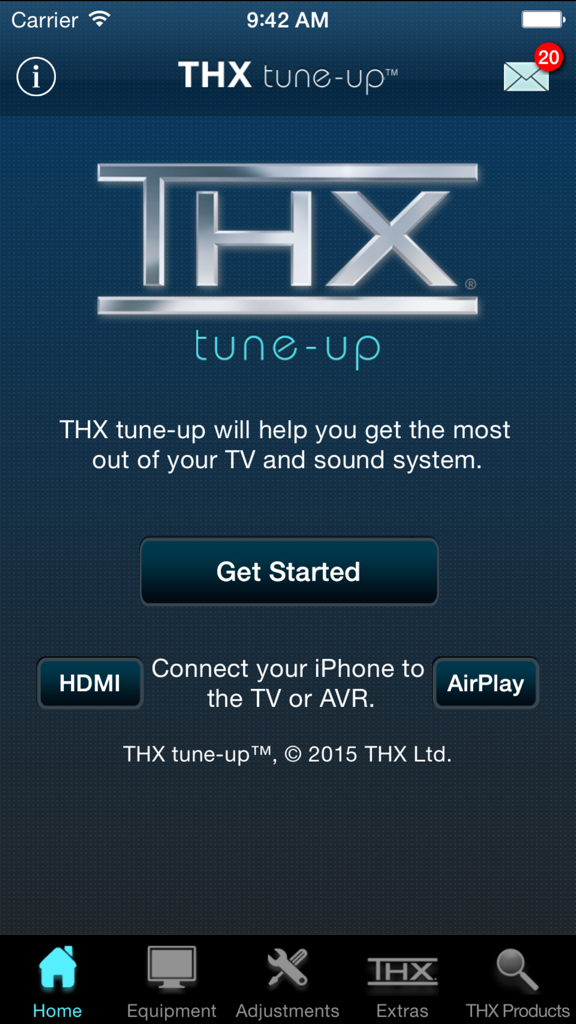
Startbildschirm der THX tune-up App für Heimkalibrierung mit dem Logo und der Schaltfläche zum Starten

Startbildschirm der THX tune-up App für Heimkalibrierung mit dem Logo und der Schaltfläche zum Starten

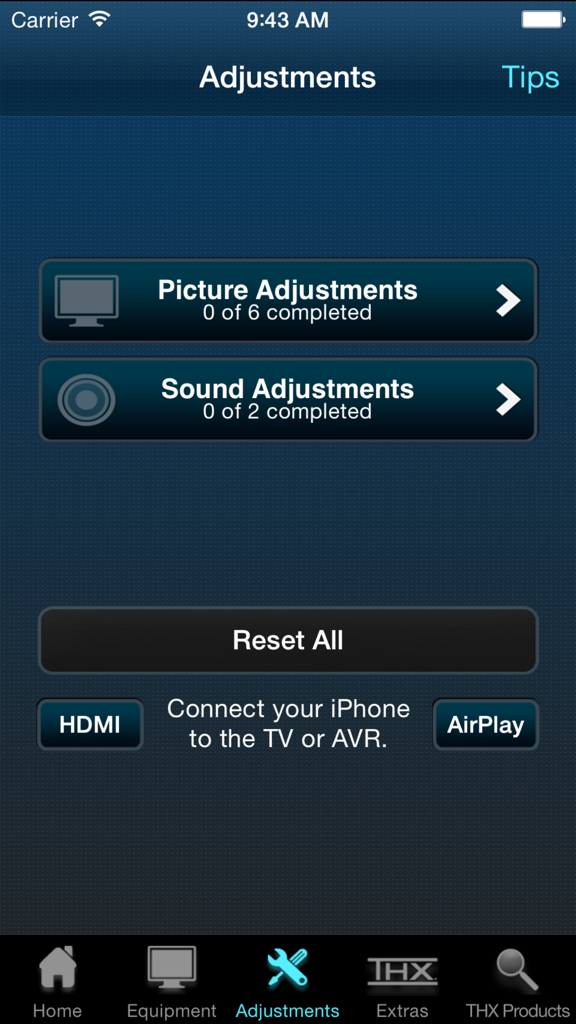
THX tune-up App-Menü für Bild- und Toneinstellungen

THX tune-up App-Menü für Bild- und Toneinstellungen

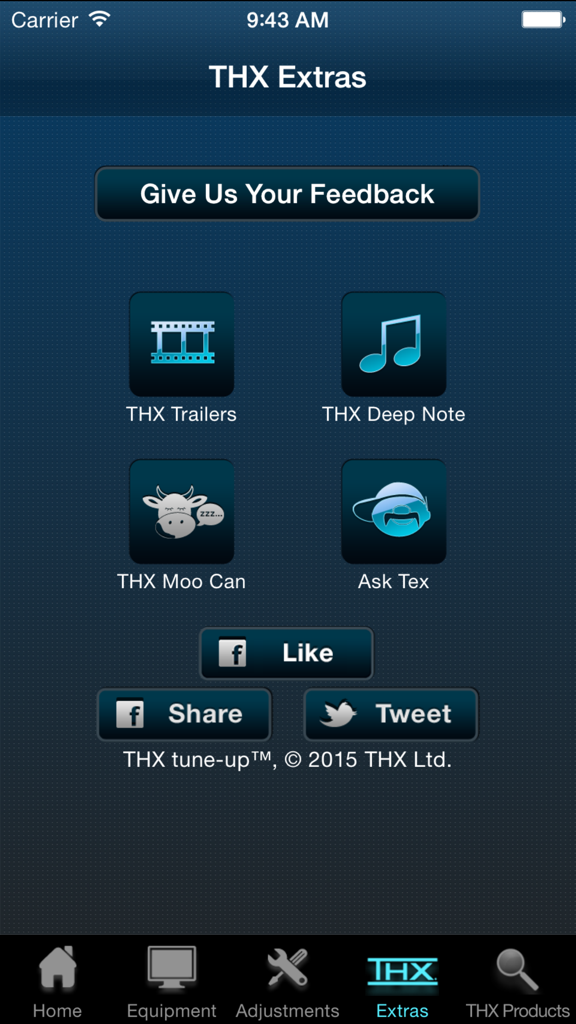
THX tune-up App Extras-Bildschirm mit Trailern und Audiotestfunktionen

THX tune-up App Extras-Bildschirm mit Trailern und Audiotestfunktionen

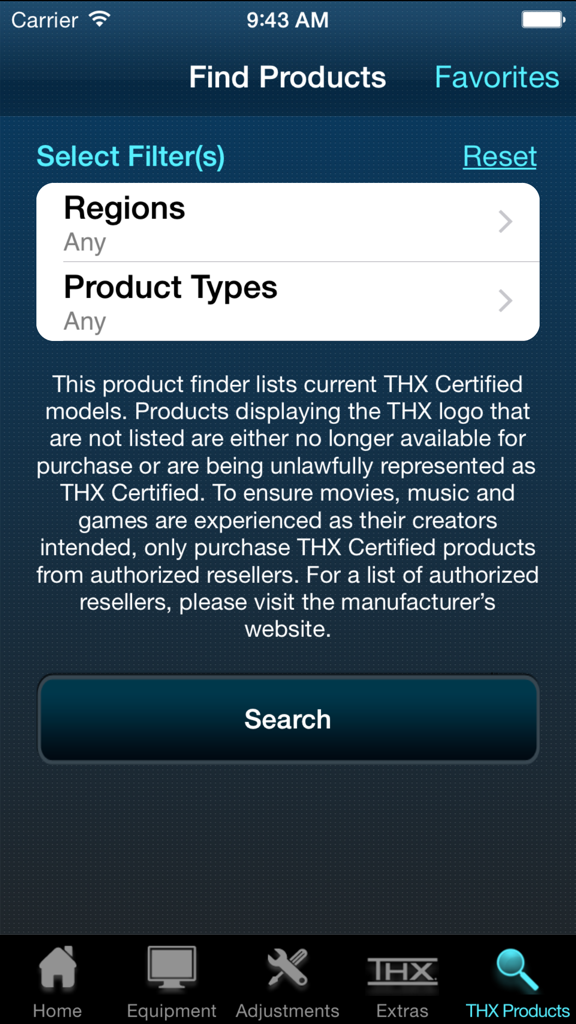
Der Produktfinder-Bildschirm in der THX tune-up App zeigt Filter für Regionen und Produkttypen an, um zertifizierte Geräte zu finden.

Der Produktfinder-Bildschirm in der THX tune-up App zeigt Filter für Regionen und Produkttypen an, um zertifizierte Geräte zu finden.

Entfesseln Sie die Absicht des Regisseurs in Ihrem Wohnzimmer

Die Tools, die diese App auszeichnen, gewählt von 2K+ Nutzern.

🎨

Präzise visuelle Abstimmung

Feinabstimmung von Farbe, Farbton und Kontrast mit Ihrer iPhone-Kamera als digitalem Filter, um sicherzustellen, dass jeder Frame genau so aussieht, wie vom Filmemacher beabsichtigt.

🔊

Perfekter Surround-Sound

Überprüfen Sie die Phasenlage und Platzierung der Lautsprecher für nahtlose 5.1- oder Stereo-Audio, die tote Zonen eliminiert und Sie in den Mittelpunkt des Geschehens rückt.

🎬

Die ultimative Demo-Suite

Präsentieren Sie die Leistung Ihres Systems mit dem legendären THX Deep Note und Kinotrailer, die entwickelt wurden, um das volle Potenzial Ihrer Ausrüstung auszuschöpfen.

Über die App

Alles, was Sie über wissen müssen THX tune-up™.

Beschreibung

THX tune-up (TM) allows you to properly adjust your TV, projector and speakers, helping you get the most out of your entertainment system. NOTE: Before you download and get started, please read the "Additional Requirements" & "Connection to TV/AVR" sections below to ensure enjoyment and proper use. For a video preview of the THX tune-up app, check out the THX YouTube http://bit.ly/X9h5rbchannel at YouTube.com/THXVids.   Additional Requirements • Supported iOS devices: iPhone 4, 4S, 5; iPad, 2, 3, 4 & Mini; iPod Touch 4 & 5; iOS 7.1 or later • If using Apple TV, must be 3rd gen version or later • iPhone 4 & iPod Touch 4 are not supported by Apple TV; must use AV adapter & HDMI cable connection to TV or AVR for picture adjustment (720p only) • For 5.1 audio tests, iOS device must be directly connected to AVR with adapter & HDMI cable (5.1 audio tests are not supported on Apple TV) • App is optimized for iOS 7.1 or later for 4S & 5, iPad 2, 3, 4 & Mini, & iPod Touch 5 with an HDMI adapter & cable directly connected to TV or AVR  Connection to TV/AVR • HDMI cable at least 2 meters (6 ft) & Cat 2-certified • 30-pin Apple Digital AV Adapter for iPad 2 & 3, iPhone 4 & 4S, & iPod Touch 4 • Lightning Digital AV Adapter for iPhone 5, iPad 4 & Mini, & iPod Touch 5 • Apple TV (3 gen) for picture adjustments is compatible with iPhone 4S & 5, iPad 2, 3, 4 & Mini, & iPod Touch 5 • Connect iOS device via Airplay to your Apple TV (3rd gen) & turn Mirroring ON THX tune-up features custom video test patterns, carefully selected photos and tutorials to help adjust and confirm the best picture settings on your display based on room lighting. Using special audio tests, THX tune-up also lets you check external speakers to make sure they are working in phase and are connected properly for 2-channel stereo or 5.1 sound systems.    THX tune-up is completely interactive — go through it at your own pace, in any order. Connect a supported iOS device to the display or sound system with an HDMI adapter & cable, or via AirPlay with Apple TV (3rd gen).   Locate the adjustment buttons on your TV and AVR remote controls and then follow the THX app tutorials which walk you through your “THX tune-up.” The app offers tips about your remote control, room lighting, viewing distance and other helpful advice.    Video adjustments • Aspect ratio – ensure your TV displays shapes & sizes correctly • Brightness – make certain shadow details & night scenes are clearly visible • Contrast – confirm white detail is distinct on your television • Color – make sure colors are bright & vibrant but not cartoonish • Tint – check skin tones look natural & are not too green or red   THX tune-up uses your iOS device’s camera to set color and tint with a special built in color filter. Point the device camera at the TV screen and see if the color or tint is adjusted correctly.   Audio adjustments • Speaker assignment – ensure speakers are connected to the correct AVR output & intended sound is coming from the correct speaker • Speaker phase – confirm that positive & negative speaker wires are connected correctly and all speakers are in phase   Extras • Turn “moo can” on & tilt your device to hear it “moo” • Play extraordinary THX trailers (just like in THX Certified cinemas) to show off your newly tuned TV & sound system to friends and family • Show off your audio system by playing “THX Deep Note” in 5.1 surround sound, just like in the theater • Have a question for THX or just want to provide feedback? Ask Tex! This app is not a professional calibration tool and is not intended to replace an in-home professional calibration.

Neueste Version

1.3.1

Größe

137.6 MB

Erstveröffentlichung

29. Jan. 2013

Entfesseln Sie das volle Potenzial Ihres Heimkinos

Erleben Sie Ihre Filme genau so, wie die Regisseure es beabsichtigt haben. Laden Sie THX tune-up™ noch heute herunter und kalibrieren Sie Ihr System mit professioneller Präzision.

Herunterladen auf App Store

App information, icons, screenshots, and descriptions displayed on this page are sourced from the Apple App Store and are the property of their respective developers. Download estimates and rankings are based on MWM's proprietary models and may not reflect actual figures. This page is provided for informational and analytical purposes only.

Believe this page infringes your intellectual property? File a dispute