Timery: Time Tracker

Timery: Time Tracker


Herunterladen auf App Store
Logo von Timery: Time Tracker

Timery: Der ultimative Toggl-Client für das Apple-Ökosystem

Optimieren Sie Ihre Produktivität mit einer nativen Erfahrung, die für Power-User entwickelt wurde. Nutzen Sie interaktive Widgets, Live-Aktivitäten und Siri Shortcuts, um jede abrechenbare Sekunde mühelos auf iPhone, iPad, Mac und Apple Watch zu erfassen.

Herunterladen auf App Store

Herausgeber

Joseph Hribar

Kategorie

Productivity

Downloads

28K+

Bewertung

4.8/5

Bewertungen gesamt

2K+

Sprachen

1

Meistern Sie Ihre Minuten

Entdecken Sie die Oberfläche, die von 28K+ Nutzern verwendet wird.
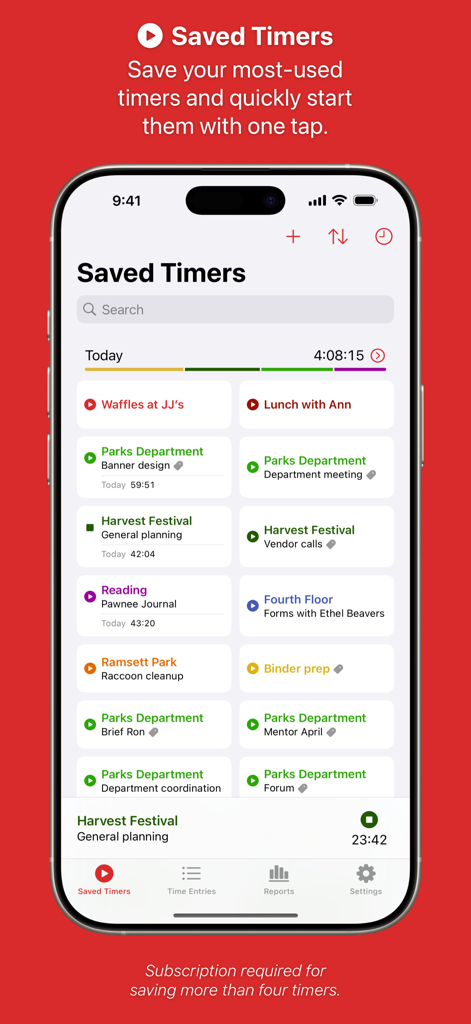
Timery App-Oberfläche auf dem iPhone zeigt gespeicherte Zeiterfassungs-Timer für verschiedene Aufgaben

Timery App-Oberfläche auf dem iPhone zeigt gespeicherte Zeiterfassungs-Timer für verschiedene Aufgaben

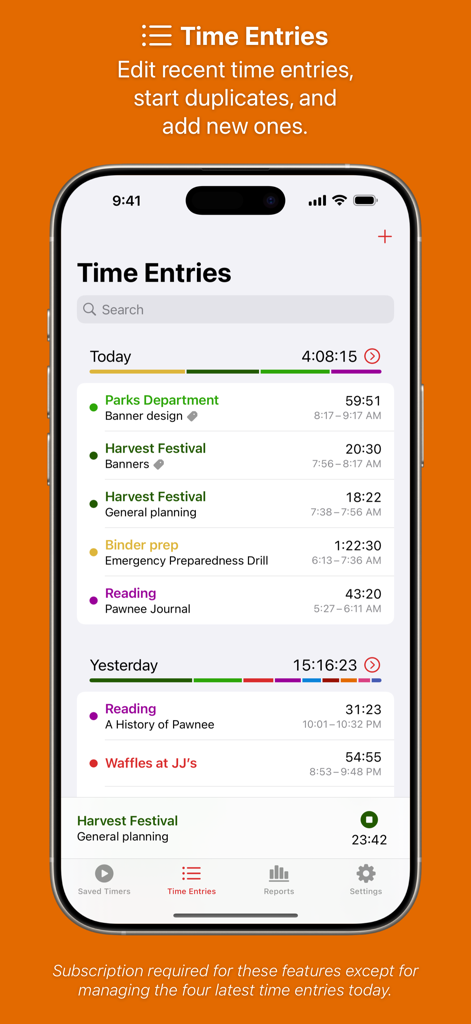
Ein Smartphone, das den Time Entries-Bildschirm der Timery-App mit einer detaillierten Liste der erfassten Aktivitäten und Projekte anzeigt.

Ein Smartphone, das den Time Entries-Bildschirm der Timery-App mit einer detaillierten Liste der erfassten Aktivitäten und Projekte anzeigt.

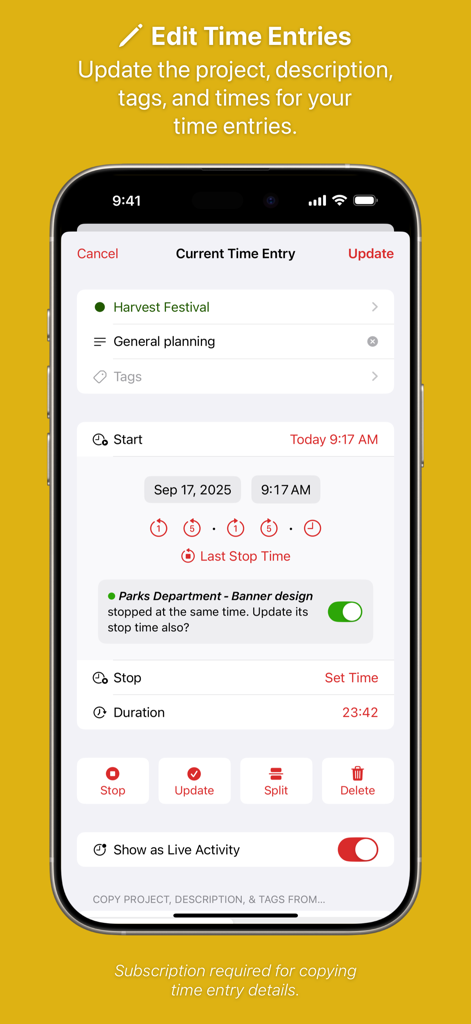
Ein mobiler Bildschirm, der die Oberfläche zur Bearbeitung von Zeiteinträgen in Timery mit Projekt- und Dauerdetails anzeigt.

Ein mobiler Bildschirm, der die Oberfläche zur Bearbeitung von Zeiteinträgen in Timery mit Projekt- und Dauerdetails anzeigt.

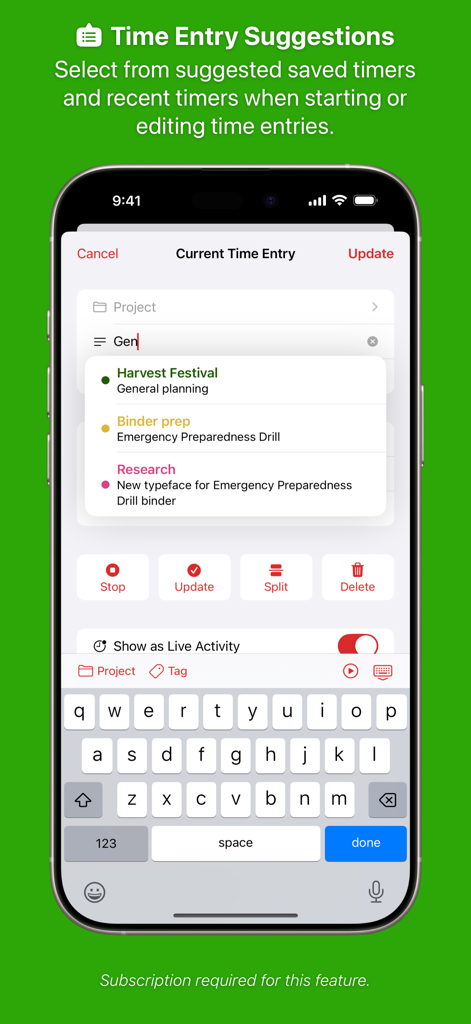
iPhone-Screenshot der Timery-App, der vorgeschlagene Timer und die aktuelle Zeiteintragsansicht zeigt.

iPhone-Screenshot der Timery-App, der vorgeschlagene Timer und die aktuelle Zeiteintragsansicht zeigt.

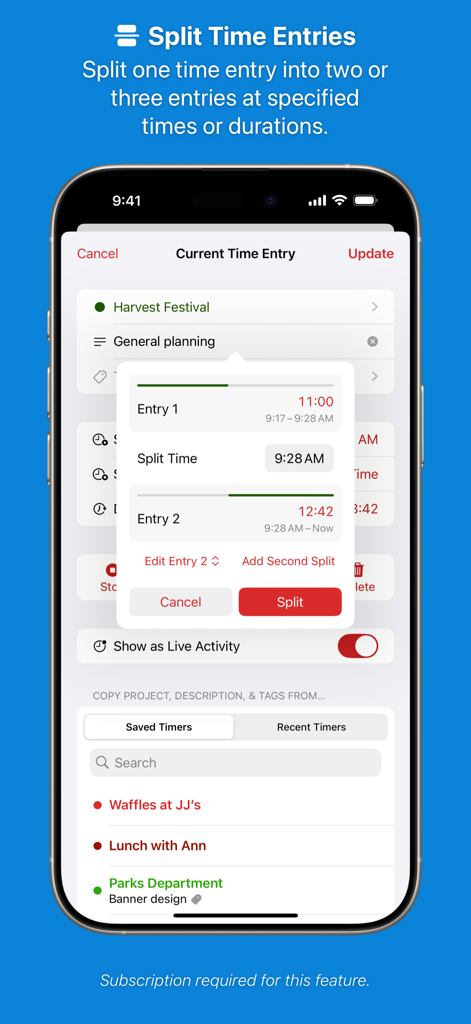
Screenshot der Timery-App, der die Funktion „Zeiteinträge aufteilen“ zeigt, mit der ein einzelner Zeiterfassung in zwei separate Einträge aufgeteilt werden kann.

Screenshot der Timery-App, der die Funktion „Zeiteinträge aufteilen“ zeigt, mit der ein einzelner Zeiterfassung in zwei separate Einträge aufgeteilt werden kann.

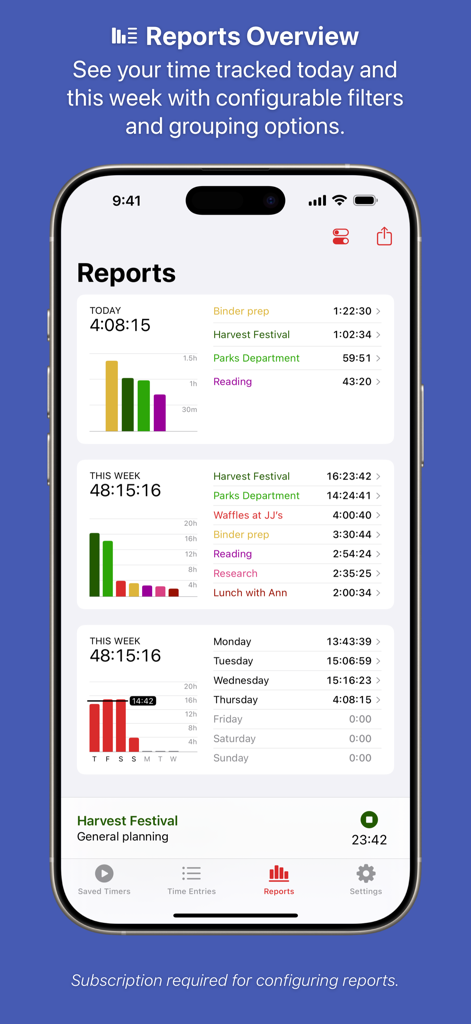
Dashboard der Timery-App, das tägliche und wöchentliche Zeiterfassungsberichte mit Balkendiagrammen und Aufgabenlisten anzeigt.

Dashboard der Timery-App, das tägliche und wöchentliche Zeiterfassungsberichte mit Balkendiagrammen und Aufgabenlisten anzeigt.

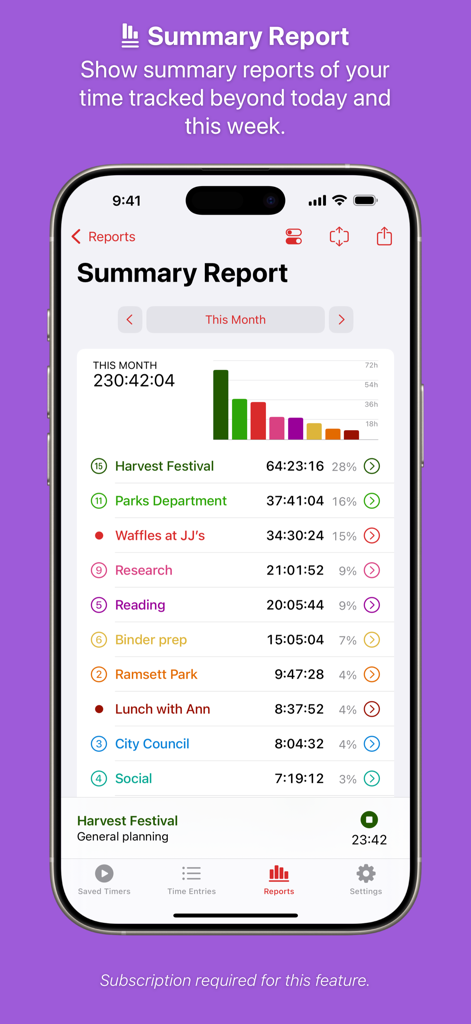
Ein zusammenfassender Bericht in der Timery-App, der die monatliche Zeiterfassung mit einem Balkendiagramm und einer Projektübersicht anzeigt.

Ein zusammenfassender Bericht in der Timery-App, der die monatliche Zeiterfassung mit einem Balkendiagramm und einer Projektübersicht anzeigt.

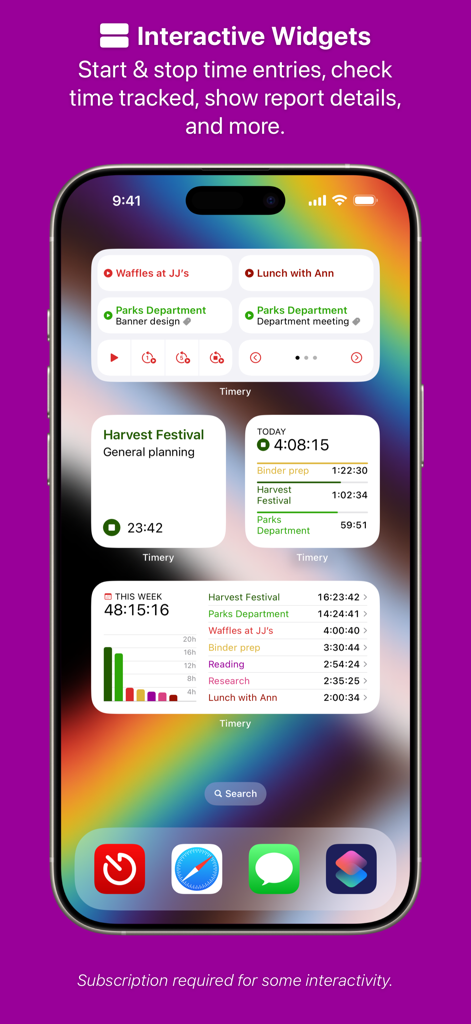
iPhone-Startbildschirm, der mehrere interaktive Timery-Widgets zur Zeiterfassung und Anzeige wöchentlicher Berichte zeigt.

iPhone-Startbildschirm, der mehrere interaktive Timery-Widgets zur Zeiterfassung und Anzeige wöchentlicher Berichte zeigt.

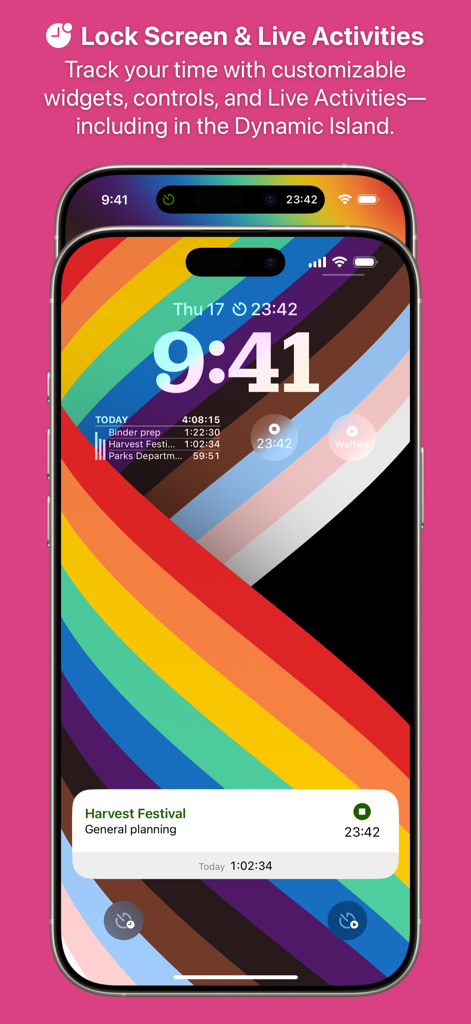
Timery App-Oberfläche auf einem iPhone-Sperrbildschirm, die Zeiterfassungs-Widgets und eine Live-Aktivitätsbenachrichtigung für ein Erntedankfest-Projekt anzeigt.

Timery App-Oberfläche auf einem iPhone-Sperrbildschirm, die Zeiterfassungs-Widgets und eine Live-Aktivitätsbenachrichtigung für ein Erntedankfest-Projekt anzeigt.

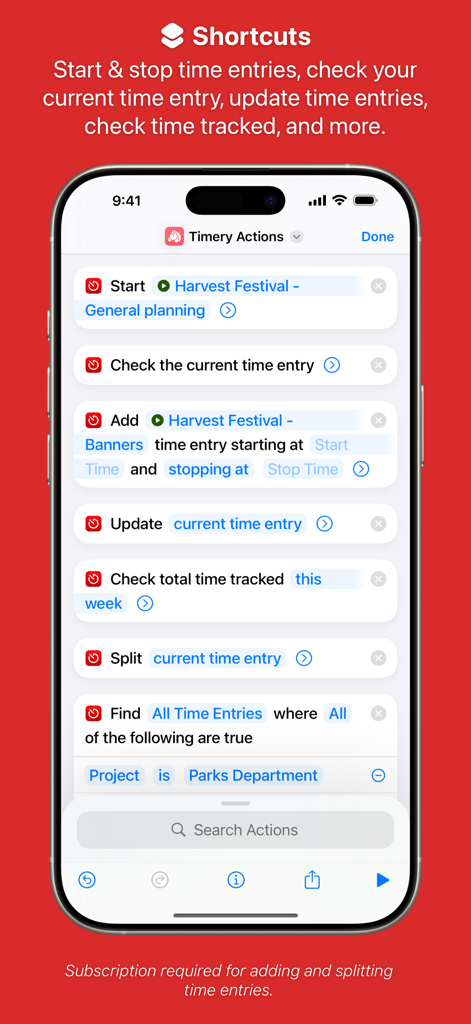
Timery App-Oberfläche, die verschiedene iOS-Shortcuts-Aktionen zur automatisierten Zeiterfassung zeigt.

Timery App-Oberfläche, die verschiedene iOS-Shortcuts-Aktionen zur automatisierten Zeiterfassung zeigt.

Meistern Sie Ihre abrechenbaren Stunden mit Präzision

Die Tools, die diese App auszeichnen, gewählt von 28K+ Nutzern.

Gespeicherte Timer mit einem Tippen

Verschwenden Sie keine Zeit mit der Einrichtung von Protokollen. Starten Sie Ihre häufigsten Aufgaben sofort mit anpassbaren gespeicherten Timern für jedes Projekt.

📲

Live-Aktivitäten-Integration

Behalten Sie Ihre aktuelle Sitzung auf einen Blick im Auge mit Live-Aktivitäten in der Dynamic Island und auf dem Sperrbildschirm – Sie müssen die App nicht einmal öffnen.

⚙️

Leistungsstarke Shortcuts-Unterstützung

Automatisieren Sie Ihren Workflow, indem Sie Timer basierend auf Ihrem Standort, Ihren Fokus-Modi oder benutzerdefinierten Siri-Befehlen für freihändige Zeiterfassung auslösen.

Über die App

Alles, was Sie über wissen müssen Timery: Time Tracker.

Beschreibung

Enhance your Toggl time-tracking experience with Timery! Start your most-used timers with one tap. Edit your time entries easily. See reports of your time tracked. With its apps, widgets, and Shortcuts actions, Timery brings you easy time tracking with Toggl. Timery works on iPhone, iPad, Mac, and Apple Watch with your free or paid Toggl Track account. It is made independently of Toggl. Timery’s features: Saved Timers Save your frequently used timers and quickly start them. Time Entries Edit recent time entries, start duplicates, and add new ones. Time Entry Suggestions Select from suggested saved timers & recent timers when starting or editing time entries. Split Time Entries Split one entry into two or three at specified times or durations. Reports See your time tracked today, this week, and beyond with filtering & grouping options. Export it too. Manage Projects & More Edit your Toggl projects & tags and add new ones. Interactive Widgets Start & stop time entries, check time tracked, show report details, and more. Live Activities Show your current time entry on the Lock Screen and in the Dynamic Island. Shortcuts Support Start & stop time entries, check your current time entry, update time entries, check time tracked, and more. Keyboard Shortcuts Start & stop time entries, edit the current time entry, navigate the app, and more. And more is planned. A few more notes: • Timery is a Toggl client and requires a Toggl Track account • Timery requires an internet connection to perform tasks • Saved timers & saved reports sync with iCloud to all your devices signed in with the same Apple ID Timery is free to use on a limited basis: save up to four timers, manage the four latest time entries today (the rest are read-only), and edit the current time entry. With a monthly or yearly subscription (which includes a two-week free trial), join the Timery Club and unlock all the app’s functionality. You’ll also be helping support the app & future development, and I greatly appreciate that! Happy time tracking! ——— Timery has been featured on MacStories, Cortex, Connected, AppStories, Upgrade, and The Sweet Setup. Federico Viticci, MacStories: “What sets Timery apart from other time tracking utilities is the unique combination of developer Hribar’s understanding of the needs of Toggl users and his embrace of modern iOS and iPadOS technologies. Timery isn’t just a more customizable Toggl client with advanced features […]; it’s also an exemplary iOS and iPadOS citizen that showcases what great iOS and iPad apps should offer.” Myke Hurley, Upgrade: “Timery is my favorite iOS app ever. I get such great use out of it, so it’s personal to me. Time tracking is a big part of my life. But this application—the amount of work that is put into this and new features is truly astounding. […] It’s really just a masterclass in long-term app development.” Mike Schmitz, The Sweet Setup: “Timery is hands down the best time tracking app for iOS. It gives you a functional user interface that is perfect for managing your timers and your time entries, the Shortcuts support is stellar, and the widgets eliminate much of the friction that typically comes from starting and stopping manual timers.” ——— Subscription Details: • Payment will be charged to your Apple ID account at the confirmation of purchase or after the free trial period if offered. • Your subscription will automatically renew unless it is canceled at least 24 hours before the end of the current period. Your account will be charged for renewal within 24 hours prior to the end of the current period. • You can manage and cancel your subscriptions by going to your account settings on the App Store after purchase. • Any unused portion of a free trial period will be forfeited when you purchase a subscription. • Privacy policy: https://timeryapp.com/privacy.html • Terms of Use: https://timeryapp.com/terms.html

Neueste Version

1.7.3

Größe

245.7 MB

Erstveröffentlichung

21. Mai 2019

Bereit, Ihre Zeit reibungslos zu meistern?

Schließen Sie sich Tausenden von Power-Usern und Profis an, die ihren Toggl-Workflow verbessert haben. Beginnen Sie noch heute nahtlos mit der Zeiterfassung auf iPhone, iPad, Mac und Apple Watch.

Herunterladen auf App Store

App information, icons, screenshots, and descriptions displayed on this page are sourced from the Apple App Store and are the property of their respective developers. Download estimates and rankings are based on MWM's proprietary models and may not reflect actual figures. This page is provided for informational and analytical purposes only.

Believe this page infringes your intellectual property? File a dispute