to Stories

to Stories

Herunterladen auf App Store
Logo von to Stories

to Stories: Dein All-in-One-Toolkit für professionelle Social-Media-Inhalte

Vergiss unordentliche Screenshots. Verwandle nahtlos Tweets, YouTube-Videos und Artikel in schöne, markenkonforme Stories mit dem schnellsten Kurations-Tool für Creator und Influencer.

Herausgeber

&blank SARL-S

Kategorie

Graphics & Design

Downloads

419K+

Bewertung

4.8/5

Bewertungen gesamt

0

Sprachen

1

Perfekt kuratiert

Entdecken Sie die Oberfläche, die von 419K+ Nutzern verwendet wird.
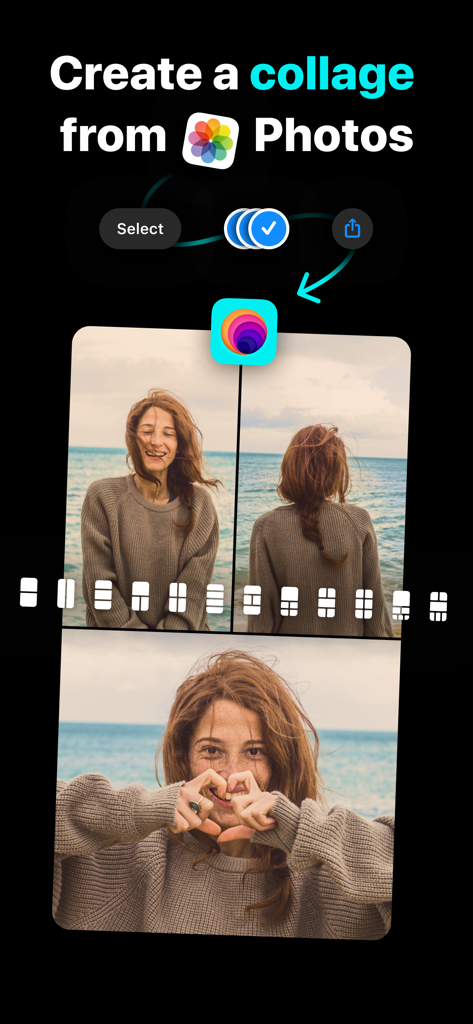
Ein iPhone-Bildschirm, der die Benutzeroberfläche der to Stories App zur Erstellung einer Fotocollage mit mehreren Layout-Optionen zeigt.

Ein iPhone-Bildschirm, der die Benutzeroberfläche der to Stories App zur Erstellung einer Fotocollage mit mehreren Layout-Optionen zeigt.

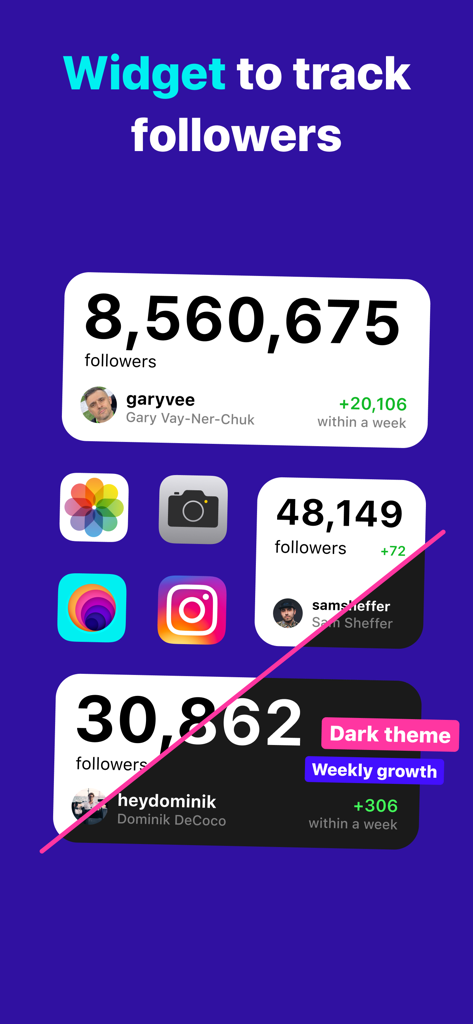
iOS Home-Bildschirm-Widgets, die Instagram-Followerzahlen und wöchentliche Wachstumsstatistiken in hellen und dunklen Designs anzeigen.

iOS Home-Bildschirm-Widgets, die Instagram-Followerzahlen und wöchentliche Wachstumsstatistiken in hellen und dunklen Designs anzeigen.

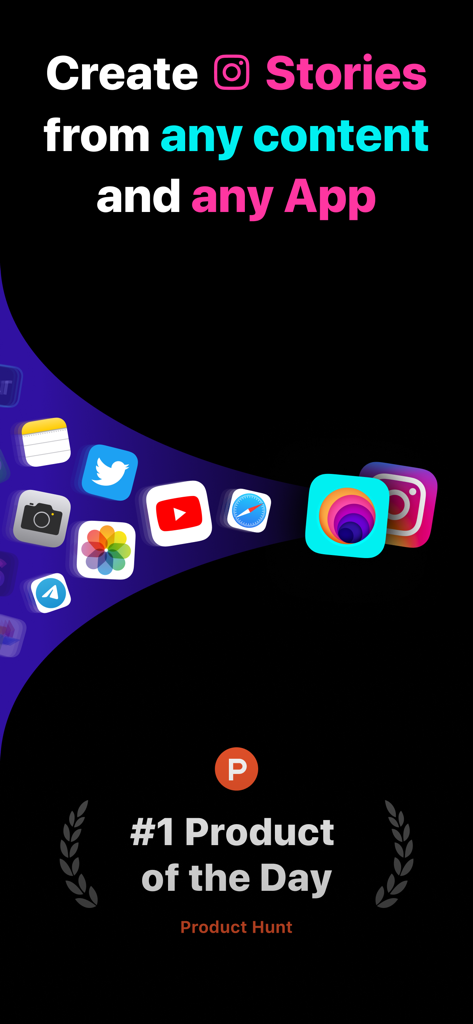
Einführungsbildschirm der to Stories App, der die Inhaltsintegration aus verschiedenen Apps nach Instagram und ihre Auszeichnung bei Product Hunt zeigt.

Einführungsbildschirm der to Stories App, der die Inhaltsintegration aus verschiedenen Apps nach Instagram und ihre Auszeichnung bei Product Hunt zeigt.

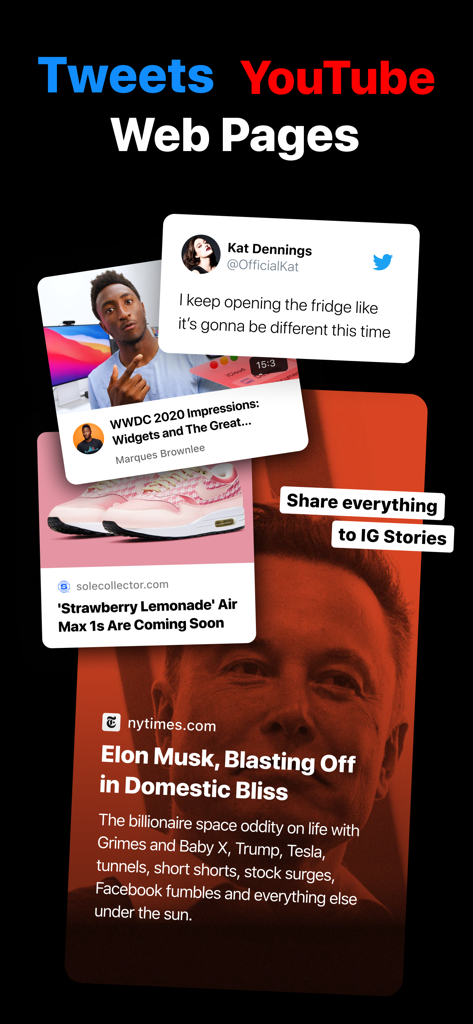
Eine Vorschau der to Stories App, die zeigt, wie Tweets, YouTube-Videos und Webartikel mit professionellen Layouts direkt in Instagram Stories geteilt werden.

Eine Vorschau der to Stories App, die zeigt, wie Tweets, YouTube-Videos und Webartikel mit professionellen Layouts direkt in Instagram Stories geteilt werden.

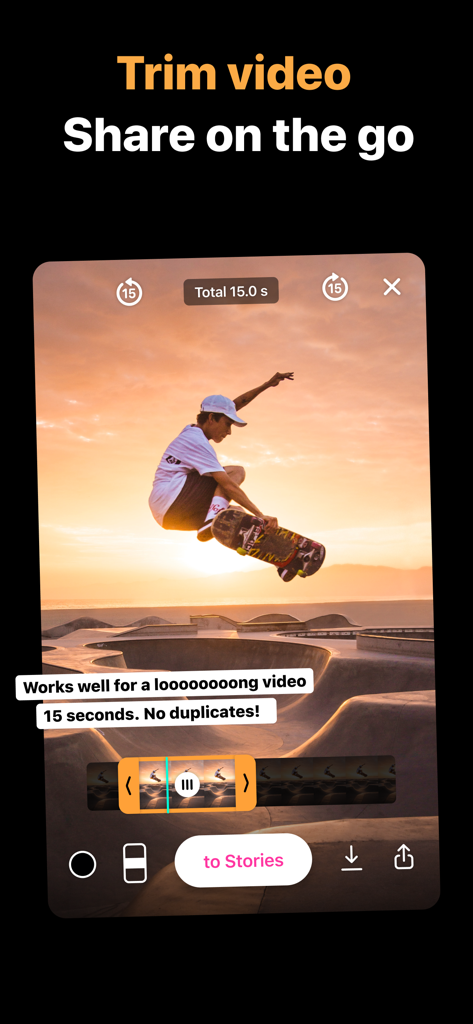
Benutzeroberfläche der to Stories App, die das Zuschneiden von Videos für Social-Media-Stories zeigt.

Benutzeroberfläche der to Stories App, die das Zuschneiden von Videos für Social-Media-Stories zeigt.

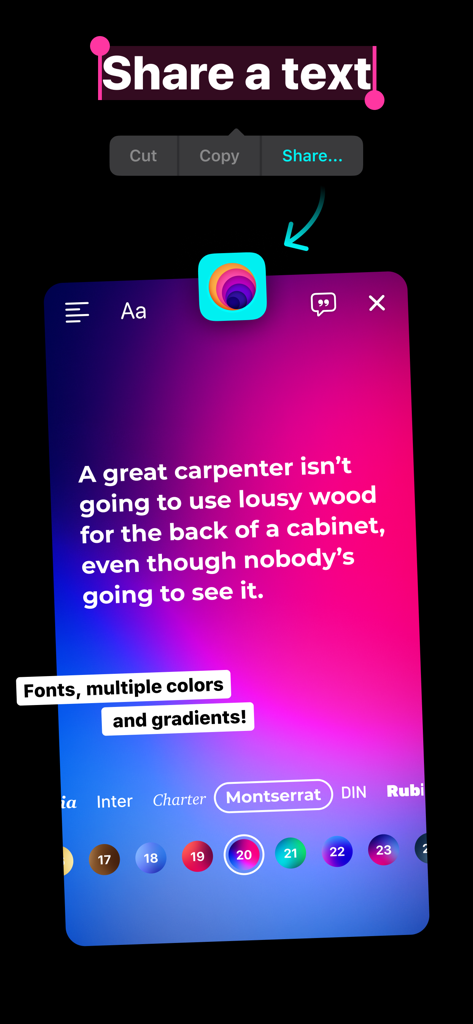
Die Text-Sharing-Oberfläche der to Stories App, die Schrift- und Farbverlaufoptionen zur Erstellung ästhetischer Instagram Stories zeigt.

Die Text-Sharing-Oberfläche der to Stories App, die Schrift- und Farbverlaufoptionen zur Erstellung ästhetischer Instagram Stories zeigt.

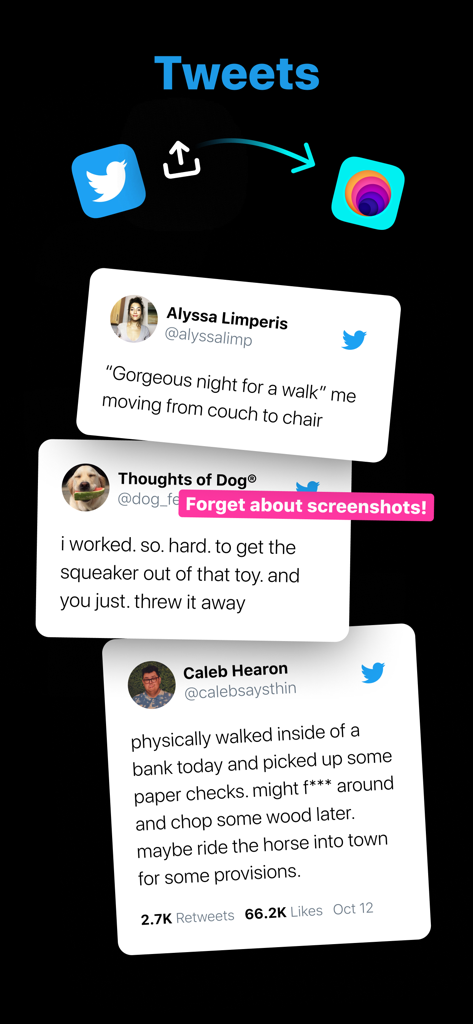
Grafik, die zeigt, wie Twitter-Tweets mit der to Stories App direkt in Instagram Stories mit einem sauberen, professionellen Look geteilt werden.

Grafik, die zeigt, wie Twitter-Tweets mit der to Stories App direkt in Instagram Stories mit einem sauberen, professionellen Look geteilt werden.

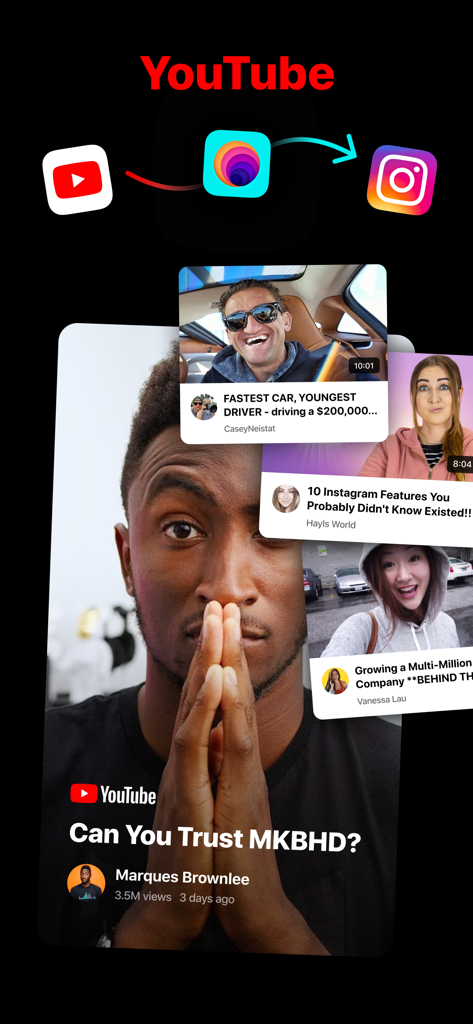
Benutzeroberfläche der to Stories App, die zeigt, wie kuratierte YouTube-Videovorschauen in Instagram Stories geteilt werden.

Benutzeroberfläche der to Stories App, die zeigt, wie kuratierte YouTube-Videovorschauen in Instagram Stories geteilt werden.

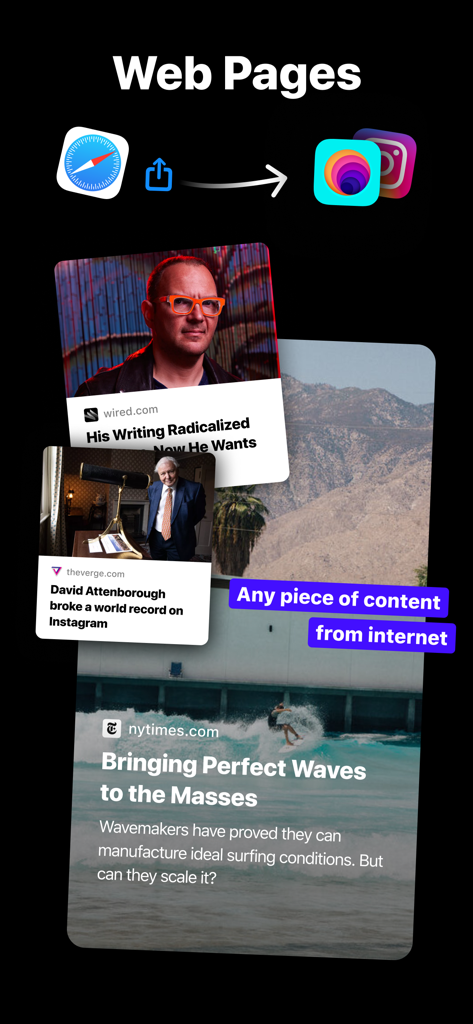
Benutzeroberfläche, die die Funktion der to Stories App zeigt, Webinhalte aus Safari mit Nachrichtenartikel-Vorschauen in Instagram Stories zu teilen.

Benutzeroberfläche, die die Funktion der to Stories App zeigt, Webinhalte aus Safari mit Nachrichtenartikel-Vorschauen in Instagram Stories zu teilen.

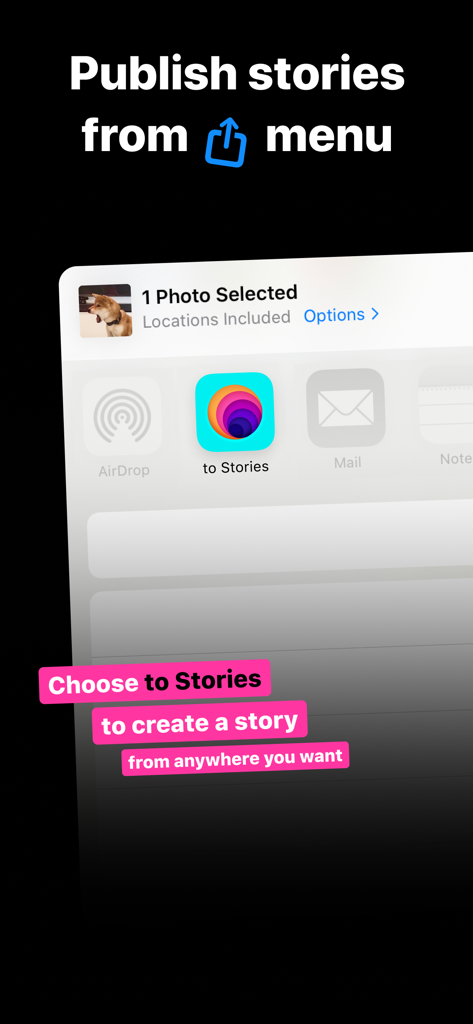
iOS Share Sheet, das das to Stories App-Symbol zum direkten Veröffentlichen von Inhalten in Instagram zeigt.

iOS Share Sheet, das das to Stories App-Symbol zum direkten Veröffentlichen von Inhalten in Instagram zeigt.

Erstelle wie ein Profi, poste in Sekunden

Die Tools, die diese App auszeichnen, gewählt von 419K+ Nutzern.

🔗

Intelligente Social-Media-Vorschauen

Konvertiere Twitter-Threads, YouTube-Videos und Webartikel in schöne, gebrandete Vorschauen, die das Engagement steigern und deinen Feed professionalisieren.

Sofortiger Sharing-Workflow

Umfahre den Kampf mit Screenshots und Zuschnitt. Teile direkt aus jeder App über das iOS Share Sheet für ein 10x schnelleres, reibungsloses Erlebnis.

Profi-Anpassungsmöglichkeiten

Greife auf dynamische Collagen, Videoschnitt und benutzerdefinierte Textstile zu, um eine konsistente Ästhetik für jede Story, die du postest, beizubehalten.

Über die App

Alles, was Sie über wissen müssen to Stories.

Beschreibung

Unlock a whole new experience of story making with all-in-one tool for creators, bloggers, content and news makers. PHOTOS Publish photos to Instagram Stories directly from Photo Albums or Camera on your iPhone 10x faster! The simpliest workflow you can imagine. No more complicated searchings for photos or videos via Instagram. PHOTO COLLAGE Choose 2-6 photos and share it via toStories. The app automatically generates a nice looking photo collage. VIDEO The fastest way to trim and share a video on the go. We promise! Forget about multiple editing apps, saving video copies or overwriting the original. Now it's easy to cut and share even a very loooooong video! YOUTUBE VIDEO Share a Youtube video and the app will generate a nice preview with a cover, video name and channel name. A better alternative than making a screenshot. TWEETS You can make a nice story sharing a tweet and applying multiple formats. Works well for tweets with photos. WEBSITES Nice article, shocking news, personal website, a cool gadget – share any piece of content from the internet. There are 5 formats to choose from! TEXT The magic happens when you share a piece of text a from a website or any app. Play around with fonts, multiple colors and gradients! COPY & GO to INSTAGRAM Want to add a sticker to your photo? Look for «Copy & Go to Instagram» option under the share button. It allows you to add a tweet, youtube video preview or website stiker made by our app on top of your story. WIDGET You can track your Instagram followers and weekly growth right on the homescreen! Track multiple accounts at the same time. Combine multiple widgets, small and medium – to track more than one accounts. Go check it right now! HOW TO SET UP: 0. No account required 1. Open Share menu on any photo 2. Scroll right and find "More" button 3. Click “Edit” 4. Add to Stories icon to Favourites 5. Move it up so you can easily find it. All set! Terms of Use: https://tostories.app/terms · About "to Stories Pro" subscriptions to Stories Pro subscriptions are charged monthly or annually to your iTunes Account after your 3 days trial ends. Subscriptions will then auto-renew every month or year unless turned off at least 24 hours before the end of the current period. Your iTunes Account will be charged for renewal within 24-hours prior to the end of the current period, and identify the cost of the renewal. To stop auto-renewal, visit App Settings or Account Settings in iTunes after purchase.

Neueste Version

1.14.2

Größe

21.7 MB

Erstveröffentlichung

30. Nov. 2019

Bereit, das Scrollen zu stoppen?

Schließe dich über 400.000 Creatorn an und beginne, schöne, professionelle Stories 10x schneller zu teilen. Kein Konto erforderlich – einfach herunterladen und mit der Erstellung beginnen.

Herunterladen auf App Store

App information, icons, screenshots, and descriptions displayed on this page are sourced from the Apple App Store and are the property of their respective developers. Download estimates and rankings are based on MWM's proprietary models and may not reflect actual figures. This page is provided for informational and analytical purposes only.

Believe this page infringes your intellectual property? File a dispute