VizRef Lite

VizRef Lite

Herunterladen auf App Store
Logo von VizRef Lite

VizRef Lite: Das ultimative visuelle Referenzwerkzeug für mobile Künstler

Schaffen Sie Platz auf Ihrer Leinwand und verwandeln Sie Ihr iPhone in einen dedizierten zweiten Monitor für Procreate und Adobe Fresco. Organisieren Sie Moodboards, studieren Sie GIFs Frame für Frame und halten Sie Ihre Inspiration fokussiert, wo immer Sie kreativ sind.

Herausgeber

Studio Pixanoh Inc

Kategorie

Graphics & Design

Downloads

96K+

Bewertung

3.6/5

Bewertungen gesamt

100

Sprachen

1

Inspiration im Blick

Entdecken Sie die Oberfläche, die von 96K+ Nutzern verwendet wird.
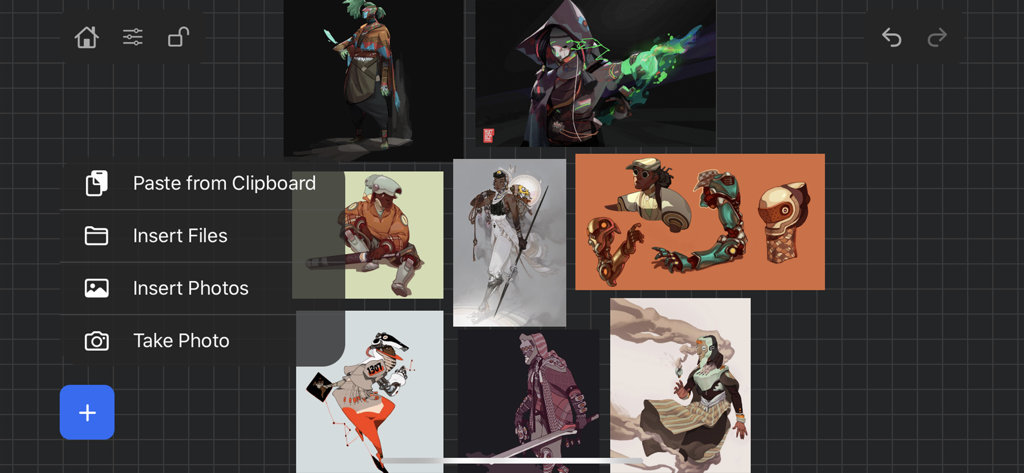
Digitale Kunstreferenztafel in der VizRef Lite App mit Charakterillustrationen

Digitale Kunstreferenztafel in der VizRef Lite App mit Charakterillustrationen

VizRef Lite App-Oberfläche, die ein Moodboard mit digitalen Charakterkunst-Illustrationen zeigt, mit überlagerter Importmenü-Option

VizRef Lite App-Oberfläche, die ein Moodboard mit digitalen Charakterkunst-Illustrationen zeigt, mit überlagerter Importmenü-Option

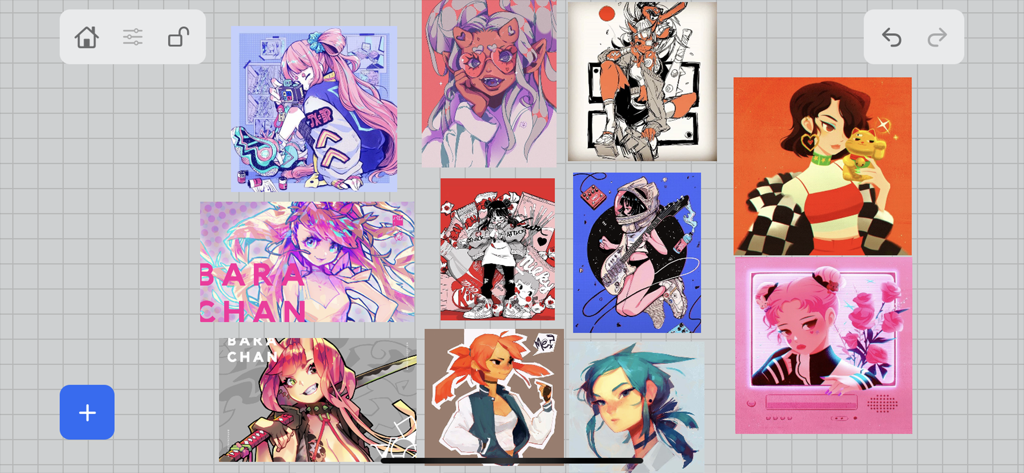
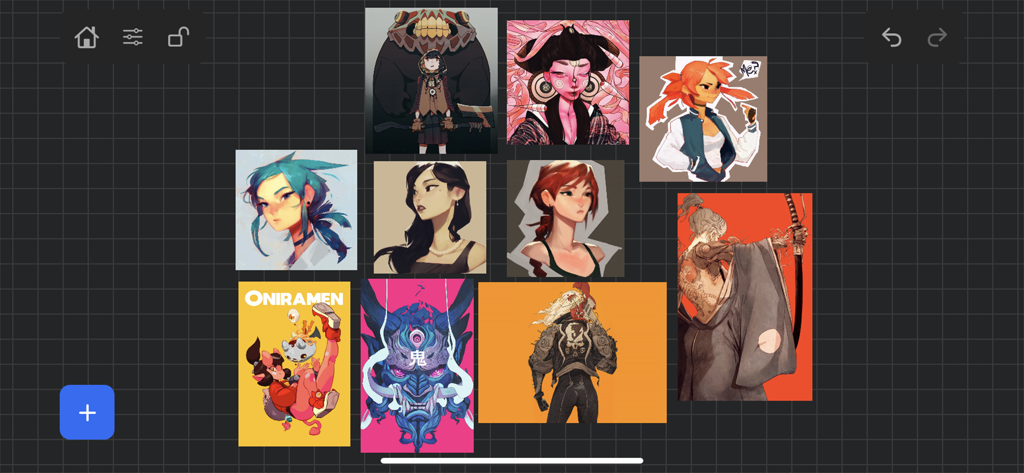
Eine digitale Referenztafel, die eine Sammlung von Charakterillustrationen zeigt, die in der VizRef Lite App in einem Raster angeordnet sind.

Eine digitale Referenztafel, die eine Sammlung von Charakterillustrationen zeigt, die in der VizRef Lite App in einem Raster angeordnet sind.

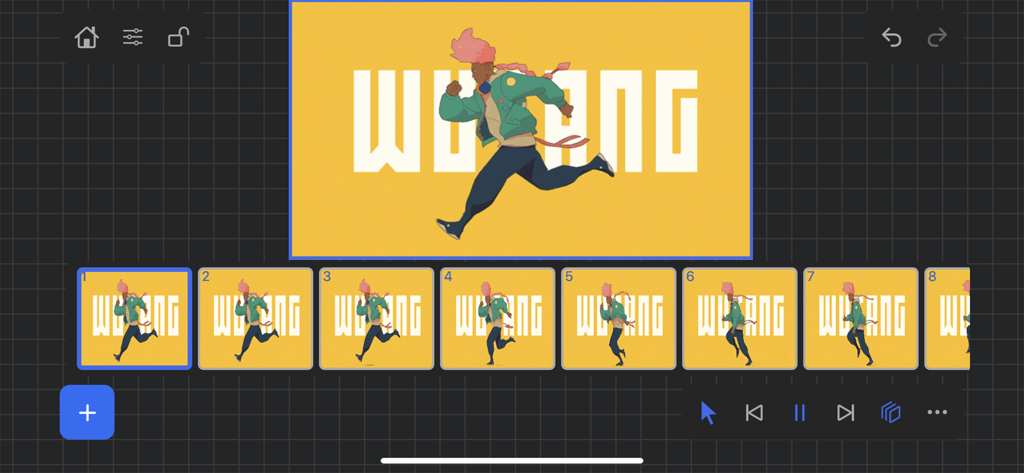
VizRef Lite App-Oberfläche, die eine Animationsbildsequenz von Frame zu Frame zeigt

VizRef Lite App-Oberfläche, die eine Animationsbildsequenz von Frame zu Frame zeigt

Erweitern Sie Ihren kreativen Arbeitsbereich

Die Tools, die diese App auszeichnen, gewählt von 96K+ Nutzern.

📱

Dedizierter Referenzbildschirm

Hören Sie auf, Ihren iPad-Bildschirm zu teilen. Nutzen Sie Ihr iPhone als zweiten Monitor, um Ihre Referenzen im Blick zu behalten und gleichzeitig Ihre Zeichenleinwand zu maximieren.

🎬

Professionelle Animationssteuerung

Dekonstruieren Sie Bewegung mit Frame-für-Frame-GIF-Wiedergabe. Nutzen Sie die erweiterte Zeitleiste, um Gewicht und Timing für Ihr nächstes Animationsprojekt zu studieren.

🎨

Werkzeuge für visuelle Meisterschaft

Schalten Sie sofort in Graustufen um, um Beleuchtungswerte zu überprüfen, zuzuschneiden für bessere Komposition und Moodboards mit einer Benutzeroberfläche zu organisieren, die Ihnen nicht im Weg steht.

Über die App

Alles, was Sie über wissen müssen VizRef Lite.

Beschreibung

VizRef Lite® for iPhone enables creatives to finally take their inspiration anywhere on their phones. *You can not use iPad multitasking features with the iPhone version of VizRef. Please Download VIZREF for use on iPad. * It becomes the perfect companion app for Procreate or paired with your favorite drawing/animation application by using your iPhone as a second monitor dedicated to references. Take your reference boards with you while you travel and draw in your sketchbook. Make visual reference boards with any images or gifs from web browsers, cloud storage, photos, screen captures and more. The first mood board creation app made by artists for artists, that brings comprehensive referencing tools to animators and visual artists. We are dedicated to bringing creatives what they need most in being inspired everywhere they go. HIGHLIGHTS -VIZREF LITE® version for iPhone has all the same in-app features as VIZREF on iPad ( Vizref Lite if used on IPad does not have multitasking features and is not fullscreen. For iPad please purchase VIZREF® -Take your visual reference boards with you while you sketch at your favorite locations -Perfect companion app paired with Procreate® Adobe Fresco ® Clip Studio Paint® Infinite Painter® etc. by utilizing iPhone as a second monitor along with an iPad -Supports many image types including GIF -Quickly copy and paste images from web -Batch Import from Photos app -Batch Export images from boards to cloud storage using Files app -Import High-Resolution images with HD toggle -*Focus on whats importing with Focus mode. ( rotate imageboard ) *Multi-Select and auto pack images for a quicker workflow * - -Import from iCloud, Dropbox, Google Drive -Quick and responsive visual reference board experience -Easy to use/ minimal UI -Light mode and Dark mode -Set thumbnails for reference boards to visually organize your inspiration ANIMATED GIF SUPPORT -Reference your favorite animated gifs -Pause animation and play frame by frame to better understand referenced animations -Advanced animation timeline gives you an interactive visual breakdown of all frames EASY TO USE REFERENCE TOOLS -Crop images to optimize screen space and view more references -Greyscale toggle for images for value reference -Flip horizontally and vertically -Rotate Images -Copy-paste images into other apps Artwork and animation credits @_Artazi @_baomii @_Deadslug_ @amnesiapancake @barachan @belgeist @criisalys @ergo.josh @evan_monteiro @gloomwastaken @mrbeezul @onemegawatt @rocketboiART @samuelyounart @cobalt_requin VizRef was created by Max Gonzalez (@mrbeezul) and RoboWorld Entertainment with supporting development from Valere Labs

Neueste Version

1.1.7

Größe

4.4 MB

Erstveröffentlichung

11. März 2020

Bereit, Ihre Leinwand zurückzugewinnen?

Verwandeln Sie Ihr iPhone in den ultimativen Referenzmonitor. Schließen Sie sich über 96.000 Künstlern an, die VizRef Lite nutzen, um ihren Workflow zu optimieren und inspiriert zu bleiben, wo immer sie kreativ sind.

Herunterladen auf App Store

App information, icons, screenshots, and descriptions displayed on this page are sourced from the Apple App Store and are the property of their respective developers. Download estimates and rankings are based on MWM's proprietary models and may not reflect actual figures. This page is provided for informational and analytical purposes only.

Believe this page infringes your intellectual property? File a dispute