Walletsmith - Wallet creator

Walletsmith - Wallet creator

Herunterladen auf App Store
Logo von Walletsmith - Wallet creator

Walletsmith: Der ultimative KI-Pass-Ersteller und -Designer

Werten Sie Ihre Apple Wallet auf, indem Sie physische Karten, PDFs und Bilder in intelligente, schöne Pässe verwandeln. Personalisieren Sie Ihr digitales Leben mit standortbasierten Benachrichtigungen und einem datenschutzfreundlichen, werbefreien Erlebnis, das für die iOS-Ästhetik entwickelt wurde.

Herausgeber

Juan Rodriguez

Kategorie

Shopping

Downloads

10K+

Bewertung

4.5/5

Bewertungen gesamt

0

Sprachen

3

Erleben Sie Ihre Wallet neu

Entdecken Sie die Oberfläche, die von 10K+ Nutzern verwendet wird.
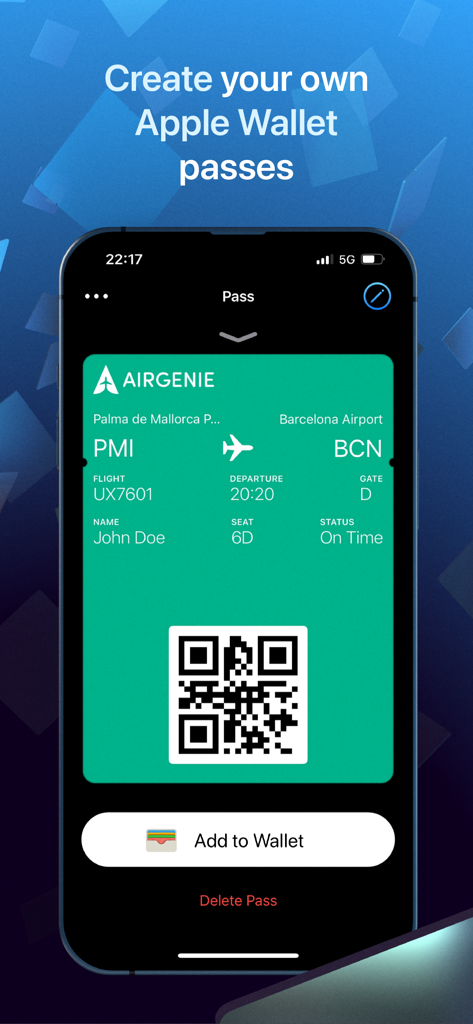
iPhone-Bildschirm, der eine benutzerdefinierte grüne Flugbordkarte für John Doe mit einer Schaltfläche Zum Wallet hinzufügen anzeigt

iPhone-Bildschirm, der eine benutzerdefinierte grüne Flugbordkarte für John Doe mit einer Schaltfläche Zum Wallet hinzufügen anzeigt

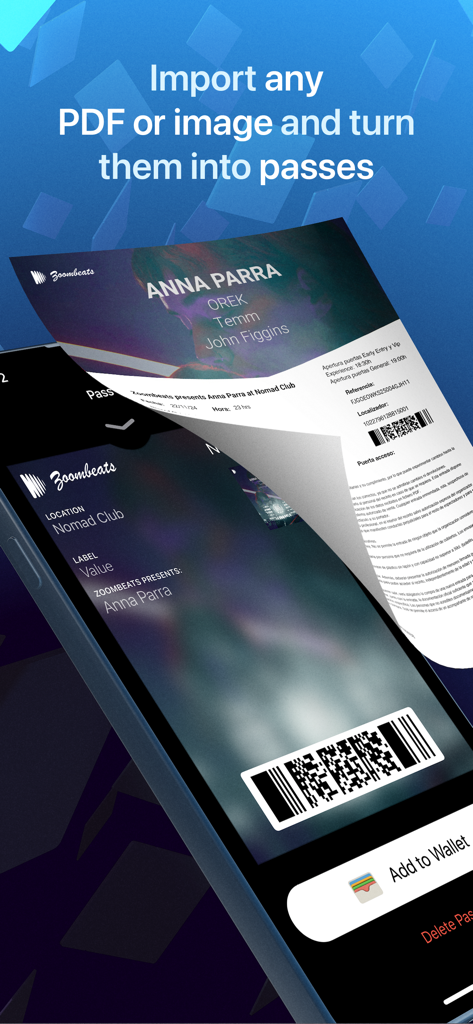
Eine digitale Benutzeroberfläche, die zeigt, wie eine PDF-Ticket importiert und in ein stilvolles Apple Wallet-Ticket umgewandelt wird.

Eine digitale Benutzeroberfläche, die zeigt, wie eine PDF-Ticket importiert und in ein stilvolles Apple Wallet-Ticket umgewandelt wird.

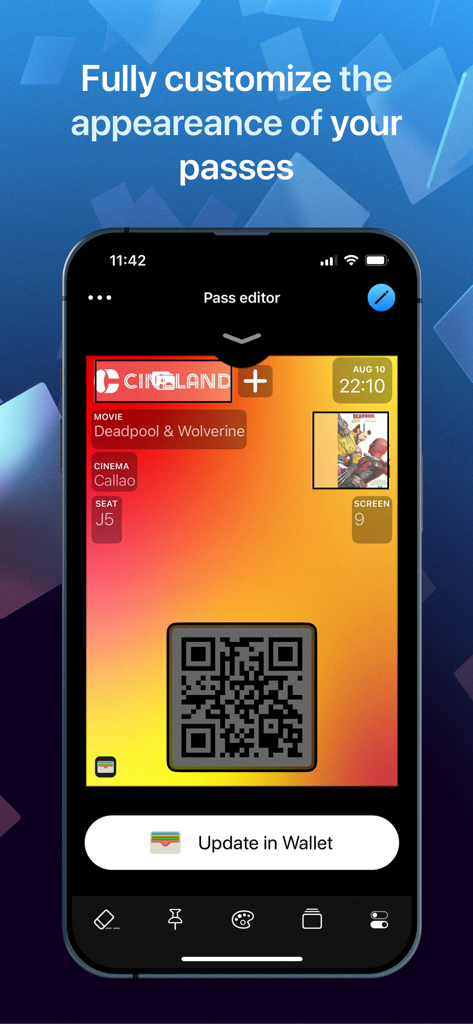
Walletsmith Pass-Editor-Oberfläche zur Anpassung digitaler Kinokarten

Walletsmith Pass-Editor-Oberfläche zur Anpassung digitaler Kinokarten

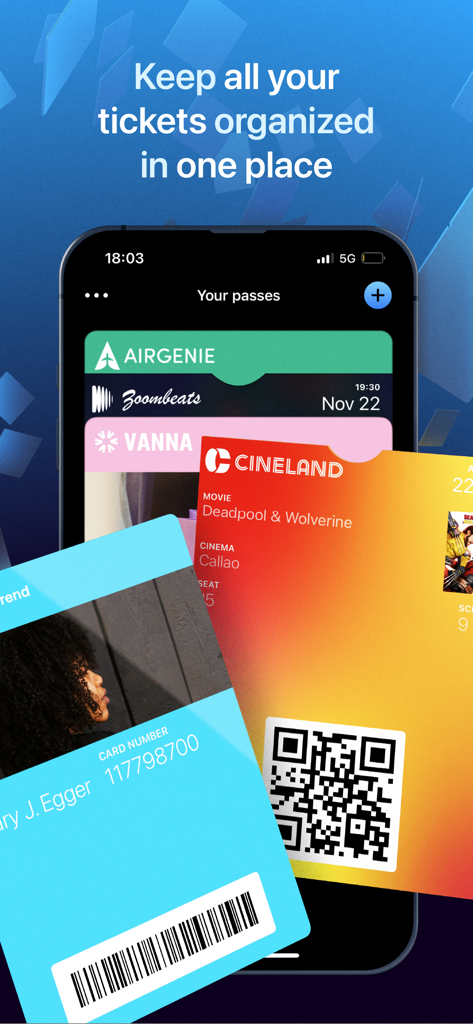
iPhone-Bildschirm, der verschiedene digitale Pässe und Tickets zeigt, die in der Walletsmith-App organisiert sind

iPhone-Bildschirm, der verschiedene digitale Pässe und Tickets zeigt, die in der Walletsmith-App organisiert sind

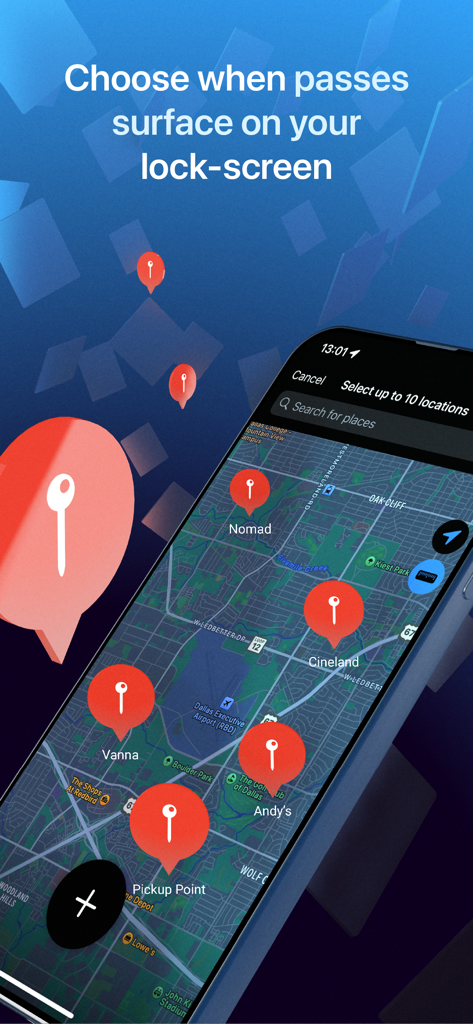
iPhone-Bildschirm, der eine Kartenoberfläche zeigt, auf der geografische Standorte für automatische Sperrbildschirm-Passbenachrichtigungen ausgewählt werden können.

iPhone-Bildschirm, der eine Kartenoberfläche zeigt, auf der geografische Standorte für automatische Sperrbildschirm-Passbenachrichtigungen ausgewählt werden können.

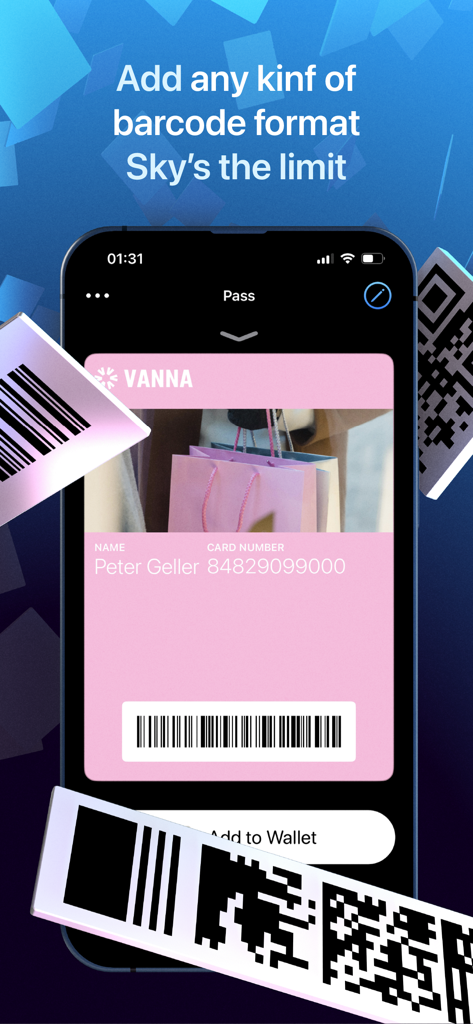
Oberfläche der Walletsmith-App, die eine rosa digitale Treuekarte und mehrere Barcode-Formatoptionen zeigt

Oberfläche der Walletsmith-App, die eine rosa digitale Treuekarte und mehrere Barcode-Formatoptionen zeigt

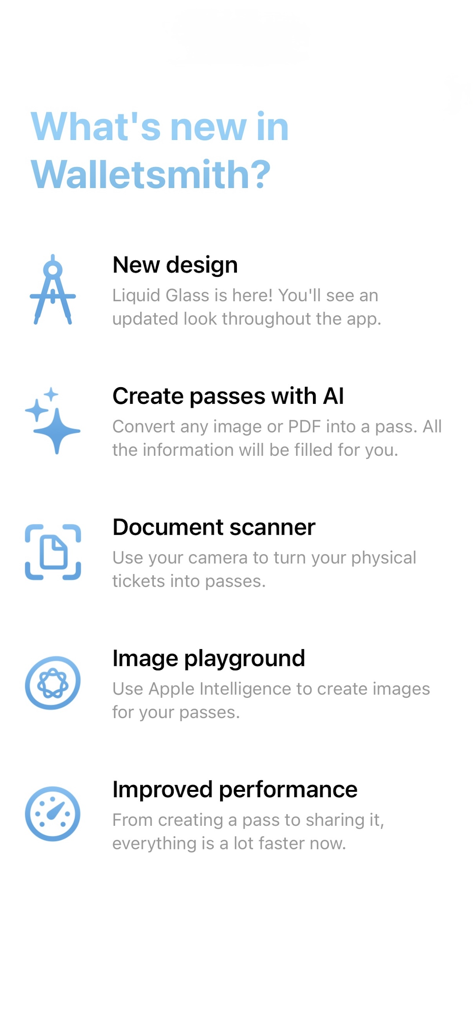
Liste der neuen Walletsmith-Funktionen, einschließlich KI-Pass-Ersteller und Dokumentenscanner

Liste der neuen Walletsmith-Funktionen, einschließlich KI-Pass-Ersteller und Dokumentenscanner

Schöpfen Sie die volle Leistung Ihrer digitalen Geldbörse aus

Die Tools, die diese App auszeichnen, gewählt von 10K+ Nutzern.

Sofortiger KI-Pass-Ersteller

Hören Sie auf, in Ihrem Posteingang zu wühlen. Verwandeln Sie mit unserer intelligenten Scan-Technologie sofort jedes PDF, jeden Screenshot oder jedes Bild in einen eleganten, nativen Apple Wallet-Pass.

🎨

Vollständige ästhetische Kontrolle

Gehen Sie über einfache Designs hinaus. Unser visueller Editor ermöglicht es Ihnen, Farben, Text und Bilder zu personalisieren, damit Ihre Bordkarten und Treuekarten genauso kuratiert aussehen wie Ihr Homescreen.

📍

Intelligente Standortauslöser

Erleben Sie echten Komfort mit Pässen, die genau dann und dort automatisch auf Ihrem Sperrbildschirm erscheinen, wenn Sie sie brauchen – perfekt für das Fitnessstudio, den Flughafen oder Ihr Lieblingsgeschäft.

Über die App

Alles, was Sie über wissen müssen Walletsmith - Wallet creator.

Beschreibung

Walletsmith is the ultimate companion to the Wallet app. It makes it super easy and intuitive to add all your physical cards to Wallet, personalize your existing passes or create new ones. VISUAL EDITOR Pass type, colors, images and text. You’ll be able to see exactly what your pass will look like once it’s added to the Wallet app while you make edits. AI PASS CREATOR Quickly turn any PDF or image into a pass. All your tickets and boarding passes can easily be added to the Wallet app. IMPORT FROM WALLET You can bring your existing shareable passes to Walletsmith to personalize them and make them your own. Did you receive a plain, black-on-white boarding pass from the airline? Personalize it with your favorite colors and images and make it stand out. SHARE WITH ANYONE Export your passes in several formats and share them with anyone. LOCK SCREEN NOTIFICATION Did you know your Wallet passes automatically appear on your lock screen at a specific time or location? With Walletsmith you can select exactly when and where a pass becomes relevant. You can also personalize the notification that comes up with your own text and icon. MAGIC QR CODES Having friends over at your place? Make it super easy for them to connect to our WiFi network by just pointing their camera at your WiFi pass. Just make a nice looking pass and add a WiFi code to it. When your friends point their camera at it, they’ll be able to connect to the network with just one tap. No need to share the password. There’s even more types of magic QR codes that you can create with Walletsmith that make it super easy to share data that can be read with the Camera app such as contact info, location, email address and more. ———————— PRIVACY FIRST Your privacy is very important to me. No personal data ever leaves your device. Data that you add to your passes is never shared by Walletsmith in any way. In order to add passes to the Wallet app, a small amount of encrypted, non-personal data is required to be sent to my servers and that’s it. You can feel safe that your data is only yours to share. NO ADS ‘cause they ugly. Terms https://www.apple.com/legal/internet-services/itunes/dev/stdeula/

Neueste Version

26.0.8

Größe

46.0 MB

Erstveröffentlichung

29. Dez. 2021

Bereit, das physische Chaos zu verbannen?

Schließen Sie sich Tausenden von Benutzern an, die Walletsmith vertrauen, um PDFs und physische Karten in schöne, standortbezogene digitale Pässe zu verwandeln. Erleben Sie noch heute eine intelligentere, werbefreie und 100 % private Apple Wallet.

Herunterladen auf App Store

App information, icons, screenshots, and descriptions displayed on this page are sourced from the Apple App Store and are the property of their respective developers. Download estimates and rankings are based on MWM's proprietary models and may not reflect actual figures. This page is provided for informational and analytical purposes only.

Believe this page infringes your intellectual property? File a dispute