Watch Cam for Nest Cam

Watch Cam for Nest Cam

Herunterladen auf App Store
Logo von Watch Cam for Nest Cam

Watch Cam für Nest Cam: Ihr Zuhause, direkt an Ihrem Handgelenk

Überwachen Sie Live-Feeds nahtlos, nutzen Sie Siri-Kurzbefehle und verwalten Sie den Zuhause/Abwesend-Status direkt von Ihrer Apple Watch aus. Bleiben Sie verbunden mit LTE-Unterstützung und schnellen Schnappschüssen auf Ihrem Zifferblatt – privat, sicher und für Ihren aktiven Lebensstil entwickelt.

Herunterladen auf App Store

Herausgeber

Marko Radakovic

Kategorie

Lifestyle

Downloads

122K+

Bewertung

3.8/5

Bewertungen gesamt

100

Sprachen

1

Sicherheit auf einen Blick

Entdecken Sie die Oberfläche, die von 122K+ Nutzern verwendet wird.
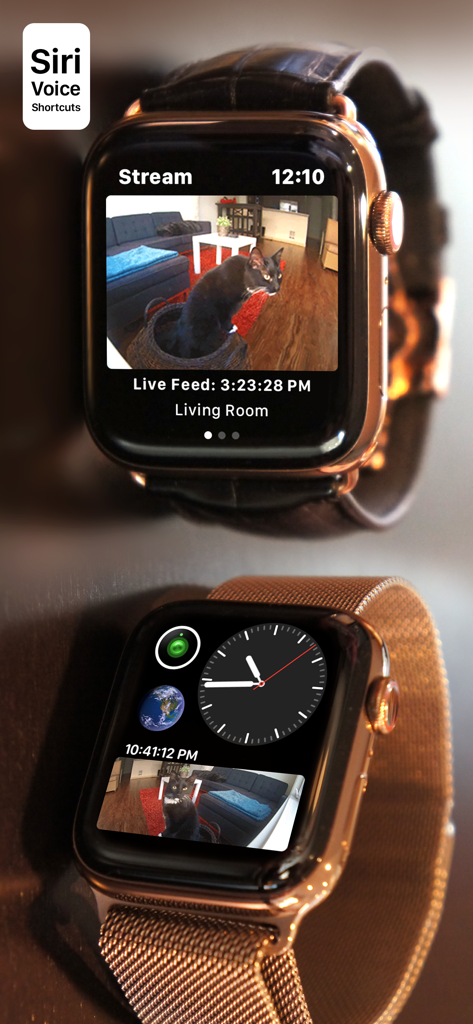
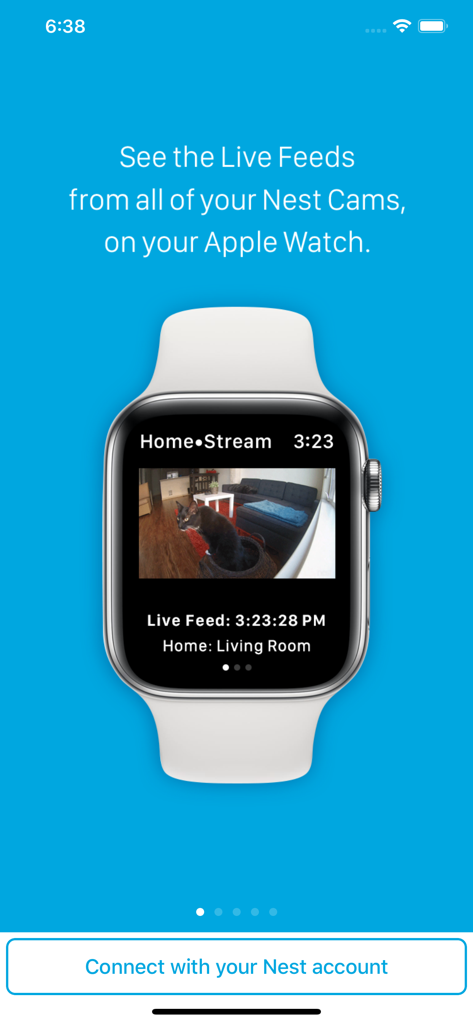
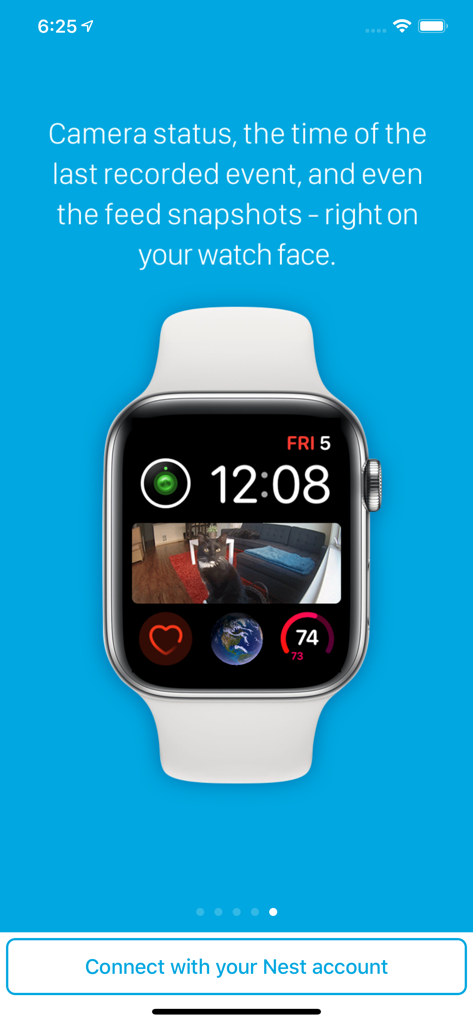
Apple Watch mit einem Live-Nest-Kamerastream und Zifferblatt-Komplikation

Apple Watch mit einem Live-Nest-Kamerastream und Zifferblatt-Komplikation

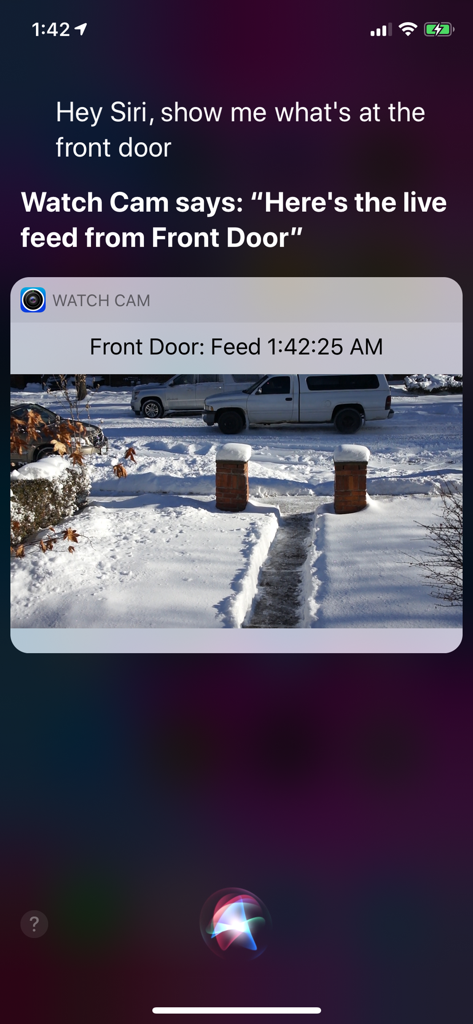
iPhone-Bildschirm zeigt Siri, wie ein Nest-Kamera-Live-Feed über die Watch Cam App angezeigt wird.

iPhone-Bildschirm zeigt Siri, wie ein Nest-Kamera-Live-Feed über die Watch Cam App angezeigt wird.

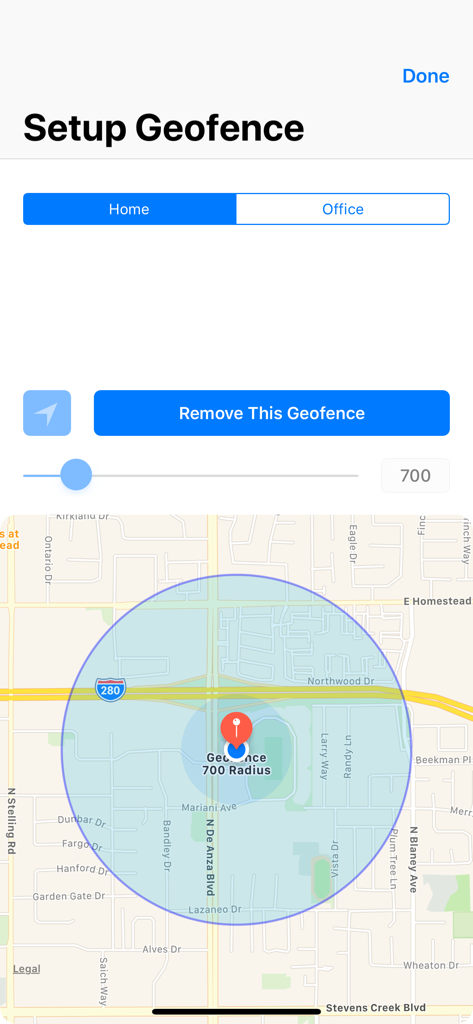
Benutzeroberfläche zum Einrichten eines Geofence für zu Hause mit Karte und Radiuskontrolle

Benutzeroberfläche zum Einrichten eines Geofence für zu Hause mit Karte und Radiuskontrolle

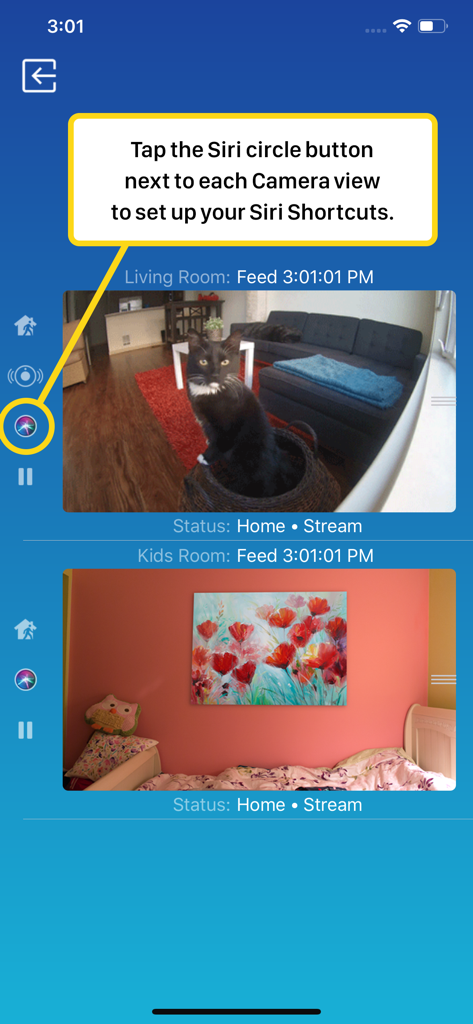
Smartphone-Oberfläche von Watch Cam für Nest Cam mit Live-Kamera-Feeds und Siri-Kurzbefehl-Einrichtung

Smartphone-Oberfläche von Watch Cam für Nest Cam mit Live-Kamera-Feeds und Siri-Kurzbefehl-Einrichtung

Eine Apple Watch mit einem Live-Video-Feed einer Nest-Sicherheitskamera, der eine Katze in einem Wohnzimmer zeigt

Eine Apple Watch mit einem Live-Video-Feed einer Nest-Sicherheitskamera, der eine Katze in einem Wohnzimmer zeigt

Apple Watch Zifferblatt mit einer Nest-Kamera-Schnappschuss-Komplikation einer Katze auf einer Couch

Apple Watch Zifferblatt mit einer Nest-Kamera-Schnappschuss-Komplikation einer Katze auf einer Couch

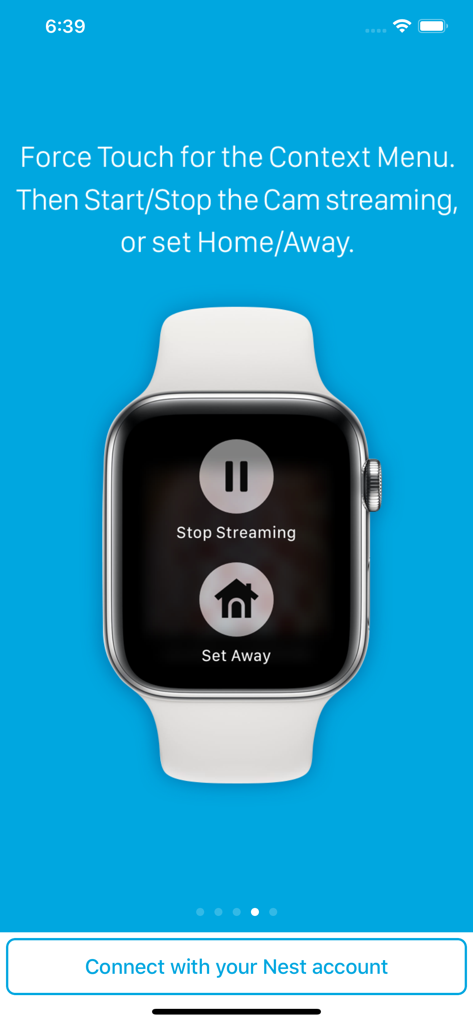
Apple Watch mit Tasten zum Stoppen des Streamings und Einstellen auf Abwesend für Nest-Kameras

Apple Watch mit Tasten zum Stoppen des Streamings und Einstellen auf Abwesend für Nest-Kameras

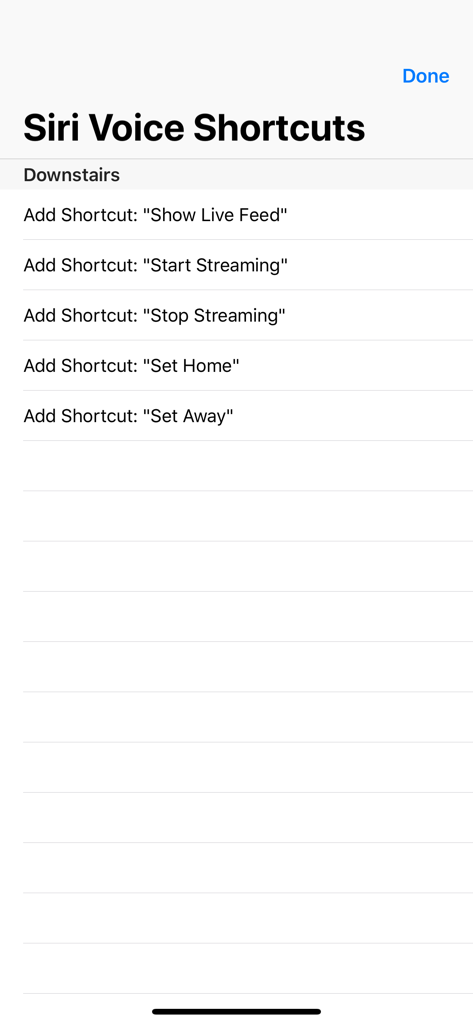
Eine Liste von Siri-Sprachkurzbefehlsoptionen zur Steuerung von Nest-Kameras, einschließlich Live-Feed anzeigen und Zuhause- oder Abwesend-Status festlegen

Eine Liste von Siri-Sprachkurzbefehlsoptionen zur Steuerung von Nest-Kameras, einschließlich Live-Feed anzeigen und Zuhause- oder Abwesend-Status festlegen

Ihr Zuhause, nur einen Blick entfernt

Die Tools, die diese App auszeichnen, gewählt von 122K+ Nutzern.

Echte Freiheit ohne Telefon

Bleiben Sie verbunden, auch wenn Sie Ihr iPhone zurücklassen. Unsere volle LTE-Unterstützung ermöglicht es Ihnen, Live-Feeds direkt auf Ihrer Apple Watch während des Laufens oder bei Erledigungen anzusehen.

🖼️

Sicherheit auf einen Blick

Hören Sie auf, nach Ihrem Telefon zu suchen. Fügen Sie Ihrem Zifferblatt benutzerdefinierte Komplikationen hinzu, um sofortige Kamera-Schnappschüsse zu sehen, sobald Sie Ihr Handgelenk heben.

🗣️

Freihändige Siri-Steuerung

Multitasking leicht gemacht. Nutzen Sie Siri-Sprachkurzbefehle, um Live-Feeds aufzurufen oder den Zuhause/Abwesend-Status zu ändern, wenn Sie die Hände voll mit Einkäufen oder Kindern haben.

Über die App

Alles, was Sie über wissen müssen Watch Cam for Nest Cam.

Beschreibung

Apple Watch, Nest Cam, and Siri together. What a sight! The app has Siri Voice shortcuts, and they can be used to set your home into Away or Home state using Siri on your Watch or iPhone, as well as to display the live feeds from your cameras. The app supports Apple Watch LTE, and can work when the iPhone is not around - as long as the watch itself has internet access (either LTE or WiFi). The app is fully functional with the initial purchase. In-app purchases are available only for tipping the developer. Watch Cam lets you monitor all your Nest Cams from the Apple Watch. • From the watch face, tap on the Watch Cam complication to open the app. Swipe left and right to view life feeds from all your Nest Cams. • One of the watch complications shows you the snapshot from the camera of your choice, right on the watch face. • View the continuously updated Live Feed from the camera in the watch app, iOS app, or with Siri. Newer cameras show live video in the iOS app and Siri. Older cameras show snapshot images that update every second. The feed updates with a new snapshot image every few seconds on the Watch - may be faster or slower, depending on your network speed. • Use the digital crown on the Watch to zoom in and out, or tap the screen to toggle zoom levels. • Use the pinch gesture on the camera views in the iOS app to zoom in and out. Single tap toggles the zoom level in the iOS app and the iOS widget. • Turn the device to landscape mode to increase the camera views sizes. • Double tap on the Live Feed view in the iOS app or the widget to launch the Nest app. • Set Geofence around your home to reliably set the Home and Away state when you come and go. Watch Face Complications can display the following: • Snapshot from the camera of your choice. • Camera icon that opens the app. You can long-press the Watch screen for additional functions, like setting the home/away status, or turning the camera streaming on and off. While the app's minimalist looks betray the simplicity of its operation, what they don't show is the amount of planning, design, development and refinement that went into it, ensuring it becomes something that is enjoyable to use and experience. Please Note: Watch Cam does not collect any of your data. Your login information, camera feeds, and any activity - all of it flows exclusively between your devices and Nest. Author of Watch Cam does not receive any of it, at any point. This app and its developer are unaffiliated with Google Inc. or Google Nest. Nest is a trademark of Google Inc.

Neueste Version

8.7.1

Größe

16.7 MB

Erstveröffentlichung

22. Nov. 2016

Ihr Zuhause, nur einen Blick entfernt

Schließen Sie sich über 122.000 Nutzern an, die die Lücke zwischen Nest und der Apple Watch geschlossen haben. Jetzt herunterladen für private Überwachung ohne Telefon und nahtlose Siri-Steuerung.

Herunterladen auf App Store

App information, icons, screenshots, and descriptions displayed on this page are sourced from the Apple App Store and are the property of their respective developers. Download estimates and rankings are based on MWM's proprietary models and may not reflect actual figures. This page is provided for informational and analytical purposes only.

Believe this page infringes your intellectual property? File a dispute