WatchBMI

WatchBMI

Herunterladen auf App Store
Logo von WatchBMI

WatchBMI: Professionelle BMI-Berechnungen, direkt am Handgelenk

Das ultimative Werkzeug für Angehörige der Gesundheitsberufe und Fitnessexperten. Berechnen Sie den BMI in Sekundenschnelle anhand von CDC-Kategorien, ohne Ihr Telefon in die Hand nehmen zu müssen – keine Datenverfolgung, keine Abonnements, nur reine Nützlichkeit.

Herunterladen auf App Store

Herausgeber

James Nachbar

Kategorie

Health & Fitness

Downloads

100

Bewertung

1.0/5

Bewertungen gesamt

0

Sprachen

1

Präzision auf einen Blick

Entdecken Sie die Oberfläche, die von 100 Nutzern verwendet wird.
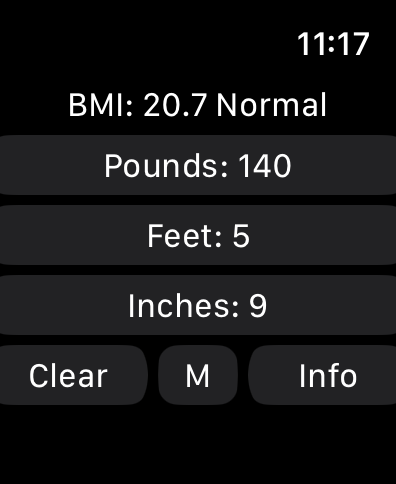
WatchBMI-Rechner auf der Apple Watch, der Gewicht in Pfund und Größe in Fuß und Zoll mit einem normalen BMI-Ergebnis anzeigt.

WatchBMI-Rechner auf der Apple Watch, der Gewicht in Pfund und Größe in Fuß und Zoll mit einem normalen BMI-Ergebnis anzeigt.

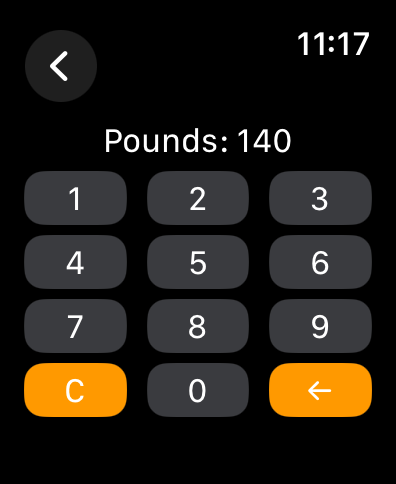
Eine numerische Tastatur auf dem Bildschirm einer Apple Watch zur Eingabe des Gewichts in Pfund.

Eine numerische Tastatur auf dem Bildschirm einer Apple Watch zur Eingabe des Gewichts in Pfund.

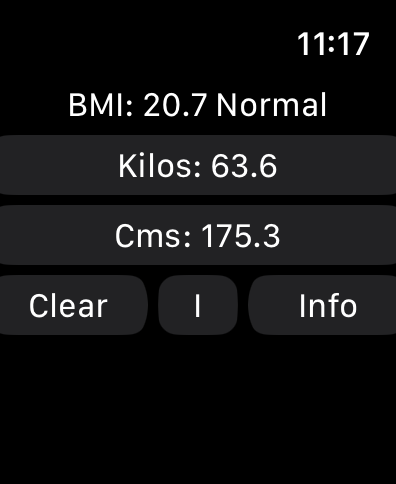
WatchBMI-App-Oberfläche auf der Apple Watch, die das metrische BMI-Berechnungsergebnis anzeigt

WatchBMI-App-Oberfläche auf der Apple Watch, die das metrische BMI-Berechnungsergebnis anzeigt

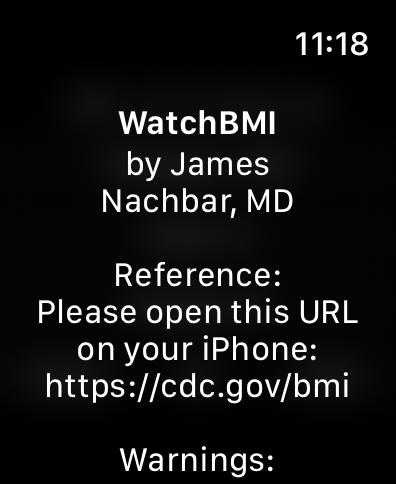
WatchBMI-App-Oberfläche auf der Apple Watch, die den Entwickler James Nachbar MD und einen Referenzlink zur CDC-Website zeigt

WatchBMI-App-Oberfläche auf der Apple Watch, die den Entwickler James Nachbar MD und einen Referenzlink zur CDC-Website zeigt

Bildschirm der Apple Watch mit BMI-medizinischen Warnungen und einem CDC-Referenzlink

Bildschirm der Apple Watch mit BMI-medizinischen Warnungen und einem CDC-Referenzlink

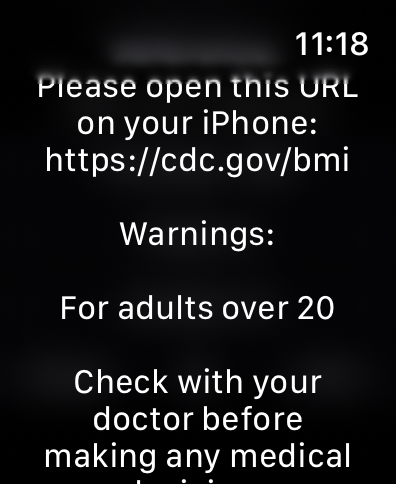
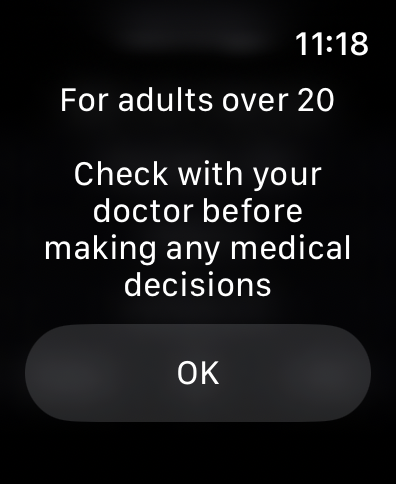
Bildschirm mit medizinischem Haftungsausschluss in der WatchBMI Apple Watch App, der besagt, dass sie für Erwachsene über 20 Jahre bestimmt ist und die Benutzer auffordert, einen Arzt zu konsultieren.

Bildschirm mit medizinischem Haftungsausschluss in der WatchBMI Apple Watch App, der besagt, dass sie für Erwachsene über 20 Jahre bestimmt ist und die Benutzer auffordert, einen Arzt zu konsultieren.

Konzipiert für Ihren professionellen Workflow

Die Tools, die diese App auszeichnen, gewählt von 100 Nutzern.

Sofortiger Zugriff am Handgelenk

Führen Sie schnelle Berechnungen in Sekundenschnelle durch, ohne den Blickkontakt mit dem Patienten zu verlieren oder klinische Hygieneprotokolle zu beeinträchtigen.

📏

Unterstützung für hybride Einheiten

Geben Sie mühelos die Größe in Fuß und Zoll ein und wechseln Sie dann mit einer einzigen Berührung zu metrischen Maßen für die klinische Dokumentation.

🔒

Privat & Konform

Im Einklang mit den CDC-Kategorien sorgt unsere Null-Speicher-Architektur für absolute Datenschutz für Sie und Ihre Kunden.

Über die App

Alles, was Sie über wissen müssen WatchBMI.

Beschreibung

This app is a BMI (Body Mass Index) calculator. It is very simple, in that it asks for input of height and weight, and displays the calculated value for BMI. It does not measure anything; it only displays the calculated BMI based on entered values. I created this for my own practice, because I often need to calculate BMI, and do not want to have to take out and unlock my phone every time. While it will certainly work for an individual to determine her own BMI, it is targeted at users (such as myself) who need to calculate BMI based on the measurements of multiple individuals. It does report the CDC category of the BMI, but does not otherwise interpret any of the data. It does not store or collect any of the entered information. You should know that BMI is only a reflection of height and weight; it does not assess body composition, or differentiate between fat and muscle. Instructions: Simply click on one of the buttons on the main screen to show a keyboard for entering the value. WatchBMI can accept values in either the Metric or the Imperial system. Click the "M" button to change to metric, click the "I" button to change to imperial If Imperial: Click on "Pounds" to enter the weight in pounds. Use the "Back" button to go back to the main screen. Click on "Feet" to enter the feet part of height. Click on "Inches" to enter the inches part of height. If Metric: Click on "Kilos:" to enter the weight in kilograms. Click on "Cms: to enter the height in centimeters. The app does not allow inches greater than 11, feet greater than 7, or weight greater than 999, with similar maximums in metric. Once all three values have been entered, the main screen (again, click the "Back" button) to show the calculated BMI and the CDC category for that BMI. When changing from Imperial to Metric or Metric to Imperial, the height and weight will change as well, so you can enter weight in kilograms and height in feet and inches. Reference Information: Information from the U.S. Centers for Disease Control and Prevention (CDC) provides information about BMI and its appropriate use at https://cdc.gov/bmi BMI is a measure of weight relative to height. According to CDC at https://www.cdc.gov/bmi/about/index.html : BMI is a quick, low-cost, and reliable screening measure for underweight, overweight, or obesity; BMI is a valuable population health measure used worldwide; for individuals, BMI should be considered with other factors, such as blood pressure, cholesterol levels, and physical examination. The CDC Adult BMI Categories are from https://www.cdc.gov/bmi/adult-calculator/bmi-categories.html. BMI and this app does not diagnose or treat any condition. The CDC BMI Categories calculated by this app are designed for adults 20 and older, and do not apply to children. Check with your doctor before using this app or making any medical decisions based on BMI.

Neueste Version

2.0

Größe

0.4 MB

Erstveröffentlichung

15. Sept. 2024

Bereit für Ihren nächsten Patienten?

Schließen Sie sich den Fachleuten im Gesundheitswesen und Fitnessbereich an, die ihren Arbeitsablauf optimieren. Laden Sie WatchBMI noch heute herunter, um sofortige, private und CDC-konforme Berechnungen direkt am Handgelenk durchzuführen.

Herunterladen auf App Store

App information, icons, screenshots, and descriptions displayed on this page are sourced from the Apple App Store and are the property of their respective developers. Download estimates and rankings are based on MWM's proprietary models and may not reflect actual figures. This page is provided for informational and analytical purposes only.

Believe this page infringes your intellectual property? File a dispute