WhoDo

WhoDo

Herunterladen auf App Store
Logo von WhoDo

Herunterladen auf App Store

Herausgeber

Swamp Dog, LLC

Kategorie

Productivity

Downloads

0

Bewertung

1.0/5

Bewertungen gesamt

0

Sprachen

1

Effizienz in Aktion

Entdecken Sie die Oberfläche, die von 0 Nutzern verwendet wird.
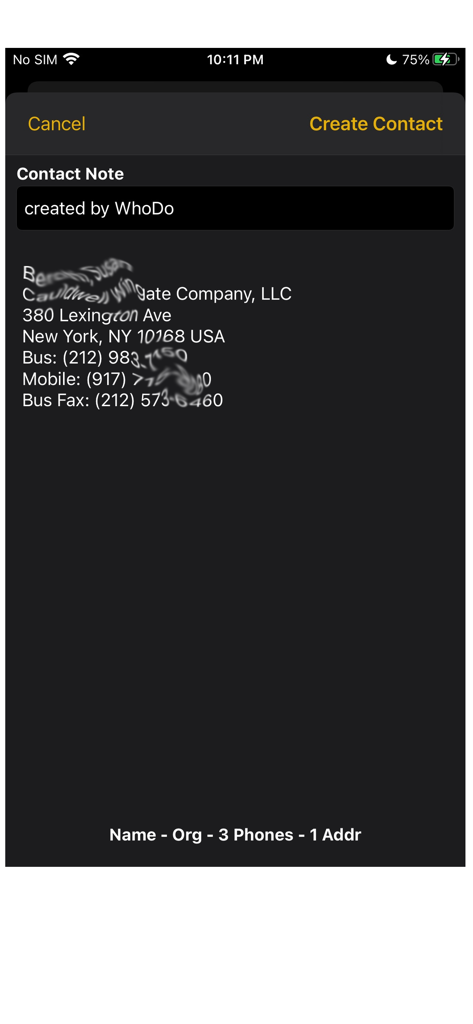
WhoDo App-Screenshot, der extrahierte Kontaktdaten einschließlich Adresse und Telefonnummern aus einer Textquelle zeigt

WhoDo App-Screenshot, der extrahierte Kontaktdaten einschließlich Adresse und Telefonnummern aus einer Textquelle zeigt

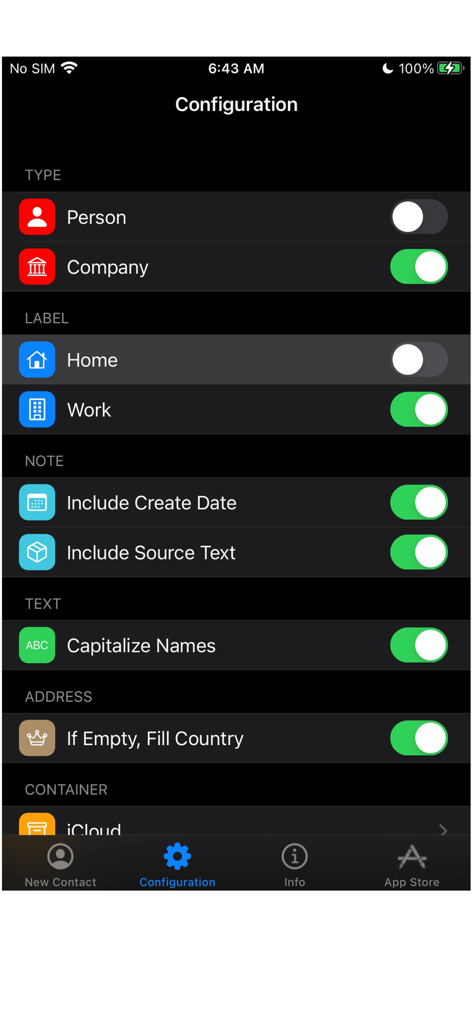
WhoDo App-Konfigurationsbildschirm mit Einstellungen für Kontakttyp, Labels und Textformatierung

WhoDo App-Konfigurationsbildschirm mit Einstellungen für Kontakttyp, Labels und Textformatierung

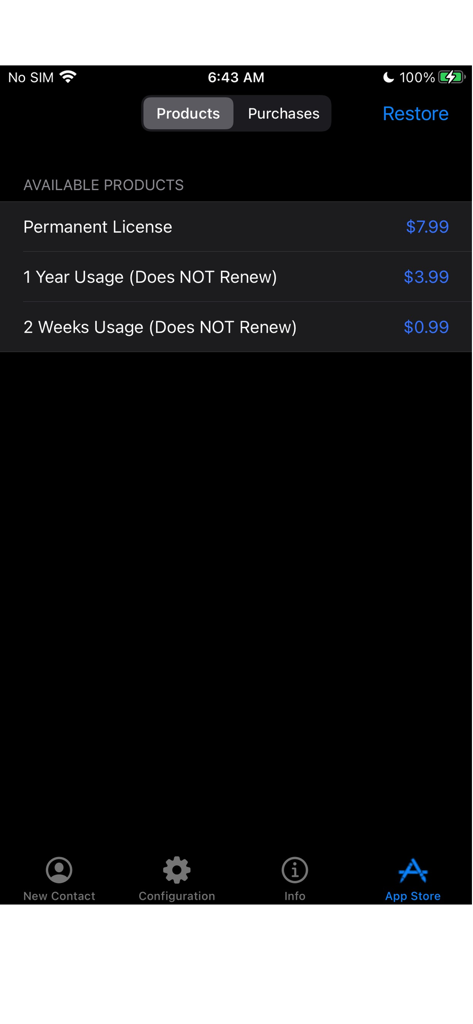
WhoDo App Store-Bildschirm mit Optionen für nicht erneuerbare Lizenzen und Daueranschaffungen

WhoDo App Store-Bildschirm mit Optionen für nicht erneuerbare Lizenzen und Daueranschaffungen

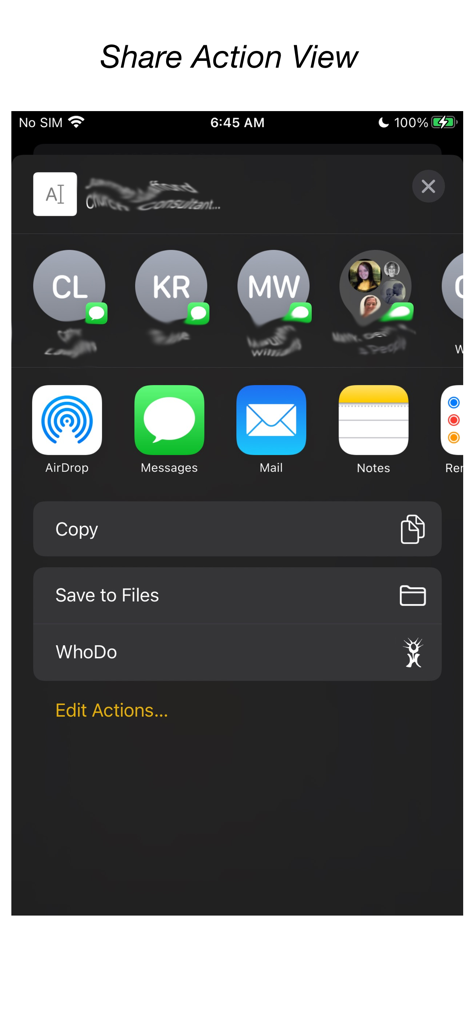
WhoDo App-Integration im iOS Share-Menü

WhoDo App-Integration im iOS Share-Menü

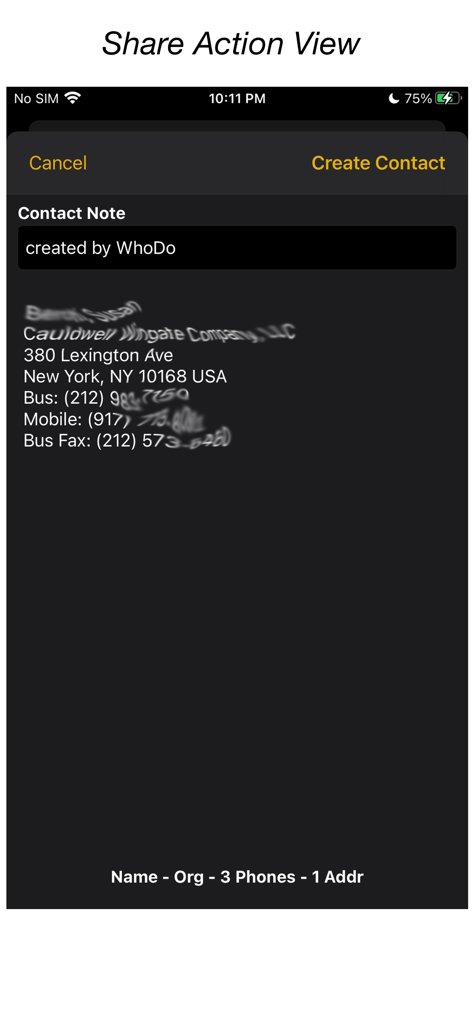
WhoDo App-Oberfläche, die Kontaktinformationen zeigt, die über die iOS Share-Funktion aus Text extrahiert wurden

WhoDo App-Oberfläche, die Kontaktinformationen zeigt, die über die iOS Share-Funktion aus Text extrahiert wurden

Automatisieren Sie Ihr Adressbuch

Die Tools, die diese App auszeichnen, gewählt von 0 Nutzern.

Kein manuelles Tippen

Nutzen Sie die iOS Share-Funktion, um Kontaktdetails sofort aus E-Mails, Nachrichten oder Webseiten zu extrahieren, ohne ein einziges Zeichen tippen zu müssen.

📈

Massen-Tabellenimport

Hören Sie auf, einzeln zu kopieren. Extrahieren Sie mühelos mehrere Leads aus Numbers- oder Excel-Zeilen, um Ihr Adressbuch in Sekundenschnelle zu füllen.

🍏

Native Apple-Integration

Synchronisieren Sie über iPhone, iPad und Mac. Organisieren Sie Ihre Kontakte in iCloud-, Outlook- oder Gmail-Gruppen, ohne wiederkehrende Abonnementgebühren.

Über die App

Alles, was Sie über wissen müssen WhoDo.

Beschreibung

The same WhoDo app runs on iPhone, iPad - put WhoDo on ALL your iOS devices! With Family Sharing - everybody in your family can also use WhoDo! You don't need to launch an application to use WhoDo! Just select the desired text in any application and use the Share action! If Share is unavailable or inconvenient, you can also use 'Copy' and then switch to WhoDo. Whenever you open WhoDo it immediately assesses the current clipboard for contact data. WhoDo can handle multiple rows in a spreadsheet - this works best if you include the header row WhoDo has a very minimal user interface - it has a single purpose and is designed to be the least possible interruption in your workflow. WhoDo uses Apple's data detectors and natural language processing. Download WhoDo for free - you can then create 3 contacts to verify WhoDo's functionality. After you have created the 3 free trial contacts you must make an in-app purchase. 2 weeks usage - 99¢ 1 year usage - $3.99 Permanent license - $7.99 WhoDo does NOT use subscriptions - there are no automated renewals. You can purchase either of the short term usages as many times as you need. WhoDo can: • assign the new contact to a specific Account (e.g. Gmail, Outlook, Yahoo, ...) • assign the new contact to a Group (if Groups are supported in the Account) • create either a Person or an Organization • assign unlabelled values with either Work or Home labels • automatically capitalize names of all types • automatically supply the area code for casual phone numbers • populate the new contact's ‘Note’ with text of your choosing; you can also add the date & time of creation as well as the full text of source data. • provides the contact in an editable Contact view for your final approval before you Save • each time you open WhoDo it can provide the contents of the clipboard for use a new contact so you can 'Copy' and then open WhoDo if that is more convenient than using 'Share' • extract multiple contacts from Numbers - best if you include the header row you can elect to process multiple contacts individually or in one bulk action. WhoDo works with iOS 15.4 and later Terms of Use: https://swampdog.info/whodo/core/termsOfUse/ NOTE: If you have any comments, general or technical issues, please contact us directly at developer@swampdog.info.  We will usually respond with one business day.

Neueste Version

3.0.1

Größe

3.4 MB

Erstveröffentlichung

18. Feb. 2019

Bereit, mit dem Tippen aufzuhören und mit dem Netzwerken zu beginnen?

Schließen Sie sich Tausenden von Fachleuten an, die Stunden bei der manuellen Dateneingabe sparen. Holen Sie sich WhoDo noch heute für die nahtlose Kontaktextraktion über alle Ihre Geräte hinweg – ohne monatliche Abonnements, jemals.

Herunterladen auf App Store

App information, icons, screenshots, and descriptions displayed on this page are sourced from the Apple App Store and are the property of their respective developers. Download estimates and rankings are based on MWM's proprietary models and may not reflect actual figures. This page is provided for informational and analytical purposes only.

Believe this page infringes your intellectual property? File a dispute