WiFi Analyzer - Internet Speed

WiFi Analyzer - Internet Speed

Herunterladen auf App Store
Logo von WiFi Analyzer - Internet Speed

WiFi Analyzer - Internetgeschwindigkeit: Übernehmen Sie die volle Kontrolle über Ihr drahtloses Netzwerk

Das ultimative Toolkit für den IT-Manager im Haushalt. Überwachen Sie verbundene Geräte, eliminieren Sie Funklöcher und führen Sie präzise Geschwindigkeitstests durch, um sicherzustellen, dass Ihr Zuhause oder Büro immer Höchstleistungen erbringt.

Herunterladen auf App Store

Herausgeber

BJS Soft Solutions LLC

Kategorie

Utilities

Downloads

1K+

Bewertung

1.0/5

Bewertungen gesamt

0

Sprachen

1

Ihr Netzwerk, visualisiert

Entdecken Sie die Oberfläche, die von 1K+ Nutzern verwendet wird.
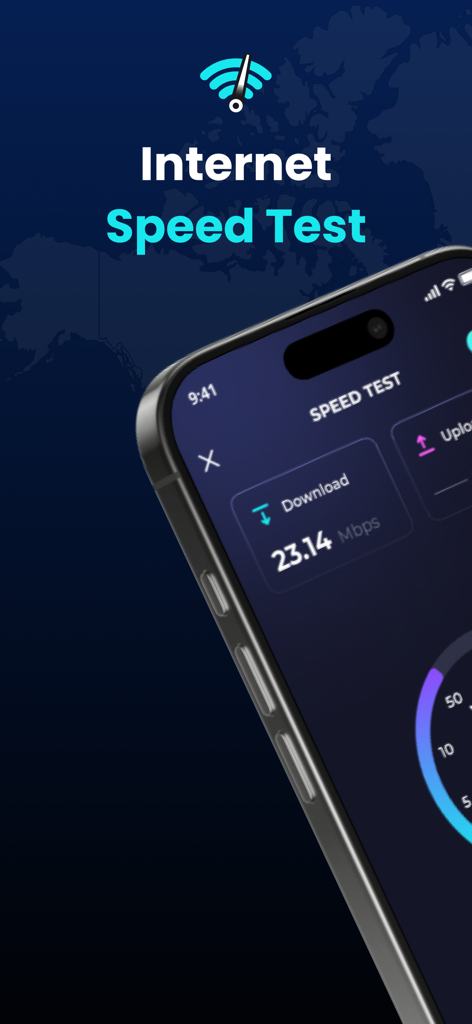
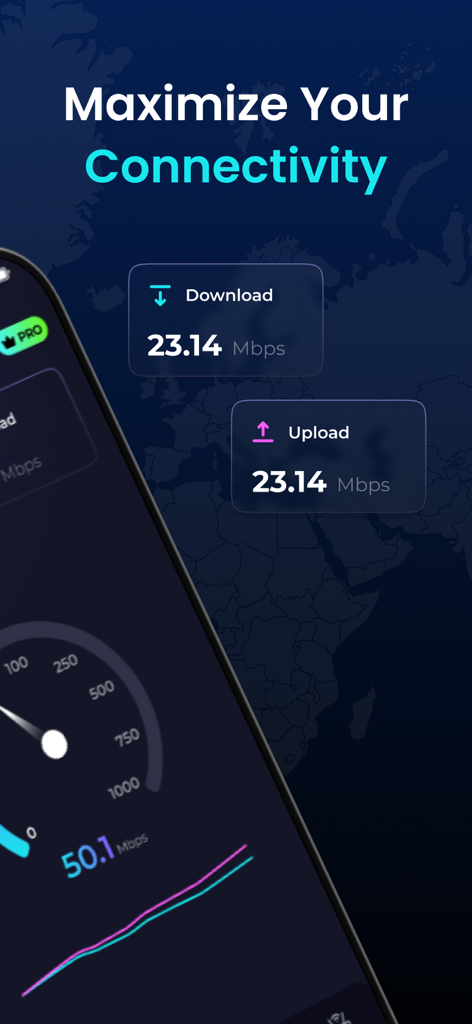
WiFi Analyzer App-Oberfläche auf dem iPhone zeigt ein Internetgeschwindigkeitstest-Ergebnis von 23,14 Mbit/s Download-Geschwindigkeit

WiFi Analyzer App-Oberfläche auf dem iPhone zeigt ein Internetgeschwindigkeitstest-Ergebnis von 23,14 Mbit/s Download-Geschwindigkeit

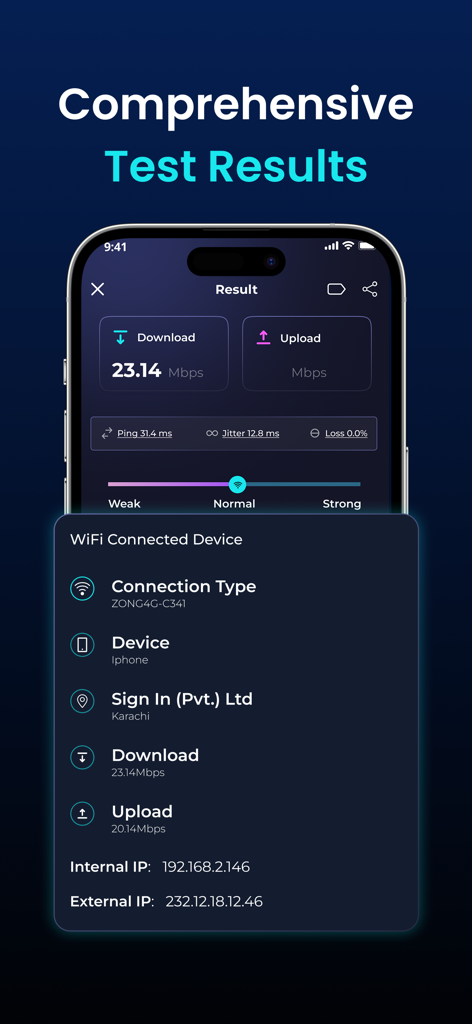
Smartphone-Bildschirm mit Ergebnissen von Internet-Download- und Upload-Geschwindigkeitstests

Smartphone-Bildschirm mit Ergebnissen von Internet-Download- und Upload-Geschwindigkeitstests

WiFi Analyzer App-Oberfläche mit Download-Geschwindigkeit, Upload-Geschwindigkeit und Netzwerkanalyseinformationen

WiFi Analyzer App-Oberfläche mit Download-Geschwindigkeit, Upload-Geschwindigkeit und Netzwerkanalyseinformationen

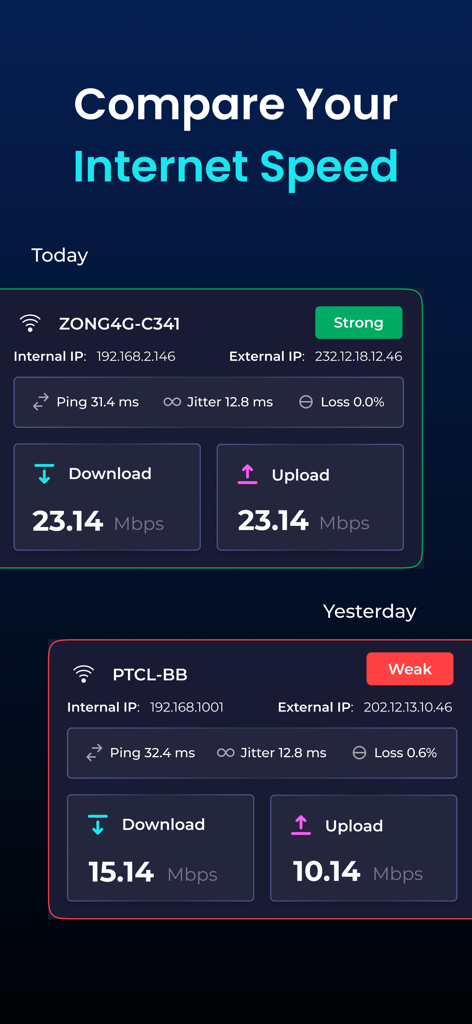
Ein Vergleich der WLAN-Internetgeschwindigkeitstest-Ergebnisse von heute und gestern

Ein Vergleich der WLAN-Internetgeschwindigkeitstest-Ergebnisse von heute und gestern

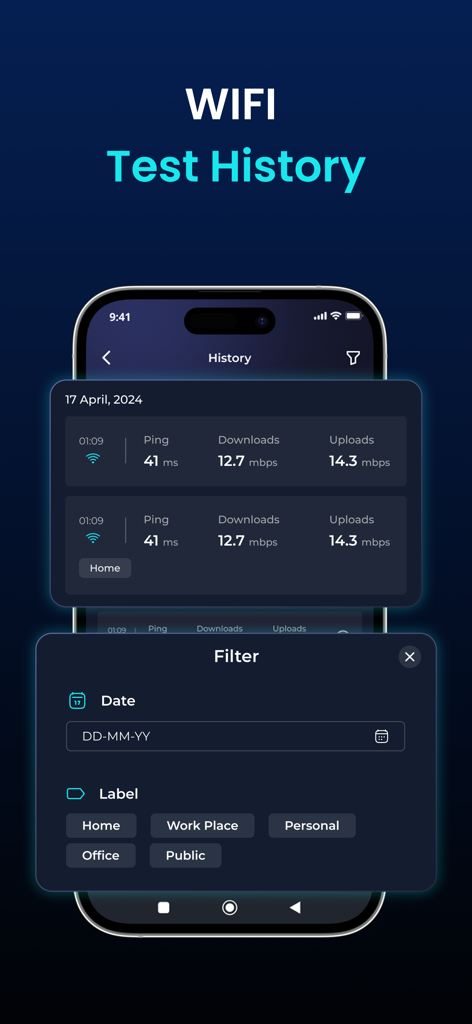
Protokolle des WLAN-Geschwindigkeitstestverlaufs mit Filteroptionen für Datum und Bezeichnung.

Protokolle des WLAN-Geschwindigkeitstestverlaufs mit Filteroptionen für Datum und Bezeichnung.

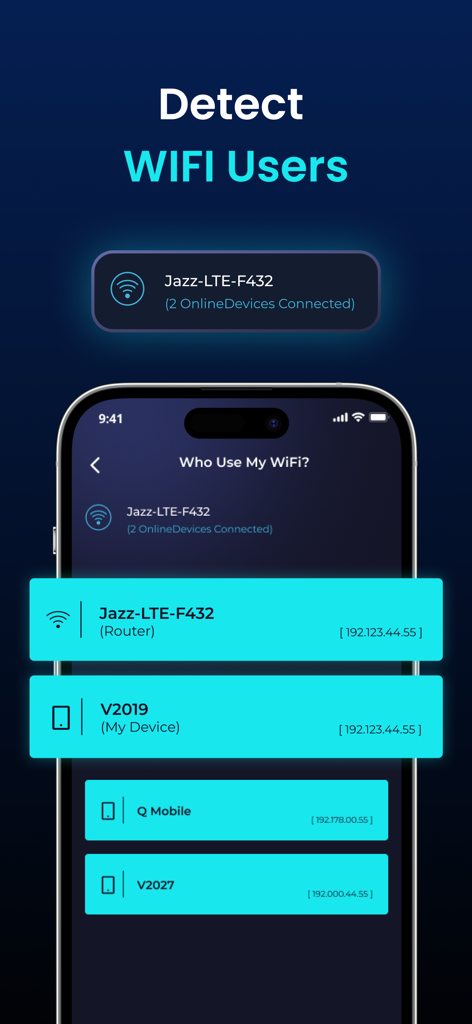
WiFi Analyzer App-Bildschirm, der eine Liste der mit einem Netzwerk verbundenen Geräte mit IP-Adressen anzeigt.

WiFi Analyzer App-Bildschirm, der eine Liste der mit einem Netzwerk verbundenen Geräte mit IP-Adressen anzeigt.

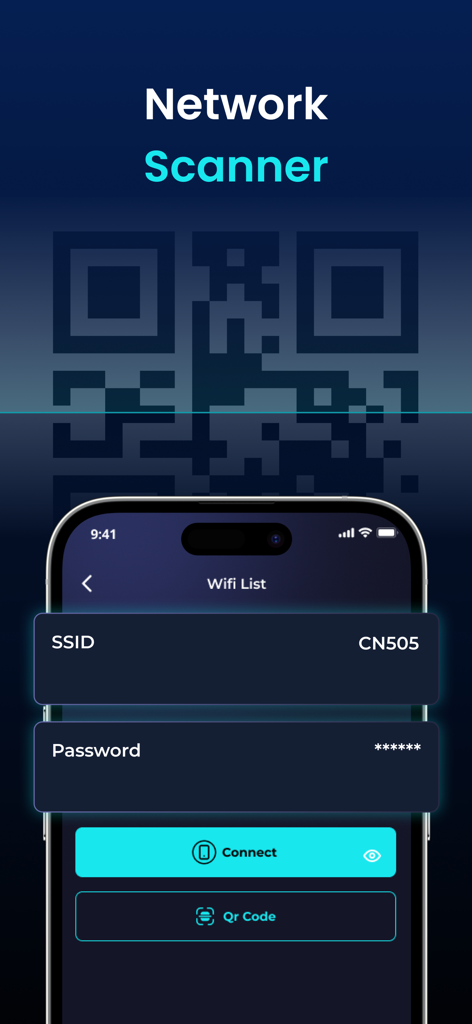
Oberfläche der WiFi Analyzer App mit der Netzwerkscanner-Funktion und einer Option zur QR-Code-Verbindung

Oberfläche der WiFi Analyzer App mit der Netzwerkscanner-Funktion und einer Option zur QR-Code-Verbindung

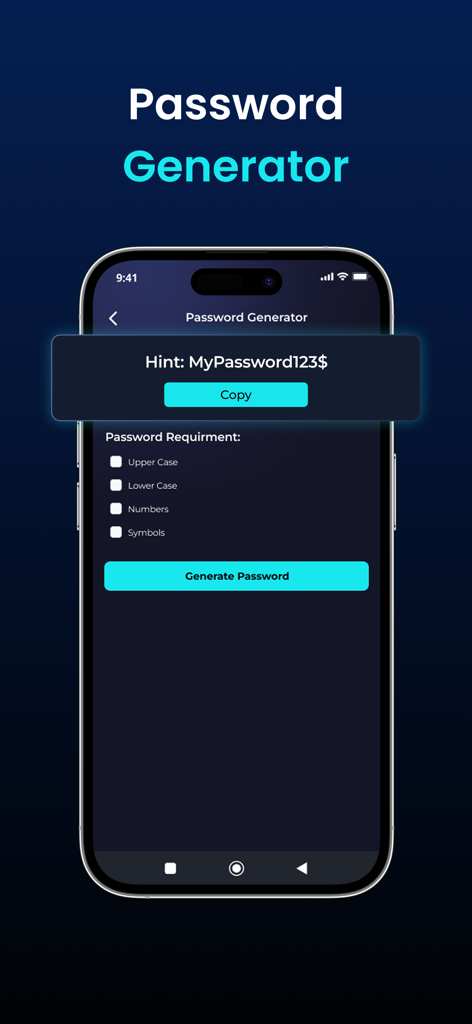
Oberfläche der WiFi Analyzer App mit dem Passwortgenerator-Tool mit Sicherheitsoptionen.

Oberfläche der WiFi Analyzer App mit dem Passwortgenerator-Tool mit Sicherheitsoptionen.

Meistern Sie Ihr Heimnetzwerk

Die Tools, die diese App auszeichnen, gewählt von 1K+ Nutzern.

Präzisions-Geschwindigkeitstests mit einem Fingertipp

Verifizieren Sie die Leistung Ihres Internetanbieters mit genauen 5G- und WLAN-Geschwindigkeits-Benchmarks, einschließlich Ping- und Upload-Metriken.

🛡️

Erweiterte Geräteerkennung

Identifizieren Sie jedes Gerät, das mit Ihrem Netzwerk verbunden ist, um unbefugten Zugriff zu erkennen und Ihre Haushaltsbandbreite zu verwalten.

📶

Echtzeit-Signal-Analyse

Visualisieren Sie Ihre Signalstärke, um Funklöcher zu eliminieren und den perfekten Standort für Ihren Router oder Ihren Remote-Arbeitsplatz zu finden.

Über die App

Alles, was Sie über wissen müssen WiFi Analyzer - Internet Speed.

Beschreibung

WiFi Analyzer is a powerful tool for analyzing the status of Wi-Fi networks, discovering WLAN-connected devices, and detecting network faults. This network analyzer optimizes your WiFi network with advanced features like internet speed testing, Router Config, and WiFi signal strength. Key Features of WiFi Analyzer - Internet Speed - WiFi hotspot to identify connected devices, their signal strength, and network usage - Unlimited speed tests 2G, 3G, 4G, 5G, DSL, ADSL, and Wi-Fi at one-tap - Discovers all devices connected to the network - Display of basic information about the connection (IP address, provider, connection type, WiFi network name) - Real-time network speed and traffic - Simple, intuitive, and modern design - Connect to WiFi by scanning QR code Test The Speed of the Wi-Fi hotspot With the internet speed test, you can easily check WiFi speed with a single click. Our app offers broad internet speed testing, including ping, download, and upload speeds. You can use the WiFi speed test to see whether your WiFi is strong, normal, or weak. Manage Connected Devices of Personal Hotspots Besides the internet speed test feature, the WiFi Analyzer allows you to inspect and control devices that are connected to WiFi. This feature of mobile hotspots enables correct distribution to mobile data devices. Check WiFi Signal Strength The WiFi signal strength feature allows you to examine signal strength, speed, frequency, and IP address. Experience uninterrupted live streaming, gaming, and web browsing. Explore Available Wi-Fi Networks Wifi Finder helps you connect to the best WiFi networks in your neighborhood, eliminating slow and unreliable ones. No need to worry as there is no WiFi network to connect to anymore. Effortless WiFi Connection with QR Codes WiFi Analyzer can be used to test internet speed and connect to a WiFi network by QR code scanner. Save time by asking for passwords and entering them into devices. Enjoy the simplicity of WiFi connectivity by scanning the QR code. Results Comparison Easily track your Wi-Fi speed history and compare past results to see how your network performance changes over time. Labels Keep your network organized by tagging and labeling devices, making it simple to manage everything connected to your Wi-Fi. Available in multiple languages for users worldwide. Enjoy a localized experience in your preferred language. Whether you're at home, in the office, or on the go, WiFi Analyzer - Internet Speed is your all-in-one solution for optimizing your WiFi network. Download now and take control of your wireless connection! WiFi Analyzer - Internet Speed App offers the following Auto-renewing Subscriptions 1. Monthly Plan: Get a 3-day free trial plus 35% off your subscription 2. Yearly Plan - This price of the WiFi Analyzer app is for United States customers. Pricing in other countries may vary and actual charges may be converted to your local currency depending on the country of residence. - Payment will be charged to the iTunes Account at confirmation of purchase. - Subscription automatically renews unless auto-renew is turned off at least 24 hours before the end of the current period. - Account will be charged for renewal within 24 hours before the end of the current period, and identify the cost of the renewal. - You can manage subscriptions and turn off auto-renewal after purchase by going to your App Store account settings. - Links to our Terms of Service and Privacy Policy can be found below: Privacy Policy: https://sites.google.com/view/privacy-wifi-analyzer Terms of Service: https://sites.google.com/view/wifi-analyzer-termsofcondition

Neueste Version

1.5.48

Größe

69.8 MB

Erstveröffentlichung

26. März 2024

Sind Sie bereit, Ihre Netzwerkleistung zu meistern?

Schließen Sie sich Tausenden von IT-Managern im Haushalt und Remote-Profis an, die ihre Geschwindigkeit optimieren, ihre Verbindung sichern und Funklöcher mit professionellen Diagnosen eliminieren. Übernehmen Sie noch heute die Kontrolle über Ihr WLAN.

Herunterladen auf App Store

App information, icons, screenshots, and descriptions displayed on this page are sourced from the Apple App Store and are the property of their respective developers. Download estimates and rankings are based on MWM's proprietary models and may not reflect actual figures. This page is provided for informational and analytical purposes only.

Believe this page infringes your intellectual property? File a dispute