WiFi QR Connect

WiFi QR Connect

Herunterladen auf App StoreHerunterladen auf Google Play
Logo von WiFi QR Connect

WiFi QR Connect: Der schnellste Weg, WLAN zu scannen, zu verbinden und zu verwalten

Verbinde dich in Sekundenschnelle mit jedem Netzwerk, ohne ein einziges Zeichen tippen zu müssen. Scanne QR-Codes aus deiner Kamera oder Galerie, zeige gespeicherte Passwörter an und verwalte deine Verbindungshistorie ganz einfach.

Herausgeber

David Serrano Canales

Kategorie

Utilities

Downloads

301K+

Bewertung

4.7/5

Bewertungen gesamt

600

Sprachen

9

Blitzschnell verbinden

Entdecken Sie die Oberfläche, die von 301K+ Nutzern verwendet wird.
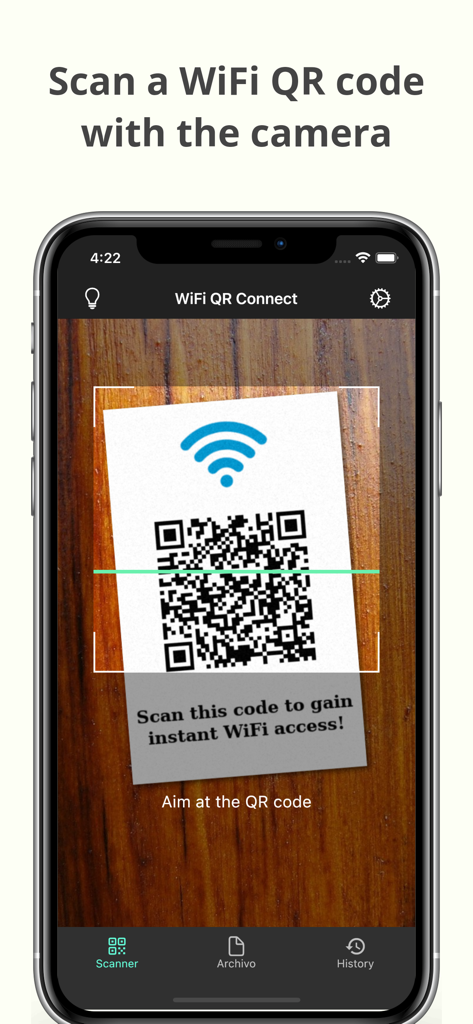
Ein Smartphone-Bildschirm, der die WiFi QR Connect App zeigt, wie sie einen QR-Code für sofortigen WLAN-Zugang scannt.

Ein Smartphone-Bildschirm, der die WiFi QR Connect App zeigt, wie sie einen QR-Code für sofortigen WLAN-Zugang scannt.

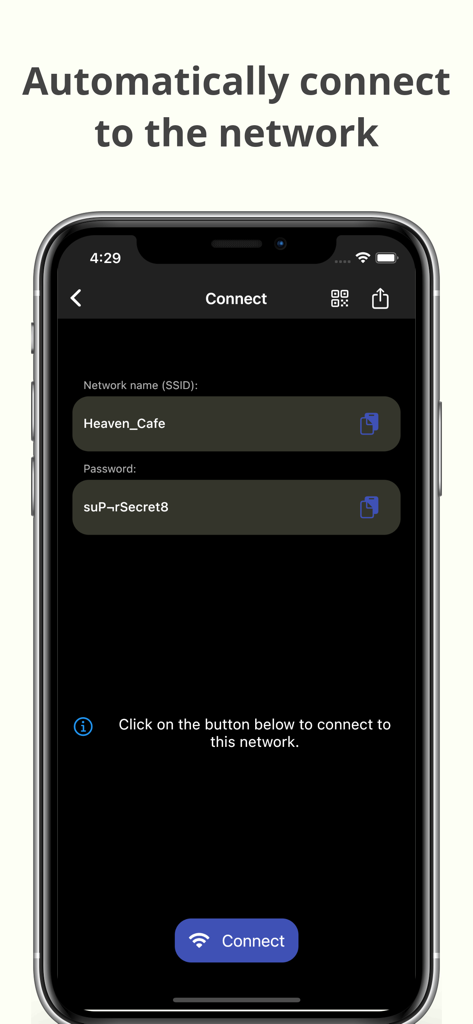
Oberfläche der WiFi QR Connect App, die SSID und Passwort für die automatische Netzwerkverbindung anzeigt

Oberfläche der WiFi QR Connect App, die SSID und Passwort für die automatische Netzwerkverbindung anzeigt

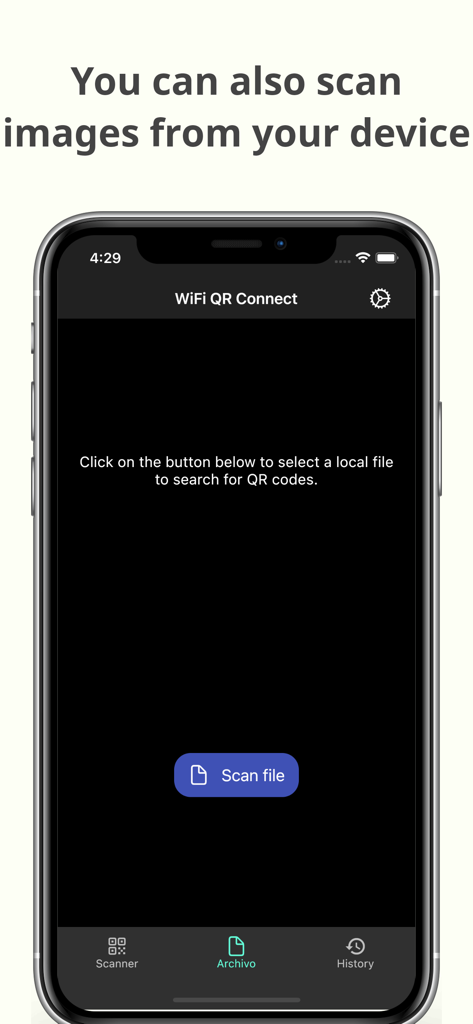
WiFi QR Connect App-Oberfläche zum Scannen von QR-Codes aus gespeicherten Bilddateien.

WiFi QR Connect App-Oberfläche zum Scannen von QR-Codes aus gespeicherten Bilddateien.

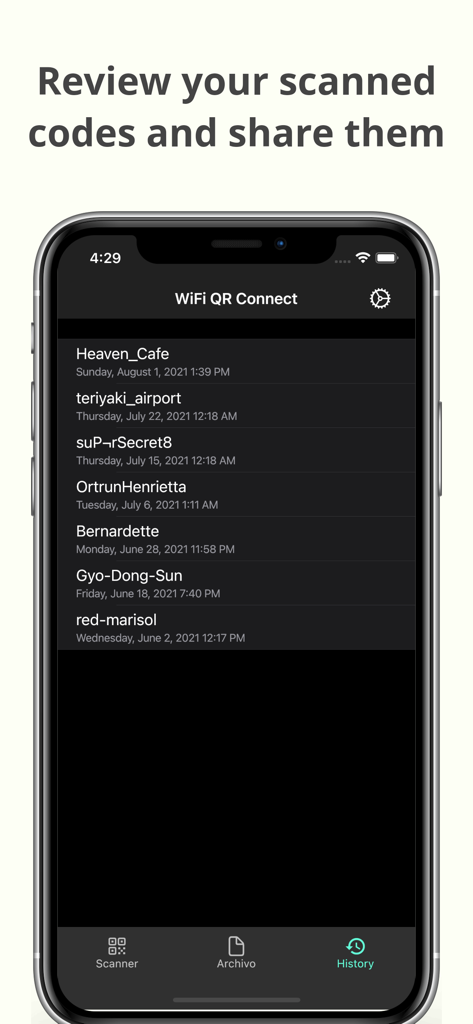
Eine Historienliste von zuvor gescannten WLAN-Netzwerken innerhalb der mobilen WiFi QR Connect App.

Eine Historienliste von zuvor gescannten WLAN-Netzwerken innerhalb der mobilen WiFi QR Connect App.

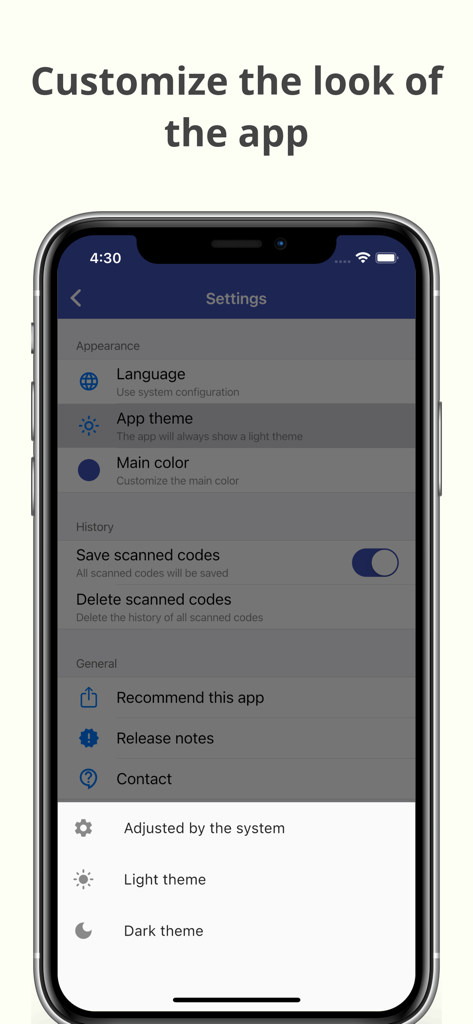
Einstellungsbildschirm zur Anpassung des Aussehens und Themas der WiFi QR Connect App.

Einstellungsbildschirm zur Anpassung des Aussehens und Themas der WiFi QR Connect App.

Müheloser WLAN-Zugang in Sekunden

Die Tools, die diese App auszeichnen, gewählt von 301K+ Nutzern.

Sofort scannen & verbinden

Überspringe die manuelle Eingabe. Richte deine Kamera auf einen beliebigen QR-Code, um dich automatisch mit Netzwerken zu verbinden, ohne ein einziges Zeichen tippen zu müssen.

📂

Intelligente Verbindungshistorie

Perfekt für digitale Nomaden. Speichere jedes gescannte Netzwerk, um dich bei deinem nächsten Besuch in deinem Lieblingscafé oder Hotel schnell wieder zu verbinden.

🔑

Passwörter anzeigen & teilen

Schließe die Lücke zwischen Geräten. Rufe gespeicherte Passwörter ab, um Gäste zu unterstützen oder deinen Laptop zu verbinden, wenn die WLAN-Freigabe fehlschlägt.

Über die App

Alles, was Sie über wissen müssen WiFi QR Connect.

Beschreibung

WiFi QR Connect allows you to connect to a Wi-Fi network by scanning a QR code. Just open the app and point your device's rear camera at the code you want. The app will scan it and allow you to join that network without the need to enter any data manually. Features: - Automatic connection to Wi-Fi networks by scanning QR codes - You can also scan an image file from your device that contains a code - Quickly retrieve all scanned codes in History section - Ability to view the password of the network > Where can I found the QR codes? You can find QR codes with Wi-Fi network information in various places, for example on the bottom of routers (to be able to connect to the network they provide) or in public places such as cafes or restaurants where the owners have printed these codes so that customers can easily connect to the network that these places provide. > Is it possible to generate these types of codes myself for guests to connect to my home network? Yeah! You can use a code generation tool to create these codes. You can then print them out or simply show them to your guests right from your phone to get them connected. An example of an online generation tool is QiFi: https://qifi.org/ > How to use this application? Once you have opened the application, the code scanner that uses your device's camera will be activated automatically. Frame the code to scan and the application will automatically detect it. Alternatively, you can also choose an image file that contains a QR code from your local file system. Once the code has been scanned you will be presented with information regarding it, along with the option to connect automatically. Press the connect button and the app will automatically try to connect to the provided network. Please note that for the connection to be established correctly the network must be available, your device must be within range, and the data provided in the code must be correct. > What else can this app do? In addition to what is mentioned above, this app also allows you to recover any codes that you have previously scanned. You will be able to see its data just as if you had just scanned it. In addition, it also has several additional options such as sharing the code or viewing the network password. --- In short, WiFi QR Connect is your ideal tool to connect to Wi-Fi networks easily and quickly by scanning a QR code. It has been designed with simplicity in mind so that its use is agile and natural. Download now and simplify the way you connect to wireless networks!

Neueste Version

2.38.0

Größe

66.8 MB

Erstveröffentlichung

23. Juli 2021

Hör auf, Passwörter zu tippen. Fang an, dich zu verbinden.

Schließe dich über 300.000 Nutzern an, die WLAN-Hürden beseitigt haben. Lade WiFi QR Connect noch heute herunter und genieße den ultimativen Komfort von sofortigem, fehlerfreiem Netzwerkzugang.

Herunterladen auf App StoreHerunterladen auf Google Play

App information, icons, screenshots, and descriptions displayed on this page are sourced from the Apple App Store and are the property of their respective developers. Download estimates and rankings are based on MWM's proprietary models and may not reflect actual figures. This page is provided for informational and analytical purposes only.

Believe this page infringes your intellectual property? File a dispute