WinZip Pro: zip, unzip & rar

WinZip Pro: zip, unzip & rar


Herunterladen auf App Store
Logo von WinZip Pro: zip, unzip & rar

WinZip Pro: Dateileistung in Desktop-Qualität auf Ihrem iPhone und iPad

Das weltweit führende Dienstprogramm zum Zippen, Entzippen und Verschlüsseln jeder Datei. Verbinden Sie alle Ihre Cloud-Konten, um Archive zu verwalten und große Dokumente mit professioneller Sicherheit zu teilen.

Herausgeber

WinZip Computing LLC

Kategorie

Utilities

Downloads

517K+

Bewertung

3.4/5

Bewertungen gesamt

1K+

Sprachen

6

Dateibeherrschung auf einen Blick

Entdecken Sie die Oberfläche, die von 517K+ Nutzern verwendet wird.
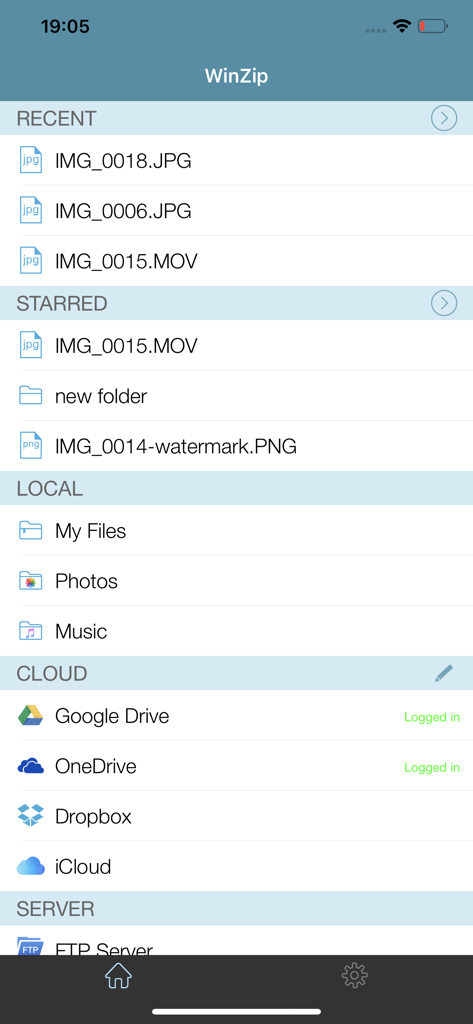
WinZip Pro App-Oberfläche, die zuletzt verwendete Dateien und Cloud-Speicherintegration auf dem iPhone anzeigt

WinZip Pro App-Oberfläche, die zuletzt verwendete Dateien und Cloud-Speicherintegration auf dem iPhone anzeigt

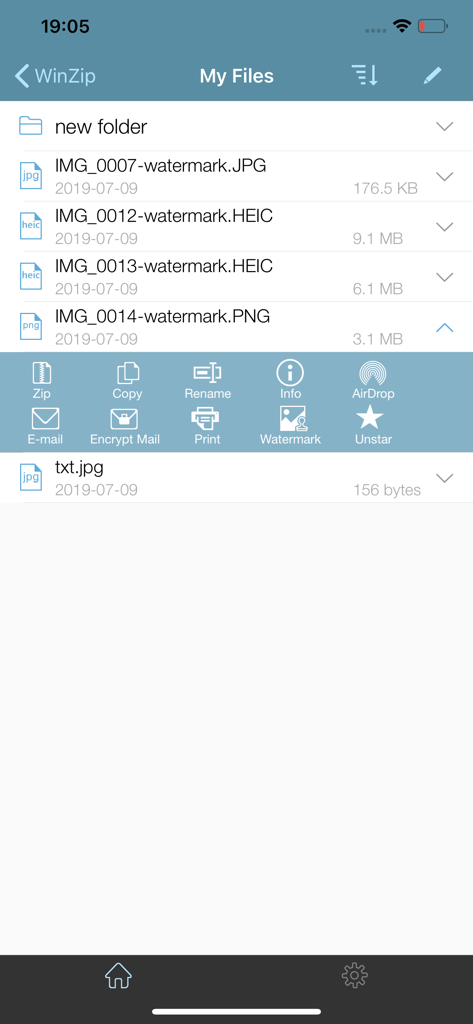
WinZip Pro iOS App-Oberfläche, die eine Liste von Bilddateien und ein Menü mit Optionen zum Zippen, Kopieren, Umbenennen und Verschlüsseln von Dateien zeigt

WinZip Pro iOS App-Oberfläche, die eine Liste von Bilddateien und ein Menü mit Optionen zum Zippen, Kopieren, Umbenennen und Verschlüsseln von Dateien zeigt

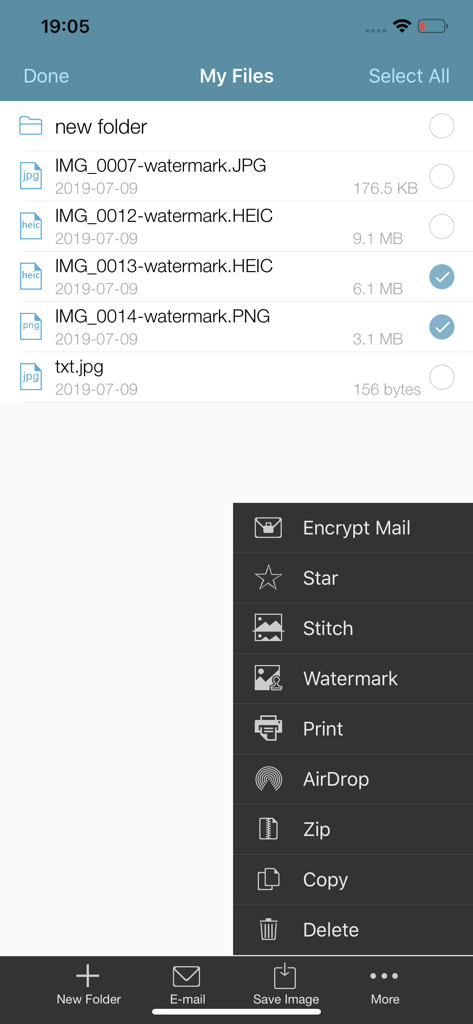
WinZip Pro App-Oberfläche, die eine Dateiliste und ein Menü mit Optionen zum Verschlüsseln von Zip-Dateien und zum Hinzufügen von Wasserzeichen anzeigt

WinZip Pro App-Oberfläche, die eine Dateiliste und ein Menü mit Optionen zum Verschlüsseln von Zip-Dateien und zum Hinzufügen von Wasserzeichen anzeigt

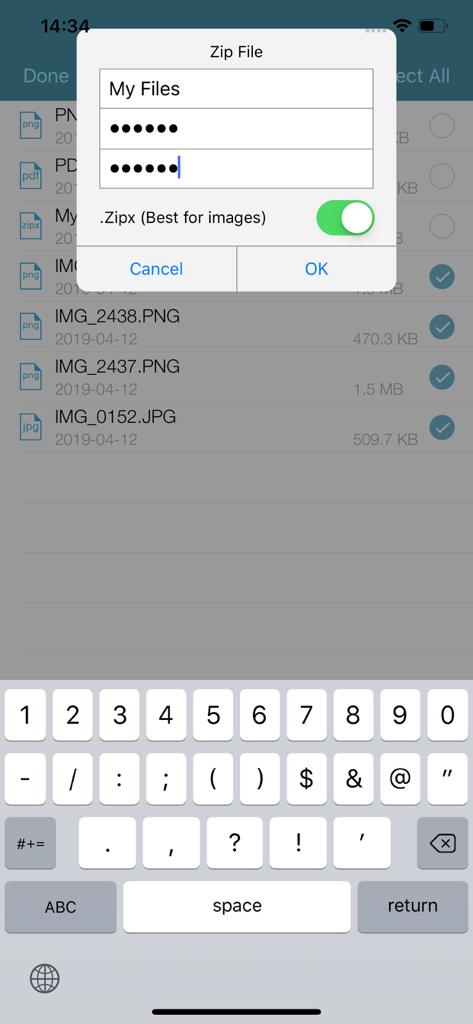
Erstellung einer passwortgeschützten und verschlüsselten Zip-Datei in der mobilen WinZip Pro App

Erstellung einer passwortgeschützten und verschlüsselten Zip-Datei in der mobilen WinZip Pro App

WinZip Pro iOS App-Oberfläche, die Optionen zur Freigabe eines Fotos einer roten Rose über soziale Medien anzeigt

WinZip Pro iOS App-Oberfläche, die Optionen zur Freigabe eines Fotos einer roten Rose über soziale Medien anzeigt

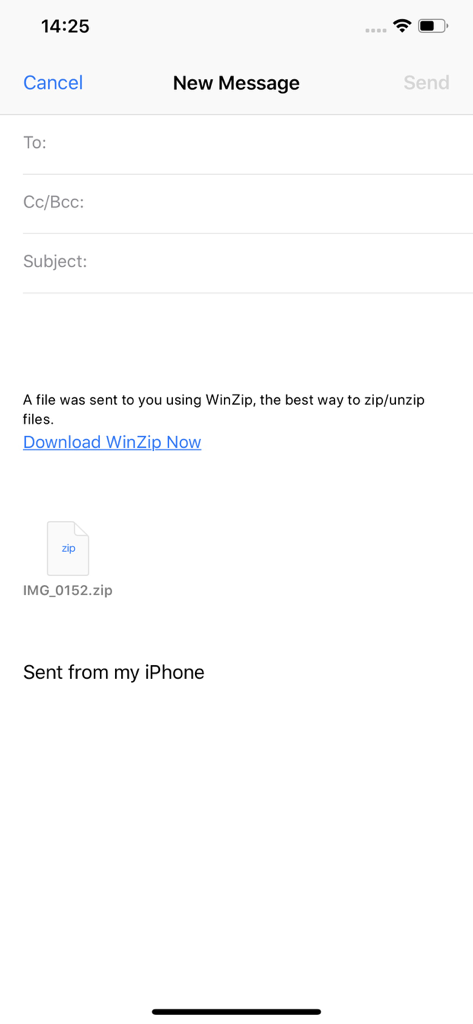
Ein neuer E-Mail-Entwurf auf dem iPhone, der einen per WinZip Pro gesendeten Zip-Dateianhang zeigt

Ein neuer E-Mail-Entwurf auf dem iPhone, der einen per WinZip Pro gesendeten Zip-Dateianhang zeigt

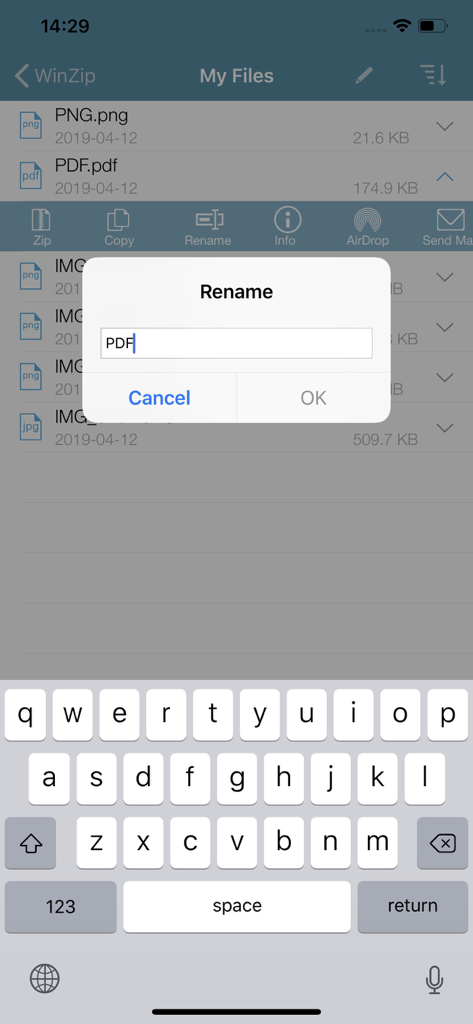
Ein Screenshot der WinZip Pro App auf dem iPhone, der ein Dialogfeld zum Umbenennen einer Datei über einer Liste von Dokumenten mit aktiver mobiler Tastatur anzeigt.

Ein Screenshot der WinZip Pro App auf dem iPhone, der ein Dialogfeld zum Umbenennen einer Datei über einer Liste von Dokumenten mit aktiver mobiler Tastatur anzeigt.

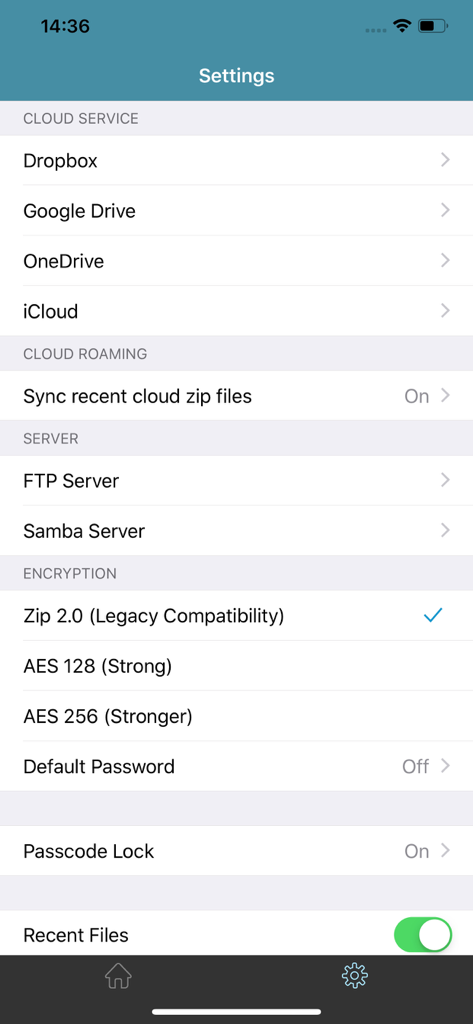
WinZip Pro Einstellungsbildschirm mit Cloud-Diensten und Verschlüsselungsoptionen

WinZip Pro Einstellungsbildschirm mit Cloud-Diensten und Verschlüsselungsoptionen

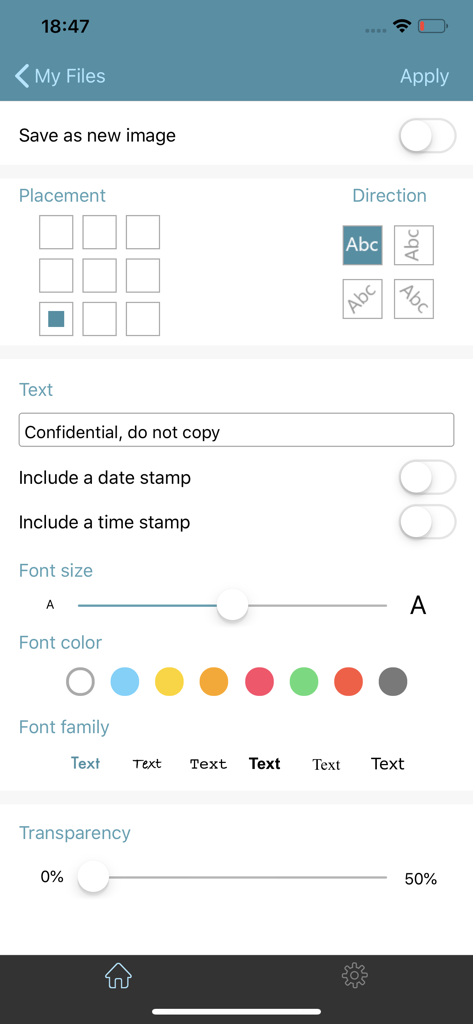
Oberfläche zum Hinzufügen benutzerdefinierter Wasserzeichen und Textüberlagerungen in WinZip Pro

Oberfläche zum Hinzufügen benutzerdefinierter Wasserzeichen und Textüberlagerungen in WinZip Pro

Desktop-Leistung für Ihren mobilen Workflow

Die Tools, die diese App auszeichnen, gewählt von 517K+ Nutzern.

☁️

Nahtlose Cloud-Integration

Verbinden Sie sich direkt mit Dropbox, Google Drive und iCloud. Zippen und verschieben Sie Dateien zwischen verschiedenen Cloud-Speichern, um Ihren digitalen Arbeitsplatz organisiert zu halten.

🔓

Universelle Dateiextraktion

Öffnen und betrachten Sie sofort Zip-, RAR-, 7z- und Zipx-Archive. Verabschieden Sie sich von Fehlermeldungen wie 'nicht unterstütztes Format', wenn Sie professionelle E-Mail-Anhänge bearbeiten.

🔒

Verschlüsselung in Bankqualität

Sichern Sie sensible Dokumente mit leistungsstarker 128- oder 256-Bit-AES-Verschlüsselung. Schützen Sie Ihre Daten, bevor Sie sie über die Cloud oder per AirDrop teilen.

Bewertungsanalyse

Erkenntnisse aus Nutzerbewertungen.

Stimmungswert

29%
Negativ

Zusammenfassung

The WinZip app receives mixed to largely negative feedback from users. While some appreciate its core functionality as a "Best ZIP App" and its compression capabilities, many users express significant frustration due to a perceived lack of updates for the premium version compared to the free one. Common complaints include an outdated and problematic user interface, frequent crashes, and difficulties with basic features like unzipping certain file types or integrating with cloud services and local file systems. Users also report issues with password protection and accessing local storage on iOS devices.

Häufige Themen

Core Functionality(7)
Brand Reputation(4)
Customer Support(2)
Usefulness(2)
Recommendability(2)
Password Protection(1)

Über die App

Alles, was Sie über wissen müssen WinZip Pro: zip, unzip & rar.

Beschreibung

Get the world’s #1 zip file opener utility on iOS! Create Zip and Zipx files, extract files, encrypt, open Zip, Zipx, 7z, RAR or LHA files, send large files by email, share to Dropbox, Google Drive, OneDrive, iCloud, Twitter or Facebook. The reviews are unanimous! “Trying to open zip files a zip file on your mobile phone? Good luck -- unless you happen to have this handy tool installed. It launches directly from your inbox to give you a look inside those pesky file packages. “ - Mashable CNET (download.com) gives WinZip for iOS a 5 star rating, saying ""We love apps that are simple and straightforward to use. WinZip definitely fits that description. We recommend it for all users."" If you frequently use your iOS device to send and receive documents and large image files, you'll find a friend in the new WinZip app for iPhones and iPads. The full version costs $5, but it's worth the investment, according to CIO.com blogger James A. Martin. From AppPicker: ""Why not sink a few dollars into this fantastic full version of WinZip for your iPhone and iPad!"" WinZip makes it easy to handle major compressed types of files on your iPhone, iPad or iPod Touch! Whether you receive a Zip, Zipx, 7z, RAR or LHA file as an email attachment, or want to extract download and view the contents of a Zip, Zipx, 7z, RAR or LHA file from the web, just “Open with WinZip”. Sharing files is safe and simple too, with direct integration with Dropbox, Google Drive, OneDrive and iCloud, and support for AirDrop. Now you can: • Connect directly to your Dropbox, Google Drive, OneDrive and iCloud accounts to zip, unzip and share files • Zip your cloud storage files, unzip files to your accounts, and create and save .zip and .zipx files to your accounts • Send or copy links to your files in your cloud storage accounts • Copy files from your cloud storage accounts and save them on your device • Unzip major compressed file types, including .ZIP, .Zipx, .RAR, .7z and LHA with just a tap • Choose Zip or Zipx format to compress and email large files, photos and videos with ease • Zip and share photos and videos from your Camera Roll • Use WinZip to access music files on your device and save them to your cloud accounts • Send files to other iOS users with integrated support for AirDrop • Protect your files before you save and share with powerful 128- or 256-bit AES encryption • Open and save email attachments to your connected cloud storage accounts or My Documents folder on your iPhone or iPad • Easily view all images in a Zip file with the enhanced image viewer • Browse your Photo Album and easily multi-select, zip and share photo collections • Share photos in your zip files to Facebook and Twitter • Download or upload files from/to WinZip through iTunes/iTools • Unzip and view most common file types, including: .doc, .docx, .xls, .xlsx, .ppt, .pptx, .pages (including new iWork 13), .numbers (including new iWork 13), .key, .rtf, .pdf, .jpg, .png, .bmp, .gif, .tif, and more View any of the following types of files within your Zip or RAR file: • Word documents (.doc, .docx) • Excel spreadsheets (.xls, .xlsx) • PowerPoint presentations (.ppt, .pptx) • PDF files (.pdf) • Photos and images (.jpg, .jpeg, .png, .bmp, .gif, .tif, .tiff, .heic) • Text files (.txt, .ini, .inf, .bat, .js, .log, .xml, .css, .java, .cs, .h, .m, .cpp, .c, .sql) • Web documents (.htm, .html, .jsp, .asp) • Rich Text Format documents (.rtf) • Keynote presentations (.key) • Numbers spreadsheets (.numbers) • Pages documents (.pages) • Media files (.m4a, .mp3, .wav, .mp4, .mov)

Neueste Version

6.3.1

Größe

52.2 MB

Erstveröffentlichung

7. Aug. 2013

Dateimanagement in Desktop-Qualität in Ihrer Tasche

Schließen Sie sich über 500.000 Fachleuten an, die WinZip Pro nutzen, um Dateien sicher über alle Ihre Cloud-Konten hinweg zu verwalten, zu komprimieren und zu teilen.

Herunterladen auf App Store

App information, icons, screenshots, and descriptions displayed on this page are sourced from the Apple App Store and are the property of their respective developers. Download estimates and rankings are based on MWM's proprietary models and may not reflect actual figures. This page is provided for informational and analytical purposes only.

Believe this page infringes your intellectual property? File a dispute