
Wireless Mobile Utility

Übertragen Sie Ihre besten Aufnahmen kabellos, nutzen Sie Ihr Gerät als Fern-Sucher und teilen Sie professionelle Fotos mit Freunden und Familie, sobald sie aufgenommen sind.
Herausgeber
Kategorie
Photo & VideoDownloads
4M+Bewertung
Bewertungen gesamt
2K+Sprachen
12Entdecken Sie die Oberfläche, die von 4M+ Nutzern verwendet wird.
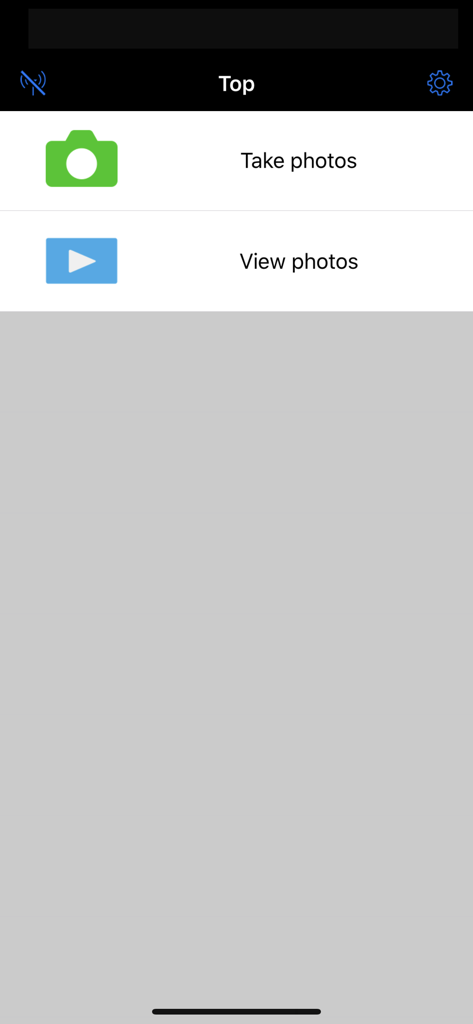
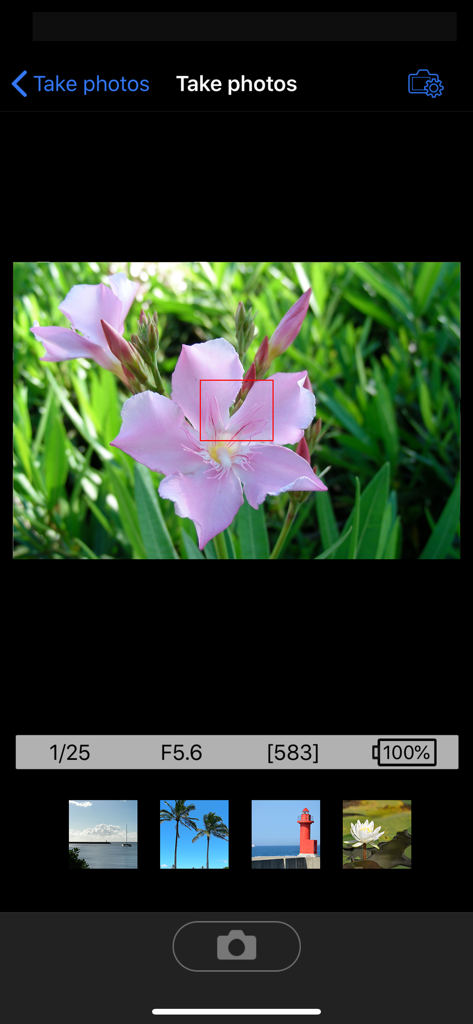
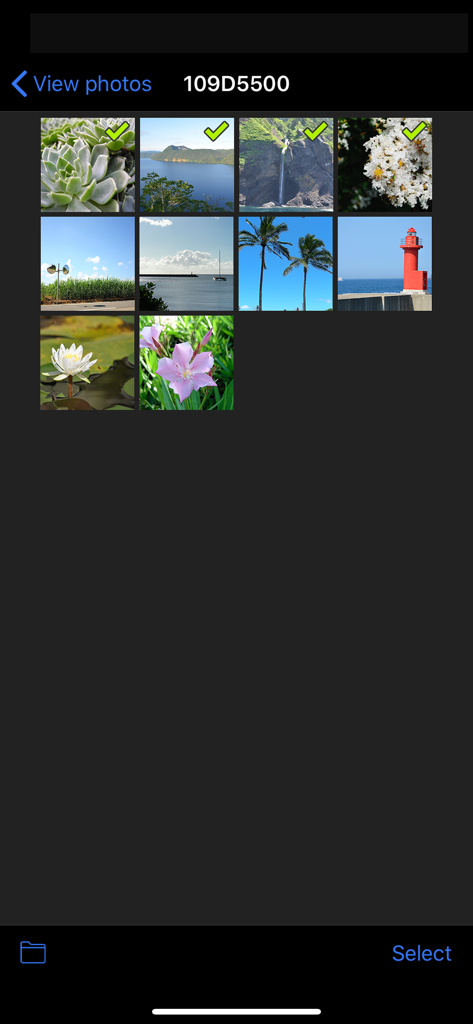
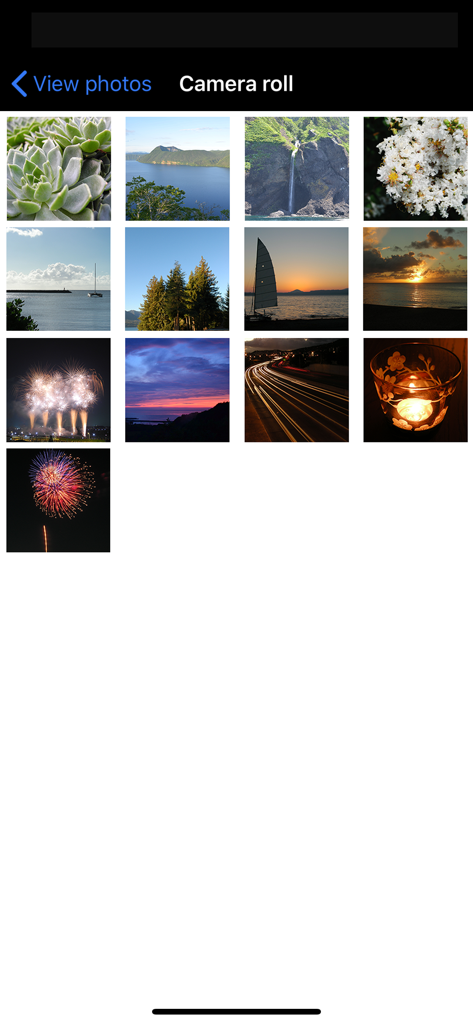
Die Tools, die diese App auszeichnen, gewählt von 4M+ Nutzern.
Vergessen Sie Kabel und SD-Kartenleser. Übertragen Sie hochauflösende Fotos von Ihrer DSLR direkt auf Ihr iOS-Gerät zur sofortigen Bearbeitung und Freigabe.
Nutzen Sie Ihr Smartphone als professionellen Fernmonitor und Auslöser. Perfekt für Familienporträts, Tierfotografie und das Aufnehmen kreativer Winkel aus der Ferne.
Halten Sie Ihre digitalen Erinnerungen organisiert. Synchronisieren Sie automatisch Standortdaten von Ihrem iPhone mit Ihren Nikon-Fotos bei jedem Upload.
Alles, was Sie über wissen müssen Wireless Mobile Utility.
Beschreibung
Neueste Version
1.6.3
Größe
4.1 MB
Erstveröffentlichung
14. Sept. 2012
Warten Sie nicht, bis Sie wieder zu Hause am Computer sind. Laden Sie das Wireless Mobile Utility noch heute herunter und beginnen Sie, professionelle Fotos direkt von der Kamera zu teilen, die Sie lieben.
Alles, was Sie über wissen müssen Wireless Mobile Utility
Die Wireless Mobile Utility verbindet Ihr iPhone, iPad oder iPod touch drahtlos über Wi-Fi mit Nikon Digitalkameras. Sie ermöglicht es Benutzern, Fotos herunterzuladen, Bilder aus der Ferne aufzunehmen und sie einfach zu teilen.
Ja, die Wireless Mobile Utility App ermöglicht es Benutzern, Bilder aus der Ferne von ihrem iOS-Gerät aus aufzunehmen. Sie bietet auch eine Live-Ansicht durch das Kameraobjektiv im App-Fenster.
Ja, die Wireless Mobile Utility App ermöglicht es Benutzern, vorhandene Bilder aus der Ferne von der Kamera anzusehen. Ausgewählte Fotos können dann zur Camera Roll des iOS-Geräts hinzugefügt werden.
Nein, die Wireless Mobile Utility App kann nicht mit einer SnapBridge-kompatiblen Kamera betrieben werden. Sie ist für bestimmte Nikon-Modelle konzipiert, die eine integrierte WLAN-Funktion oder einen WU-1a/b Adapter benötigen.
Nein, die Wireless Mobile Utility App kann nicht zum Herunterladen von Filmen oder zur Fernaufnahme von Filmen verwendet werden. Sie konzentriert sich auf die Übertragung von Standbildern und Fernsteuerungsfunktionen.
Die Wireless Mobile Utility App erfordert iOS 18.3. Es gibt keine Garantie, dass diese App auf allen iOS-Geräten läuft, auch wenn die Systemanforderung erfüllt ist.
Ja, die Wireless Mobile Utility App fügt beim Hochladen Standortdaten vom iOS-Gerät zu den Bildern hinzu. Diese Funktion gehört zu ihren Hauptfunktionen.
Ja, die Wireless Mobile Utility App ermöglicht die Steuerung des optischen Zooms bei kompatiblen COOLPIX-Kameras. Die spezifisch verfügbaren Funktionen variieren je nach angeschlossenem Kameramodell.
Die Wireless Mobile Utility App kann die Kamera-Uhr mit iOS-Geräten synchronisieren. Dies gewährleistet eine konsistente Zeitmessung zwischen Ihrer Kamera und Ihrem Mobilgerät.
Die Wireless Mobile Utility App unterstützt bestimmte Nikon D-Serie, Nikon 1 und COOLPIX Kameras. Sie erfordert eine Kamera mit integriertem WLAN oder Unterstützung für den drahtlosen WU-1a/b Mobiladapter.
Apps mit ähnlichen Funktionen und Nutzererfahrung

Oying network & technology Co., Ltd
Camera Control Apps sp. z o.o.
masaki matsushita

恒茂 刘

Panasonic Holdings Corporation

Leica Camera AG

Brian Gerfort
Rupert Kurka

PANASONIC ENTERTAINMENT & COMMUNICATION CO., LTD.
App information, icons, screenshots, and descriptions displayed on this page are sourced from the Apple App Store and are the property of their respective developers. Download estimates and rankings are based on MWM's proprietary models and may not reflect actual figures. This page is provided for informational and analytical purposes only.
Believe this page infringes your intellectual property? File a dispute