Word Editor - Easy Converter

Word Editor - Easy Converter

Herunterladen auf App Store
Logo von Word Editor - Easy Converter

Word Editor - Einfacher Konverter: Ihre mobile All-in-One-Produktivitätslösung

Schließen Sie die Lücke zwischen Formaten mit professionellen Werkzeugen. Erstellen, bearbeiten und konvertieren Sie Word- und PDF-Dateien sofort auf Ihrem iPhone oder iPad mit sicherer On-Device-Verarbeitung und sofort einsatzbereiten Vorlagen.

Herunterladen auf App Store

Herausgeber

Hai Bui

Kategorie

Lifestyle

Downloads

200

Bewertung

1.0/5

Bewertungen gesamt

0

Sprachen

1

Ihr mobiles Büro in Aktion

Entdecken Sie die Oberfläche, die von 200 Nutzern verwendet wird.
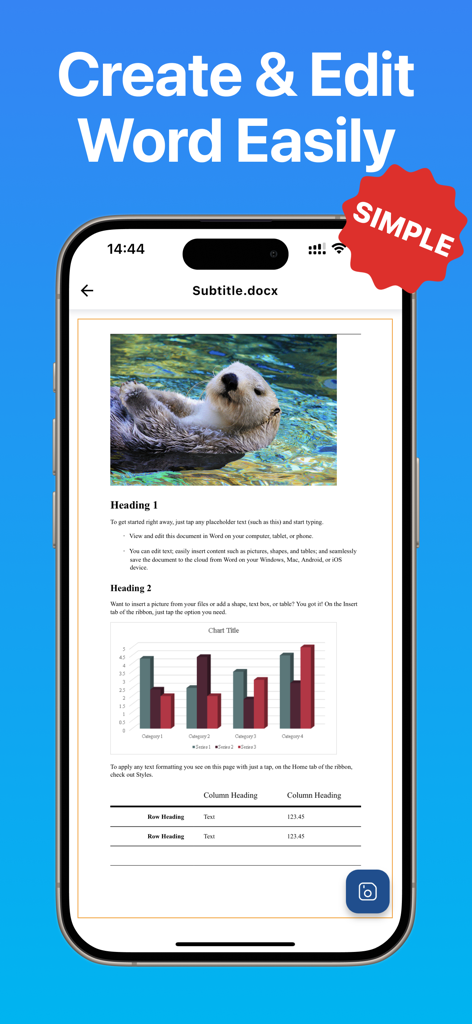
iPhone zeigt ein Word-Dokument mit Text, Diagrammen und einem bearbeiteten Bild in Word Editor an

iPhone zeigt ein Word-Dokument mit Text, Diagrammen und einem bearbeiteten Bild in Word Editor an

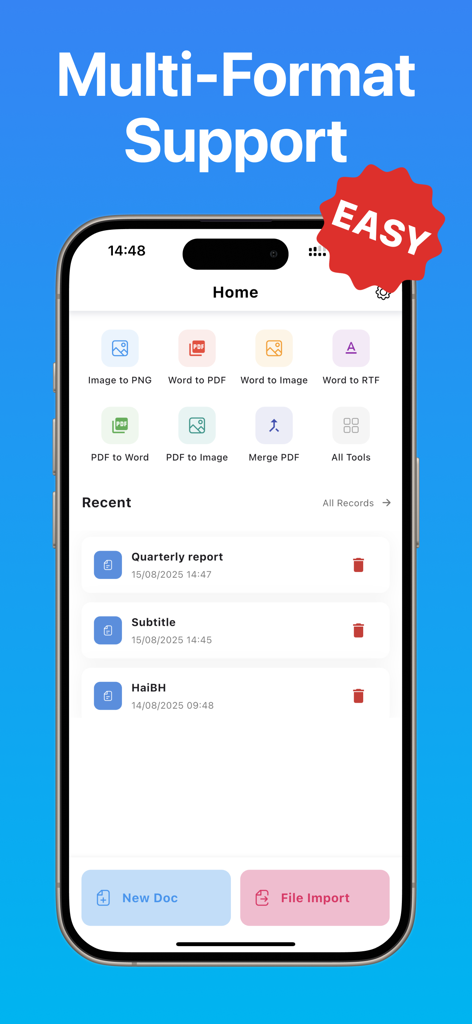
Startbildschirm der Word Editor App mit verschiedenen Dokumentkonvertierungswerkzeugen und zuletzt verwendeten Dateien.

Startbildschirm der Word Editor App mit verschiedenen Dokumentkonvertierungswerkzeugen und zuletzt verwendeten Dateien.

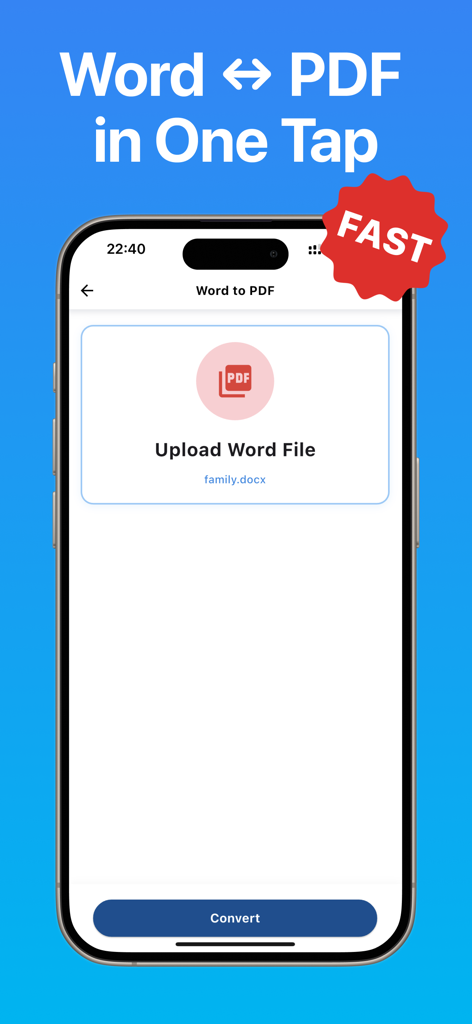
Bildschirm einer mobilen App, der eine schnelle One-Tap-Word-zu-PDF-Dokumentkonvertierung zeigt

Bildschirm einer mobilen App, der eine schnelle One-Tap-Word-zu-PDF-Dokumentkonvertierung zeigt

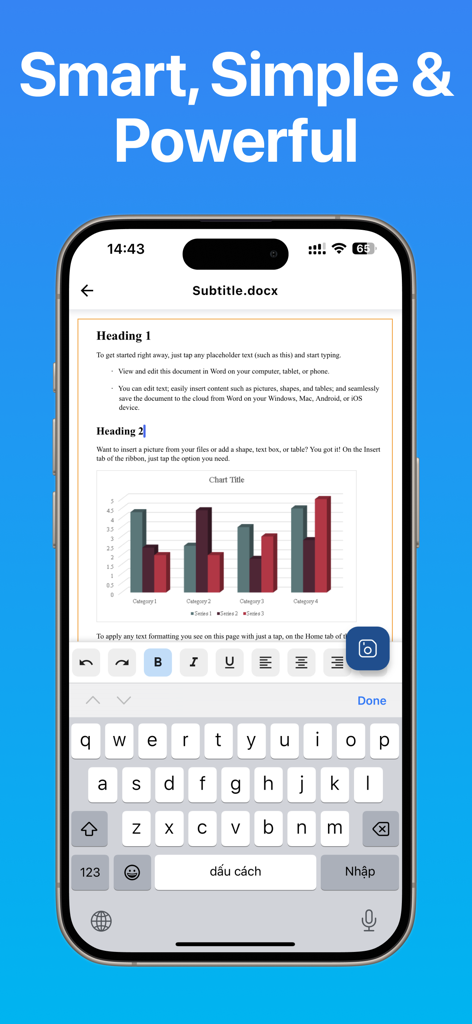
iPhone-Bildschirm, der die Benutzeroberfläche des Word Editors beim Bearbeiten eines Dokuments mit einer Balkengrafik und Textformatierungswerkzeugen anzeigt

iPhone-Bildschirm, der die Benutzeroberfläche des Word Editors beim Bearbeiten eines Dokuments mit einer Balkengrafik und Textformatierungswerkzeugen anzeigt

Ihr vollständiges Dokumenten-Kraftpaket

Die Tools, die diese App auszeichnen, gewählt von 200 Nutzern.

✒️

Einfach erstellen & bearbeiten

Beginnen Sie bei Null oder verwenden Sie professionelle Vorlagen für Lebensläufe, Berichte und Angebote mit vollständiger Formatierungsunterstützung und einem reaktionsschnellen mobilen Editor.

Nahtlose Dateikonvertierung

Schließen Sie mühelos die Lücke zwischen PDF, Word und Bildern, während Sie das ursprüngliche Layout und die Struktur für hochwertige Ergebnisse unterwegs beibehalten.

🛒

Von Natur aus privat & sicher

Arbeiten Sie überall ohne Internetverbindung. Alle Operationen finden direkt auf Ihrem Gerät statt, sodass Ihre sensiblen Daten niemals Ihre Hände verlassen.

Über die App

Alles, was Sie über wissen müssen Word Editor - Easy Converter.

Beschreibung

Word Editor – Easy Converter is a complete and powerful document tool designed to help you create, view, edit, and convert files with professional quality on your iPhone or iPad. Whether you are working with Word documents, PDF files, or images, the app provides everything you need to handle your documents quickly, accurately, and securely. With a clean interface, organized toolbars, and fast processing performance, Word Editor delivers a reliable editing and conversion experience suitable for students, professionals, teachers, content creators, office workers, and anyone who needs a versatile document solution on mobile. You can create new Word documents from scratch or start instantly with ready-to-use templates such as reports, letters, proposals, resumes, notes, forms, and more. All essential formatting features are supported, including bold, italic, underline, alignment, spacing, bullet lists, numbering, colors, highlights, and paragraph settings. The editor also allows inserting images, adjusting layouts, and organizing long documents with ease. Word files open quickly, even for large documents, ensuring a smooth and responsive editing process. The app includes a complete set of converters that make document handling significantly easier. Convert PDF to Word to edit content freely, convert Word to PDF for secure sharing, extract PDF pages as images, merge multiple PDF files into a single document, transform images into PNG for high-quality graphics, or convert images into WebP for optimal storage efficiency. All conversions aim to preserve layout, structure, and clarity while maintaining fast execution. This makes the app ideal for academic work, office tasks, administrative use, contract editing, design workflows, and professional communication. Word Editor supports all popular file formats including DOC, DOCX, DOCS, PDF, TXT, RTF, JPG, PNG, HEIC, and WebP. File management is simple with features for creating folders, renaming items, sorting, duplicating, importing, exporting, and deleting. You can organize your workspace the way you prefer and access important documents instantly. Privacy and security are top priorities. All document operations occur directly on your device without uploading files to external servers. No internet connection is required for editing or converting, ensuring that confidential information always remains fully under your control. Key Features: • Create new Word documents • Start documents from templates • View and edit DOC, DOCX, and PDF files • Convert PDF to Word (DOCX) • Convert Word to PDF • Convert PDF pages to images • Merge multiple PDF files • Convert images to PNG • Convert images to WebP • Manage files and folders easily • Fast and secure on-device processing • Supports DOC, DOCX, PDF, TXT, RTF, JPG, PNG, HEIC, WebP Word Editor – Easy Converter is your all-in-one solution for editing, creating, viewing, and converting documents. Whether you are studying, working, designing, teaching, presenting, or organizing your daily tasks, the app helps you handle every document with clarity, speed, and convenience.

Neueste Version

1.0.2

Größe

53.3 MB

Erstveröffentlichung

15. Sept. 2025

Bereit, Ihren mobilen Workflow zu meistern?

Schließen Sie sich Tausenden von Produktivitätsbegeisterten an, die Dokumente unterwegs sicher erstellen, bearbeiten und konvertieren. Holen Sie sich das All-in-One-Tool, das professionelle Leistung in Ihre Tasche bringt – kein Internet oder teure Abonnements erforderlich.

Herunterladen auf App Store

App information, icons, screenshots, and descriptions displayed on this page are sourced from the Apple App Store and are the property of their respective developers. Download estimates and rankings are based on MWM's proprietary models and may not reflect actual figures. This page is provided for informational and analytical purposes only.

Believe this page infringes your intellectual property? File a dispute