C Vault : Privacy Vault

C Vault : Privacy Vault

Descargar en App Store
Logo de C Vault : Privacy Vault

C Vault: Privacidad Discreta Oculta Detrás de un Reloj Real

El casillero invisible definitivo para tus fotos, vídeos y notas privadas. Asegura tu contenido multimedia con contraseñas de hora, captura selfies de intrusos y navega por la web sin dejar rastro.

Editor

FENIL PATEL

Categoría

Utilities

Descargas

84K+

Valoración

4.6/5

Total valoraciones

3K+

Idiomas

9

Un Vistazo Detrás del Reloj

Descubre la interfaz utilizada por 84K+ usuarios.

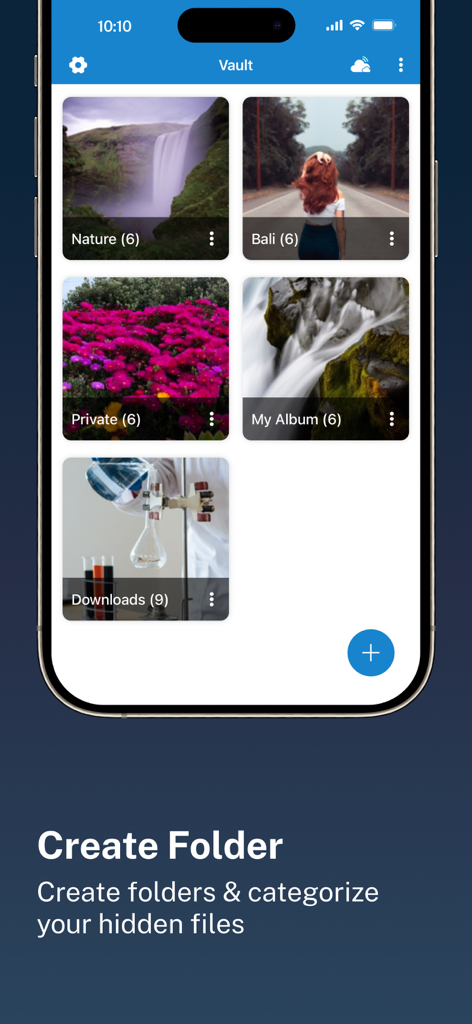
Interfaz de la aplicación C Vault que muestra múltiples carpetas para categorizar fotos y archivos ocultos
Interfaz de la aplicación C Vault que muestra múltiples carpetas para categorizar fotos y archivos ocultos

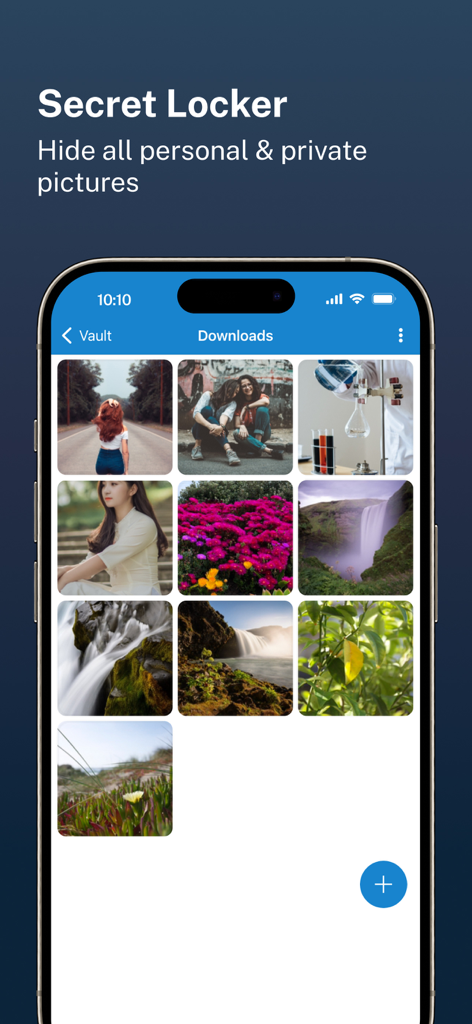
Interfaz de la aplicación C Vault que muestra una galería de fotos personales ocultas en un casillero secreto.
Interfaz de la aplicación C Vault que muestra una galería de fotos personales ocultas en un casillero secreto.

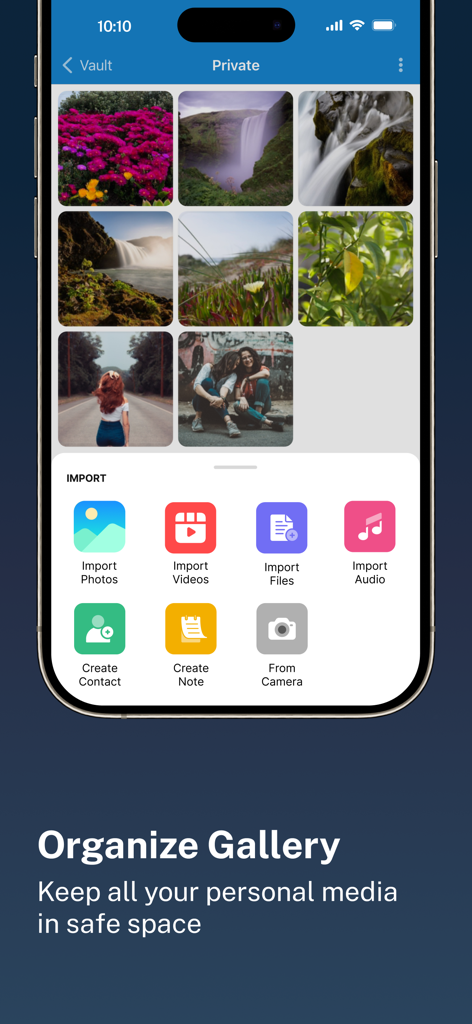
Interfaz de la aplicación C Vault que muestra una galería de fotos privadas organizada y un menú de importación para varios tipos de archivos
Interfaz de la aplicación C Vault que muestra una galería de fotos privadas organizada y un menú de importación para varios tipos de archivos

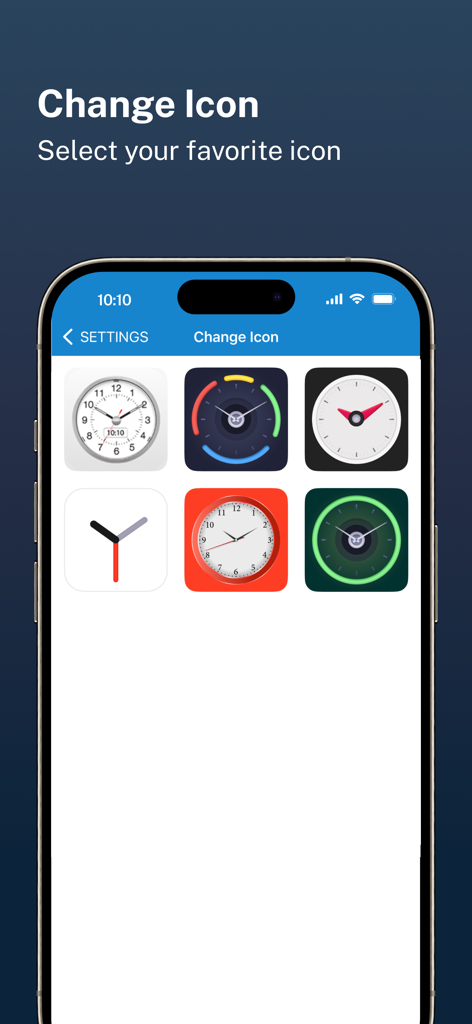
Una selección de iconos temáticos de reloj para la interfaz de la aplicación de privacidad C Vault
Una selección de iconos temáticos de reloj para la interfaz de la aplicación de privacidad C Vault

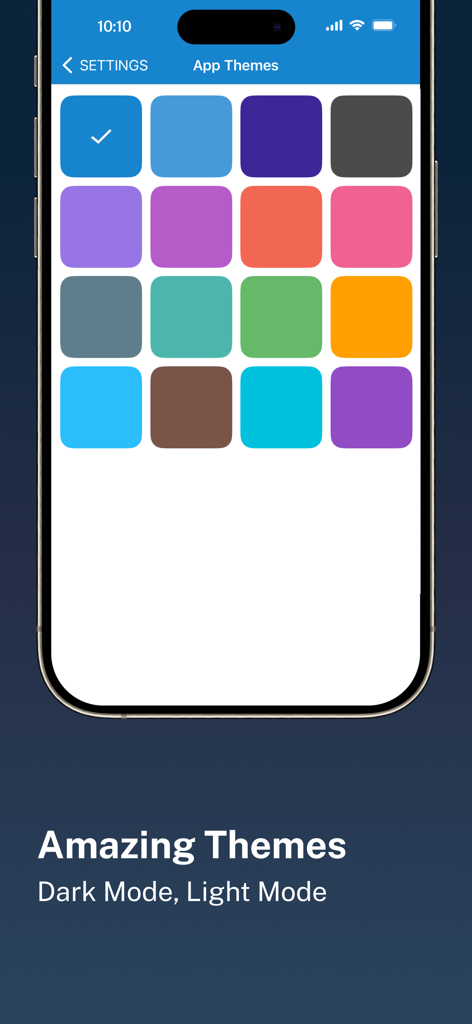
Una interfaz móvil que muestra una variedad de opciones de temas de colores para la aplicación de privacidad C Vault.
Una interfaz móvil que muestra una variedad de opciones de temas de colores para la aplicación de privacidad C Vault.

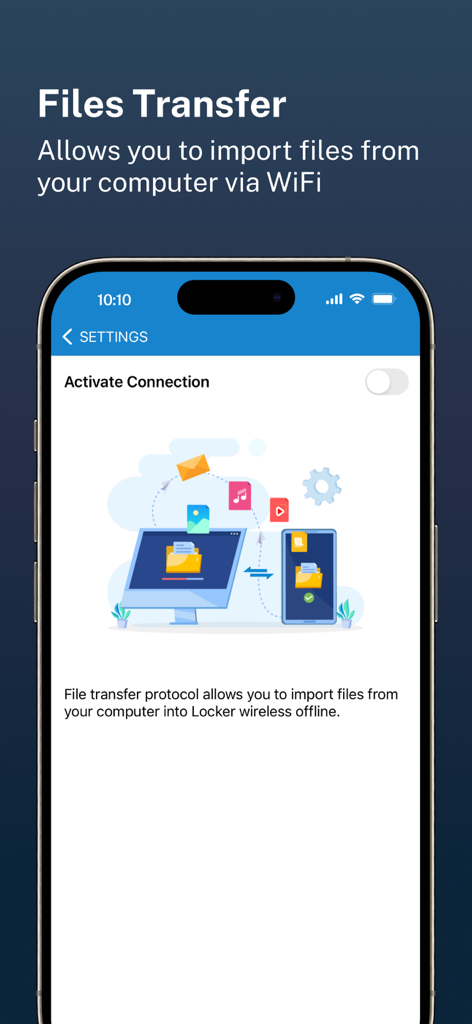
Pantalla de la aplicación C Vault que muestra la transferencia de archivos inalámbrica de un ordenador a un teléfono a través de WiFi

Pantalla de la aplicación C Vault que muestra la transferencia de archivos inalámbrica de un ordenador a un teléfono a través de WiFi

Tu Mundo Privado, Oculto a Plena Vista

Las herramientas que hacen destacar esta app, elegida por 84K+ usuarios.

🕒

Interfaz de Reloj Discreto

Solo tú conoces la hora secreta. Tu bóveda permanece invisible para los demás, apareciendo como un reloj utilitario estándar en tu pantalla de inicio para evitar cualquier curiosidad.

📸

Alerta de Intruso y Selfies

Detecta a los fisgones en acción. La aplicación captura automáticamente una foto de cualquiera que intente acceder a tu bóveda con una contraseña incorrecta, proporcionando pruebas instantáneas.

☁️

Propiedad Total de los Datos

Tus datos son tuyos. Nunca almacenamos tus archivos en nuestros servidores: disfruta de copias de seguridad seguras y encriptadas directamente en tu Drive personal para un control y privacidad totales.

Sobre la app

Todo lo que necesitas saber sobre C Vault : Privacy Vault.

Descripción

C Vault is photo locker & video locker app with great privacy protection to easily hide photos, hide videos & files. 
Top Features:

 • Import Pictures & Videos: Keep photos & videos safe into the Cloak⁺. View hidden photos inside the C Vault app. You can hide video in many formats. You can also play videos inside vault without unlock the file.
 • Private Audio: Hide music and voice notes. • Notes & Contacts: Whether you want to create a list of things you keep in your documents or write down your private feelings. you can do so securely with the ‘Create Notes’ feature. You can also create contacts inside this C Vault app. 
• Album Cover: You can set your desired album cover..

 • Private Browser: Private web browser to download and Lock photos, hide videos and music audios from the Internet. 

• Save Intruder Photos: Capture a picture of anyone who tries to open C Vault using wrong time password.

 • Themes: Choose different type of locker theme colours to beautify your app experience. • Cloud Backup: Easily backup your private photos, videos and files into your own Drive. Helps to prevent loss of important data and restore your data in case of loss or theft of device. • Device migration: Transfer all files seamlessly to the new device app works like the old one. How to set up the password?
 Step 1: Launch the ClockV app and the clock hands will be moved at 00:00 position for password setup.
 Step 2: Move the hour and/or minute clock hand to set a desired time password and press the Center button of the clock to confirm.
 Step 3: Now repeat the same password again and press the Center button of the clock to confirm. The vault will be open!

 How to unlock the app?
 Step 1: Launch ClockV, Press the Center button of the clock. The Clock Hands will be moved to the 00:00 positions.
 Step 2: Now you can move the clock hour and/or minute hands manually to your password position and press the Center button again to validate. Now you can hide photos, videos & other files. 

Forgot password?
 Question: What can I do if I forgot my password?
 Answer: Launch ClockV and press the Center button of the clock. Set 10:10 time by moving hour and minute clock hands and press the Center button again. It will open password recovery option. You must have set the password recovery option in order to use it. Disclaimer: To ensure your utmost security, C Vault does not keep your photos or data on any kind of our server. It uses the internal storage of your device for local storage and your own Drive account to backup and restore from online. If you delete the app, your photos & data saved in the app locally will also be deleted. So make sure to export your photos, videos and files from the app to your device's public storage if you need to delete the app for any reason! Premium Subscription: C Vault includes an optional auto-renewable subscription to access current and future premium categories: Note: Check within the app for exact pricing for your region - 1 month subscription USD 2.99 - 1 year subscription with 7 days free trial USD 9.99 - Lifetime premium subscription USD 19.99 • Payment will be charged to your iTunes account at confirmation of purchase and will automatically renew (at the duration/price selected) unless auto-renew is turned off at least 24 hours before the end of the current period. • Account will be charged for renewal within 24-hours prior to the end of the current period, and identify the cost of the renewal. • Any unused portion of a free trial period, if offered, will be forfeited when the user purchases a subscription to that publication, where applicable. • You can manage your subscription and/or turn off auto-renewal by going to your iTunes Account Settings, but refunds will not be given for any unused portion of the term. Terms of Service: https://clock-the-vault.web.app/terms-of-use-ios.html Privacy Policy: https://clock-the-vault.web.app/privacy-policy-ios.html

Última versión

32.0

Tamaño

76.7 MB

Fecha de lanzamiento

30 abr 2021

Recupera tu Privacidad a Plena Vista

Únete a más de 84.000 usuarios que protegen sus fotos, vídeos y notas detrás del disfraz de reloj definitivo. Asegura tu vida digital hoy mismo.

Descargar en App Store

App information, icons, screenshots, and descriptions displayed on this page are sourced from the Apple App Store and are the property of their respective developers. Download estimates and rankings are based on MWM's proprietary models and may not reflect actual figures. This page is provided for informational and analytical purposes only.

Believe this page infringes your intellectual property? File a dispute