Highlights: PDF Reader & Notes

Highlights: PDF Reader & Notes

Descargar en App Store
Logo de Highlights: PDF Reader & Notes

Aspectos Destacados: El Lector de PDF Inteligente para Investigación de Alta Producción

Detén la fatiga del copiar y pegar. Extrae automáticamente anotaciones, tablas y citas en notas estructuradas, y luego exporta instantáneamente a Obsidian, Notion o Markdown.

Editor

Jonas Myren Ribe

Categoría

Productivity

Descargas

246K+

Valoración

4.5/5

Total valoraciones

5K+

Idiomas

1

Un Vistazo Más Cercano a la Eficiencia

Descubre la interfaz utilizada por 246K+ usuarios.

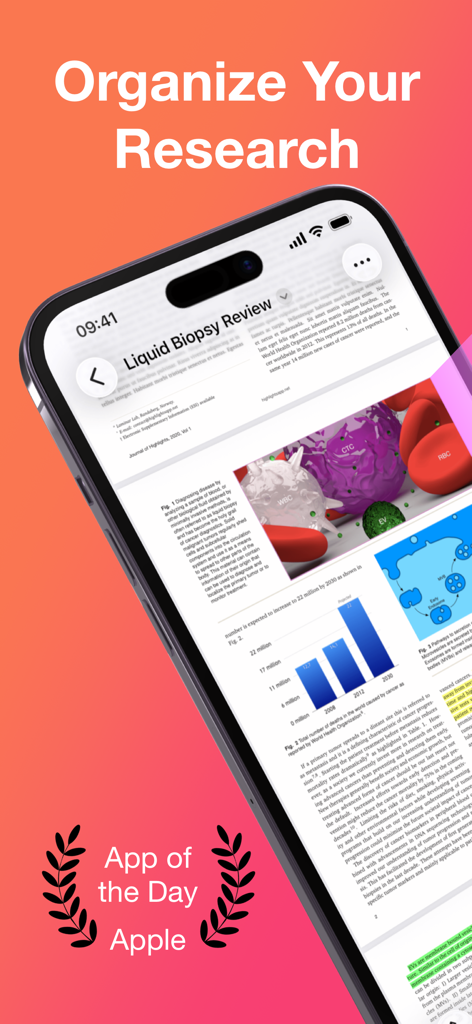
Aplicación lectora de PDF Highlights en iPhone mostrando un artículo de investigación y el reconocimiento de 'App del Día' de Apple.
Aplicación lectora de PDF Highlights en iPhone mostrando un artículo de investigación y el reconocimiento de 'App del Día' de Apple.

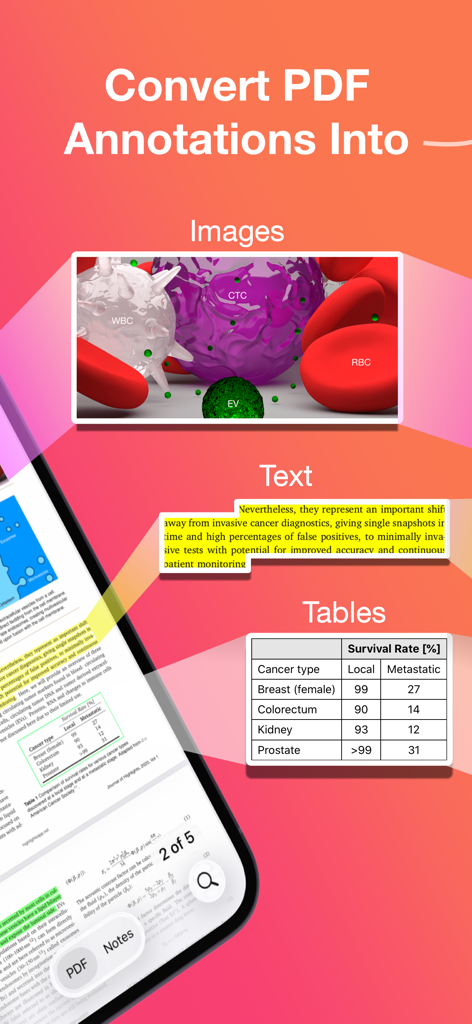
Infografía que muestra cómo la aplicación Highlights convierte anotaciones de PDF en imágenes, texto y tablas.
Infografía que muestra cómo la aplicación Highlights convierte anotaciones de PDF en imágenes, texto y tablas.

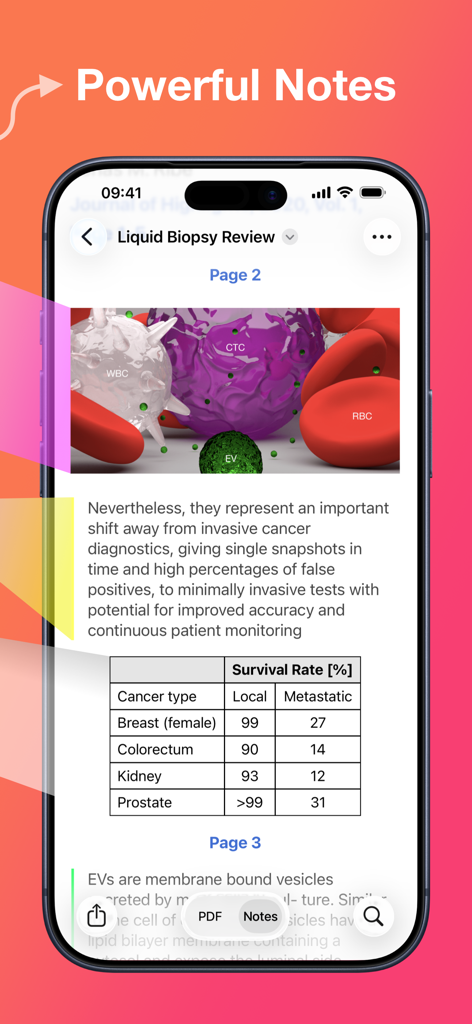
Aplicación lectora de PDF Highlights mostrando potentes notas extraídas de un artículo de investigación, incluida una tabla de datos.
Aplicación lectora de PDF Highlights mostrando potentes notas extraídas de un artículo de investigación, incluida una tabla de datos.

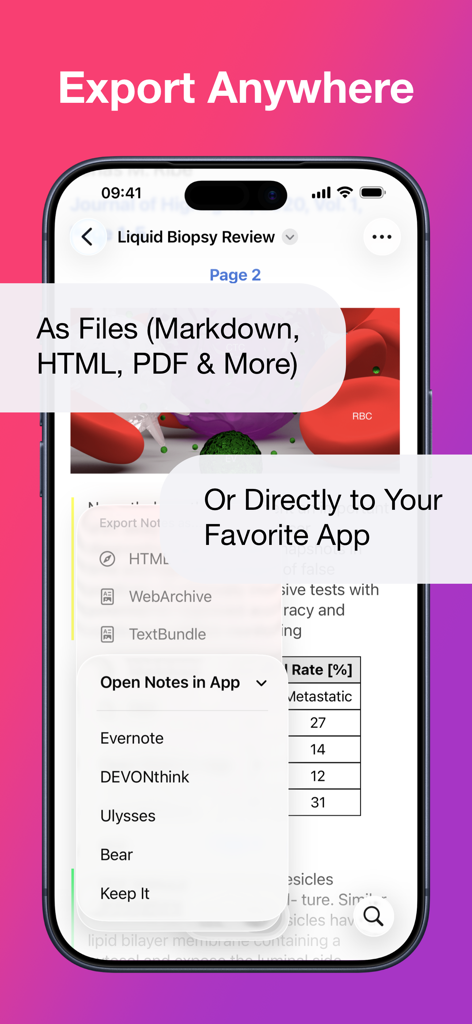
Pantalla de smartphone mostrando el menú de exportación de la aplicación Highlights con opciones para Markdown, PDF e integración directa con aplicaciones de productividad como Evernote y Ulysses.
Pantalla de smartphone mostrando el menú de exportación de la aplicación Highlights con opciones para Markdown, PDF e integración directa con aplicaciones de productividad como Evernote y Ulysses.

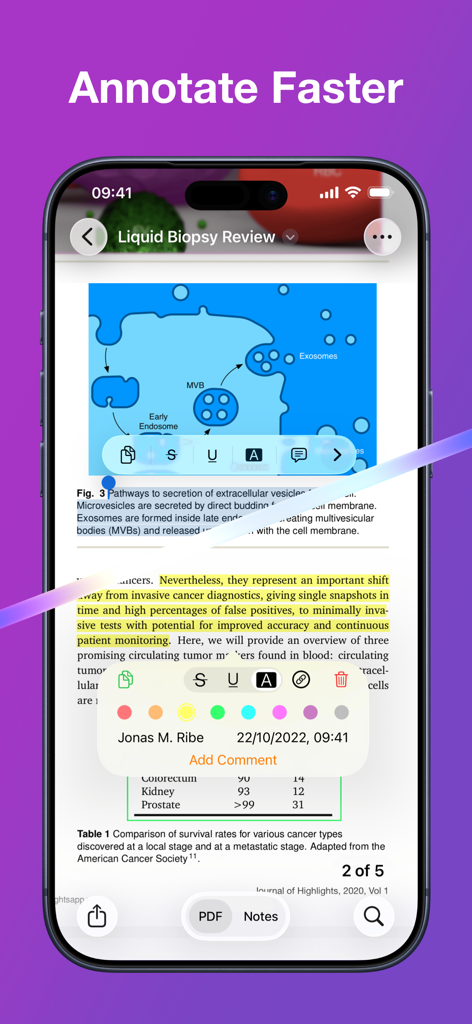
Aplicación Highlights en iPhone mostrando un PDF científico con resaltados de texto amarillos y un menú de anotaciones.
Aplicación Highlights en iPhone mostrando un PDF científico con resaltados de texto amarillos y un menú de anotaciones.

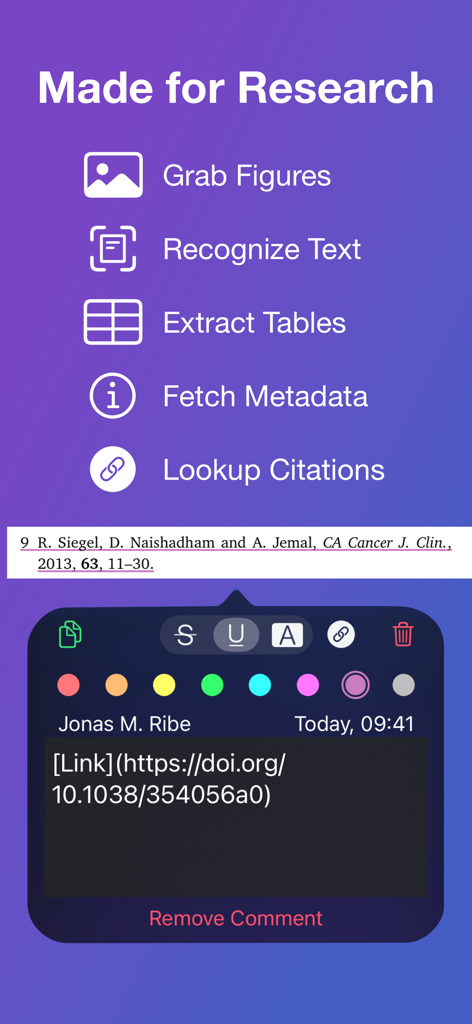
Interfaz de herramientas de investigación de la aplicación lectora de PDF Highlights para capturar figuras, extraer tablas y buscar citas con un enlace DOI.
Interfaz de herramientas de investigación de la aplicación lectora de PDF Highlights para capturar figuras, extraer tablas y buscar citas con un enlace DOI.

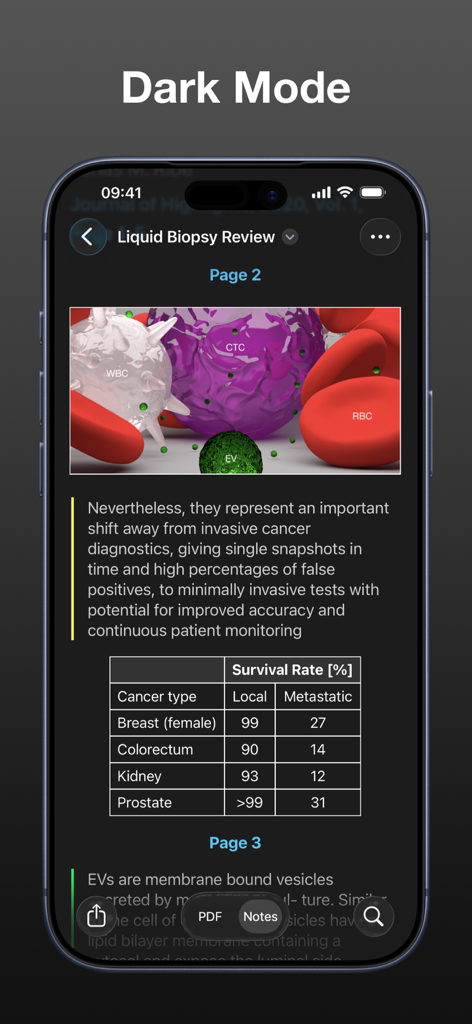
Una captura de pantalla de la interfaz de la aplicación Highlights en modo oscuro, mostrando un artículo de investigación académica con diagramas médicos y una tabla de datos.
Una captura de pantalla de la interfaz de la aplicación Highlights en modo oscuro, mostrando un artículo de investigación académica con diagramas médicos y una tabla de datos.

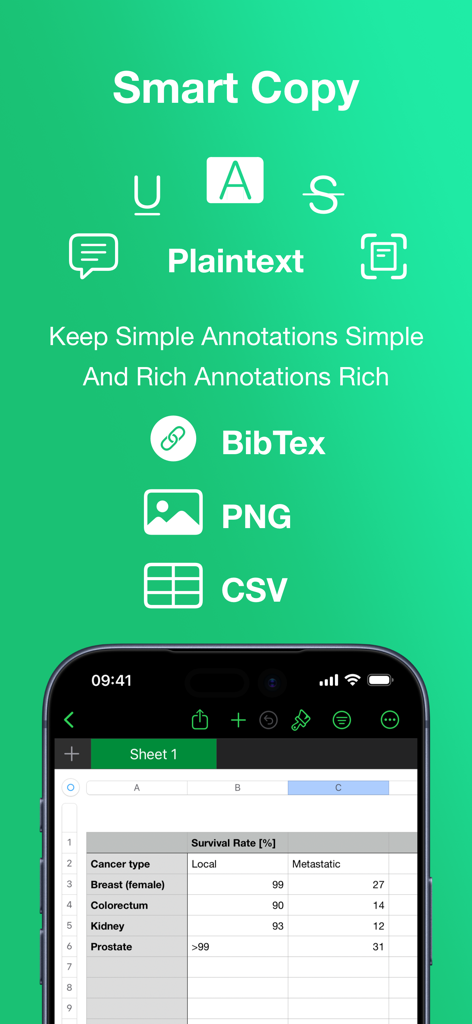
La función de Copia Inteligente de la aplicación Highlights mostrando opciones de exportación para BibTex, PNG y CSV con una vista de hoja de cálculo integrada.
La función de Copia Inteligente de la aplicación Highlights mostrando opciones de exportación para BibTex, PNG y CSV con una vista de hoja de cálculo integrada.

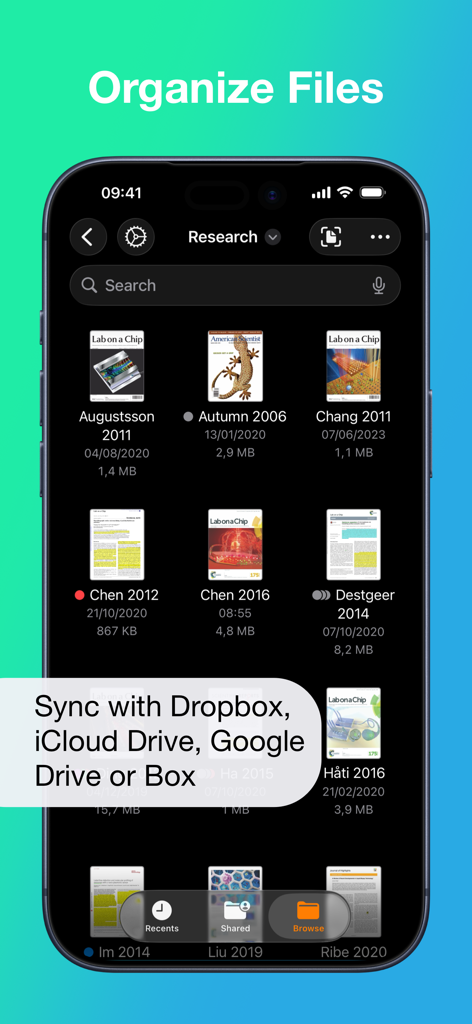
Interfaz de organización de archivos en la aplicación lectora de PDF Highlights mostrando artículos de investigación con opciones de sincronización en la nube.
Interfaz de organización de archivos en la aplicación lectora de PDF Highlights mostrando artículos de investigación con opciones de sincronización en la nube.

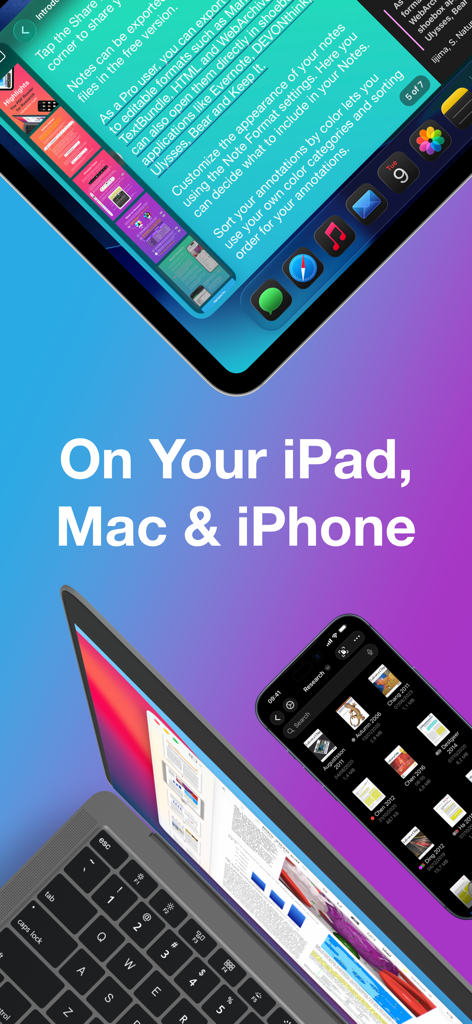
Interfaz de la aplicación lectora de PDF Highlights mostrada en iPad, MacBook y iPhone para investigación y toma de notas.

Interfaz de la aplicación lectora de PDF Highlights mostrada en iPad, MacBook y iPhone para investigación y toma de notas.

Alimenta tu Flujo de Trabajo de Investigación

Las herramientas que hacen destacar esta app, elegida por 246K+ usuarios.

Extracción Automática de Información

Detén la fatiga de copiar y pegar manualmente. Mientras resaltas, tu texto, imágenes y tablas se extraen instantáneamente en una nota limpia y formateada para tu investigación.

🎓

Herramientas Inteligentes de Citación y Datos

Diseñado para el rigor académico. Obtén metadatos DOI automáticamente, formatea citas BibTex y convierte tablas complejas de PDF a datos CSV con un solo toque.

🚀

Sincronización Fluida con tu Segundo Cerebro

Exporta tus hallazgos directamente a Notion, Obsidian o Bear. Con soporte para Markdown y TextBundle, tu conocimiento fluye exactamente donde más lo necesitas.

Sobre la app

Todo lo que necesitas saber sobre Highlights: PDF Reader & Notes.

Descripción

"... an app that students, academics, and anyone who does substantial amounts of PDF-based research should try" - Macstories.net "It’s the novel approach to PDF annotation that makes this app a cut above the rest"- TapSmart.com *** "App of the Day" - App Store, US *** USE HIGHLIGHTS FOR FREE Highlights is a fast and lightweight PDF reader (under 10MB) packed with features to help you do your best research. Free users have access to standard PDF reader features including document browsing, reading and annotating. There are NO ADS, time limits or tracking. READ PDF DOCUMENTS • Open PDF documents from anywhere • Browse files using the familiar document browser • Open PDFs in Single Page or Two Page scroll mode • Double tap to Smart Zoom in on a paragraph or figure • Scrub smoothly to the desired page • Search the entire document in an instant • Navigate using any connected keyboard or mouse STORE YOUR FILES WHERE YOU WANT • Full support for "Open In Place" lets you make edits to the file where it is • Access your files from iCloud Drive, Dropbox, Google Drive, OneDrive or Box using the document browser • Or keep them privately on device only HIGHLIGHT AND ANNOTATE FASTER • Select text with your finger, Apple Pencil or mouse pointer • Highlight, underline, strikethrough text and make image selections • Add comments to annotations or as individual sticky notes • Annotate with fewer taps using context aware popovers • Default annotation colors prevents you from having to repeatedly setting the color for the same type of annotation every time TURN ANNOTATIONS INTO NOTES • As you markup text and images the contents are extracted and sorted into notes • Customize the formatting and contents of your notes • Sort the annotations chronologically or create your own color coding EXTRACT TABLE DATA AND RECOGNIZE TEXT • Convert images containing text or tables to actual text and tables using machine learning - letting you get to the underlying data with a single tap SMART COPY Copy annotations to the desired format with one tap: • Text markup as text • Image selections as images • Tables as CSV • Citations as BibTex LOOKUP CITATIONS • Highlights will fetch DOI-links and metadata • Markup any reference and tap the link icon to look it up • If you have read the work already or have it in your reference manager library, Highlights will link you to it EXPORT ANYWHERE • Save or share your notes as portable files: Markdown, TextBundle, HTML, WebArchive or PDF • Share them to your favorite notes app: Apple Notes, Bear, Craft, Evernote, DEVONThink, Keep It, MindNode, Notion, Obsidian, Roam Research or Ulysses • Or send them to a colleague via mail. It's your notes, you decide where they go MUCH MORE • Dark mode • Multi-window support on iPadOS • Keyboard shortcuts and navigation • Support for system Copy and Undo gestures • Alternative app icons • Custom accent colors • Apple Pencil double-tap gestures • Power annotation tools For a full list of features see: highlightsapp.net/features HIGHLIGHTS PRO The Highlights Pro subscription unlocks advanced features on your iPhone, iPad and Mac: • Export options for other apps and easily editable formats • Extract information using table and text recognition • Customize accent colors and alternative app icons • Power annotation tools • Citation lookups • Smart Copy Highlights Pro includes a 14-day free trial. You can cancel your subscription at any time. The subscription will automatically renew unless auto-renew is turned off within 24-hour prior to the end of of the current period. Payments will be charged to your iTunes account and your account will be charged within 24-hours prior to the end of the current period. Any unused portion of a free trial period will be forfeited when you purchase a subscription. For more information about Highlights Pro: highlightsapp.net/pro Privacy Policy: highlightsapp.net/privacy Terms: highlightsapp.net/terms

Última versión

2025.1.5

Tamaño

33.4 MB

Fecha de lanzamiento

10 abr 2020

¿Listo para Potenciar tu Flujo de Trabajo de Investigación?

Únete a más de 250.000 académicos y profesionales que han dejado de copiar y pegar y han comenzado a extraer conocimiento de sus PDF. Descarga Highlights hoy mismo y cierra la brecha entre tu lectura y tu escritura.

Descargar en App Store

App information, icons, screenshots, and descriptions displayed on this page are sourced from the Apple App Store and are the property of their respective developers. Download estimates and rankings are based on MWM's proprietary models and may not reflect actual figures. This page is provided for informational and analytical purposes only.

Believe this page infringes your intellectual property? File a dispute