

iFastViewer

iFastViewer

Descargar en App Store
Logo de iFastViewer

iFastViewer: Colaboración Remota Profesional Segura en Movimiento

Únete a reuniones, visualiza escritorios y toma el control remoto directamente desde tu iPhone o iPad. Experimenta una comunicación y sesiones de capacitación fluidas con seguridad de nivel empresarial, sin importar a dónde te lleve tu negocio.

Descargar en App Store

Editor

FastViewer GmbH

Categoría

Business

Descargas

33K+

Valoración

3.0/5

Total valoraciones

100

Idiomas

2

Experimenta el Espacio de Trabajo

Descubre la interfaz utilizada por 33K+ usuarios.
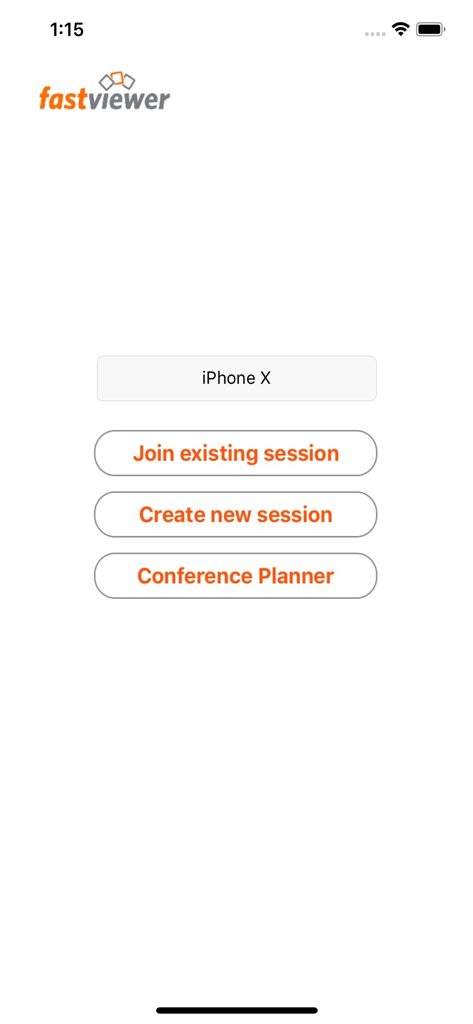
Pantalla principal de iFastViewer mostrando opciones para unirse o crear una sesión y acceder al planificador de conferencias

Pantalla principal de iFastViewer mostrando opciones para unirse o crear una sesión y acceder al planificador de conferencias

Libera la Movilidad Profesional

Las herramientas que hacen destacar esta app, elegida por 33K+ usuarios.

🎯

Interacción Remota de Precisión

Controla escritorios remotos con fluidos gestos multitáctiles. Amplía, pellizca y navega por interfaces complejas para un soporte técnico fluido sobre la marcha.

📹

Video y Voz Activos

Mantén una presencia profesional con video y audio de alta claridad. Transiciona de espectador a presentador al instante, sin importar tu ubicación.

⚖️

Centro de Control del Moderador

Toma el mando de tus sesiones administrando participantes y derechos de compartir dentro de un entorno seguro y conforme a las normativas corporativas.

Sobre la app

Todo lo que necesitas saber sobre iFastViewer.

Descripción

The iFastViewer app lets you attend FastViewer sessions from the comfort of your iPhone, iPod touch or iPad. Even if you’re on the go, you no longer have to miss out on presentations, web conferences, online meetings or training sessions. Features ······································································ Desktop: See your meeting partner’s desktop. You can view it in fit-to-screen mode or zoom in and use multi-touch functions, like pinching your fingers together or apart, to smoothly scale the display size. When remote control is enabled, the mouse cursers movement is now relative to your fingers movement. Video: Tap on the camera icon to see video images of all participants in a meeting with a webcam. If your device has a camera, you can even transmit your own video image. Voice-Communication: Navigate on the iFastViewer app to the "audio" tab: Here you can dynamically activate and deactivate your speaker or microphone to participate in the sessions voice communication. Chat: The chat function also lets you join in discussions even when you’re not at your desktop. Users: The list of participants lists all of a session’s attendees. You can also see who’s sharing their desktops. As moderator you can manage the participants and control who is sharing and in remote control as well. What is FastViewer? ······································································ FastViewer lets you view and participate in presentations, meetings and training courses online – all in a secure and easy-to-use environment.

Última versión

3.3.8

Tamaño

10.8 MB

Fecha de lanzamiento

29 jul 2010

Toma el Control de Tus Reuniones, Estés Donde Estés

Únete a miles de profesionales que se mantienen productivos sobre la marcha. Descarga iFastViewer para iPhone y iPad para experimentar una colaboración remota segura y fluida hoy mismo.

Descargar en App Store

App information, icons, screenshots, and descriptions displayed on this page are sourced from the Apple App Store and are the property of their respective developers. Download estimates and rankings are based on MWM's proprietary models and may not reflect actual figures. This page is provided for informational and analytical purposes only.

Believe this page infringes your intellectual property? File a dispute








