
Esta página no es una página oficial de la aplicación ni de su desarrollador, sino una publicación editorial independiente creada con fines informativos y de comentario. Salvo que se indique expresamente lo contrario, ni la aplicación ni su desarrollador están afiliados, respaldados, patrocinados, autorizados ni conectados oficialmente con MWM, Apple, Google Play, el editor de la aplicación ni su desarrollador, y nada en esta página implica que la aplicación haya sido desarrollada utilizando los servicios de MWM. Todas las marcas comerciales, logotipos, capturas de pantalla y demás contenidos son propiedad de sus respectivos propietarios.


JigSpace
Transforma tus modelos 3D y archivos CAD en experiencias interactivas de realidad aumentada. Simplifica ideas técnicas complejas, acorta tu ciclo de ventas y cautiva a tu audiencia con la aplicación de RA mejor valorada del mundo.
Descargas
1M+Valoración
Total valoraciones
31K+Editor
Categoría
Graphics & DesignIdiomas
1Última versión
3.41.0Tamaño
368.4 MBFecha de lanzamiento
7 may 2016Comunícate a la velocidad de la vista
Transforma tus archivos CAD complejos e ideas técnicas en presentaciones 3D interactivas e impactantes que tu audiencia podrá explorar al instante en realidad aumentada.
De CAD a RA en minutos
Evita la difícil curva de aprendizaje del software 3D tradicional. Importa tus modelos y crea presentaciones interactivas con una interfaz intuitiva sin código.
Claridad visual inigualable
Desglosa la complejidad con vistas explosionadas y etiquetas interactivas. Permite que tu audiencia explore las capas para ver exactamente cómo funciona tu tecnología.
Las siguientes capturas de pantalla y la descripción provienen directamente del listado oficial de la tienda de la aplicación y son propiedad del desarrollador.
App Store
Capturas
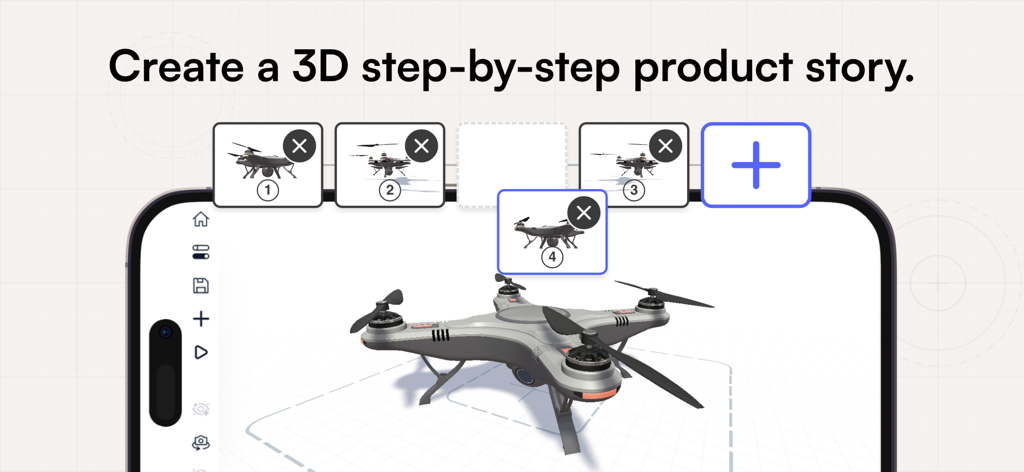
Interfaz de un smartphone que muestra la aplicación JigSpace creando una historia de producto 3D paso a paso con un modelo de dron.
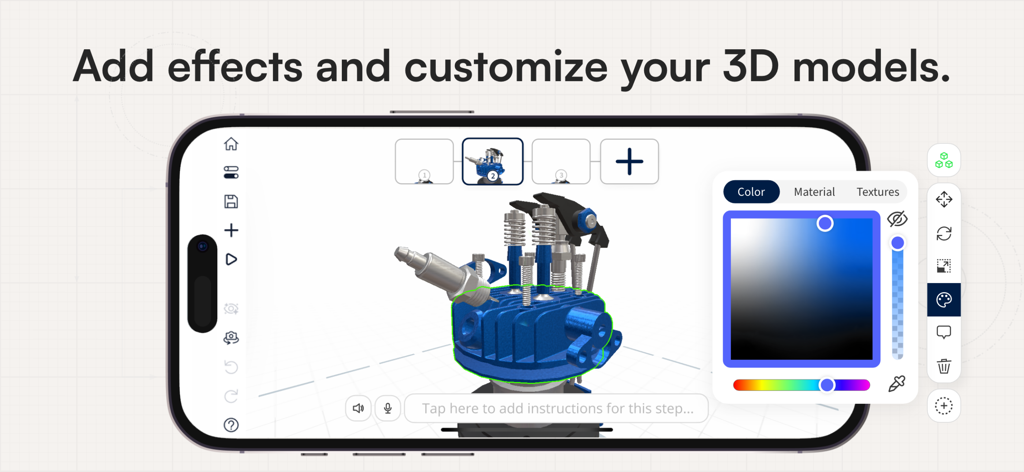
Interfaz de la aplicación móvil JigSpace que muestra la personalización de un modelo de motor 3D con una herramienta de selección de color
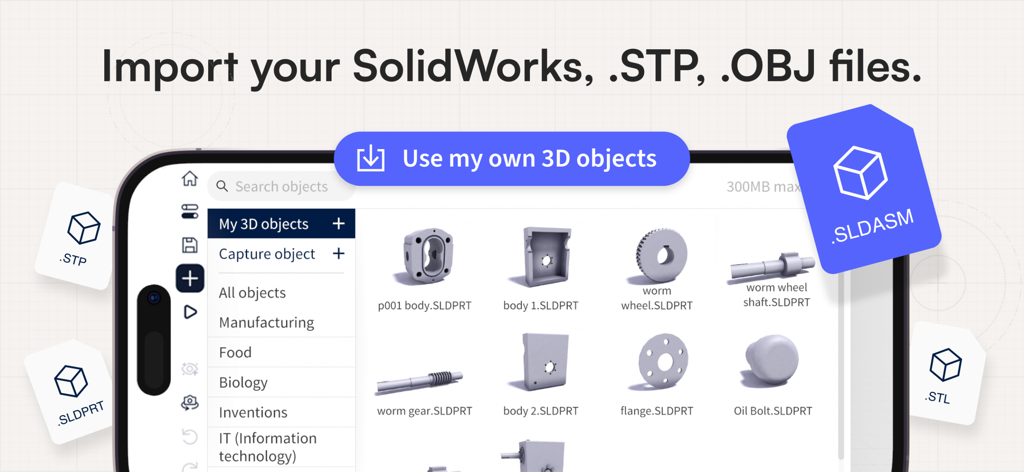
Captura de pantalla de la interfaz de la aplicación JigSpace que muestra la capacidad de importar archivos 3D SolidWorks, STP y OBJ.
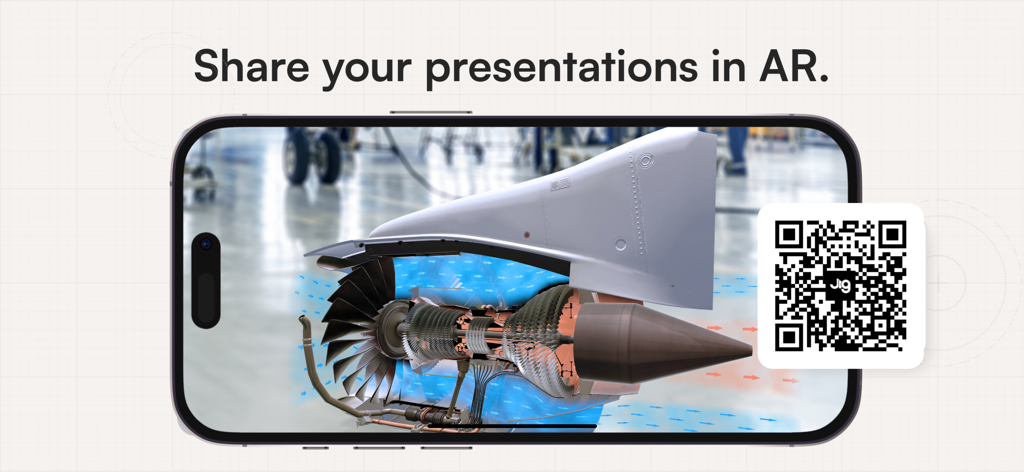
Un smartphone que muestra un modelo de motor a reacción en 3D en realidad aumentada con un código QR para compartir
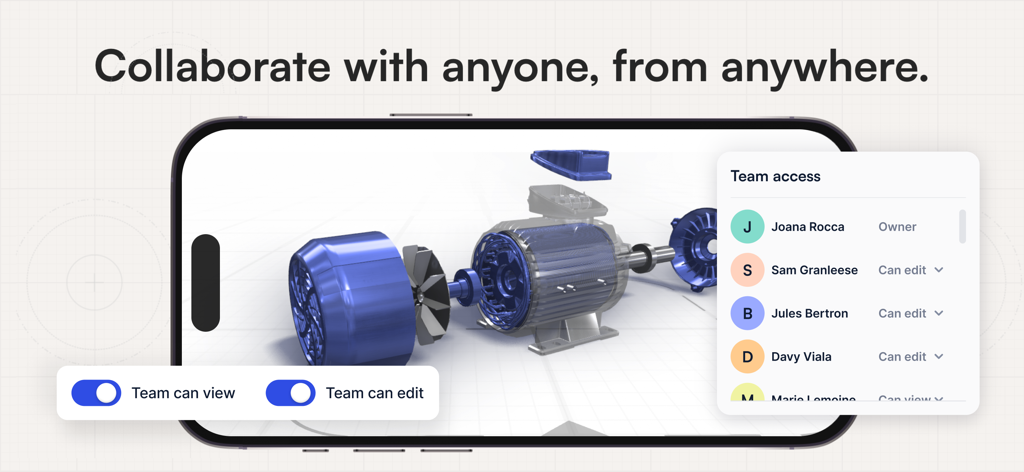
Pantalla de un smartphone que muestra un modelo de motor 3D con un menú de acceso para equipos y selectores de permisos de colaboración.
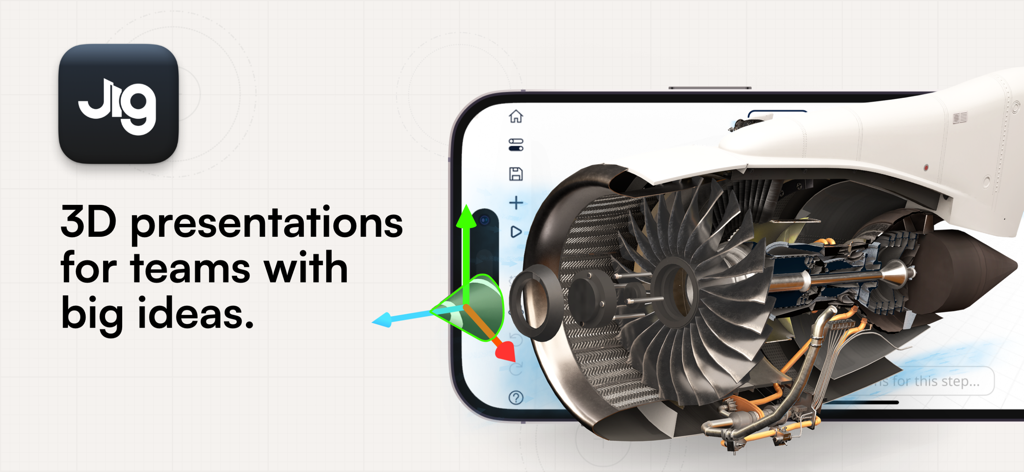
Un smartphone que muestra un modelo interactivo de un motor a reacción en 3D de realidad aumentada dentro de la aplicación JigSpace.
Descripción
Download
Apps Similares
Apps con características y experiencia similares

ARLOOPA: Scan & Discover AR
ARLOOPA Inc

ARvid Augmented Reality
Elie Gebran
Reality Composer
Apple Inc.

Feather: 3D sketchbook
Sketchsoft Inc.

Wintor AR Tours
Wintor b.v.

BOCLAA
Zachary Aghaizu

UniAR
Light Generation Co., Ltd.

ARDrawing: Unleash Creativity
Tung Tran Thanh
Esta página no es una página oficial de la aplicación ni de su desarrollador, sino una publicación editorial independiente creada con fines informativos y de comentario. Salvo que se indique expresamente lo contrario, ni la aplicación ni su desarrollador están afiliados, respaldados, patrocinados, autorizados ni conectados oficialmente con MWM, Apple, Google Play, el editor de la aplicación ni su desarrollador, y nada en esta página implica que la aplicación haya sido desarrollada utilizando los servicios de MWM. Todas las marcas comerciales, logotipos, capturas de pantalla y demás contenidos son propiedad de sus respectivos propietarios.