MX Deposit

MX Deposit

Descargar en App Store
Logo de MX Deposit

MX Deposit: Entrada de datos de campo de precisión para geólogos y mineros

Elimine la entrada manual de datos y los registros en papel. Capture datos precisos de pozos y muestras en cualquier lugar, incluso sin conexión, con una plataforma móvil nativa diseñada para las exigentes demandas de la exploración de campo.

Descargar en App Store

Editor

Minalytix Inc.

Categoría

Business

Descargas

600

Valoración

1.0/5

Total valoraciones

0

Idiomas

1

Diseñado para el campo

Descubre la interfaz utilizada por 600 usuarios.
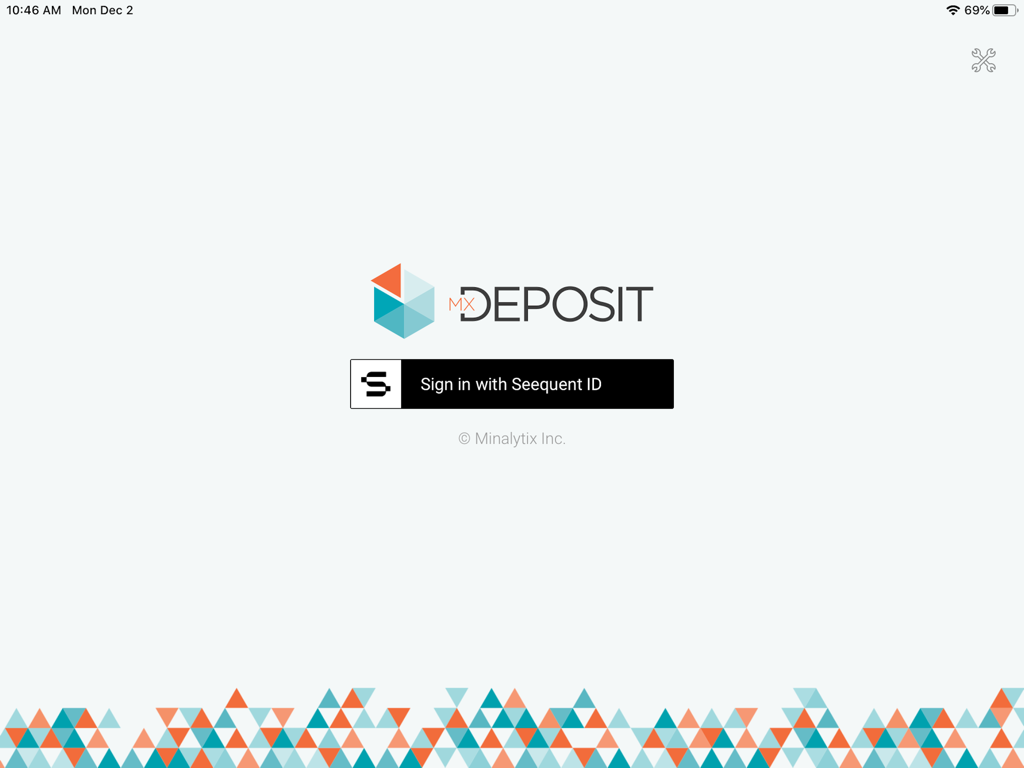
Pantalla de inicio de sesión de la aplicación MX Deposit con el botón de inicio de sesión de Seequent ID y el logotipo geométrico

Pantalla de inicio de sesión de la aplicación MX Deposit con el botón de inicio de sesión de Seequent ID y el logotipo geométrico

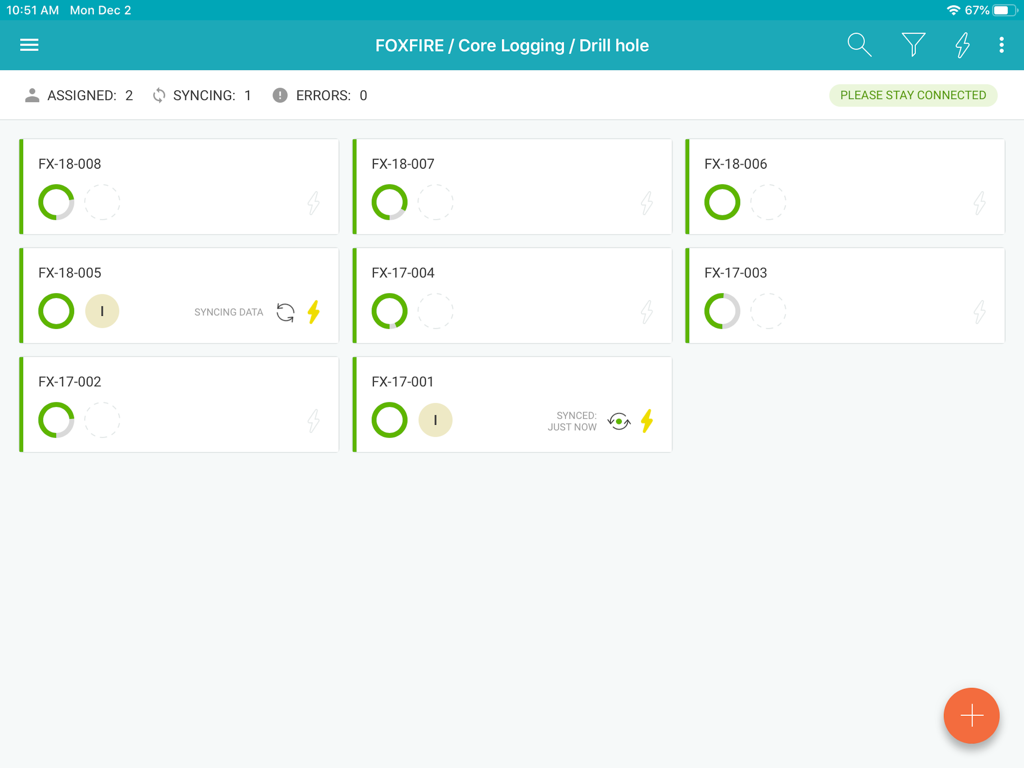
Panel de la aplicación MX Deposit que muestra registros de registro de núcleos de perforación y estado de sincronización

Panel de la aplicación MX Deposit que muestra registros de registro de núcleos de perforación y estado de sincronización

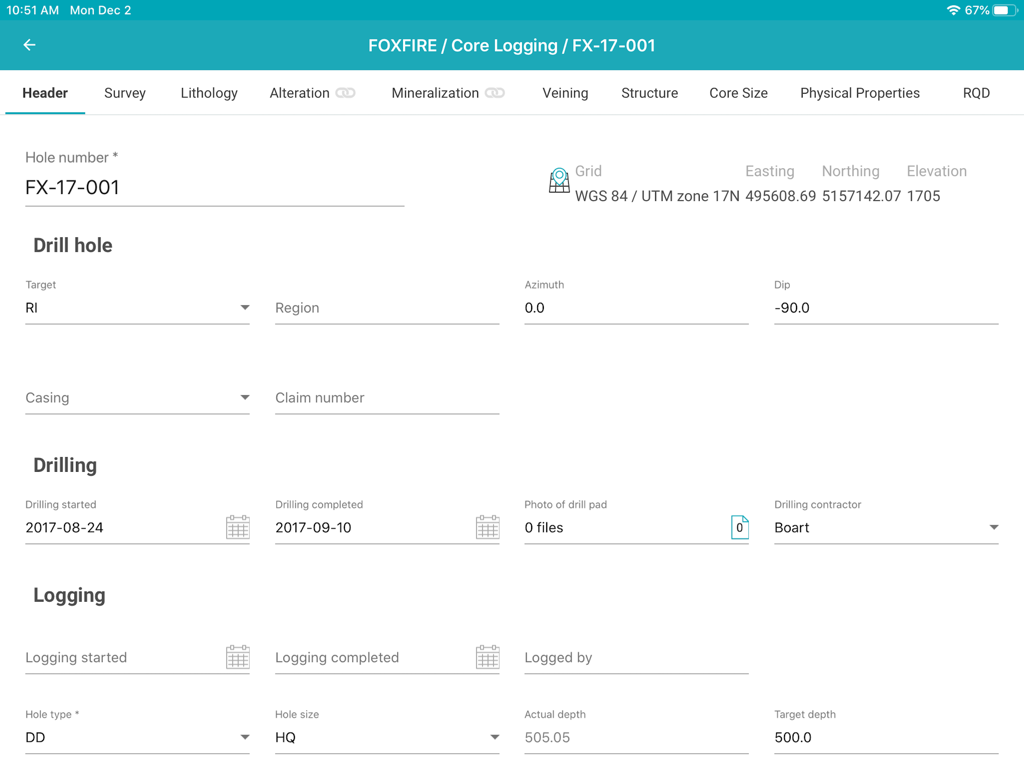
Interfaz de la aplicación MX Deposit que muestra un formulario de encabezado para la entrada de datos de registro de núcleos de perforación geológica

Interfaz de la aplicación MX Deposit que muestra un formulario de encabezado para la entrada de datos de registro de núcleos de perforación geológica

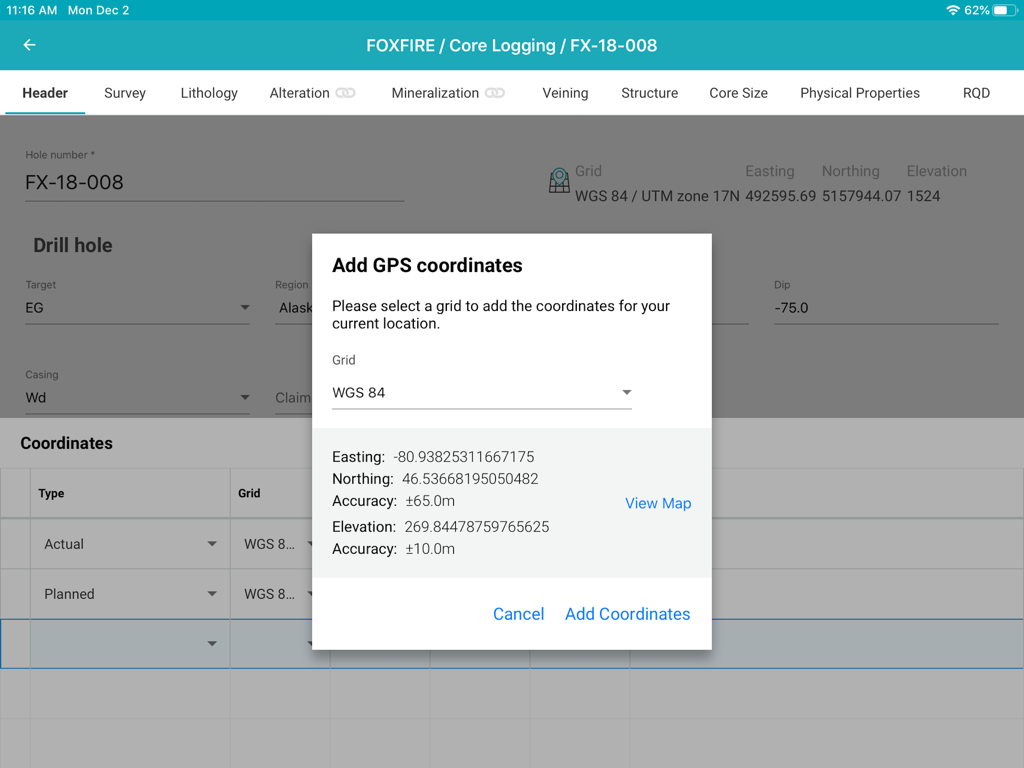
Interfaz de la aplicación MX Deposit que muestra una ventana emergente para agregar coordenadas GPS a un pozo durante el registro de núcleos en un iPad.

Interfaz de la aplicación MX Deposit que muestra una ventana emergente para agregar coordenadas GPS a un pozo durante el registro de núcleos en un iPad.

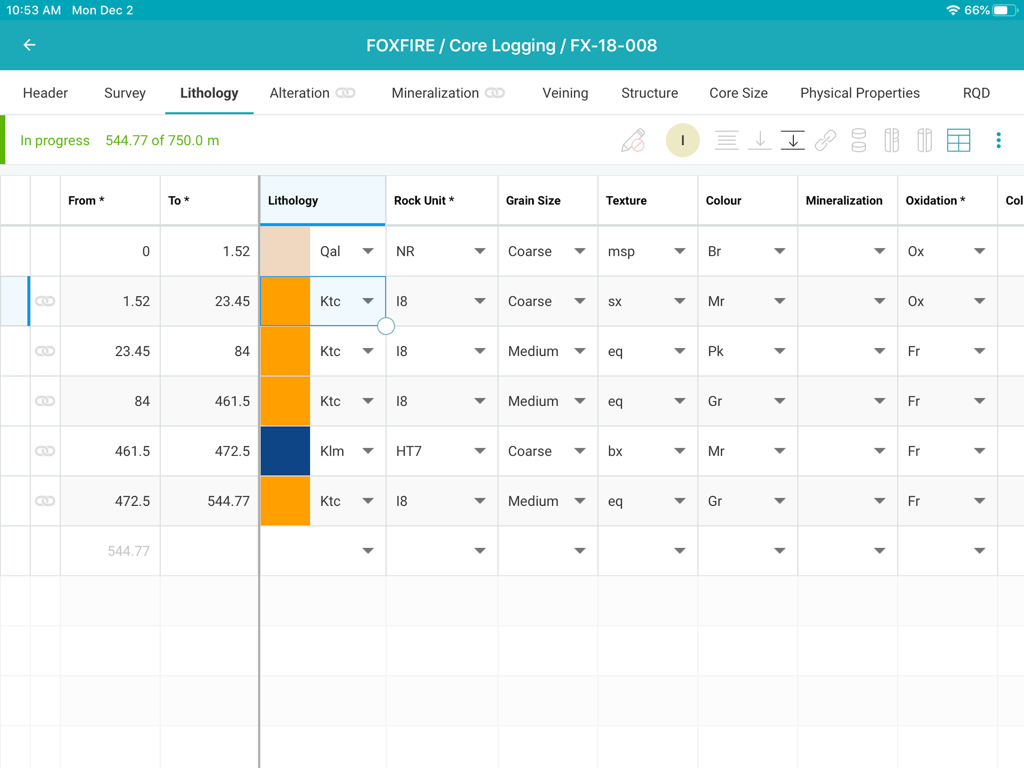
Interfaz de registro de núcleos de la aplicación MX Deposit que muestra una tabla detallada de entrada de datos de litología para un proyecto minero

Interfaz de registro de núcleos de la aplicación MX Deposit que muestra una tabla detallada de entrada de datos de litología para un proyecto minero

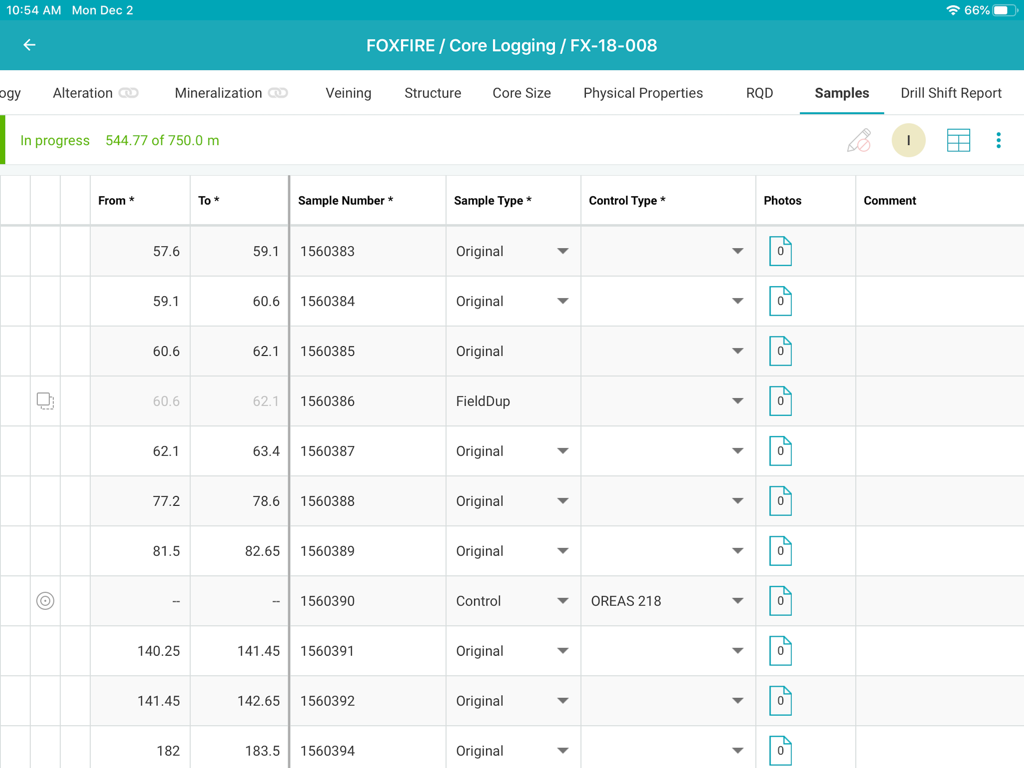
Interfaz de registro de núcleos de MX Deposit que muestra una tabla de datos de muestras

Interfaz de registro de núcleos de MX Deposit que muestra una tabla de datos de muestras

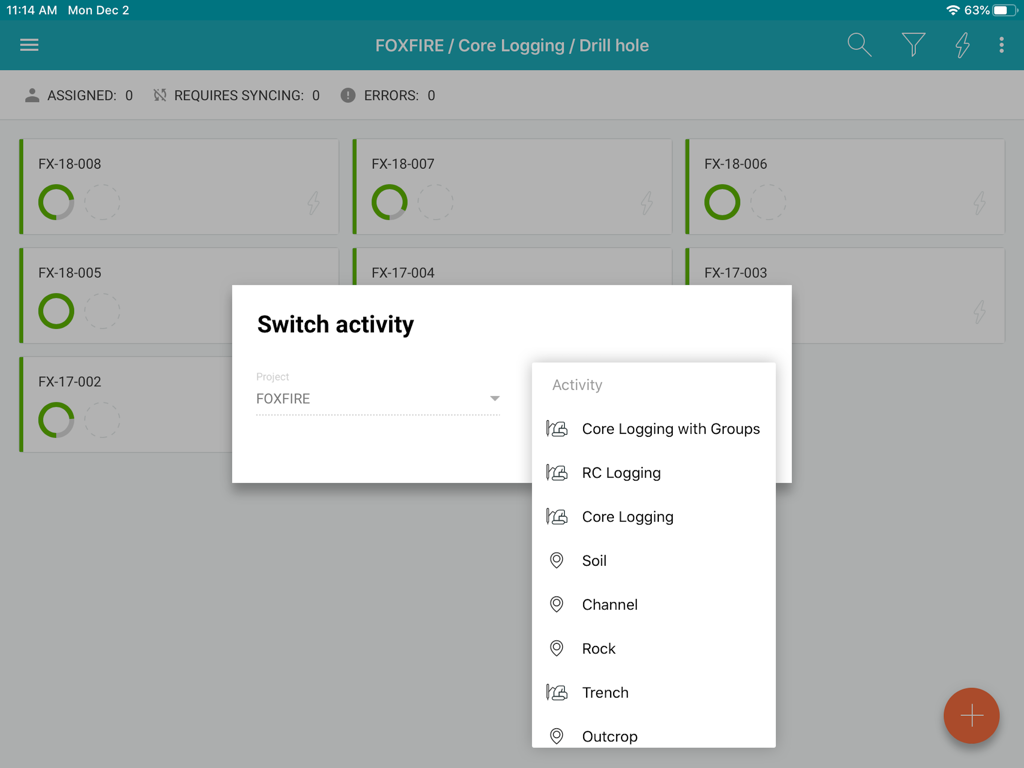
Interfaz de la aplicación MX Deposit que muestra las opciones de actividad de registro para un proyecto minero

Interfaz de la aplicación MX Deposit que muestra las opciones de actividad de registro para un proyecto minero

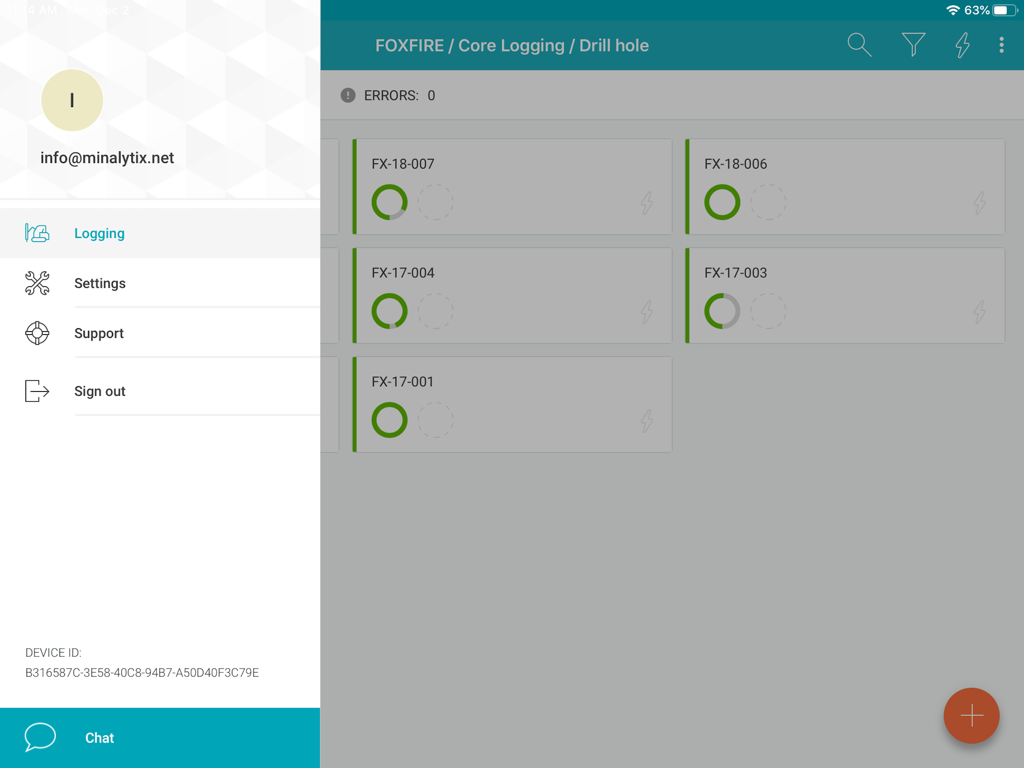
Interfaz de la aplicación MX Deposit que muestra una lista de pozos con estado de progreso y un menú lateral

Interfaz de la aplicación MX Deposit que muestra una lista de pozos con estado de progreso y un menú lateral

Optimice la recopilación de datos de campo

Las herramientas que hacen destacar esta app, elegida por 600 usuarios.

🛰️

Rendimiento verdadero "Offline-First"

Trabaje en los lugares más remotos sin preocuparse por la conectividad. Asigne pozos para descargar datos localmente y sincronice automáticamente al regresar al campamento.

✍️

Diseñado para el profesional de campo

Deshágase de los torpes puertos de escritorio. Utilice gestos intuitivos y soporte para lápiz en su iPad para registrar datos rápidamente, incluso mientras está de pie en un depósito de testigos o en un sitio de perforación.

🛡️

Elimine errores de entrada costosos

Garantice la integridad de los datos con reglas de validación en tiempo real. Detecte errores en la fuente para que su equipo siempre tenga una versión única y precisa de la verdad.

Sobre la app

Todo lo que necesitas saber sobre MX Deposit.

Descripción

The MX Deposit app was built with you in mind so that field data entry is efficient and accurate. It’s not a desktop app disguised as a mobile app, it was designed to be used with mobile gestures using your finger or a stylus. With so many useful features, you’ll never want to use anything else. Your drill hole and sample data can go where you go, with or without an Internet connection. Working offline with the MX Deposit app is as easy as simply tapping a drill hole (or point) to download the data and start working on a local copy. Assigning the hole ensures that you are the only one making changes at any time. Changes are synchronized as you go, or you can switch to Offline Mode if you’re working in the field or otherwise without Internet. When you get back to the office, all the data you captured will be synchronized to the cloud and immediately available to the rest of the team. Some of the key features you’ll find in the app: **Works with your MX Deposit account Leverage all of the projects and drill hole or point activities that have been configured in the MX Deposit web app (headers, tables, pick-lists, validation rules, etc.). Any changes made to the activities or tables (through the web app) are propagated down to every device automatically. Users only see the projects & activities that they have access to when they log in to the app, and users can flip between projects & activities easily. **Continue logging a hole, or create new holes Users can “assign” out drill holes and points to download the data, work offline, and prevent other users from working on the same hole at the same time. Users can also “assign” out parts of a drill hole so that other users can work on the same hole at the same time (e.g. geology tables vs. geotech tables). Users can also create new drill holes and/or points, even when offline. All changes are synchronized to the web when the device is connected to the Internet. **Capture your data in the field Set the app to “offline mode” to continue working when in the field or the core shed. All logging templates are preloaded on the device, and all validation rules are applied as the data is being entered. Once the device gets back online, the app will automatically synchronize any changes up to the MX Deposit web app, where it is immediately available to the rest of the team. **Made for mobile Designed for mobile devices, users can easily navigate through tables and forms using intuitive gestures that are expected when working with mobile devices. Capture coordinates using the device GPS, or increase the accuracy with a bluetooth GPS. GPS coordinates can be converted into any grid system, even when offline (e.g. WGS84 lat/long to UTM northing/easting). Snap pictures of core, outcrops, drill site, etc. directly through the app, which will be immediately available to all users after sync. This app requires an active MX Deposit subscription.

Última versión

1.66

Tamaño

30.3 MB

Fecha de lanzamiento

4 feb 2020

Mueva su registro de campo del núcleo a la nube

Descargue la aplicación MX Deposit para iPad y comience a capturar datos precisos y validados en cualquier lugar, sin necesidad de conexión a Internet.

Descargar en App Store

App information, icons, screenshots, and descriptions displayed on this page are sourced from the Apple App Store and are the property of their respective developers. Download estimates and rankings are based on MWM's proprietary models and may not reflect actual figures. This page is provided for informational and analytical purposes only.

Believe this page infringes your intellectual property? File a dispute