Password Manager - Secure

Password Manager - Secure

Descargar en App Store
Logo de Password Manager - Secure

Gestor de Contraseñas - Seguro: La Bóveda Todo en Uno para tus Accesos y Multimedia Privado

Protege tu identidad digital y recuerdos personales con cifrado AES-256 de grado militar. Almacena de forma segura contraseñas, oculta fotos privadas y disfruta de autocompletado sin interrupciones con un solo toque, diseñado exclusivamente para el ecosistema iOS.

Descargar en App Store

Editor

RV AppStudios LLC

Categoría

Utilities

Descargas

60K+

Valoración

4.7/5

Total valoraciones

100

Idiomas

9

Tu Bóveda en Acción

Descubre la interfaz utilizada por 60K+ usuarios.

Interfaz de Gestor de Contraseñas - Seguro mostrando una lista de contraseñas guardadas para aplicaciones como Amazon, Facebook e Instagram en un iPhone
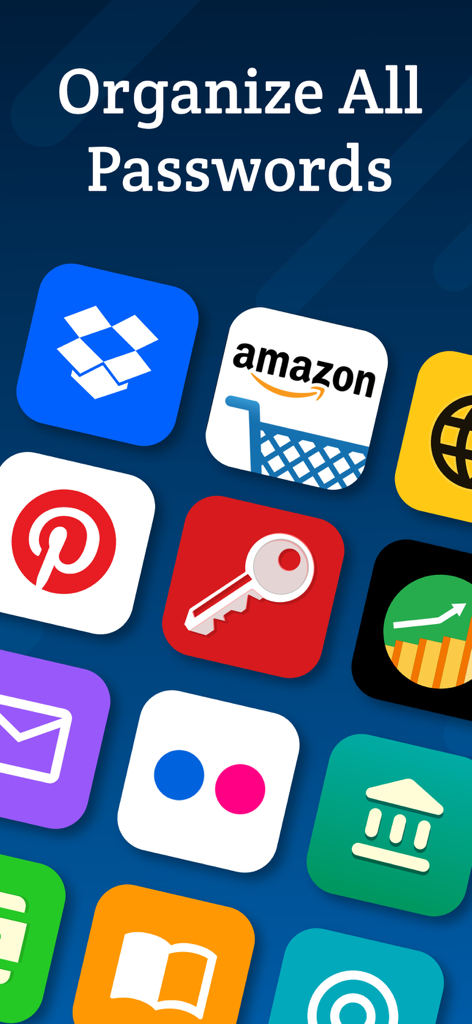
Interfaz de Gestor de Contraseñas - Seguro mostrando una lista de contraseñas guardadas para aplicaciones como Amazon, Facebook e Instagram en un iPhone

Pantalla de la aplicación móvil mostrando varios iconos como Amazon y Dropbox bajo el texto Organizar Todas las Contraseñas
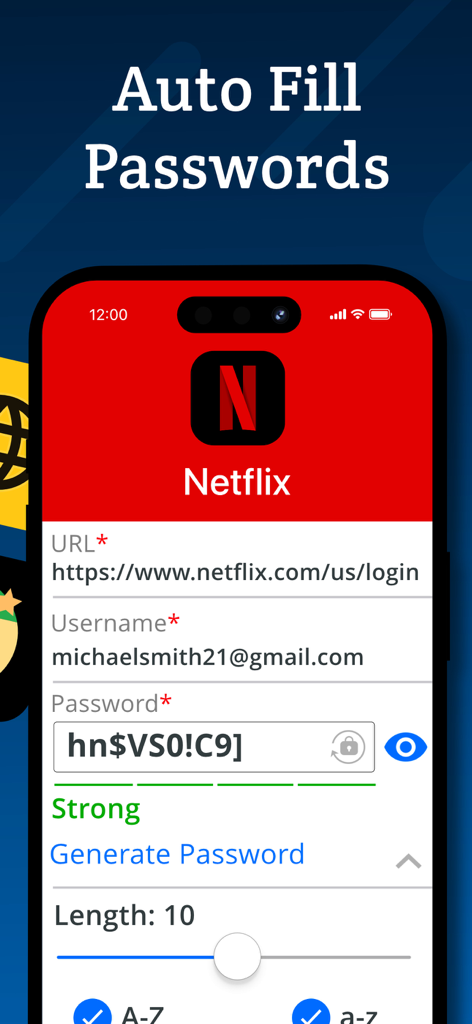
Pantalla de la aplicación móvil mostrando varios iconos como Amazon y Dropbox bajo el texto Organizar Todas las Contraseñas

Una pantalla de aplicación móvil mostrando la función de autocompletado de contraseñas para el inicio de sesión de una cuenta de Netflix.
Una pantalla de aplicación móvil mostrando la función de autocompletado de contraseñas para el inicio de sesión de una cuenta de Netflix.

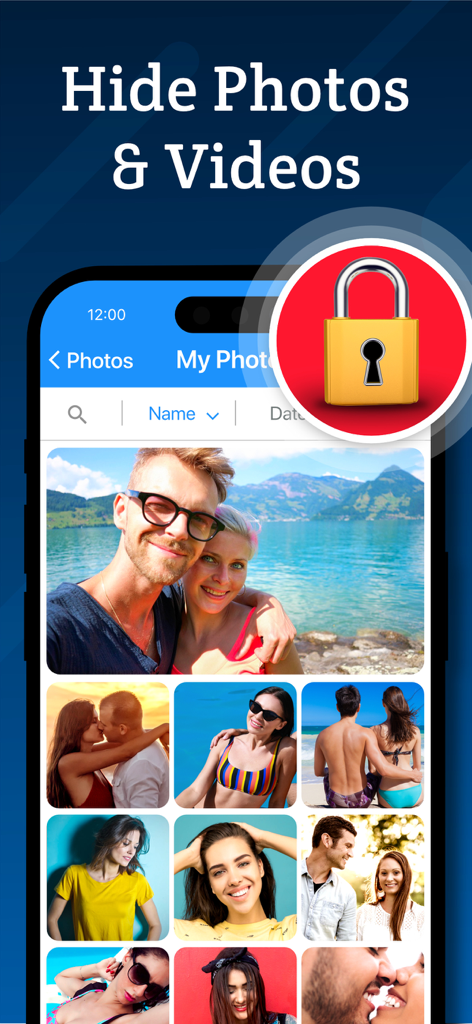
Interfaz mostrando la función de bóveda de fotos secreta con un icono de candado seguro.
Interfaz mostrando la función de bóveda de fotos secreta con un icono de candado seguro.

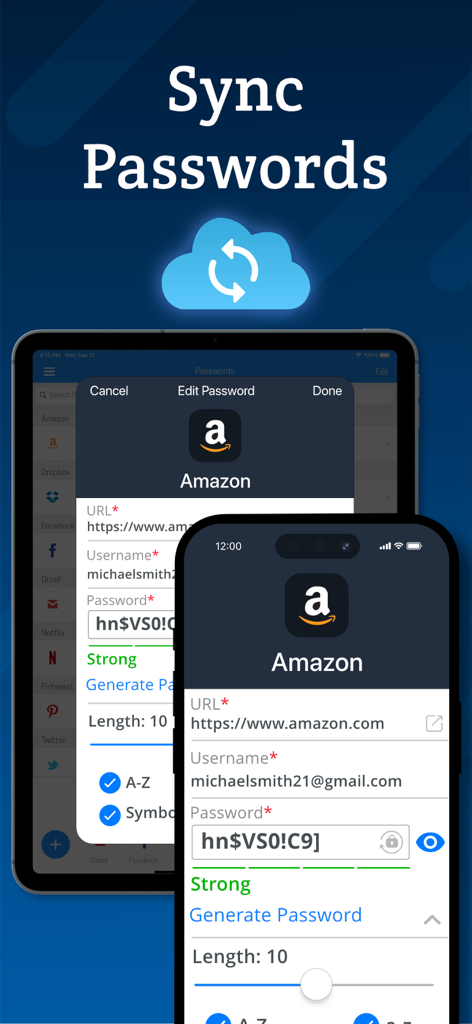
Sincronización de contraseñas entre dispositivos iPhone y iPad utilizando copias de seguridad en la nube

Sincronización de contraseñas entre dispositivos iPhone y iPad utilizando copias de seguridad en la nube

Tu Fortaleza Digital Todo en Uno

Las herramientas que hacen destacar esta app, elegida por 60K+ usuarios.

🔐

Gestión de Contraseñas sin Interrupciones

Elimina la fatiga de 'olvidé mi contraseña' con inicios de sesión de un solo toque, autocompletado de Safari y un potente generador de contraseñas imposibles de adivinar.

🕵️

Carpeta Secreta para Multimedia Privado

Salvaguarda fotos, vídeos y notas personales en una bóveda cifrada, manteniéndolos completamente invisibles para cualquiera que tome prestado tu teléfono.

📸

Alertas Proactivas de Intrusión

Obtén tranquilidad instantánea con el registro de intentos de acceso no autorizados que toma fotos de usuarios no autorizados y pantallas simuladas para una discreción total.

Sobre la app

Todo lo que necesitas saber sobre Password Manager - Secure.

Descripción

Password Manager Vault is a convenient, all-in-one password management and secret folder app that allows you to store login details, photos, videos and notes securely. Password Manager Vault and Secret Folder is the only app that lets you safeguard and store your data with complete privacy across all of your iOS devices. Login information is protected by AES 256-bit encryption. That means only you can access them, not your neighbor, not us, not even your best friend! Keep your files, passwords and photos safe with Secure! Password Management - Store passwords for your most frequently visited sites. Log in with a single tap, and then get back to browsing! - Automatic form filling with just one tap. Never fill in another sign-up form again! - Detects new logins and saves information so you don’t have to memorize anything. - Powerful password generator to create un-guessable passwords. - Secure protects everything with a master password that encrypts and decrypts your data on command. Secret Folder Feature - Move images and videos into the photo vault to keep them private and secure. - Hide your media from prying eyes. Only you can see your photos! Browsing - Secure web surfing with a built-in browser - Multitab browsing keeps you more productive - Connect Secure to Safari to quickly use stored passwords while you browse - Autofill passwords on iOS 12 Media Storage - Organize photos, videos and notes into albums for easy viewing. - Powerful search and sort features let you find what you're looking for in an instant. - Import and export from your camera, photo library or cloud storage service such as Dropbox or Google Drive. - Innovative filters and effects to add a personal touch to your photos. Privacy - Your data, photos and files are accessible only by you! - Change open applications by flipping the device. Instant privacy! - Dummy screen to protect your privacy even when friends use your phone. - Secure snaps photos and saves location information to log break-in attempts. - Backup and restore device data via iTunes and iCloud. - Compatible with Touch ID and Face ID. New Features - Use Picture-In-Picture to watch a video while using your iPad for other tasks. - Use Spotlight Search to find things quickly on your iOS device. Password Manager Vault and Secret Folder is built exclusively for iOS 10 and above. VIP Subscription: Password Manager Vault VIP subscription which is available on a weekly, monthly and yearly tier, auto-renewable. The yearly subscription is priced at 3.99 USD/week, 6.99 USD/month and 24.99 USD/year (or local equivalent). You will be able to use more cloud storage, photo filter effects and more for the duration of the subscription. Payment will be charged to iTunes Account at confirmation of purchase. Subscription automatically renews for the same price and duration period as the original package unless auto-renew is turned off at least 24-hours before the end of the current period. Account will be charged for renewal within 24-hours prior to the end of the current period at the cost of the chosen package. Subscriptions may be managed by the user and auto-renewal may be turned off by going to the user's iTunes Account Settings after purchase. No cancellation of the current subscription is allowed during active subscription period. You may cancel a subscription during its free trial period via the subscription setting through your iTunes account. This must be done 24 hours before the end of the subscription period to avoid being charged. You may turn off the auto-renewal of your subscription via your iTunes Account Settings. However, you are not able to cancel the current subscription during its active period. Unused portions of free trials, if offered, will be forfeited upon purchase of a subscription. Links to our Privacy Policy and Terms of Service: Privacy Policy: http://www.rvappstudios.com/app-privacy-policy.html Terms of Use: http://www.rvappstudios.com/app-privacy-policy.html#terms/

Última versión

2.9.6

Tamaño

104.2 MB

Fecha de lanzamiento

21 mar 2017

Asegura tu Mundo Digital con un Solo Toque

Únete a más de 60.000 profesionales y familias que confían en nuestra bóveda cifrada con AES de 256 bits para proteger sus contraseñas, fotos privadas y datos sensibles. Empieza hoy mismo en iOS.

Descargar en App Store

App information, icons, screenshots, and descriptions displayed on this page are sourced from the Apple App Store and are the property of their respective developers. Download estimates and rankings are based on MWM's proprietary models and may not reflect actual figures. This page is provided for informational and analytical purposes only.

Believe this page infringes your intellectual property? File a dispute