PDF Markup & Annotation Maker

PDF Markup & Annotation Maker

Descargar en App Store
Logo de PDF Markup & Annotation Maker

Creador de Marcadores y Anotaciones de PDF: La Herramienta de Precisión para tu Flujo de Trabajo sin Papel

Potencia tu productividad con resaltado intuitivo, texto personalizado y herramientas de dibujo profesionales. Ya sea que estés revisando contratos o dominando materiales de estudio, anota PDF exactamente como quieres en tu iPad y iPhone.

Editor

Ruchira Ramesh

Categoría

Business

Descargas

49K+

Valoración

4.5/5

Total valoraciones

0

Idiomas

1

Precisión en Cada Píxel

Descubre la interfaz utilizada por 49K+ usuarios.
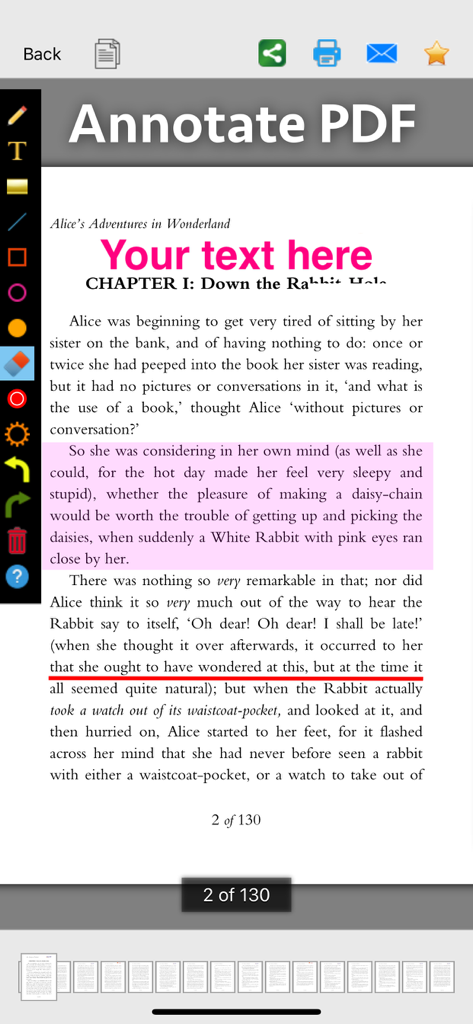
Captura de pantalla de la aplicación PDF Markup y Annotation Maker que muestra herramientas para resaltar, subrayar y agregar texto a un documento

Captura de pantalla de la aplicación PDF Markup y Annotation Maker que muestra herramientas para resaltar, subrayar y agregar texto a un documento

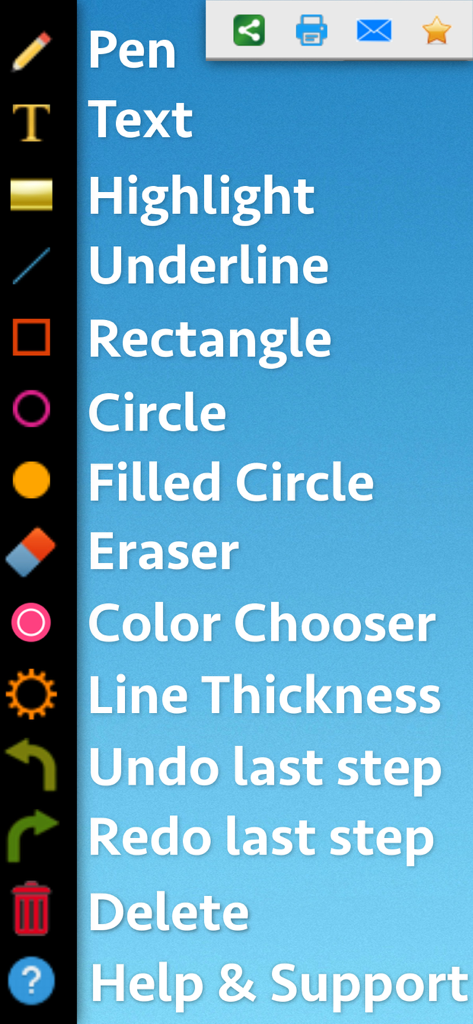
Interfaz que muestra una lista vertical de herramientas de marcado de PDF como lápiz, texto, resaltado y formas

Interfaz que muestra una lista vertical de herramientas de marcado de PDF como lápiz, texto, resaltado y formas

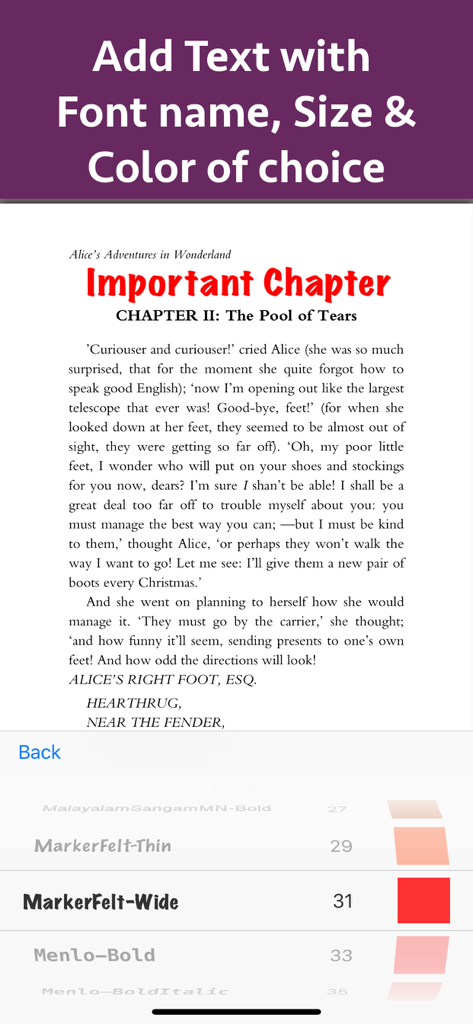
Agrega y personaliza texto en un documento PDF con opciones de tamaño de fuente y color

Agrega y personaliza texto en un documento PDF con opciones de tamaño de fuente y color

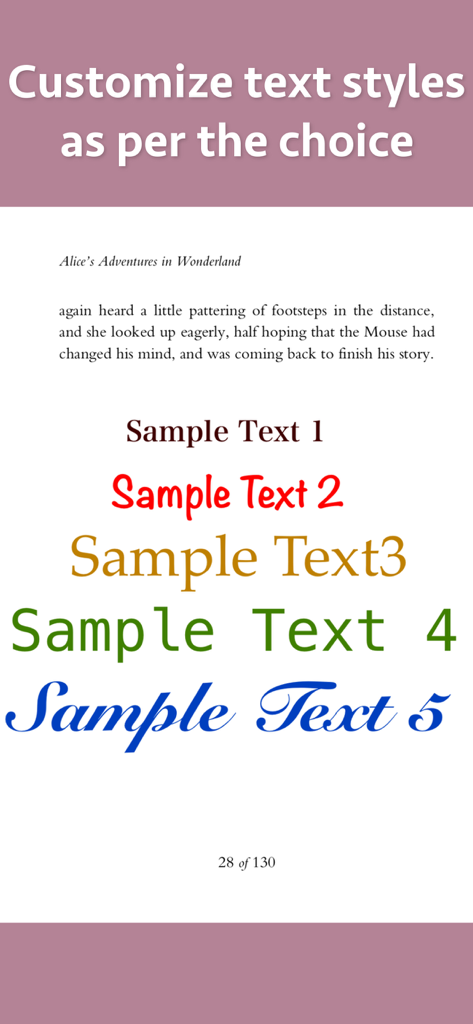
Demostración de varios estilos de texto personalizados, fuentes y colores para anotación y marcado de PDF

Demostración de varios estilos de texto personalizados, fuentes y colores para anotación y marcado de PDF

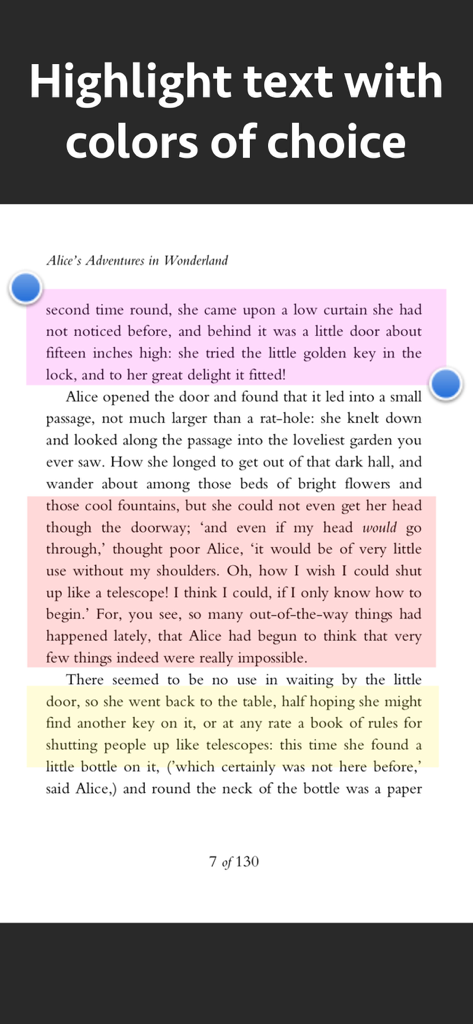
Una pantalla que muestra párrafos de texto resaltados en rosa, naranja y amarillo usando una herramienta de marcado de PDF

Una pantalla que muestra párrafos de texto resaltados en rosa, naranja y amarillo usando una herramienta de marcado de PDF

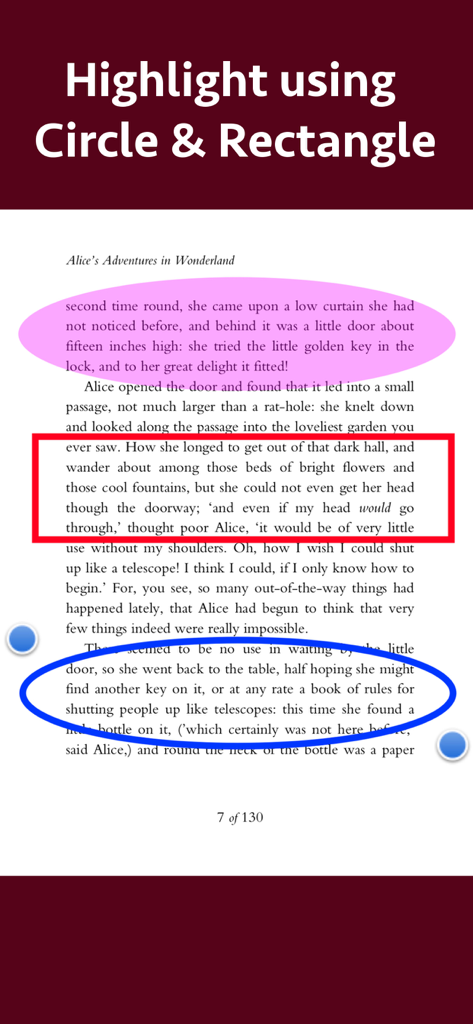
Documento PDF con secciones de texto resaltadas usando herramientas de formas circulares y rectangulares

Documento PDF con secciones de texto resaltadas usando herramientas de formas circulares y rectangulares

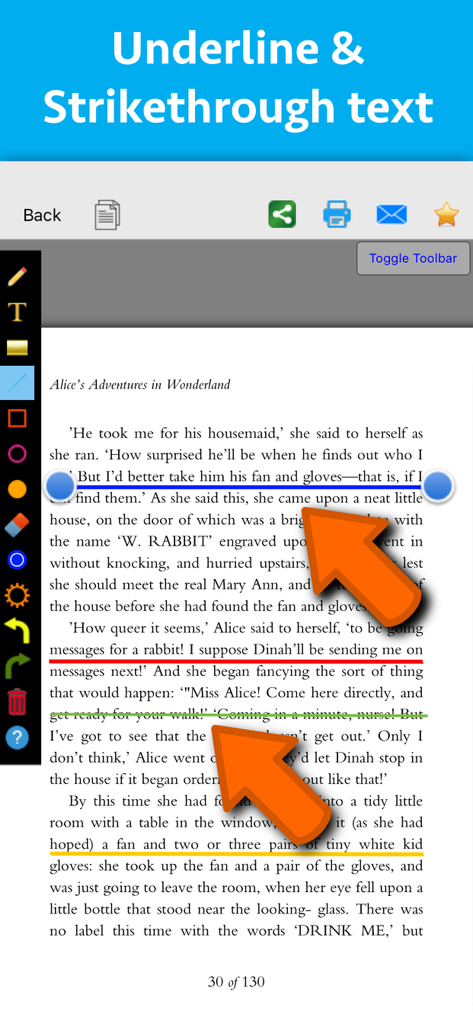
Interfaz de una aplicación de marcado de PDF que muestra anotaciones subrayadas y tachadas de colores en una página de texto

Interfaz de una aplicación de marcado de PDF que muestra anotaciones subrayadas y tachadas de colores en una página de texto

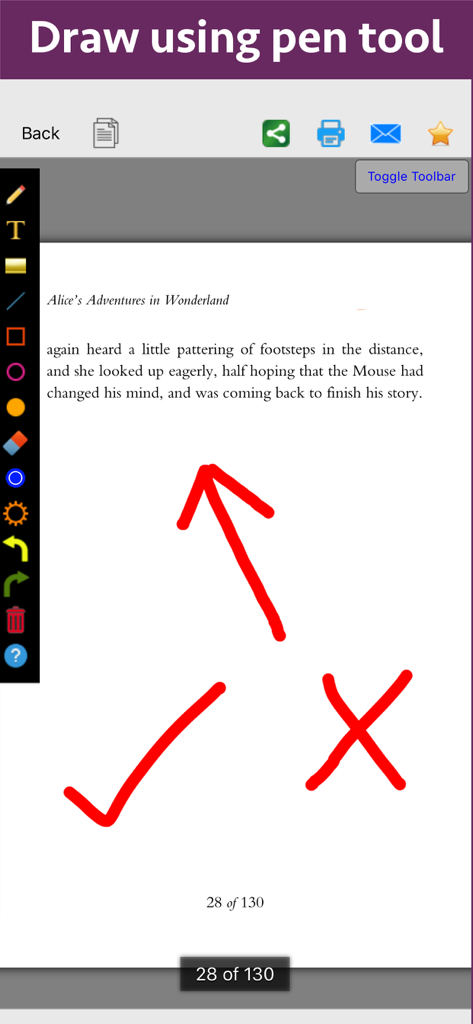
Página de un documento PDF de Alicia en el País de las Maravillas con anotaciones en color como una flecha, una marca de verificación y una cruz dibujadas con la herramienta de lápiz.

Página de un documento PDF de Alicia en el País de las Maravillas con anotaciones en color como una flecha, una marca de verificación y una cruz dibujadas con la herramienta de lápiz.

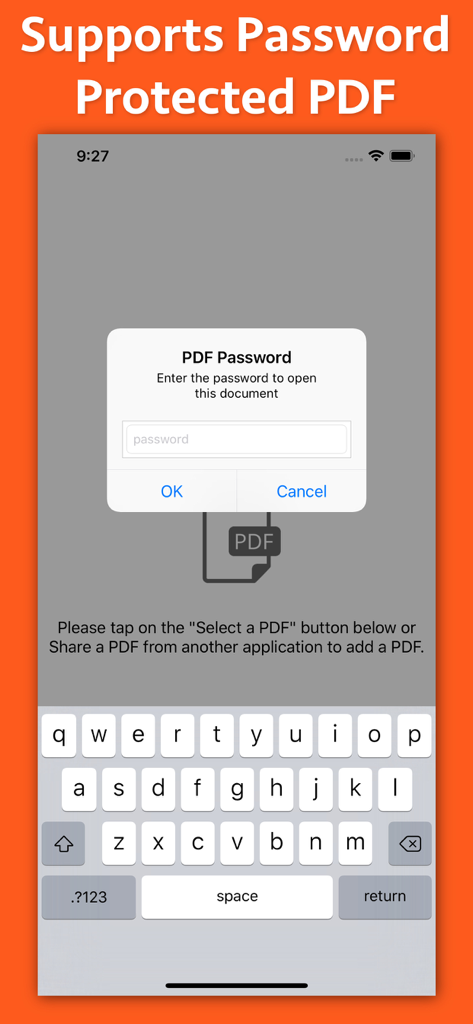
Interfaz de la aplicación PDF Markup que muestra una ventana emergente de ingreso de contraseña para documentos protegidos

Interfaz de la aplicación PDF Markup que muestra una ventana emergente de ingreso de contraseña para documentos protegidos

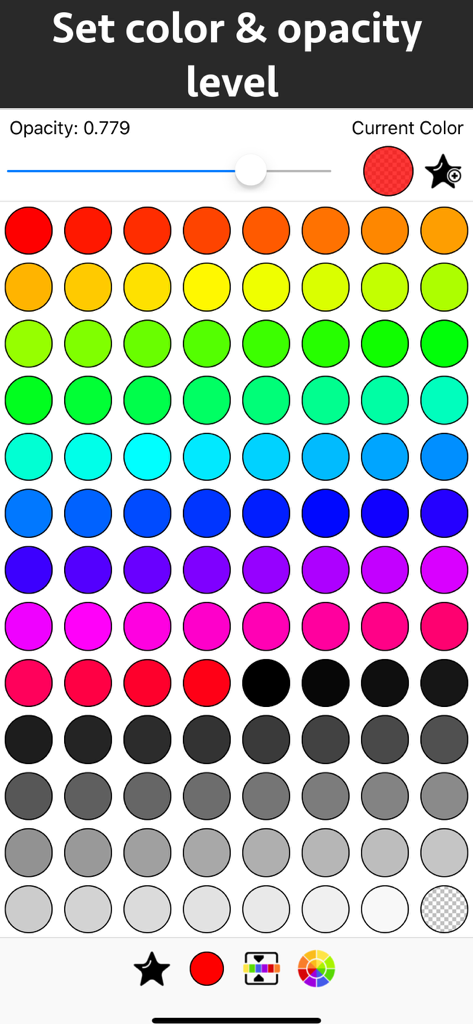
Interfaz para elegir colores y establecer niveles de opacidad para anotaciones de PDF

Interfaz para elegir colores y establecer niveles de opacidad para anotaciones de PDF

Domina tus Documentos con Precisión

Las herramientas que hacen destacar esta app, elegida por 49K+ usuarios.

📝

Resaltado Inteligente y Notas

Codifica por color información clave y agrega texto personalizado con control total sobre fuentes y estilos para que tus notas de estudio o trabajo destaquen.

🖋️

Herramientas de Dibujo Intuitivas

Utiliza la herramienta de lápiz o formas de precisión como círculos y flechas para resaltar exactamente lo que importa en planos, diagramas o documentos.

Flujo de Retroalimentación Optimizado

Simplifica tu proceso de revisión con herramientas de anotación fáciles de usar y controles de transparencia, perfectas para aprobar contratos o revisiones entre pares.

Sobre la app

Todo lo que necesitas saber sobre PDF Markup & Annotation Maker.

Descripción

Write text on PDF, Highlight, underline ,draw shapes & customise using different Fonts, text size, colors and transparency level. Using these features you could highlight important lines in a PDF.You could also write text on pages of the PDF.For example : you could write "Important" on the important pages of the PDF. This could be very helpful in making notes, preparing documentation or for making presentation. Annotated PDF files are easier to understand and help to focus on important points, images and topics. Below are some additional usage : -- Getting feedback on a document that is sent for review. The reviewer could highlight the areas, or write text at the places that need correction or improvements. -- Holding a meeting or discussion on a PDF Document with several users and adding highlights, writing text & drawing shapes using pen tool like arrows, checkmark and cross marks wherever the document needs changes or where it needs more discussions. -- Adding your own notes makes it much easier to find the document later and to remember why it is important or which pages & topics are important. -- Approving documents with text and commenting on the PDF. -- Highlighting the important paragraphs in the study materials. -- Adding references or points on the PDF pages by writing text on the PDF. Using the application you could do below operations : a) Write Text on PDF : Using the application the Text could be written anywhere on the pages.After the text is written, you could perform various customisations as shown below : -- Change Font of the text -- Change the Text Size -- Change the the text color -- Resize or change the location of the text as per the requirements. b) Highlight Text in PDF : Using the highlight tool, the text could be highlighted. The highlighting colors could be changed to any color of your choice.Once the Text is highlighted, you could also resize or reposition the highlighted part as per the requirements. c) Underline Text - Underline the text using the line tool.The underline color could be changed as per the requirements. The line tool could also be used to draw lines and shapes. d) Strikethrough Text - Strikethrough the text.The strikethrough color could be changed as per the requirements.This could be also be done using the line tool. e) Draw Circle - Draw a circle using the circle tool. It also supports various customisations as below : -- Change the thickness of the border from settings. -- Change its border color. -- Draw circle which is filled with the color of choice. -- Set transparency/opacity of the colors. (from Color settings) f) Draw a Square or Rectangle - A square or rectangle could also be drawn on the PDF. Just like the Circle the below operations could be performed : -- Change the thickness of the border from settings. -- Change its border color. -- Draw a rectangle or square which is filled with the color of choice. -- Set transparency/opacity of the colors. (from Color settings) g) Draw any shape using the Pen tool : using the pen tool any custom shapes could be drawn. For example : shapes like arrow, checkmark,cross mark and etc could be drawn using the Pen tool. h) Erase using the eraser tool - Use the eraser tool to erase the unwanted annotations. i) Undo and Redo support : Make the editing task easier by performing Undo or Redo operations. j) Delete tool : Delete the contents of the current page using the delete tool.

Última versión

8.1

Tamaño

3.3 MB

Fecha de lanzamiento

16 oct 2018

Tu Productividad sin Papel Comienza Aquí

Únete a más de 49,000 usuarios y transforma la forma en que revisas, resaltas y anotas tus documentos sobre la marcha.

Descargar en App Store

App information, icons, screenshots, and descriptions displayed on this page are sourced from the Apple App Store and are the property of their respective developers. Download estimates and rankings are based on MWM's proprietary models and may not reflect actual figures. This page is provided for informational and analytical purposes only.

Believe this page infringes your intellectual property? File a dispute