Projector: All TV Remote App
Descargar en App Store

Esta página no es una página oficial de la aplicación ni de su desarrollador, sino una publicación editorial independiente creada con fines informativos y de comentario. Salvo que se indique expresamente lo contrario, ni la aplicación ni su desarrollador están afiliados, respaldados, patrocinados, autorizados ni conectados oficialmente con MWM, Apple, Google Play, el editor de la aplicación ni su desarrollador, y nada en esta página implica que la aplicación haya sido desarrollada utilizando los servicios de MWM. Todas las marcas comerciales, logotipos, capturas de pantalla y demás contenidos son propiedad de sus respectivos propietarios.

Logo de Projector: All TV Remote App
Descargar en App Store

Projector: All TV Remote App

Deshazte del desorden de los controles remotos perdidos. Refleja tu pantalla sin esfuerzo, transmite recuerdos familiares y controla cualquier Smart TV en tu hogar directamente desde tu iPhone.

Cifras Clave

Descargas

60K+

Valoración

3.3/5

Total valoraciones

100

Editor

QUANTUM4U LAB PRIVATE LIMITED

Categoría

Photo & Video

Idiomas

14

Última versión

12

Tamaño

146.4 MB

Fecha de lanzamiento

23 ago 2023
Funciones

Todo tu cine en casa, controlado desde tu bolsillo

Deshazte del desorden de múltiples controles remotos y transmite tus recuerdos 4K favoritos a la pantalla grande con una interfaz fluida.

Control remoto universal

Administra cada TV en tu hogar —desde Samsung hasta Apple TV— con una única interfaz intuitiva en tu iPhone.

Transmisión instantánea de medios

Da vida a tu galería de fotos y videos caseros proyectándolos en la pantalla grande para amigos y familiares.

Las siguientes capturas de pantalla y la descripción provienen directamente del listado oficial de la tienda de la aplicación y son propiedad del desarrollador.

App Store

Capturas
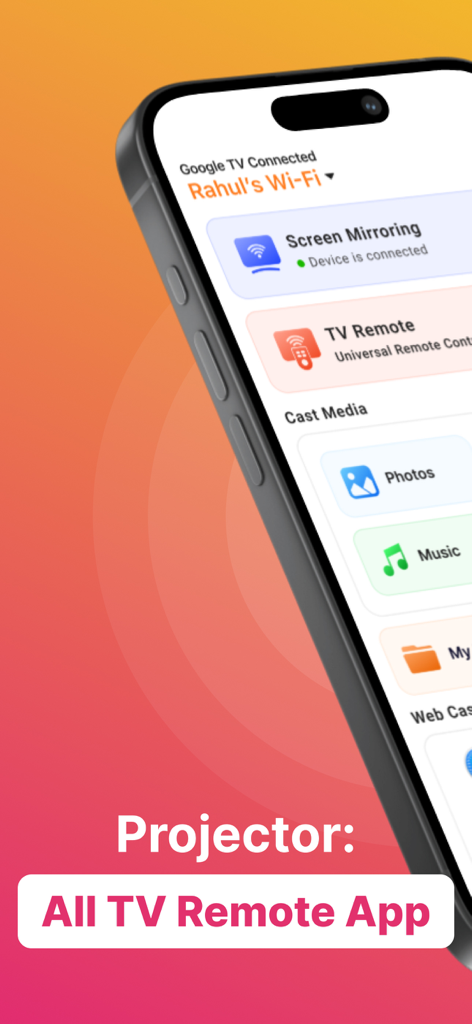
Projector: All TV Remote App - Interfaz de la aplicación Proyector en un iPhone que muestra opciones para duplicación de pantalla, control remoto universal para TV y transmisión de medios.
Interfaz de la aplicación Proyector en un iPhone que muestra opciones para duplicación de pantalla, control remoto universal para TV y transmisión de medios.

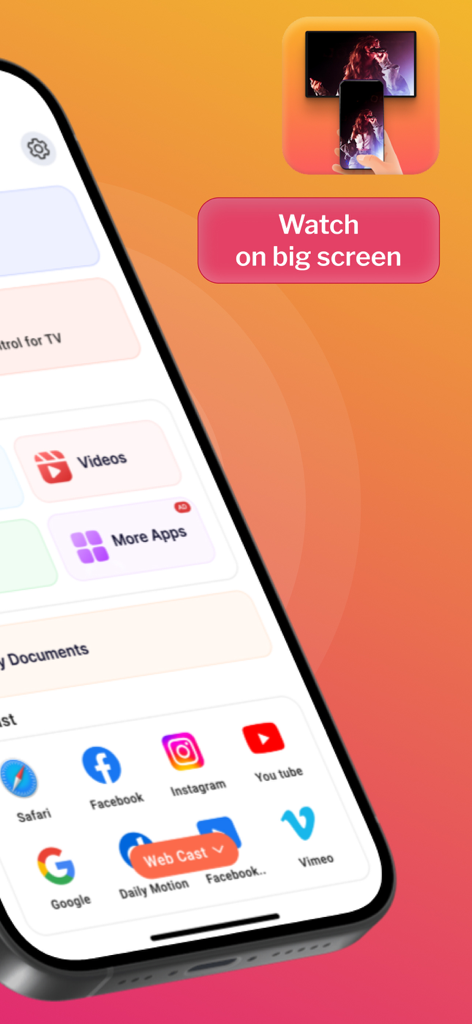
Projector: All TV Remote App - Pantalla de la aplicación móvil que muestra opciones de transmisión web para aplicaciones de redes sociales y una indicación de ver en pantalla grande
Pantalla de la aplicación móvil que muestra opciones de transmisión web para aplicaciones de redes sociales y una indicación de ver en pantalla grande

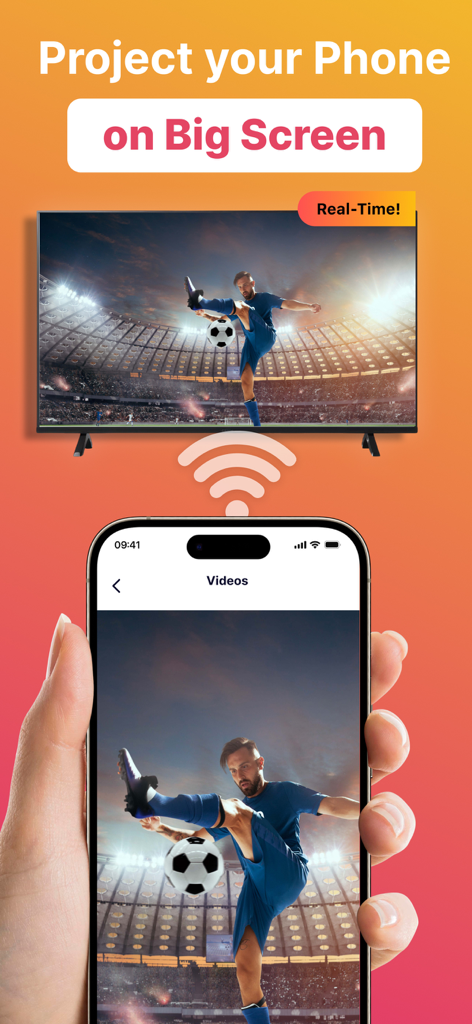
Projector: All TV Remote App - Pantalla de un teléfono inteligente transmitiendo un video de fútbol a un televisor inteligente grande en tiempo real
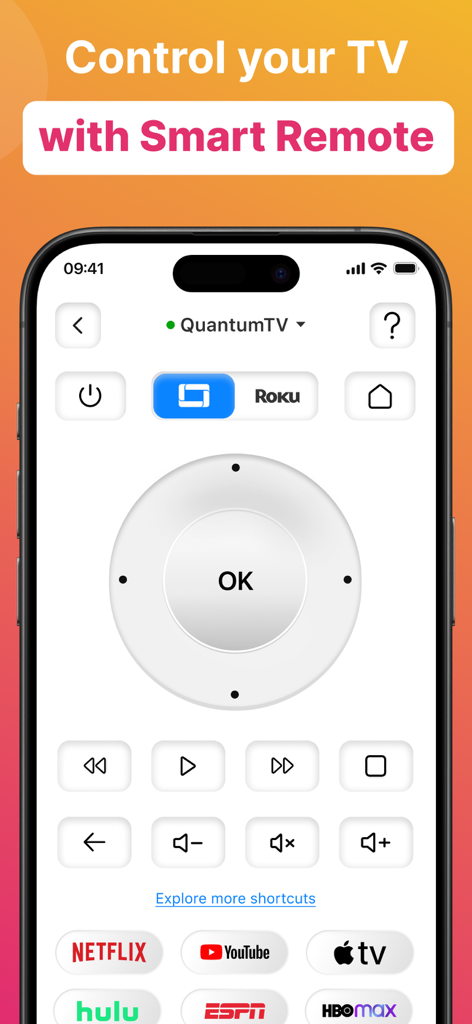
Pantalla de un teléfono inteligente transmitiendo un video de fútbol a un televisor inteligente grande en tiempo real

Projector: All TV Remote App - Pantalla de un teléfono inteligente que muestra una interfaz de control remoto universal para Smart TV con un panel de navegación, controles de volumen y accesos directos a servicios de transmisión populares como Netflix y YouTube.
Pantalla de un teléfono inteligente que muestra una interfaz de control remoto universal para Smart TV con un panel de navegación, controles de volumen y accesos directos a servicios de transmisión populares como Netflix y YouTube.

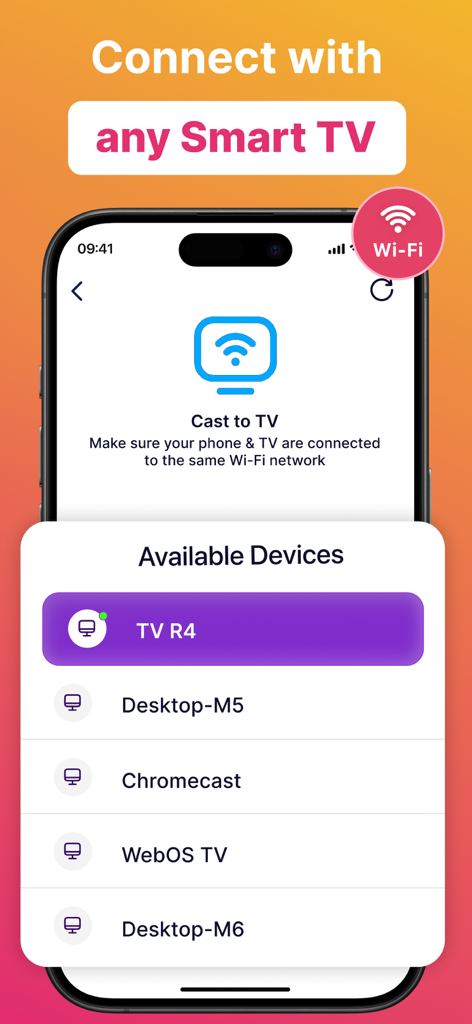
Projector: All TV Remote App - Interfaz de la aplicación Proyector que muestra una lista de dispositivos de Smart TV disponibles para transmisión de pantalla
Interfaz de la aplicación Proyector que muestra una lista de dispositivos de Smart TV disponibles para transmisión de pantalla

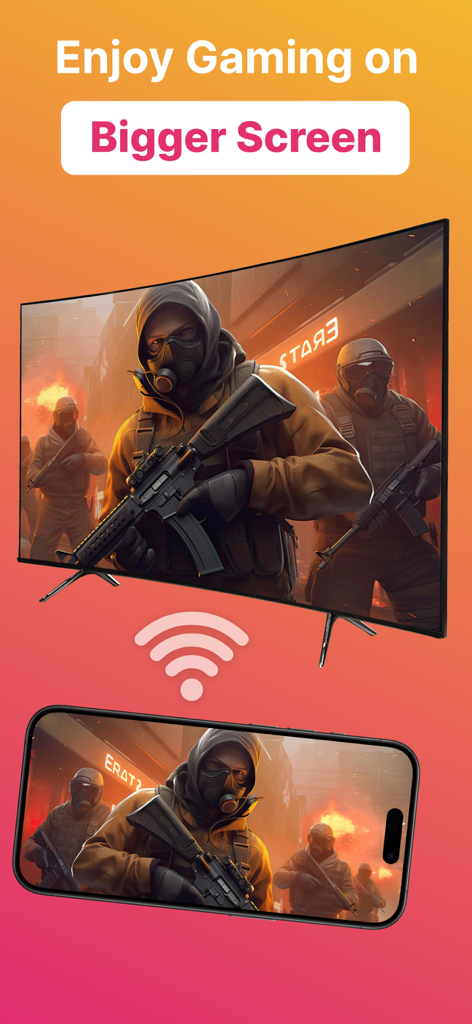
Projector: All TV Remote App - Teléfono inteligente transmitiendo un videojuego a un televisor de pantalla grande

Teléfono inteligente transmitiendo un videojuego a un televisor de pantalla grande

Descripción

Introducing Projector TV Cast screen - the ultimate solution for hassle-free TV casting, making your entertainment experience seamless and immersive. Cast videos, photos, and apps from your mobile directly to your smart TV effortlessly. Enjoy reliving cherished memories or indulging in movie nights with friends, all in stunning HD. Screen Cast takes the hassle out of TV casting and lets you seamlessly cast videos, photos, and even apps from your mobile directly onto your smart TV. Whether it's reliving cherished memories with family and friends or indulging in an immersive movie night, our casting feature is your gateway to a captivating entertainment realm. However both devices must be connected to the same WiFi network for casting to work. Plus, you can keep using your phone normally while screen cast goes on in the background. Main Features of Screen Cast Cast on any TV This app works as projector TV HQ Screen Casting Cast photos, videos and audio. TV Remote & Shortcuts Experience the joy of seamless screen casting and projector TV casting to take your entertainment to the next level! Seamlessly connect your devices and unleash a whole new realm of entertainment possibilities with Screen Cast, a powerful casting and projector tv app. Features of Screen Casting TV Casting Immerse yourself in the wonders of TV casting. Cast or project your favorite videos, photos, and apps directly onto your smart TV with just a tap, and watch as they come to life in stunning high-definition. Universal TV Remote The new update includes the Universal TV Remote for all TV including smart TV & Apple TV. The new TV Remote also comes with Smart Remote & helps you by managing everything from the app only. You may not need to keep multiple remotes. Multiple TVs Supported This app comes with a ground breaking feature that lets you cast or project on any TV along with the Universal TV Remote control feature. Screen Casting Experience the joy of screen casting like never before. With Screen Casting or Tv Projector you can effortlessly cast your smartphone onto your TV screen, creating a captivating larger-than-life experience for TV! Universal TV Compatibility Screen Casting works its charm across a wide array of smart TVs. Whichever smart TV you own, our projector app ensures seamless compatibility to make the connection process a breeze. Cast anything You can select any Video, Audio or Photos and cast it on your big TV. Whether it be a movie you downloaded on your phone or priceless family photos of moments you want to relive, this video cast screen casting app does it all. Premium plans Monthly - $6.99 Yearly - $24.99 Subscription Info - The yearly subscription plan comes with a 3 day trial period. The user can cancel their subscription anytime during the trial period without being billed. They will be billed automatically after the trial period ends. - The user can cancel his/her subscription at any time by going into iTunes and App Store Apple ID Settings. - All prices include applicable local sales taxes. - Payment will be charged to your iTunes Account after confirmation of purchase. - Subscription automatically renews at least 24-hours before the end of the current period. - The user's account will be charged for renewal within 24-hours before the end of the current period. Privacy Policy: https://quantum4u.in/web/projectorios/privacy-policy Terms of Use: https://quantum4u.in/web/projectorios/tandc EULA: https://quantum4u.in/web/projectorios/eula

Download

Descargar en App Store

Esta página no es una página oficial de la aplicación ni de su desarrollador, sino una publicación editorial independiente creada con fines informativos y de comentario. Salvo que se indique expresamente lo contrario, ni la aplicación ni su desarrollador están afiliados, respaldados, patrocinados, autorizados ni conectados oficialmente con MWM, Apple, Google Play, el editor de la aplicación ni su desarrollador, y nada en esta página implica que la aplicación haya sido desarrollada utilizando los servicios de MWM. Todas las marcas comerciales, logotipos, capturas de pantalla y demás contenidos son propiedad de sus respectivos propietarios.








