
Esta página no es una página oficial de la aplicación ni de su desarrollador, sino una publicación editorial independiente creada con fines informativos y de comentario. Salvo que se indique expresamente lo contrario, ni la aplicación ni su desarrollador están afiliados, respaldados, patrocinados, autorizados ni conectados oficialmente con MWM, Apple, Google Play, el editor de la aplicación ni su desarrollador, y nada en esta página implica que la aplicación haya sido desarrollada utilizando los servicios de MWM. Todas las marcas comerciales, logotipos, capturas de pantalla y demás contenidos son propiedad de sus respectivos propietarios.


Screen Mirroring・TV Cast View
La pequeña pantalla es una jaula: la aplicación 'Screen Mirroring・TV Cast View' te da las llaves para escapar a la gran pantalla, liberando tu contenido sin cables ni complicaciones.
Descargas
5M+Valoración
Total valoraciones
34.0KEditor
Categoría
UtilitiesIdiomas
24Última versión
5.1Tamaño
235.5 MBFecha de lanzamiento
3 dic 2021Evaluación de las capacidades clave para la transmisión y duplicación de pantalla en entornos domésticos.
Análisis de 'Screen Mirroring・TV Cast View'
Duplicación de Pantalla y Transmisión a Smart TV
La aplicación ofrece una conexión estable y rápida de iPhone/iPad a televisores inteligentes como Samsung, LG, Roku, Chromecast y Fire TV, permitiendo la visualización de contenido móvil en pantalla grande sin hardware adicional.
Transmisión de Videos Web
Esta herramienta permite a los usuarios reproducir videos directamente desde YouTube, Facebook o cualquier otro sitio web en su televisor inteligente, ideal para disfrutar de contenido en línea a gran escala.
Transmisión de Fotos y Videos Personales
Permite a los usuarios compartir fácilmente su galería de fotos, álbumes y videos en alta definición desde su iPhone/iPad a la pantalla grande del televisor.
Compartir Contenido para Trabajo y Estudio
Facilita la transmisión de documentos PDF, archivos, pizarras y presentaciones desde dispositivos iOS a la Smart TV, siendo una función útil para reuniones familiares, estudio o colaboración.
Transmisión de Música
La aplicación permite disfrutar de la música favorita del usuario en el televisor inteligente, aprovechando el sistema de sonido para una experiencia auditiva mejorada.
Transmisión IPTV
Esta función brinda acceso a canales globales y programas en calidad HD, ampliando las opciones de entretenimiento televisivo directamente desde la aplicación.
Preguntas Frecuentes
Todo lo que necesitas saber sobre Screen Mirroring・TV Cast View
What is Screen Mirroring・TV Cast View?
Screen Mirroring・TV Cast View connects your iPhone/iPad to any Smart TV for screen mirroring, HD video casting, and AirPlay streaming. It provides a wireless display solution without extra hardware.
Which Smart TVs are compatible with Screen Mirroring・TV Cast View?
Screen Mirroring・TV Cast View works with Samsung TV, Google Chromecast, Roku, Fire TV, LG, TCL, Hisense, and Sony Smart TVs. AirPlay is also supported, offering broad compatibility.
How do I connect my device using Screen Mirroring・TV Cast View?
To connect, ensure your iPhone/iPad and Smart TV are on the same Wi-Fi network with VPN/Proxy off. Open the Screen Mirroring・TV Cast View app, grant local network access, then select your TV device to start mirroring.
What types of content can I mirror with Screen Mirroring・TV Cast View?
You can mirror games, videos, photos, music, PDFs, files, whiteboards, and presentations with Screen Mirroring・TV Cast View. It also supports web videos from platforms like YouTube and Facebook.
Does Screen Mirroring・TV Cast View offer IPTV streaming?
Yes, Screen Mirroring・TV Cast View features IPTV Streaming, allowing access to global channels and shows in HD quality directly on your Smart TV.
How can I manage my subscription for Screen Mirroring・TV Cast View?
You manage your Screen Mirroring・TV Cast View subscription and turn off auto-renewal through your iTunes Account Settings after purchase. Auto-renewal must be disabled 24 hours before the period ends.
Does Screen Mirroring・TV Cast View offer a free trial?
Screen Mirroring・TV Cast View may offer a free trial. Any unused portion of a free trial period is forfeited if a subscription is purchased during that time.
Are there specific network requirements for Screen Mirroring・TV Cast View?
Yes, your iPhone/iPad and Smart TV must connect to the same Wi-Fi network. You must also turn off any VPN or Proxy if enabled for Screen Mirroring・TV Cast View to function correctly.
Does Screen Mirroring・TV Cast View support AirPlay?
Yes, Screen Mirroring・TV Cast View supports AirPlay streaming. It integrates this functionality as an all-in-one SmartTV Cast tool without requiring extra devices.
How many users does Screen Mirroring・TV Cast View have?
Screen Mirroring・TV Cast View has over 5 million happy users worldwide. This indicates its popularity and reliability for screen sharing and AirPlay streaming.
Las siguientes capturas de pantalla y la descripción provienen directamente del listado oficial de la tienda de la aplicación y son propiedad del desarrollador.
App Store
Capturas
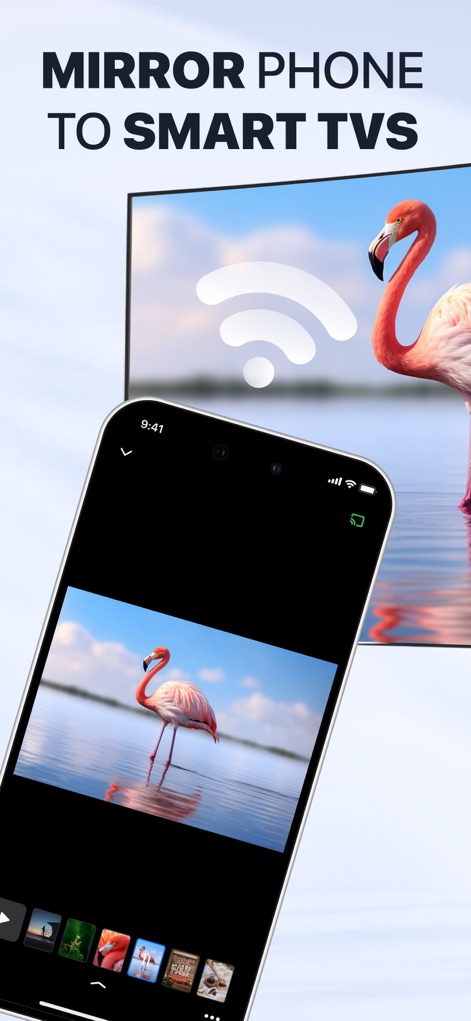
La aplicación proyecta contenido desde el iPhone a la Smart TV de forma inalámbrica, mostrando claramente una imagen de un flamenco y un ícono de conexión Wi-Fi en pantalla.
Duplicación Móvil
Esta herramienta es reconocida como la solución número uno para la duplicación de pantalla, destacada por el distintivo "#1 SCREEN MIRRORING" y la aprobación de "5M+ Happy Users".
Reconocimiento Global
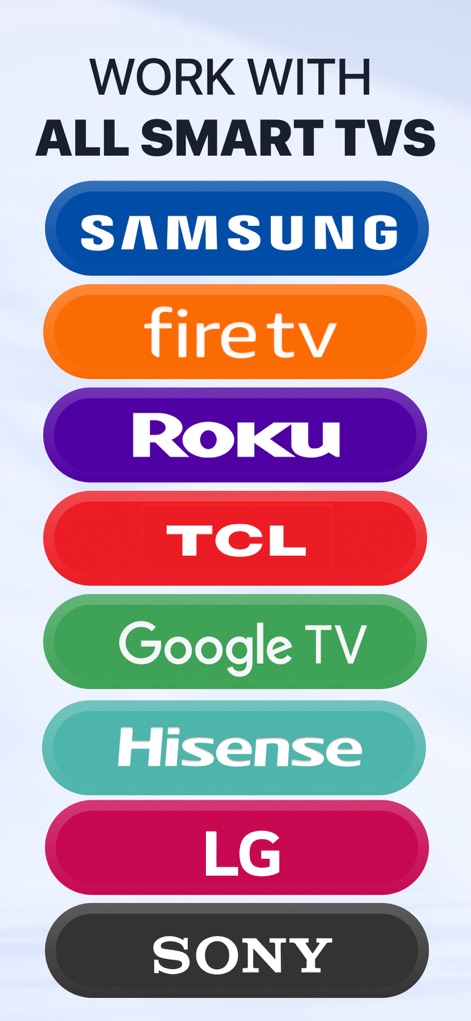
La aplicación asegura la conectividad con diversas plataformas de Smart TV, como demuestran los logotipos de marcas clave como "SAMSUNG" y "Roku".
Amplia Compatibilidad
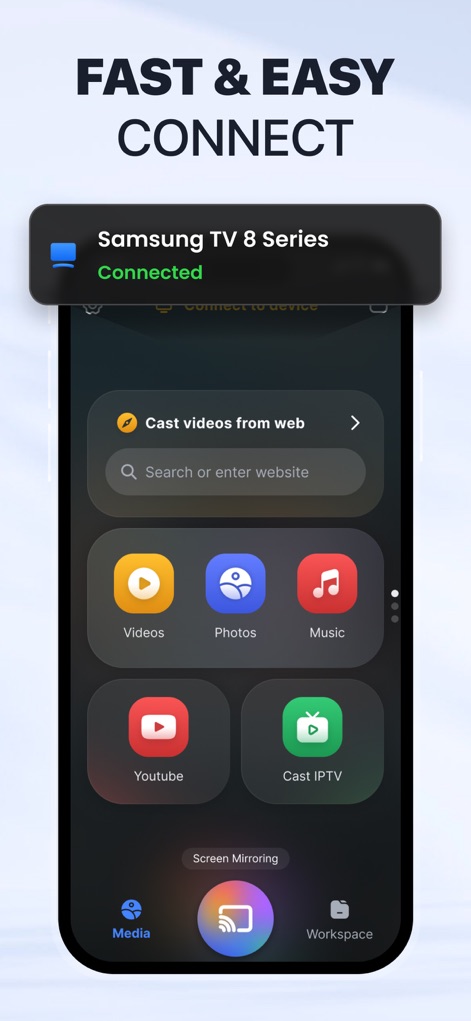
La interfaz muestra una conexión "FAST & EASY CONNECT" a la televisión, confirmada por la notificación "Samsung TV 8 Series Connected" y los íconos de "Videos" y "Photos" para compartir.
Conexión Fluida
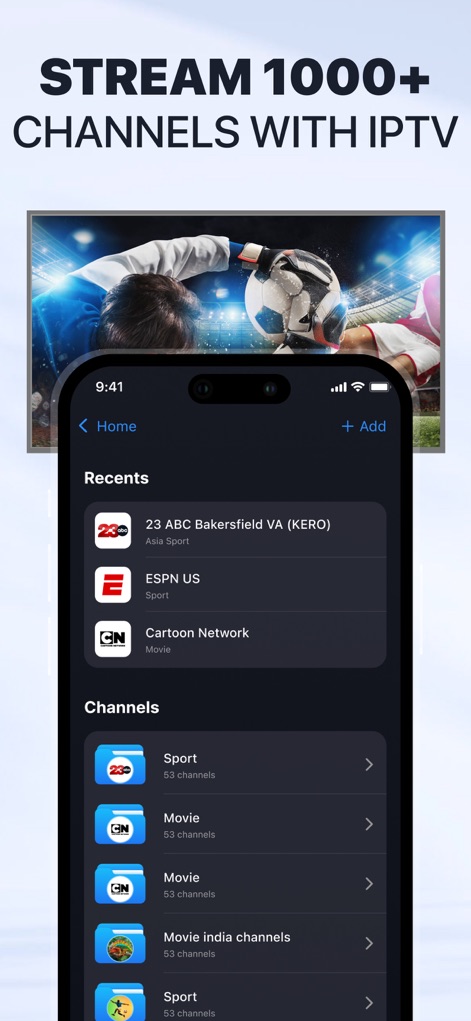
La herramienta ofrece acceso a más de "1000+ CHANNELS" a través de IPTV, organizados en categorías como "Sport" y "Movie" para una experiencia de visualización variada.
Entretenimiento Ilimitado

Los usuarios pueden compartir creaciones artísticas en la pantalla grande, visualizando un dibujo infantil detallado y con un botón de acción claro como "Cast Draw".
Proyecta tu Arte
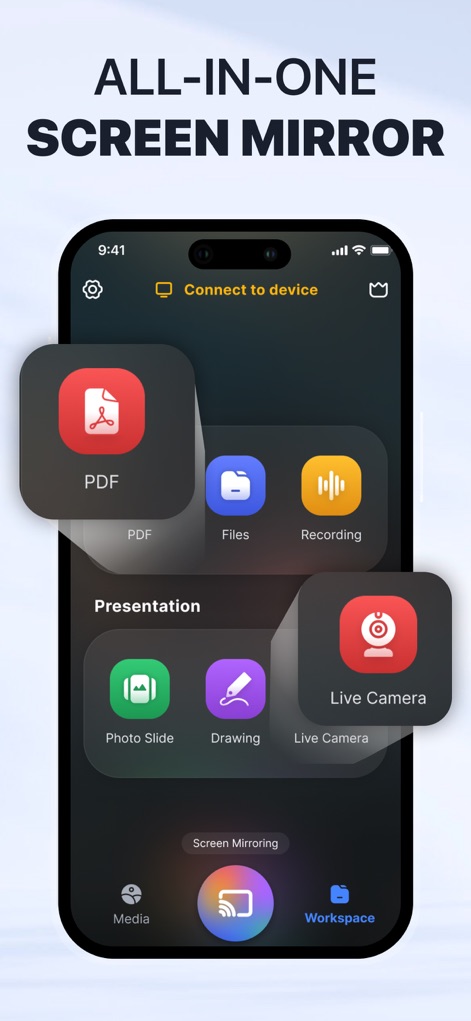
Descubra una solución "ALL-IN-ONE SCREEN MIRROR" que integra diversas funciones, incluyendo la visualización de "PDF" y la transmisión desde la "Live Camera".
Funcionalidad Completa
Descripción
Download
Apps Similares
Apps con características y experiencia similares

Web Video Cast | Browser to TV
InstantBits Inc

PigeonCast:Send by Google Cast
Sichuan FalconAI Technology Co., Ltd.

Screen Mirroring • Smart TV
Mihkel Pikk

Screen Mirroring | Cast to TV
Ozuna Limited

Screen Mirroring・Smart View TV
TOGGLE APPS SP Z O O

UbeCast: Music Streamer & PiP
AER SOFTWARE COMPANY LIMITED

AirDroid Cast-screen mirroring
SAND STUDIO CORPORATION LIMITED

Miracast: Screen Mirroring TV
Hainan Delta Software Co., Ltd

Screen Mirroring・Air Cast TV
Dalma Innovation Solutions d.o.o.
Esta página no es una página oficial de la aplicación ni de su desarrollador, sino una publicación editorial independiente creada con fines informativos y de comentario. Salvo que se indique expresamente lo contrario, ni la aplicación ni su desarrollador están afiliados, respaldados, patrocinados, autorizados ni conectados oficialmente con MWM, Apple, Google Play, el editor de la aplicación ni su desarrollador, y nada en esta página implica que la aplicación haya sido desarrollada utilizando los servicios de MWM. Todas las marcas comerciales, logotipos, capturas de pantalla y demás contenidos son propiedad de sus respectivos propietarios.