
Esta página no es una página oficial de la aplicación ni de su desarrollador, sino una publicación editorial independiente creada con fines informativos y de comentario. Salvo que se indique expresamente lo contrario, ni la aplicación ni su desarrollador están afiliados, respaldados, patrocinados, autorizados ni conectados oficialmente con MWM, Apple, Google Play, el editor de la aplicación ni su desarrollador, y nada en esta página implica que la aplicación haya sido desarrollada utilizando los servicios de MWM. Todas las marcas comerciales, logotipos, capturas de pantalla y demás contenidos son propiedad de sus respectivos propietarios.

SidePilot
Olvida el portátil y toma el mando total de tu flota MAVLink. Ejecuta misiones complejas de waypoints, supervisa telemetría en vivo y gestiona parámetros directamente desde tu dispositivo iOS con seguridad ADSB integrada.
Descargas
48K+Valoración
Total valoraciones
100Editor
Categoría
UtilitiesIdiomas
1Última versión
2.1.6Tamaño
111.2 MBFecha de lanzamiento
29 sept 2016Tu Centro de Comando Móvil
Olvida el portátil y toma el control total de tu dron ArduPilot. SidePilot lleva la telemetría MAVLink de grado profesional, la planificación de misiones y el ajuste de parámetros a tu bolsillo.
Planificación de Misiones Avanzada
Diseña vuelos autónomos complejos sobre la marcha. Crea waypoints, establece perímetros de seguridad (geofences) o genera cuadrículas de levantamiento profesional directamente desde tu iPad o iPhone.
Conciencia Situacional de Nivel Profesional
Vuela con confianza utilizando avisos ADSB integrados para aeronaves cercanas, datos de telemetría en vivo y alertas audibles personalizables para estadísticas de vuelo críticas.
Las siguientes capturas de pantalla y la descripción provienen directamente del listado oficial de la tienda de la aplicación y son propiedad del desarrollador.
App Store
Capturas
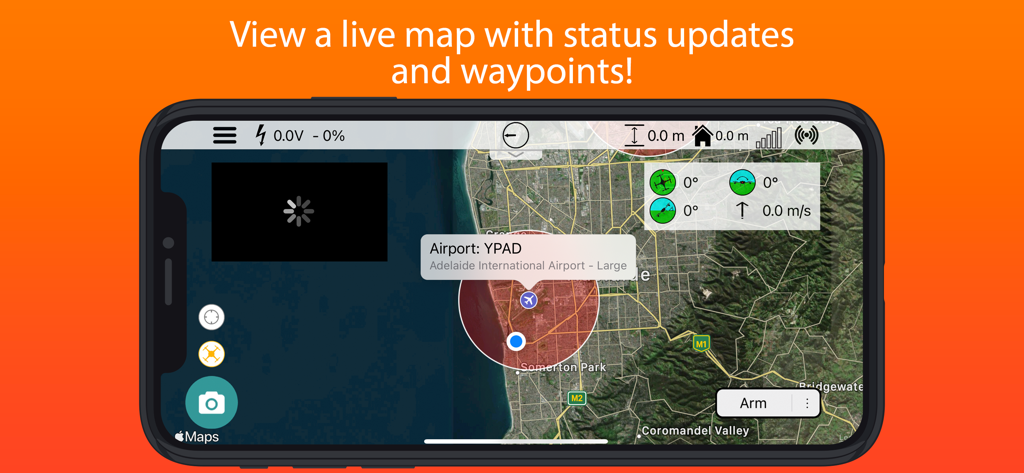
Interfaz de la estación terrestre SidePilot que muestra el mapa del dron en vivo y los datos de telemetría
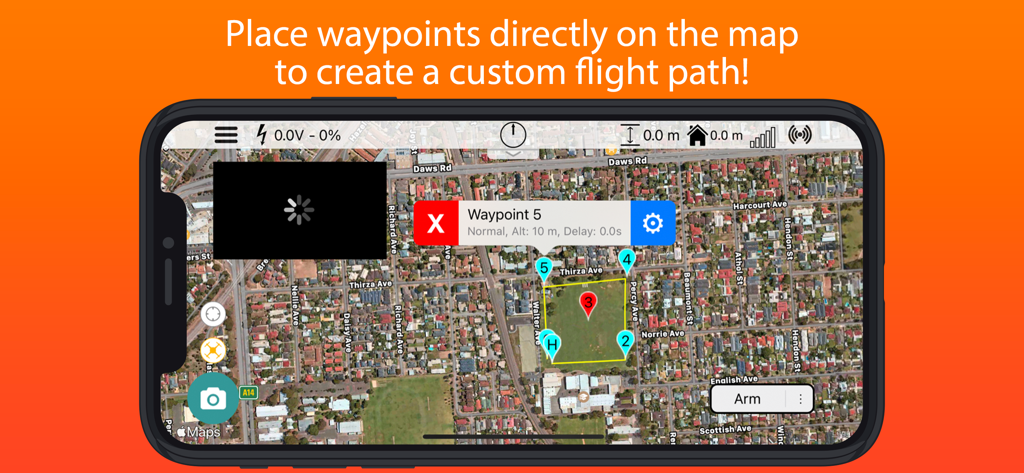
Interfaz de la aplicación SidePilot que muestra un mapa satelital con waypoints numerados para planificar una ruta de vuelo de dron personalizada.
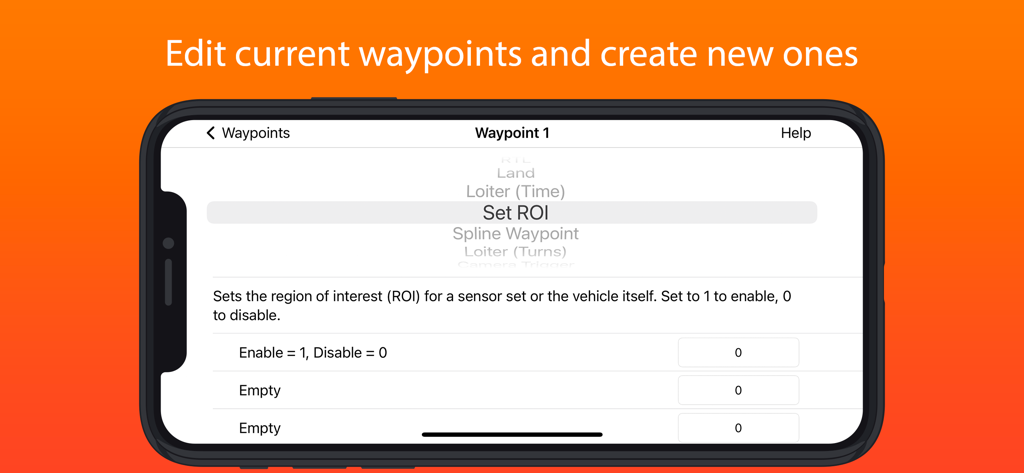
Interfaz de la aplicación SidePilot que muestra la configuración de waypoints del dron y los ajustes de la región de interés
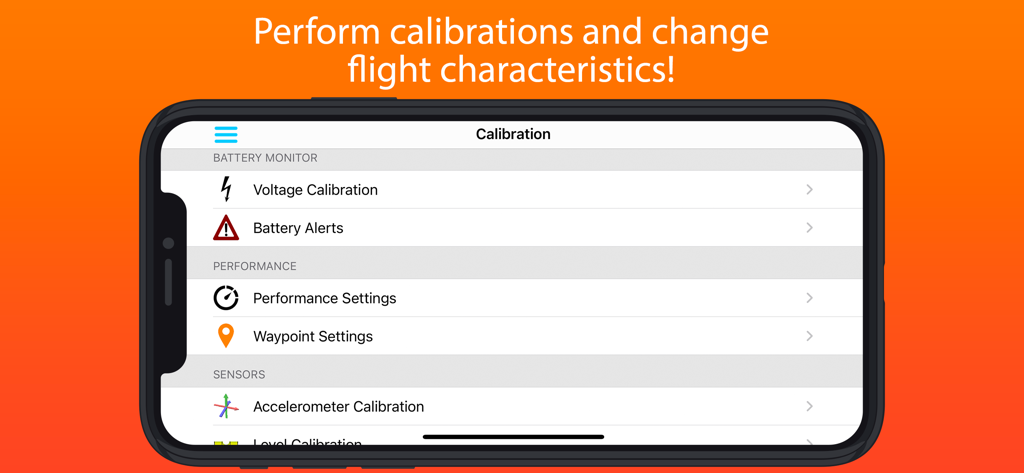
Interfaz de calibración del dron y ajustes de vuelo de SidePilot
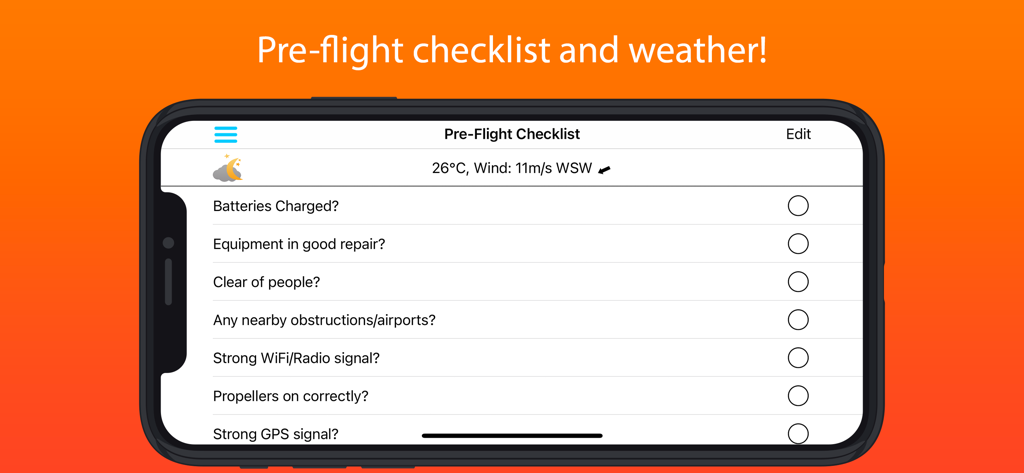
Captura de pantalla de la aplicación SidePilot de una lista de verificación previa al vuelo del dron y datos meteorológicos
Descripción
Download
Apps Similares
Apps mejor clasificadas en la misma categoría

Google LLC

Google Chrome
Google LLC

中国移动(手机营业厅)
China Mobile Online Services Co., Ltd.

Google Authenticator
Google LLC

CNH do Brasil
Servicos e Informacoes do Brasil

Cleanup: Phone Storage Cleaner
DEEP FLOW SOFTWARE SERVICES - FZCO

gov.br
Servicos e Informacoes do Brasil

中国电信-全国统一官方服务平台
CHINA TELECOM Corporation Ltd.

Microsoft Edge: AI Browser
Microsoft Corporation
Esta página no es una página oficial de la aplicación ni de su desarrollador, sino una publicación editorial independiente creada con fines informativos y de comentario. Salvo que se indique expresamente lo contrario, ni la aplicación ni su desarrollador están afiliados, respaldados, patrocinados, autorizados ni conectados oficialmente con MWM, Apple, Google Play, el editor de la aplicación ni su desarrollador, y nada en esta página implica que la aplicación haya sido desarrollada utilizando los servicios de MWM. Todas las marcas comerciales, logotipos, capturas de pantalla y demás contenidos son propiedad de sus respectivos propietarios.