
Esta página no es una página oficial de la aplicación ni de su desarrollador, sino una publicación editorial independiente creada con fines informativos y de comentario. Salvo que se indique expresamente lo contrario, ni la aplicación ni su desarrollador están afiliados, respaldados, patrocinados, autorizados ni conectados oficialmente con MWM, Apple, Google Play, el editor de la aplicación ni su desarrollador, y nada en esta página implica que la aplicación haya sido desarrollada utilizando los servicios de MWM. Todas las marcas comerciales, logotipos, capturas de pantalla y demás contenidos son propiedad de sus respectivos propietarios.


Signature Creator: Signing app
Deja la impresora y pasa al formato sin papel. Crea firmas manuscritas profesionales, escanea documentos y firma cualquier PDF al instante desde tu iPhone o iPad.
Descargas
1K+Valoración
Total valoraciones
0Editor
Categoría
ProductivityIdiomas
33Última versión
1.7Tamaño
26.8 MBFecha de lanzamiento
2 jun 2025Firma sin Esfuerzo para el Profesional Moderno
Deja de perder tiempo con impresoras y escáneres. Crea, personaliza y aplica firmas profesionales a cualquier documento en segundos, directamente desde tu dispositivo.
Firma Instantánea con un Toque
Cierra tratos más rápido firmando contratos y formularios directamente en tu pantalla con tu dedo o Apple Pencil. No se requiere hardware.
Marca Profesional Personalizada
Diseña un autógrafo digital único con estilos y colores ajustables para asegurar que tu firma luzca tan profesional como tú.
Las siguientes capturas de pantalla y la descripción provienen directamente del listado oficial de la tienda de la aplicación y son propiedad del desarrollador.
App Store
Capturas
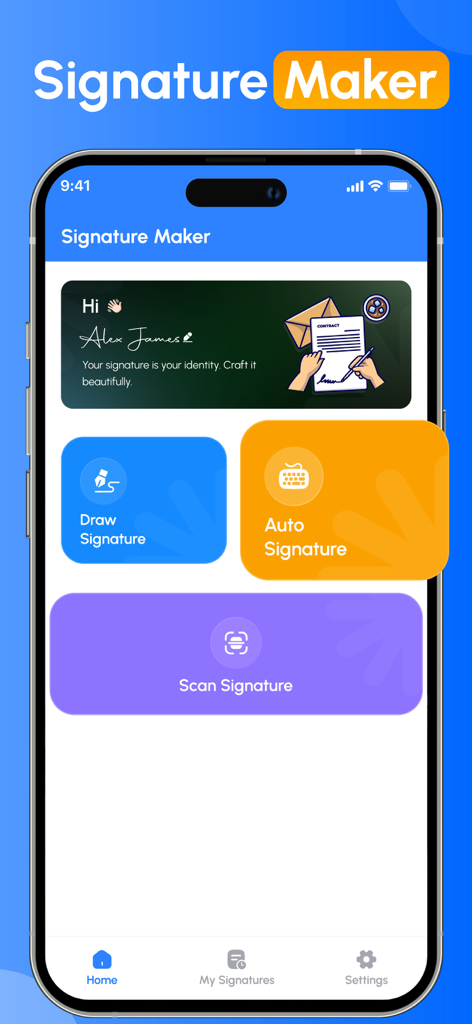
Panel de la aplicación Signature Maker con opciones para dibujar, generar automáticamente o escanear una firma
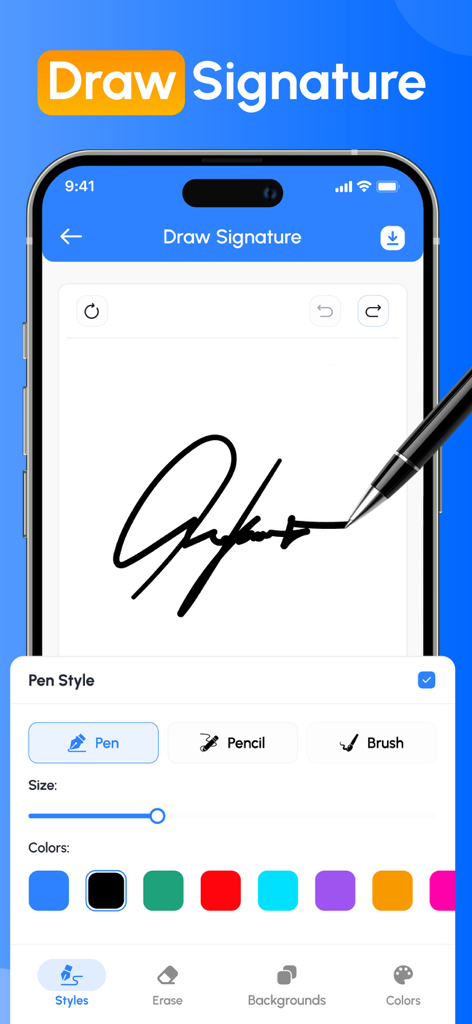
Pantalla de la aplicación móvil mostrando una firma manuscrita siendo dibujada con estilos de bolígrafo y colores personalizables
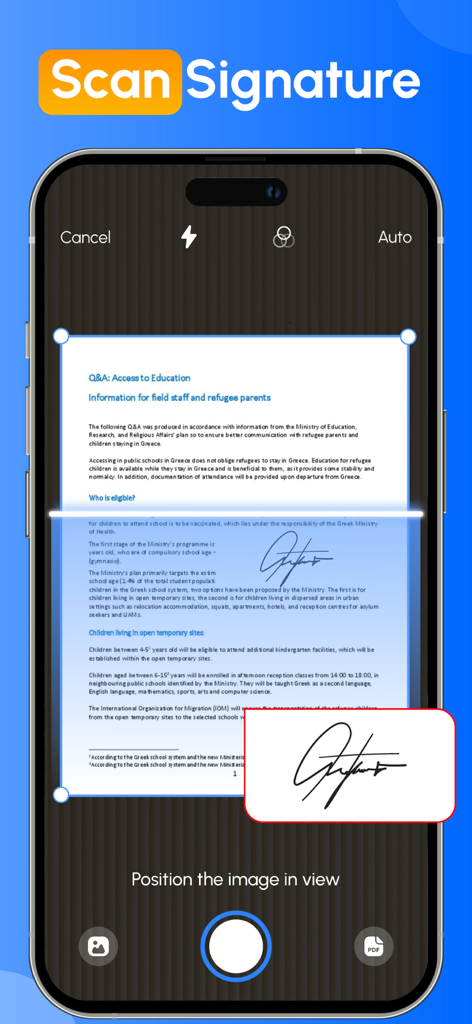
Pantalla de smartphone utilizando la cámara para escanear una firma manuscrita de un documento en papel
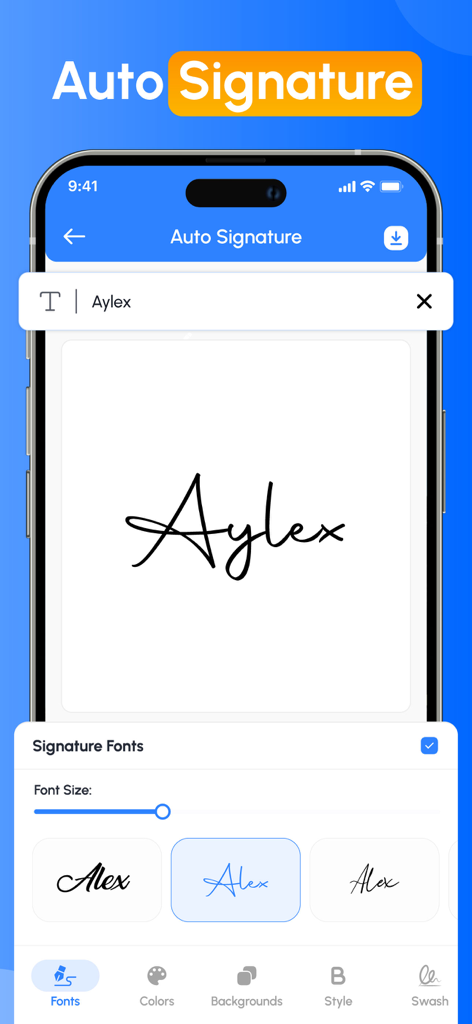
Interfaz de la aplicación Signature Creator mostrando varios estilos de fuente manuscrita para crear una firma automática.
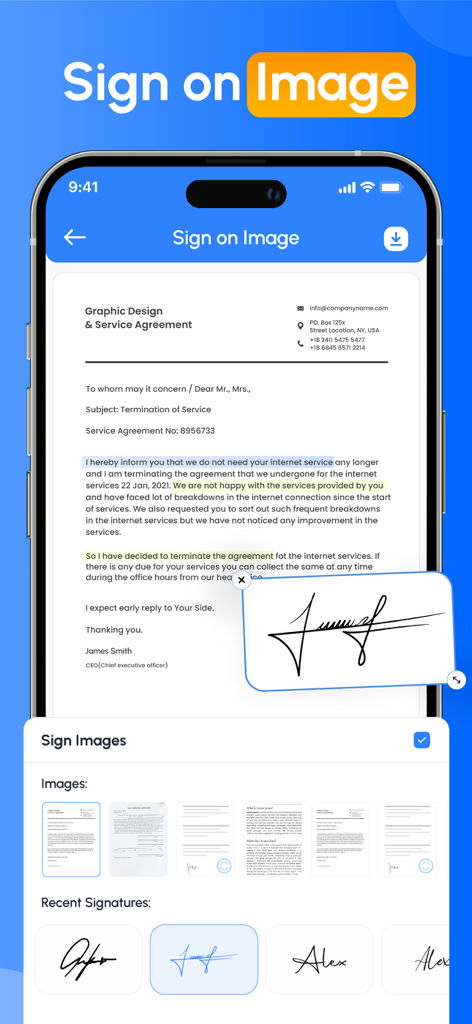
Una interfaz de smartphone que muestra un acuerdo de servicio profesional con una firma manuscrita digital aplicada al documento
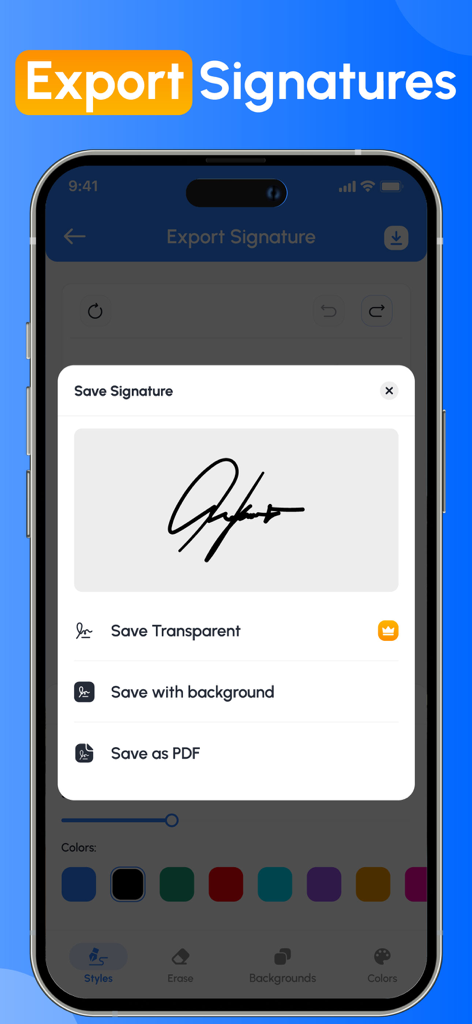
Interfaz de la aplicación Signature Creator mostrando opciones para guardar una firma digital como una imagen transparente, con fondo o como PDF.
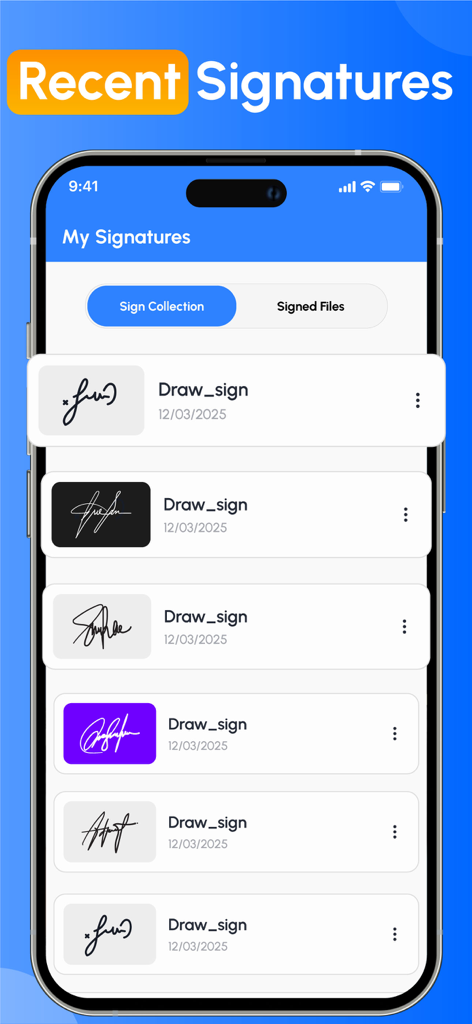
Una lista de firmas digitales guardadas en varios estilos y colores de fondo dentro de la interfaz de la aplicación Signature Creator.
Descripción
Download
Apps Similares
Apps mejor clasificadas en la misma categoría

ChatGPT
OpenAI OpCo, LLC

Google Gemini
Google LLC

Grok
X.AI Corporation

Gmail - Email by Google
Google LLC

千问 - 阿里最强大模型官方AI助手
Shanghai Zhixin Puhui Technology Co., Ltd.

Google Drive
Google LLC

Microsoft Authenticator
Microsoft Corporation

Google Sheets
Google LLC

Google Docs
Google LLC
Esta página no es una página oficial de la aplicación ni de su desarrollador, sino una publicación editorial independiente creada con fines informativos y de comentario. Salvo que se indique expresamente lo contrario, ni la aplicación ni su desarrollador están afiliados, respaldados, patrocinados, autorizados ni conectados oficialmente con MWM, Apple, Google Play, el editor de la aplicación ni su desarrollador, y nada en esta página implica que la aplicación haya sido desarrollada utilizando los servicios de MWM. Todas las marcas comerciales, logotipos, capturas de pantalla y demás contenidos son propiedad de sus respectivos propietarios.