
Esta página no es una página oficial de la aplicación ni de su desarrollador, sino una publicación editorial independiente creada con fines informativos y de comentario. Salvo que se indique expresamente lo contrario, ni la aplicación ni su desarrollador están afiliados, respaldados, patrocinados, autorizados ni conectados oficialmente con MWM, Apple, Google Play, el editor de la aplicación ni su desarrollador, y nada en esta página implica que la aplicación haya sido desarrollada utilizando los servicios de MWM. Todas las marcas comerciales, logotipos, capturas de pantalla y demás contenidos son propiedad de sus respectivos propietarios.

Stickyboard 2
Deja el papel y domina la imagen completa. Dibuja, haz lluvia de ideas y organiza miles de notas adhesivas al instante con gestos de Magic Arrange diseñados para estrategas profesionales.
Descargas
130K+Valoración
Total valoraciones
400Editor
Categoría
BusinessIdiomas
1Última versión
2.3Tamaño
2.6 MBFecha de lanzamiento
17 oct 2011Domina tu Mapa Mental
Convierte tu iPad en una sala de guerra de alta potencia. Olvida el papel y adopta un flujo de trabajo visual diseñado para diseñadores, estrategas y pensadores de la imagen completa.
Tecnología Magic Arrange
Deja de perder tiempo arrastrando notas manualmente. Usa gestos intuitivos de tres dedos para organizar instantáneamente ideas desordenadas en cuadrículas, pilas o columnas ordenadas.
Lienzo Creativo Ilimitado
Piensa más allá de las listas. Dibuja, escribe y mueve notas codificadas por colores libremente en un espacio vasto y ampliable que se adapta a tu modelo mental único.
Las siguientes capturas de pantalla y la descripción provienen directamente del listado oficial de la tienda de la aplicación y son propiedad del desarrollador.
App Store
Capturas
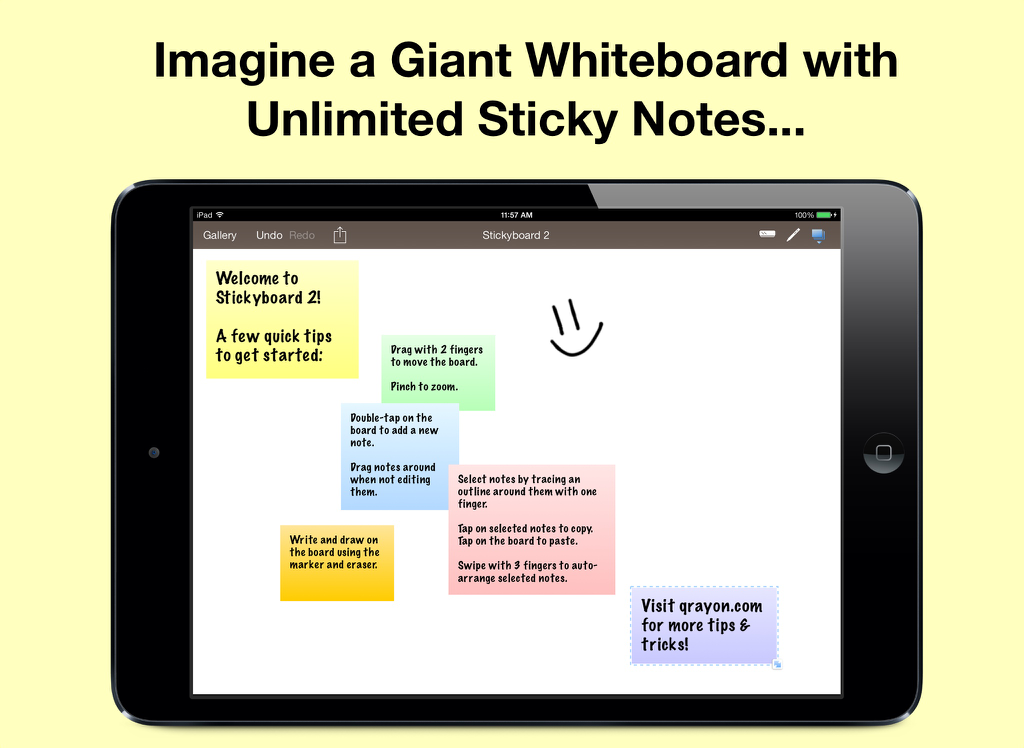
Pantalla de iPad mostrando la aplicación Stickyboard 2 con varias notas adhesivas digitales de colores y un rostro sonriente dibujado a mano en una pizarra virtual
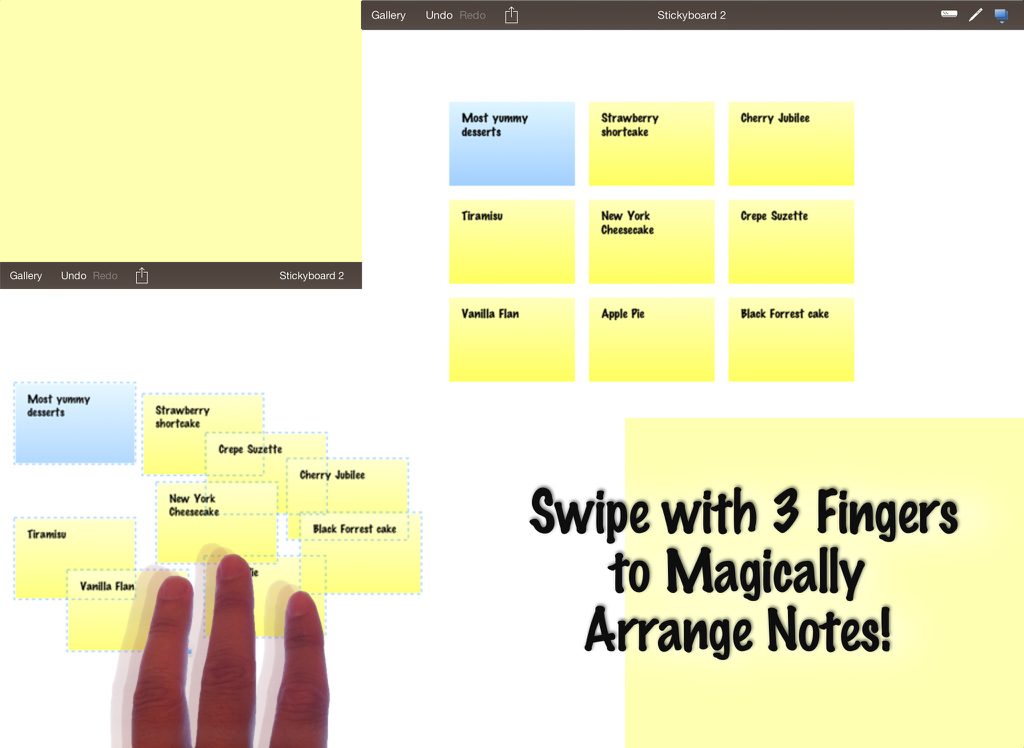
Captura de pantalla de iPad que muestra la aplicación Stickyboard 2 con un gesto de deslizamiento de tres dedos para organizar automáticamente notas adhesivas digitales en una pizarra virtual.
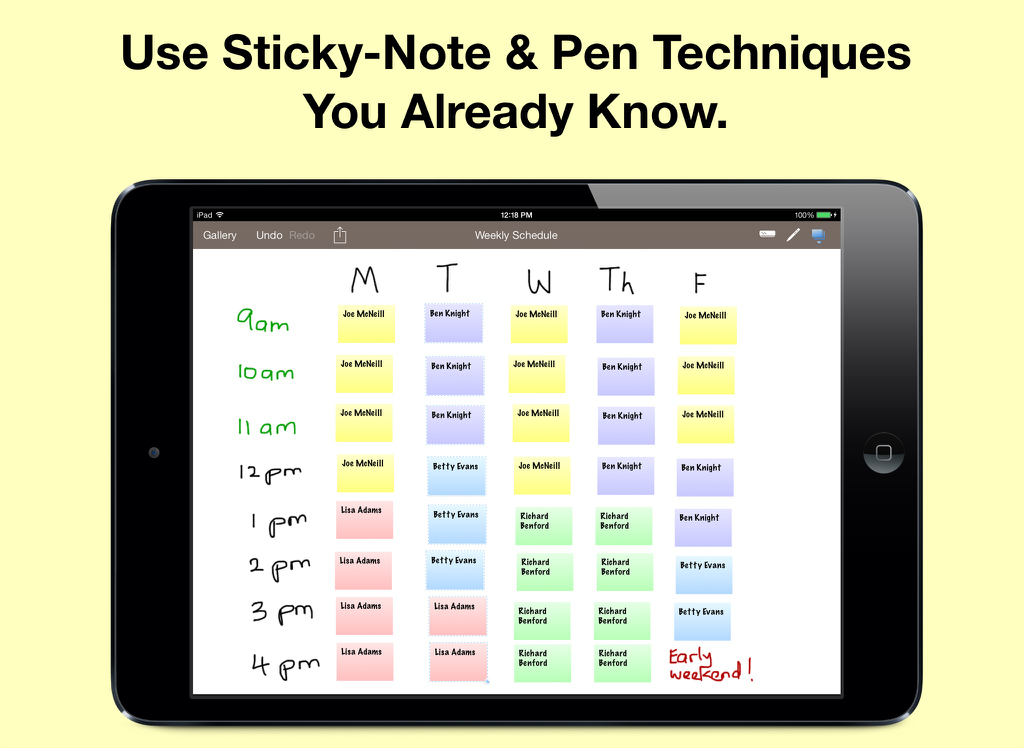
Calendario semanal en iPad usando Stickyboard 2 con notas adhesivas digitales codificadas por colores
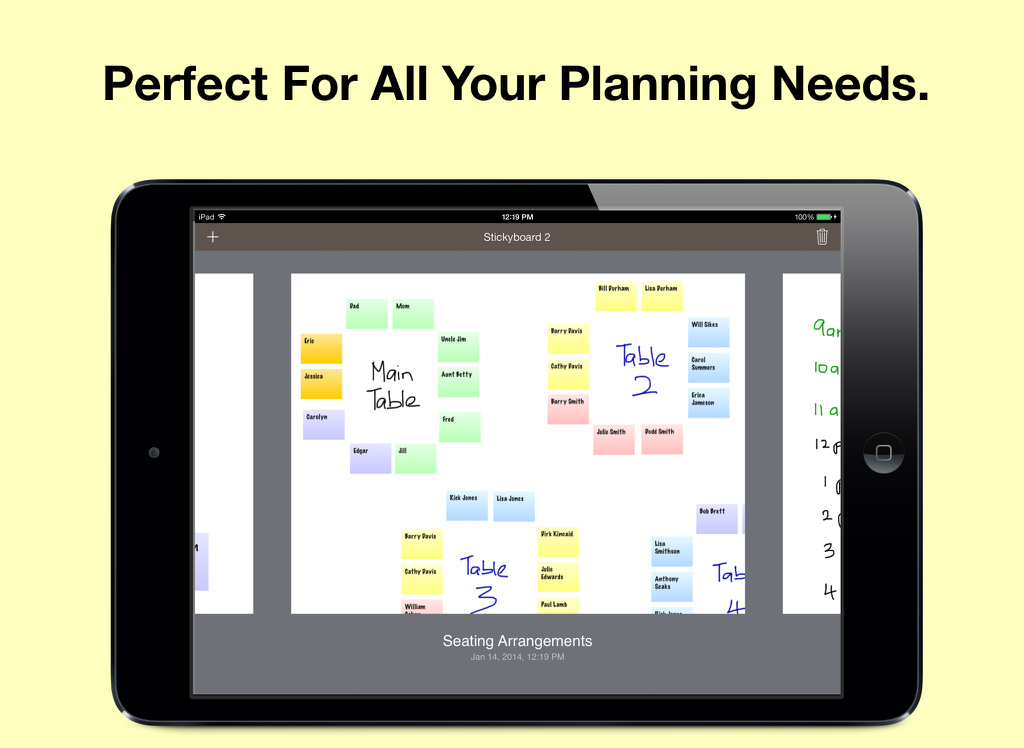
Una pantalla de iPad que muestra un plan de disposición de asientos con notas adhesivas digitales coloridas en una pizarra virtual
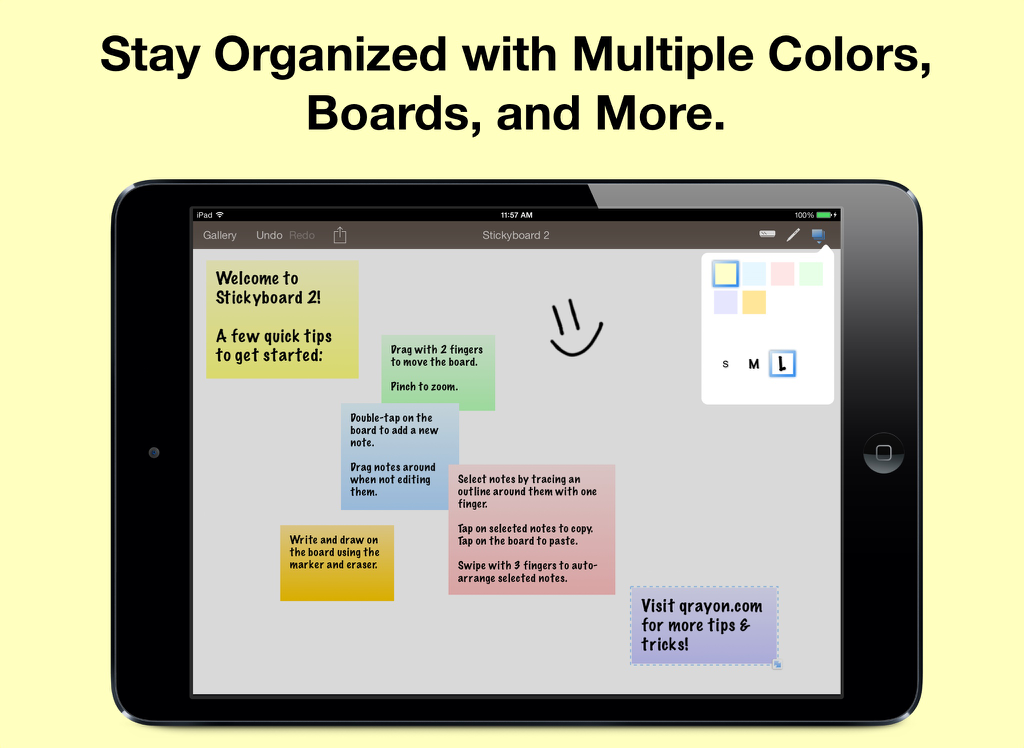
iPad mostrando la aplicación Stickyboard 2 con notas digitales coloridas y un dibujo sobre un fondo blanco
Descripción
Download
Apps Similares
Apps mejor clasificadas en la misma categoría

Microsoft Teams
Microsoft Corporation

Zoom Workplace
Zoom Communications, Inc.

WhatsApp Business
WhatsApp Inc.

Indeed Job Search
Indeed Inc.

LinkedIn: Network & Job Finder
LinkedIn Corporation

Adobe Acrobat Reader: Sign PDF
Adobe Inc.

WeCom-Work Communication&Tools
Tencent Technology (Shenzhen) Company Limited

BOSS直聘-招聘求职找工作神器
Beijing China Product Bo Farce Network Technology Co., Ltd.

DingDing - Redefine Work in AI
DingTalk Technology Co., Ltd.
Esta página no es una página oficial de la aplicación ni de su desarrollador, sino una publicación editorial independiente creada con fines informativos y de comentario. Salvo que se indique expresamente lo contrario, ni la aplicación ni su desarrollador están afiliados, respaldados, patrocinados, autorizados ni conectados oficialmente con MWM, Apple, Google Play, el editor de la aplicación ni su desarrollador, y nada en esta página implica que la aplicación haya sido desarrollada utilizando los servicios de MWM. Todas las marcas comerciales, logotipos, capturas de pantalla y demás contenidos son propiedad de sus respectivos propietarios.