TV Remote, Universal Control
Descargar en App Store

Esta página no es una página oficial de la aplicación ni de su desarrollador, sino una publicación editorial independiente creada con fines informativos y de comentario. Salvo que se indique expresamente lo contrario, ni la aplicación ni su desarrollador están afiliados, respaldados, patrocinados, autorizados ni conectados oficialmente con MWM, Apple, Google Play, el editor de la aplicación ni su desarrollador, y nada en esta página implica que la aplicación haya sido desarrollada utilizando los servicios de MWM. Todas las marcas comerciales, logotipos, capturas de pantalla y demás contenidos son propiedad de sus respectivos propietarios.

Logo de TV Remote, Universal Control
Descargar en App Store

TV Remote, Universal Control

Abandona el control físico torpe y los teclados de TV frustrantes. Experimenta una navegación sin esfuerzo con un touchpad integrado, configuración instantánea y duplicación de pantalla de alta definición para todos tus dispositivos de streaming favoritos.

Cifras Clave

Descargas

9K+

Valoración

4.4/5

Total valoraciones

1K+

Editor

Imran Yaqoob

Categoría

Utilities

Idiomas

2

Última versión

4.5

Tamaño

75.4 MB

Fecha de lanzamiento

28 oct 2021
Funciones

Control Inteligente para Toda tu Sala de Estar

Reemplaza los controles físicos torpes con una aplicación potente y todo en uno diseñada para una navegación fluida, escritura instantánea y uso compartido de pantalla sin esfuerzo.

Escribe y Desliza con Facilidad

Abandona el frustrante D-pad del televisor. Usa el teclado completo y el touchpad sensible de tu teléfono para encontrar tus programas de Netflix favoritos en tiempo récord.

Cero Configuración, Conexión Instantánea

Sin códigos de emparejamiento ni menús complejos. La aplicación detecta automáticamente tu Smart TV en la red Wi-Fi para que puedas controlar el volumen y la alimentación de inmediato.

Las siguientes capturas de pantalla y la descripción provienen directamente del listado oficial de la tienda de la aplicación y son propiedad del desarrollador.

App Store

Capturas
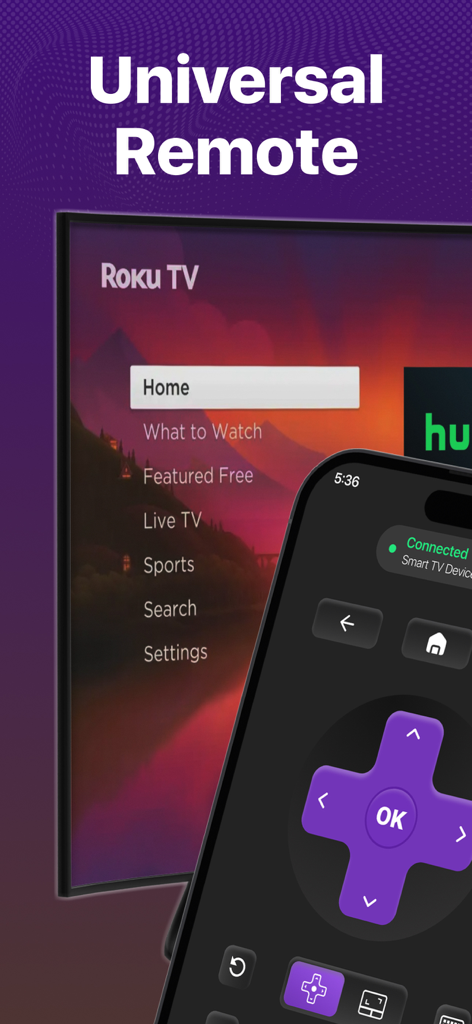
TV Remote, Universal Control - iPhone mostrando la interfaz de una aplicación de control remoto de TV universal conectada a un televisor Roku
iPhone mostrando la interfaz de una aplicación de control remoto de TV universal conectada a un televisor Roku

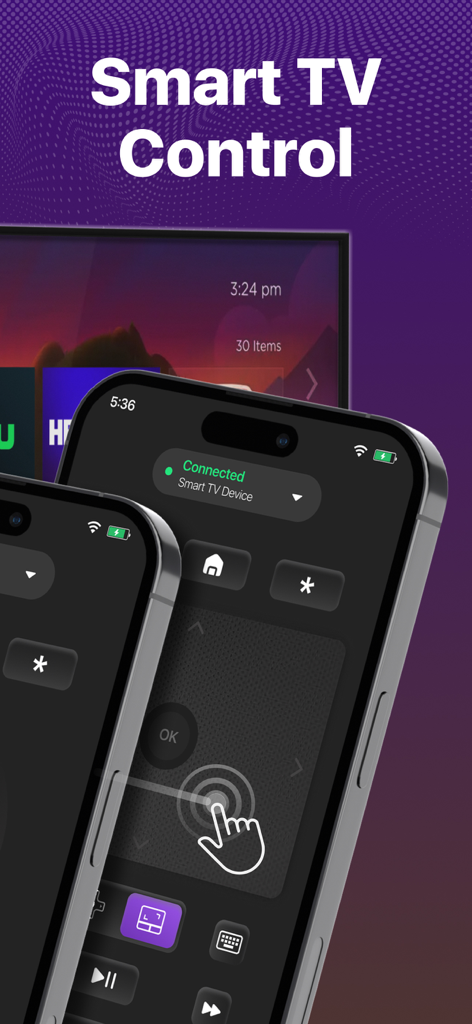
TV Remote, Universal Control - Interfaz de la aplicación de control remoto de Smart TV en un iPhone con touchpad y botones de navegación
Interfaz de la aplicación de control remoto de Smart TV en un iPhone con touchpad y botones de navegación

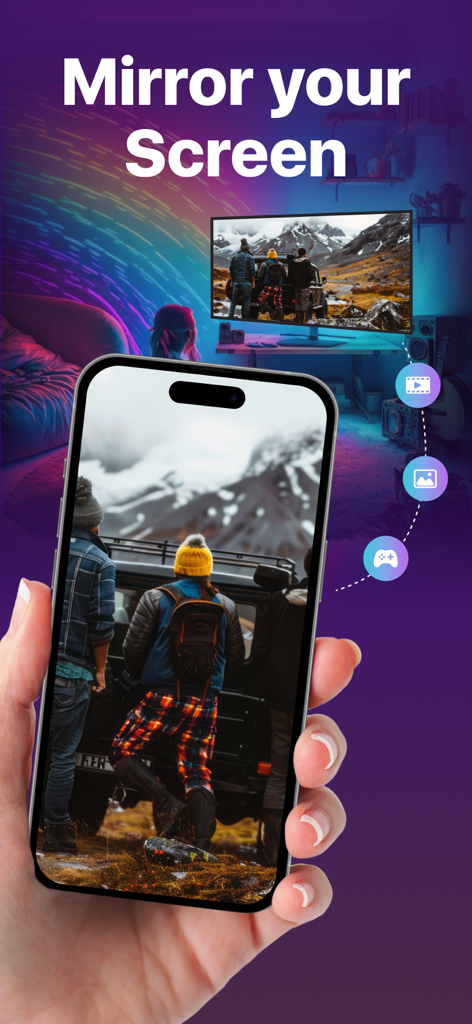
TV Remote, Universal Control - Duplicación de pantalla de un iPhone con una foto a un televisor inteligente usando la aplicación de control remoto universal
Duplicación de pantalla de un iPhone con una foto a un televisor inteligente usando la aplicación de control remoto universal

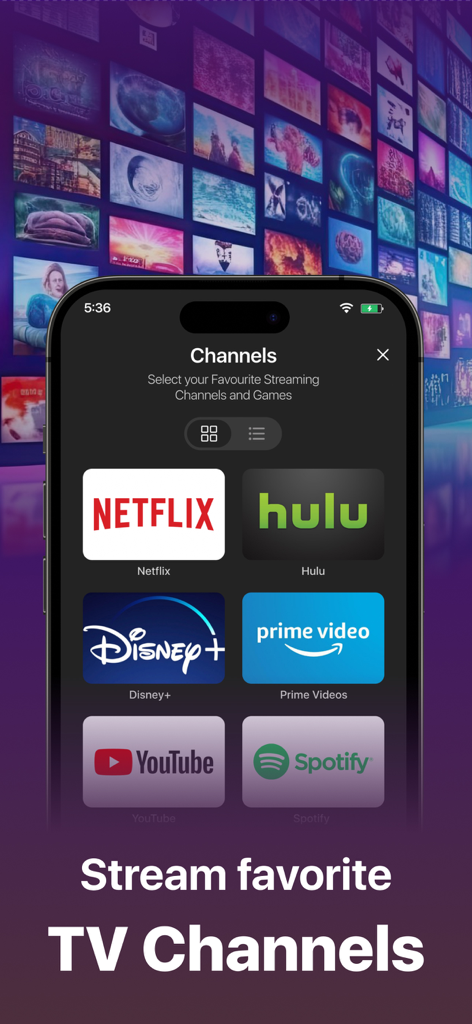
TV Remote, Universal Control - Interfaz de la aplicación de control remoto de TV universal que muestra accesos directos a canales de streaming como Netflix, Hulu y Disney Plus.
Interfaz de la aplicación de control remoto de TV universal que muestra accesos directos a canales de streaming como Netflix, Hulu y Disney Plus.

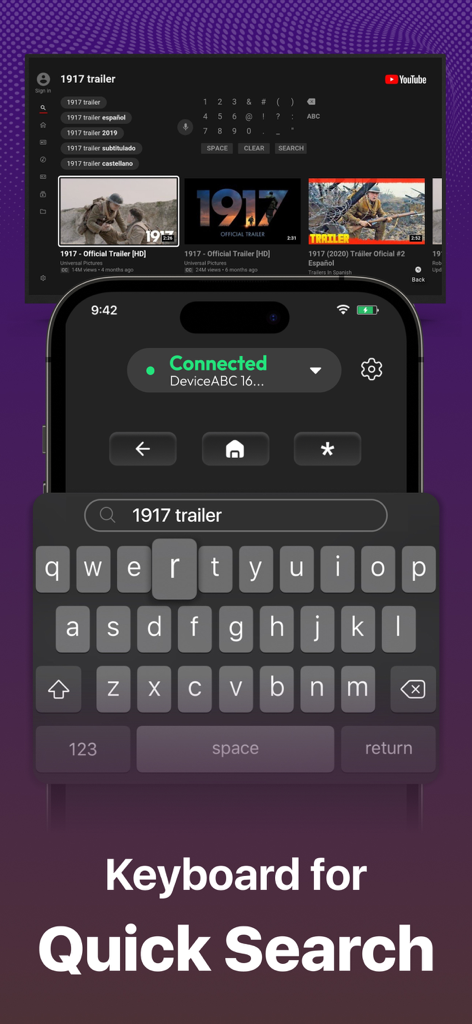
TV Remote, Universal Control - Teclado de aplicación de smartphone para búsqueda rápida en un televisor inteligente
Teclado de aplicación de smartphone para búsqueda rápida en un televisor inteligente

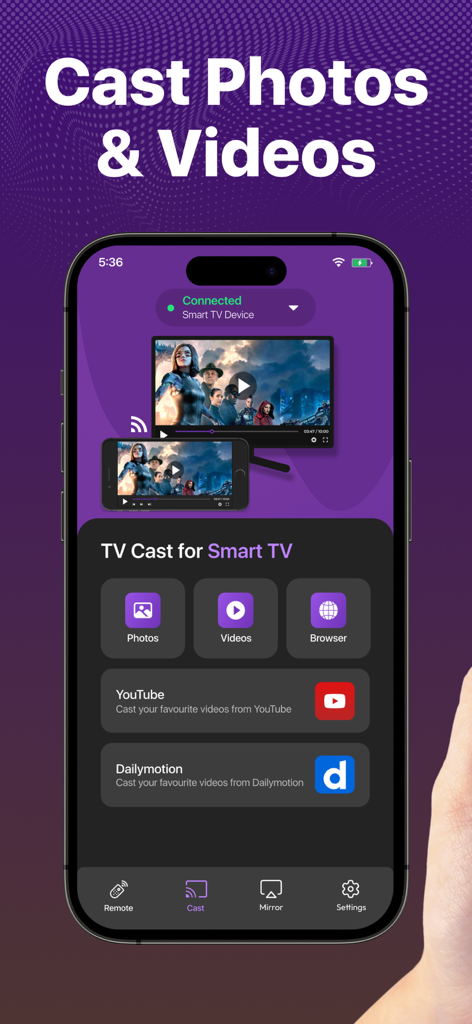
TV Remote, Universal Control - Interfaz de la aplicación TV Remote en smartphone que muestra opciones para transmitir fotos y videos a un Smart TV

Interfaz de la aplicación TV Remote en smartphone que muestra opciones para transmitir fotos y videos a un Smart TV

Descripción

Enjoy the Best, Super-Easy, and Feature-Loaded Remote Control + Screen Mirror for Smart TV on the App Store. Designed with your ease and convenience in mind, the new Remote Control offers every control you need to access your favorite channels on your Smart TV Streaming Device. Combined with the Screen Mirroring feature, the Universal remote control for tv is the best casting app you can use on the App store. Introducing the new touch-pad and keyboard feature on the Smart TV remote control app! Experience the ultimate convenience of streaming with our Smart TV Remote control mobile app. With a responsive touchpad and full keyboard search function, you can quickly search, browse, and stream your favorite content with just a few clicks. Say goodbye to bulky remotes and hello to effortless control with our TV remote app and touch-pad. Here are the fully-loaded features you will love in the app: No setup is required. Just download the app right now and start controlling your Smart TV device instantly. 4 Quick shortcuts to directly access your favorite streaming channels. Memorizes the last connected Smart devices. Easily switch between connected Smart devices. Volume Controls. Turn Smart device On/Off directly from the Remote. Mirror your iPhone screen to a smart TV. Cast your favorite videos, photos from your iPhone directly. You can also cast your favorite videos from facebook, dailymotion or anywhere from the internet to directly to your Smart Tv device. Smooth gaming experience in HD quality display mirroring. Present your business proposal and presentation with just one tap screen mirroring feature. Smooth Navigation Controls. Easy controls for you to navigate and type on a keyboard. Remote & Mirror Works on both iPhone and iPad. The Remote Control app automatically finds the devices connected to the same WiFi. The remote is designed to have the most useful controls on the screen for you. This saves you from a lot of clutter and complex navigation. The universal remote control comes with a zero setup policy. Just connect it to the same WiFi as your Smart device and start controlling the device from your app. The best thing about Universal Remote Control is that you can even control the volume directly from the remote. The remote control app helps you control everything you need on your Smart device. You can mirror your movies, photos, games, and other relevant stuff through Screen mirror. And for this, you don't need a native AirPlay feature because it provides you with all you need. Just mirror your iPhone to supported devices and mirror the joy of happiness. Casting photos and videos on your smart devices is also possible through our Smart app. We have tested every aspect of the Universal Smart Remote Control app on multiple devices. In case you find any bugs or want to give us any suggestions, we would love to receive your feedback at imran.yaqoob35@outlook.com Disclaimer: This app is not an affiliated entity of Roku, Inc, and is not an official product of Roku, Inc. You can upgrade to the premium version by subscribing to our monthly plan. It costs you $4.99 and is charged per month. The monthly plan comes with a free trial of 3 days. We also offer a Lifetime deal for just a one-time fee of $12.99. When you upgrade to our lifetime in-app purchase, the premium version is unlocked forever. Subscription Info: Monthly - $4.99 Lifetime - $12.99 - Payment will be charged to iTunes Account at confirmation of purchase - Subscription automatically renews unless auto-renew is turned off at least 24 hours before the end of the current period - The account will be charged for renewal within 24 hours prior to the end of the current period, and identify the cost of the renewal Privacy Policy: https://king-streamer.jimdosite.com/privacy/ Terms & Conditions: https://king-streamer.jimdosite.com/terms-and-conditions/ Terms of Subscription: https://king-streamer.jimdosite.com/subscription-terms/

Download

Descargar en App Store

Esta página no es una página oficial de la aplicación ni de su desarrollador, sino una publicación editorial independiente creada con fines informativos y de comentario. Salvo que se indique expresamente lo contrario, ni la aplicación ni su desarrollador están afiliados, respaldados, patrocinados, autorizados ni conectados oficialmente con MWM, Apple, Google Play, el editor de la aplicación ni su desarrollador, y nada en esta página implica que la aplicación haya sido desarrollada utilizando los servicios de MWM. Todas las marcas comerciales, logotipos, capturas de pantalla y demás contenidos son propiedad de sus respectivos propietarios.








