Vocal Remover:AI audio tool

Vocal Remover:AI audio tool

Descargar en App Store
Logo de Vocal Remover:AI audio tool

Vocal Remover: Herramienta de IA de audio — Separación de Stems de Nivel Profesional para Cada Creador

Aísla instantáneamente voces, baterías e instrumentos con IA de alta fidelidad en la nube. La herramienta esencial para productores, DJs y amantes del karaoke para deconstruir cualquier pista con precisión de estudio.

Editor

益民 李

Categoría

Music

Descargas

5K+

Valoración

4.7/5

Total valoraciones

100

Idiomas

7

Un Vistazo al Estudio

Descubre la interfaz utilizada por 5K+ usuarios.

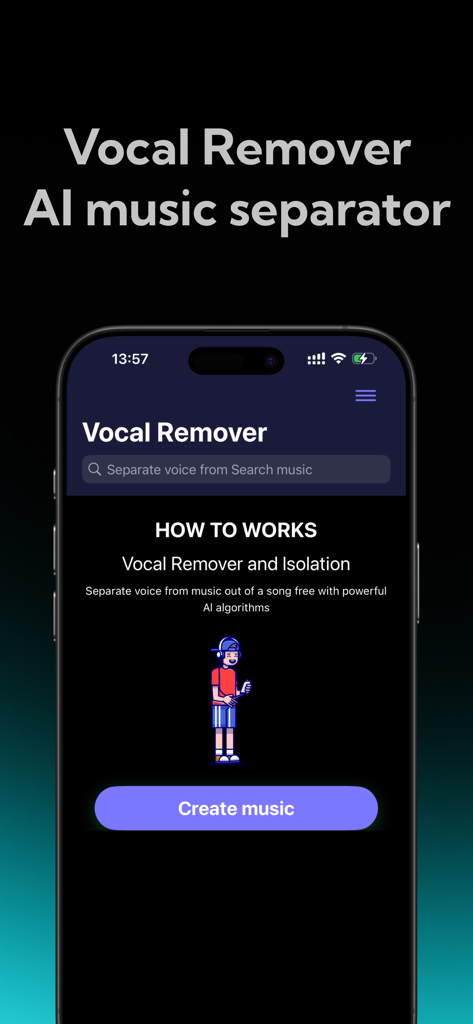
Un teléfono móvil mostrando la pantalla de inicio de la aplicación separadora de música con IA Vocal Remover con un botón Crear música.
Un teléfono móvil mostrando la pantalla de inicio de la aplicación separadora de música con IA Vocal Remover con un botón Crear música.

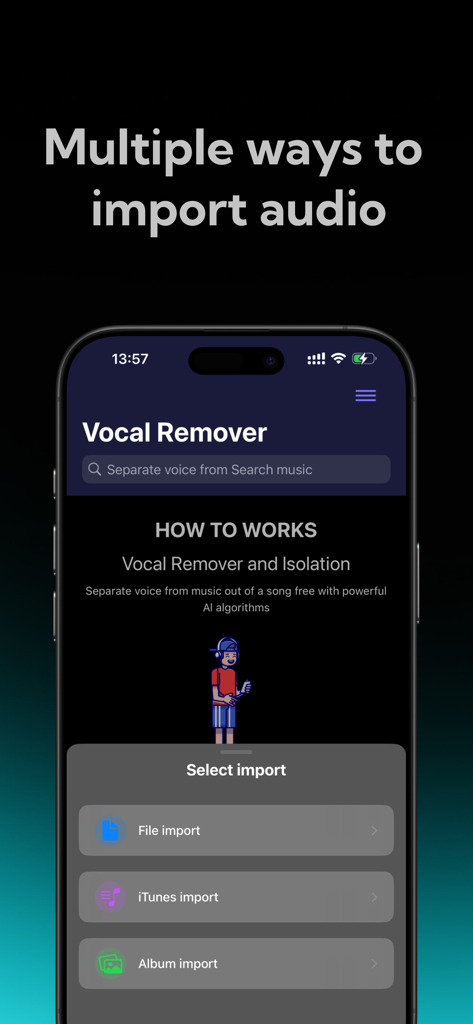
Interfaz de la aplicación Vocal Remover que muestra opciones para importar audio desde archivos, iTunes y álbum de fotos.
Interfaz de la aplicación Vocal Remover que muestra opciones para importar audio desde archivos, iTunes y álbum de fotos.

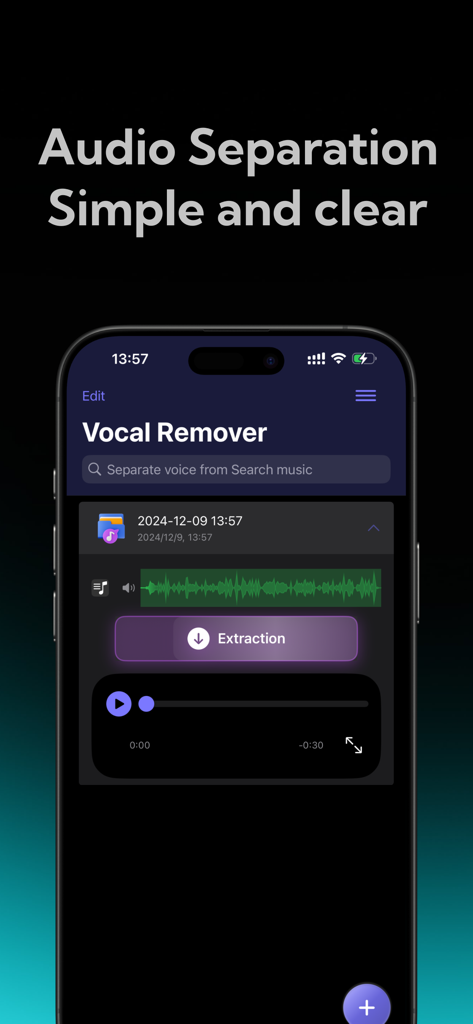
Interfaz de la aplicación móvil Vocal Remover que muestra una separación de audio IA simple y clara con un botón de extracción.
Interfaz de la aplicación móvil Vocal Remover que muestra una separación de audio IA simple y clara con un botón de extracción.

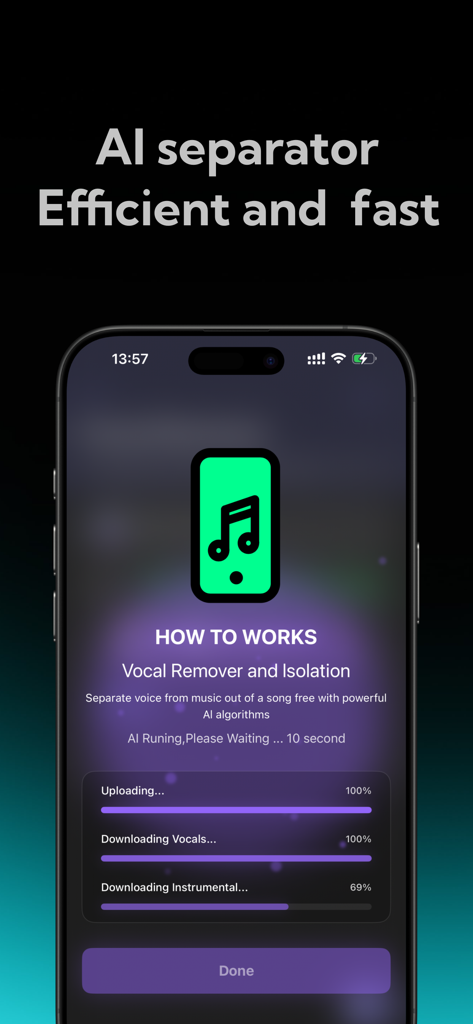
Una interfaz de aplicación móvil que muestra el progreso impulsado por IA de la separación de voces e instrumentales de una pista de música.
Una interfaz de aplicación móvil que muestra el progreso impulsado por IA de la separación de voces e instrumentales de una pista de música.

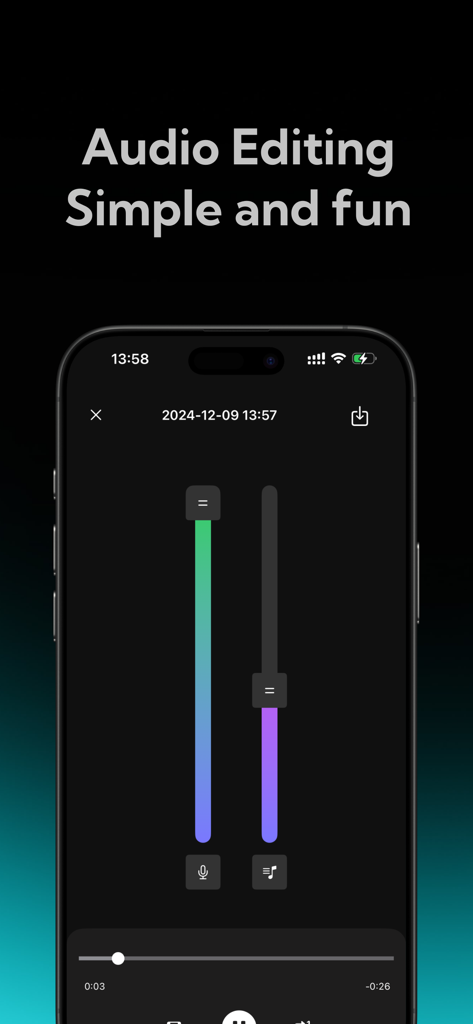
Interfaz de aplicación móvil con deslizadores verticales para ajustar los niveles de volumen de voz y acompañamiento.

Interfaz de aplicación móvil con deslizadores verticales para ajustar los niveles de volumen de voz y acompañamiento.

Transforma Cualquier Canción en un Recurso Creativo

Las herramientas que hacen destacar esta app, elegida por 5K+ usuarios.

🎤

Aislamiento Instantáneo de Voces e Instrumentos

Perfecto para karaoke o mashups de voz en off. Extrae voces de alta fidelidad con un solo toque utilizando nuestra IA en la nube líder en la industria.

🎛️

Stems Profesionales Multitrack

Descompón pistas en baterías, bajo y teclados. Ideal para DJs y productores que buscan crear remixes, samples y 'Type Beats' únicos.

Procesamiento en la Nube Ultrarrápido

Obtén resultados de calidad de estudio sin sobrecargar tu teléfono. El análisis seguro en la nube garantiza la máxima fidelidad de audio y total privacidad para tus archivos.

Sobre la app

Todo lo que necesitas saber sobre Vocal Remover:AI audio tool.

Descripción

Vocal Remover is a high-performance AI audio processing tool designed for music enthusiasts, audio creators, and professional sound engineers—and is also accessible for everyday users. Whether you want to create karaoke tracks, edit audio, teach music, or craft mixes, this app offers precise, high-quality track separation. With cloud-based AI technology, you can easily isolate vocals or accompaniment with a single tap, giving you endless creative freedom. Key Features 1. One-Tap Vocal and Accompaniment Separation a. Effortless Extraction: Simply upload your audio file, and Vocal Remover’s smart AI will quickly analyze it to separate the vocal and accompaniment tracks. Whether you’re working with songs, soundtracks, or other audio files, enjoy clear, noise-free separation suitable for any purpose. 2. Flexible Separation Modes a. Two-Track Separation: Quickly split vocals and accompaniment, ideal for those needing basic separation, such as for karaoke practice or creating accompaniment tracks. 3. AI-Powered, High-Quality Output a. With cutting-edge AI technology, Vocal Remover uses cloud-based analysis to precisely separate vocals from accompaniment, effectively filtering out noise and ensuring clear, high-fidelity audio output. Enjoy top-notch audio quality that maintains clarity and fidelity in separated tracks. b. Fast Processing: Whether working with high-quality files or extended audio clips, cloud-based AI algorithms deliver fast results in seconds, saving time and making audio processing efficient. 4. User-Friendly Interface a. Easy Operation, Beginner-Friendly: With an intuitive and clean design, even first-time users can navigate the app with ease. Simply upload your audio file, choose a separation mode, and the system handles the rest, making it accessible for users of all backgrounds. b. Multi-Track Editing: The five-track separation mode supports multi-track editing, enabling further customization and remixing of separated tracks—ideal for professional editing and creation. Ideal Use Cases ● Karaoke Enthusiasts: Want to practice singing but need a professional accompaniment? Vocal Remover can quickly isolate vocals, providing you with a karaoke-ready track in seconds. ● Education and Music Instruction: Music teachers and students can use this tool to deconstruct complex audio files, gaining insights into each track’s details and improving learning outcomes. ● Audio Researchers: Isolate different tracks to analyze audio components, supporting research and analytical work with accurate, separated data. Privacy and Security ● Secure Cloud Processing: Your audio files are processed on a secure cloud server and deleted immediately after, ensuring full privacy without being stored or shared. Subscription instructions and terms 1. Week Membership - $2.99 2. Year Membership - $29.99 GET AUDIO SEPARATION, UNLIMITED SONG UPLOADS 【Payment】The payment will be charged to the user's iTunes account upon purchase confirmation. 【Renewal】“Continuous Monthly/Quarterly/Annual” products are auto-renewable subscriptions. Upon purchase confirmation, fees will be deducted from your iTunes account. Subscriptions will auto-renew unless auto-renewal is turned off at least 24 hours before the end of the current subscription period. Within 24 hours before your subscription expires, Apple will automatically charge your iTunes account and your membership will be automatically extended for one subscription period upon successful payment. 【Cancel Renewal】To cancel auto-renewal, manually go to iOS Settings > Apple ID > Subscriptions, and cancel the “Vocal Remover: music separator” subscription. -- Terms of Service https://htmlpreview.github.io/?https://github.com/zhangxin1982/panger/blob/main/vocalAgreement.html -- Privacy Policy https://htmlpreview.github.io/?https://github.com/zhangxin1982/panger/blob/main/vocalPrivacy.html

Última versión

2.1

Tamaño

54.5 MB

Fecha de lanzamiento

11 dic 2024

¿Listo para Desbloquear la Separación de Stems Profesional?

Únete a miles de creadores que utilizan nuestra IA de alta fidelidad en la nube para aislar voces, baterías e instrumentos en segundos. Comienza tu próximo proyecto hoy mismo.

Descargar en App Store

App information, icons, screenshots, and descriptions displayed on this page are sourced from the Apple App Store and are the property of their respective developers. Download estimates and rankings are based on MWM's proprietary models and may not reflect actual figures. This page is provided for informational and analytical purposes only.

Believe this page infringes your intellectual property? File a dispute