
Esta página no es una página oficial de la aplicación ni de su desarrollador, sino una publicación editorial independiente creada con fines informativos y de comentario. Salvo que se indique expresamente lo contrario, ni la aplicación ni su desarrollador están afiliados, respaldados, patrocinados, autorizados ni conectados oficialmente con MWM, Apple, Google Play, el editor de la aplicación ni su desarrollador, y nada en esta página implica que la aplicación haya sido desarrollada utilizando los servicios de MWM. Todas las marcas comerciales, logotipos, capturas de pantalla y demás contenidos son propiedad de sus respectivos propietarios.

WatchsApp - Chat on Watch
Mantente conectado a tu red global con sincronización ultrarrápida, voz a texto e historial de chat completo: perfecto para reuniones, entrenamientos y la vida en movimiento.
Descargas
91K+Valoración
Total valoraciones
100Editor
Categoría
Social NetworkingIdiomas
17Última versión
1.2.5Tamaño
46.7 MBFecha de lanzamiento
15 abr 2025Desbloquea Todo el Potencial de WhatsApp en tu Muñeca
Cierra la brecha entre tu iPhone y tu Apple Watch con el compañero de mensajería definitivo. Mantente productivo, receptivo y conectado dondequiera que te lleve la vida.
Sincronización Instantánea en Tiempo Real
Disfruta de una entrega de mensajes ultrarrápida de 0.4 segundos. Tus chats se reflejan perfectamente entre tus dispositivos para una experiencia fluida sin tener que coger tu teléfono.
Control Completo de Interacción
Ve más allá de las notificaciones básicas. Usa entrada de voz, escritura a mano o respuestas rápidas personalizadas para iniciar nuevos chats y gestionar tus conexiones globales sobre la marcha.
Preguntas Frecuentes
Todo lo que necesitas saber sobre WatchsApp - Chat on Watch
¿Qué es WatchChat para Apple Watch?
WatchChat es una aplicación líder para mensajería de WhatsApp en tu Apple Watch. Permite a los usuarios enviar y recibir mensajes de WhatsApp directamente desde su muñeca, sincronizándose perfectamente con su iPhone sin necesidad del teléfono.
¿Puede WatchChat enviar y recibir mensajes de WhatsApp en Apple Watch?
Sí, WatchChat soporta el envío y recepción de mensajes de WhatsApp directamente desde tu Apple Watch. Esta función asegura una comunicación instantánea, permitiendo a los usuarios mantenerse en contacto sin usar su iPhone.
¿Cómo configuro WatchChat en mi Apple Watch?
Para configurar WatchChat, abre la aplicación en tu Apple Watch. Luego, inicia WhatsApp en tu iPhone, ve a Configuración de WhatsApp > Dispositivos vinculados > Vincular un dispositivo, y escanea el código QR que se muestra en tu Apple Watch.
¿WatchChat soporta respuestas rápidas para mensajes de WhatsApp?
Sí, WatchChat ofrece capacidades de respuesta rápida. Los usuarios pueden responder a mensajes usando voz, entrada de texto o elegir entre respuestas preestablecidas directamente en su Apple Watch para una comunicación más rápida.
¿Es WatchChat de uso gratuito o tiene opciones premium?
WatchChat ofrece funciones básicas para Apple Watch de forma gratuita. Las funcionalidades avanzadas, incluyendo chats ilimitados, acceso completo a contactos, fotos/videos en HD y entrada de escritura a mano/voz, requieren una suscripción Premium de pago.
¿Qué características premium ofrece WatchChat?
Las características premium de WatchChat incluyen chats ilimitados, acceso completo a contactos, fotos y videos en HD, entrada de escritura a mano y voz, y una experiencia sin anuncios. Estas opciones avanzadas están disponibles a través de una suscripción de pago.
¿Qué tan rápido es el rendimiento de WatchChat para emparejar y entregar mensajes?
WatchChat demuestra un rendimiento ultrarrápido. Logra un emparejamiento de 2.3 segundos con WhatsApp y una entrega de mensajes de 0.4 segundos entre tu Apple Watch y iPhone, asegurando un funcionamiento fluido.
¿WatchChat recopila datos personales de los usuarios?
No, WatchChat declara explícitamente que protege la privacidad del usuario. La aplicación no recopila datos personales como chats, números de teléfono ni ninguna otra información sensible de sus usuarios.
¿Está WatchChat asociado oficialmente con WhatsApp?
No, WatchChat no está asociado oficialmente con WhatsApp. Funciona como una aplicación de terceros desarrollada para integrar las funciones de mensajería de WhatsApp con el Apple Watch.
¿WatchChat permite ver fotos y videos en Apple Watch?
Sí, WatchChat soporta la visualización de fotos y videos en tu Apple Watch. Esta capacidad es parte de la suscripción premium, proporcionando calidad HD para la visualización de medios directamente en tu muñeca.
Las siguientes capturas de pantalla y la descripción provienen directamente del listado oficial de la tienda de la aplicación y son propiedad del desarrollador.
App Store
Capturas
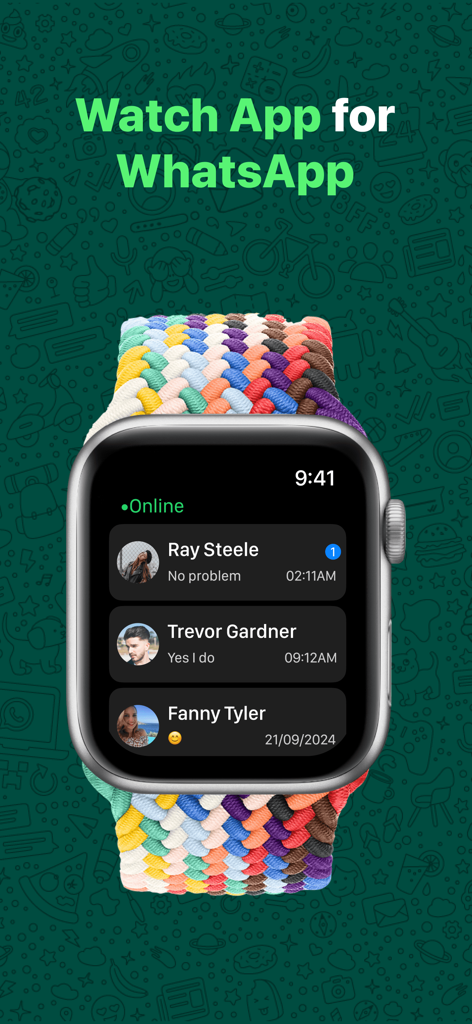
Interfaz de WatchsApp en un Apple Watch mostrando una lista de conversaciones de WhatsApp
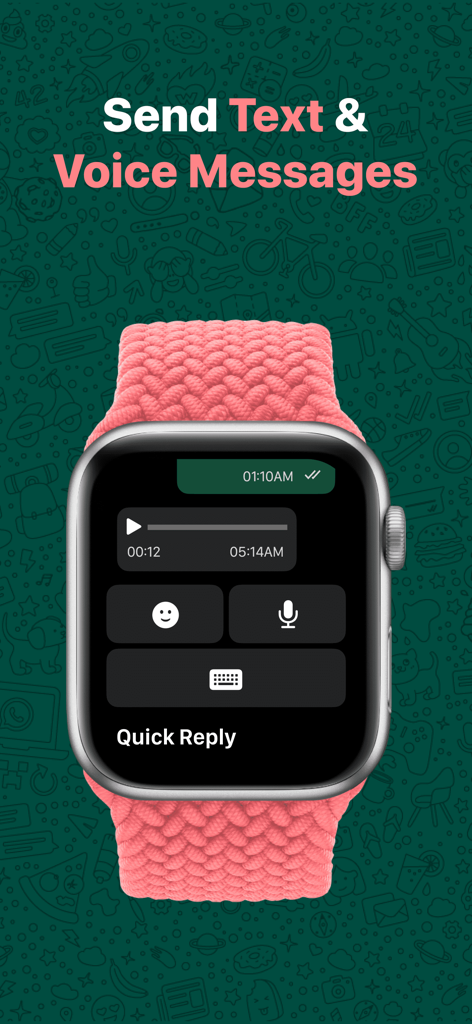
Interfaz de WatchsApp en un Apple Watch mostrando reproducción de mensajes de voz y opciones de respuesta rápida para texto y emojis
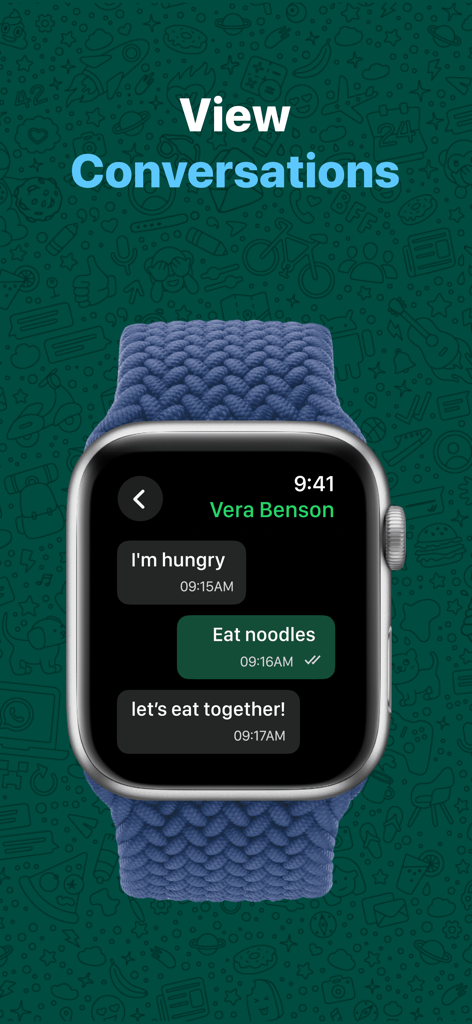
Apple Watch mostrando una conversación de chat de WhatsApp con mensajes y opciones de respuesta rápida
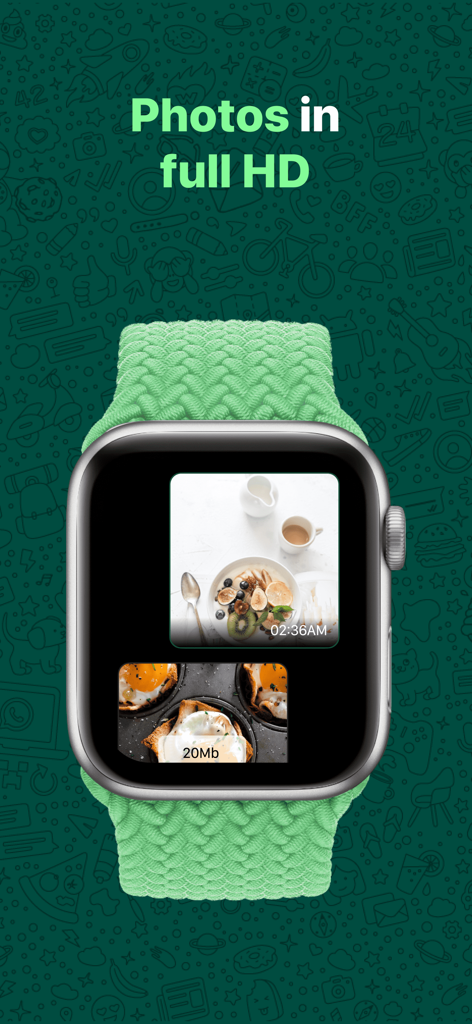
WatchsApp mostrando fotos HD en la pantalla del Apple Watch
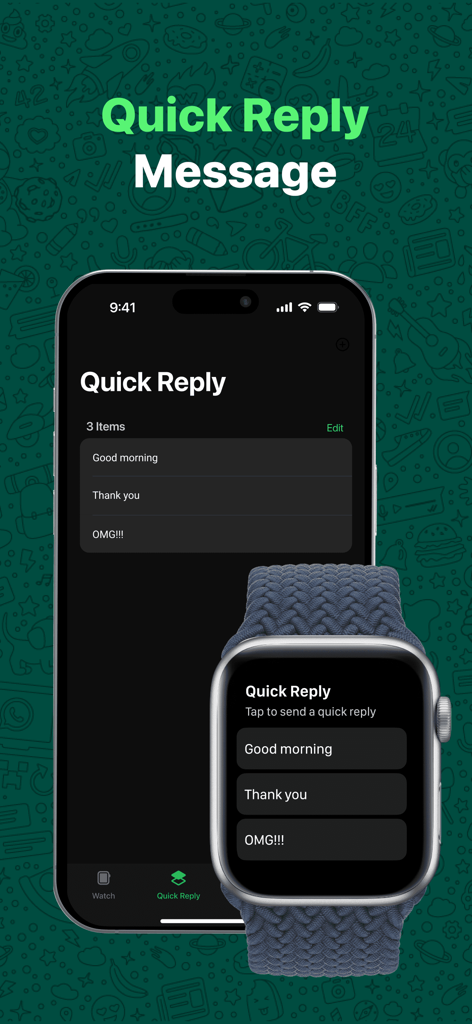
Un iPhone y un Apple Watch mostrando la interfaz sincronizada de mensajes de respuesta rápida para WhatsApp
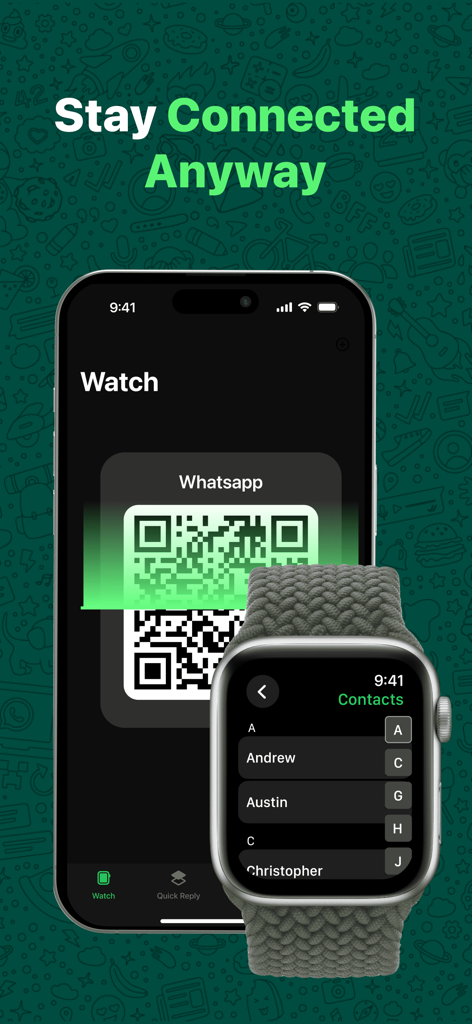
Un iPhone mostrando un código QR para emparejar WhatsApp con un Apple Watch mostrando una lista de contactos.
Descripción
Download
Apps Similares
Apps con características y experiencia similares

WatchsApp - Chat for Watch
BEYLER SAGLIK BILISIM SAVUNMA DANISMANLIK SANAYI VE TICARET LIMITED SIRKETI

Battery Life - check runtimes
RBT Digital LLC
Web Scanner - Dual App
Kokila Ukani
Whats-App Web Scanner
Sudhir Donga

WatchTalk: Chat on Watch
Bitsbaker LLC.

WristTube for YouTube
ALL RADIO DEVELOPMENT TECHNOLOGY JOINT STOCK COMPANY

WatchChat 2: Chat on Watch
XAN Software GmbH & Co. KG

WatchApp+ for Watch
Jennifer Kirby

Whats Messenger App
Michael Knochen
Esta página no es una página oficial de la aplicación ni de su desarrollador, sino una publicación editorial independiente creada con fines informativos y de comentario. Salvo que se indique expresamente lo contrario, ni la aplicación ni su desarrollador están afiliados, respaldados, patrocinados, autorizados ni conectados oficialmente con MWM, Apple, Google Play, el editor de la aplicación ni su desarrollador, y nada en esta página implica que la aplicación haya sido desarrollada utilizando los servicios de MWM. Todas las marcas comerciales, logotipos, capturas de pantalla y demás contenidos son propiedad de sus respectivos propietarios.