WristTopo: Offline Navigation
Descargar en App Store

Esta página no es una página oficial de la aplicación ni de su desarrollador, sino una publicación editorial independiente creada con fines informativos y de comentario. Salvo que se indique expresamente lo contrario, ni la aplicación ni su desarrollador están afiliados, respaldados, patrocinados, autorizados ni conectados oficialmente con MWM, Apple, Google Play, el editor de la aplicación ni su desarrollador, y nada en esta página implica que la aplicación haya sido desarrollada utilizando los servicios de MWM. Todas las marcas comerciales, logotipos, capturas de pantalla y demás contenidos son propiedad de sus respectivos propietarios.


Logo de WristTopo: Offline Navigation
Descargar en App Store

WristTopo: Offline Navigation

Planifica en iPhone, explora sin teléfono. Mapas topográficos de alto rendimiento y guía giro a giro diseñados para la ruta, el paseo y la carrera.

Cifras Clave

Descargas

15K+

Valoración

4.9/5

Total valoraciones

0

Editor

Piotr Janik

Categoría

Navigation

Idiomas

10

Última versión

5.0

Tamaño

114.6 MB

Fecha de lanzamiento

1 ene 2025
Funciones

Navegación profesional en tu muñeca

WristTopo ofrece una experiencia premium, pensada para el reloj, para aventureros que exigen precisión sin la distracción de una pantalla de smartphone.

Fiabilidad total sin conexión

Descarga mapas topográficos y satelitales detallados directamente en tu Apple Watch. Navega por las rutas más remotas con confianza, incluso en zonas sin cobertura.

Flujo ininterrumpido

Experimenta la guía de voz giro a giro y alertas visuales en tu muñeca. Mantente concentrado en tu carrera o paseo sin necesidad de sacar el teléfono de tu mochila.

Las siguientes capturas de pantalla y la descripción provienen directamente del listado oficial de la tienda de la aplicación y son propiedad del desarrollador.

App Store

Capturas
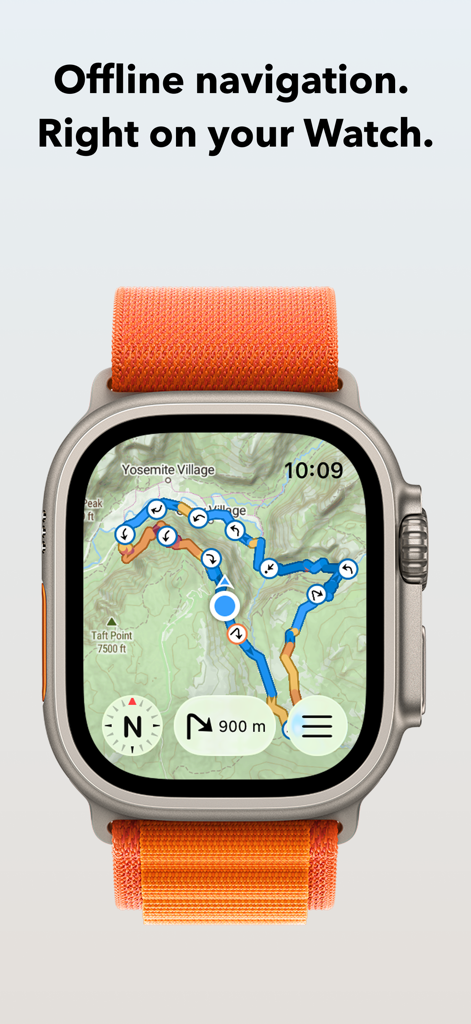
WristTopo: Offline Navigation - Aplicación WristTopo mostrando un mapa topográfico con una ruta de navegación en un Apple Watch Ultra
Aplicación WristTopo mostrando un mapa topográfico con una ruta de navegación en un Apple Watch Ultra

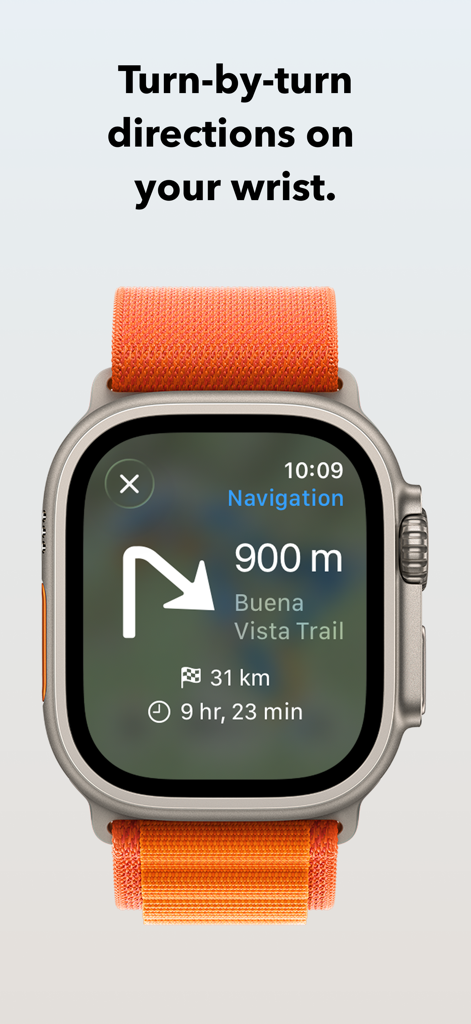
WristTopo: Offline Navigation - Aplicación WristTopo mostrando indicaciones de ruta giro a giro en un Apple Watch Ultra

Aplicación WristTopo mostrando indicaciones de ruta giro a giro en un Apple Watch Ultra
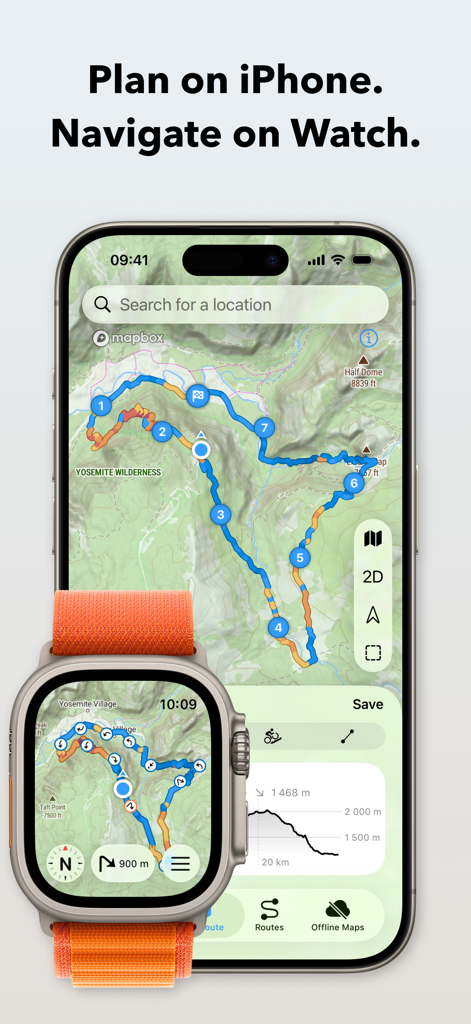
WristTopo: Offline Navigation - Aplicación WristTopo mostrando planificación de rutas topográficas en iPhone y navegación en Apple Watch Ultra
Aplicación WristTopo mostrando planificación de rutas topográficas en iPhone y navegación en Apple Watch Ultra

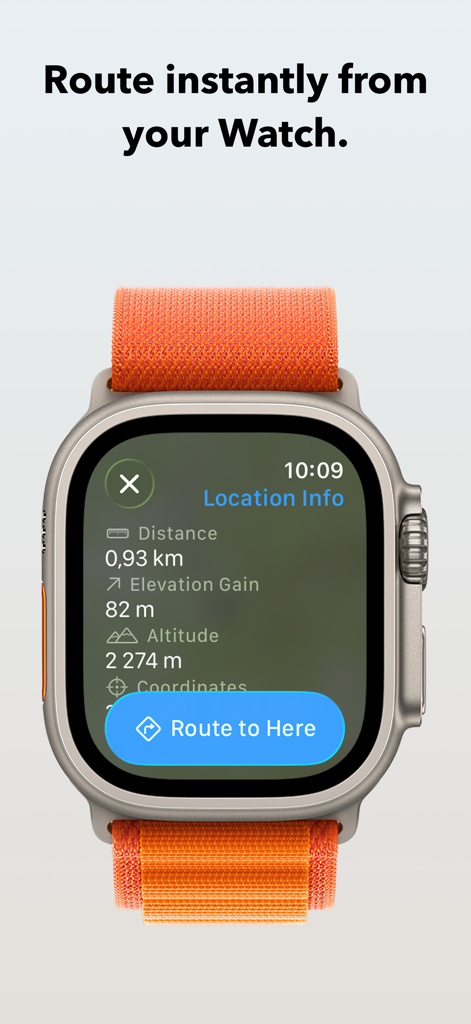
WristTopo: Offline Navigation - Aplicación WristTopo en Apple Watch mostrando la pantalla de información de ubicación y un botón para 'Rutar a aquí'
Aplicación WristTopo en Apple Watch mostrando la pantalla de información de ubicación y un botón para 'Rutar a aquí'

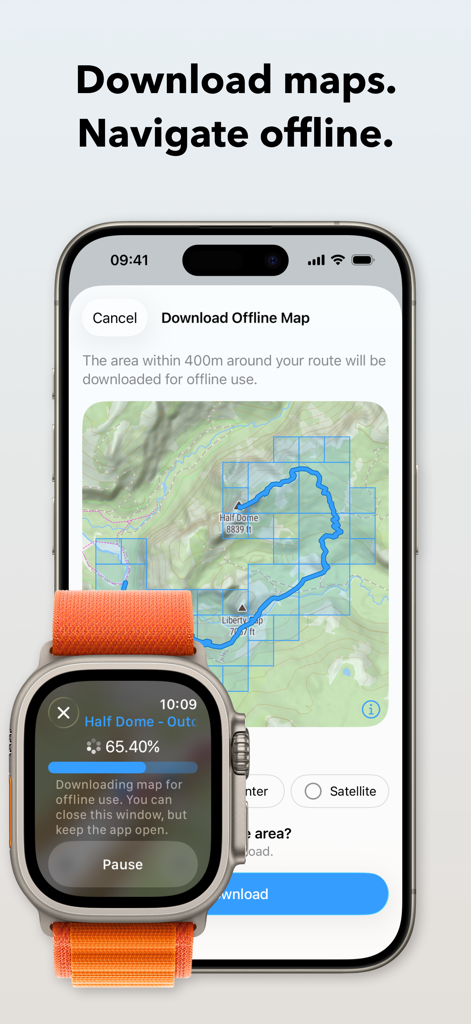
WristTopo: Offline Navigation - iPhone y Apple Watch mostrando el proceso de descarga de un mapa topográfico sin conexión para senderismo
iPhone y Apple Watch mostrando el proceso de descarga de un mapa topográfico sin conexión para senderismo

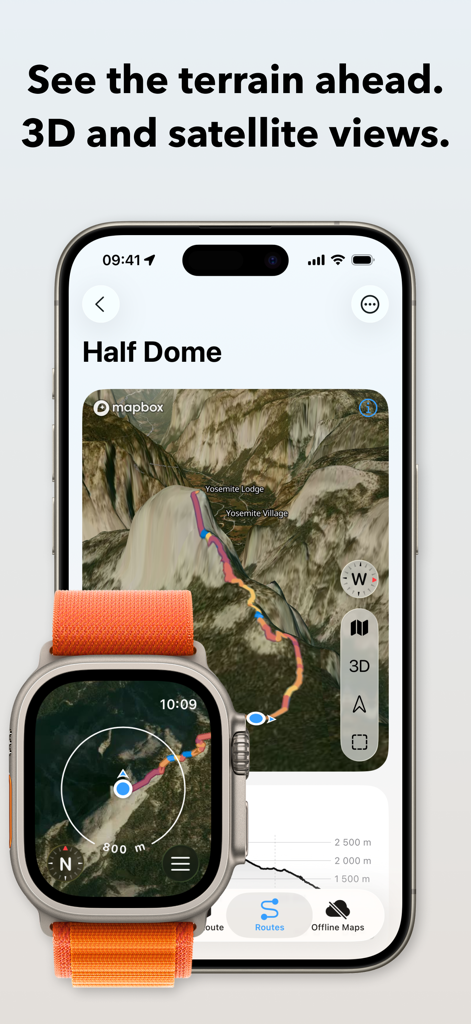
WristTopo: Offline Navigation - Interfaz de la aplicación WristTopo en iPhone y Apple Watch mostrando terreno satelital 3D y planificación de rutas para Half Dome
Interfaz de la aplicación WristTopo en iPhone y Apple Watch mostrando terreno satelital 3D y planificación de rutas para Half Dome

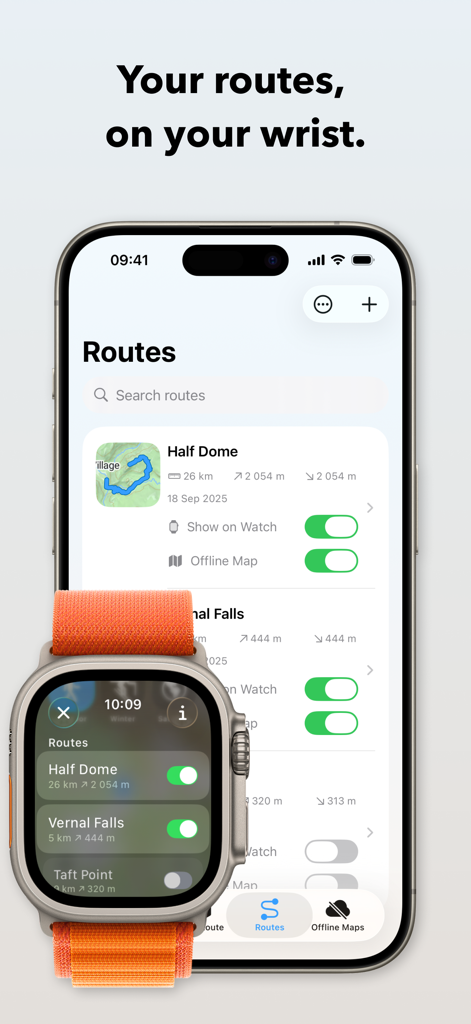
WristTopo: Offline Navigation - Interfaz de la aplicación WristTopo mostrando rutas de senderismo sincronizándose entre un iPhone y un Apple Watch Ultra
Interfaz de la aplicación WristTopo mostrando rutas de senderismo sincronizándose entre un iPhone y un Apple Watch Ultra

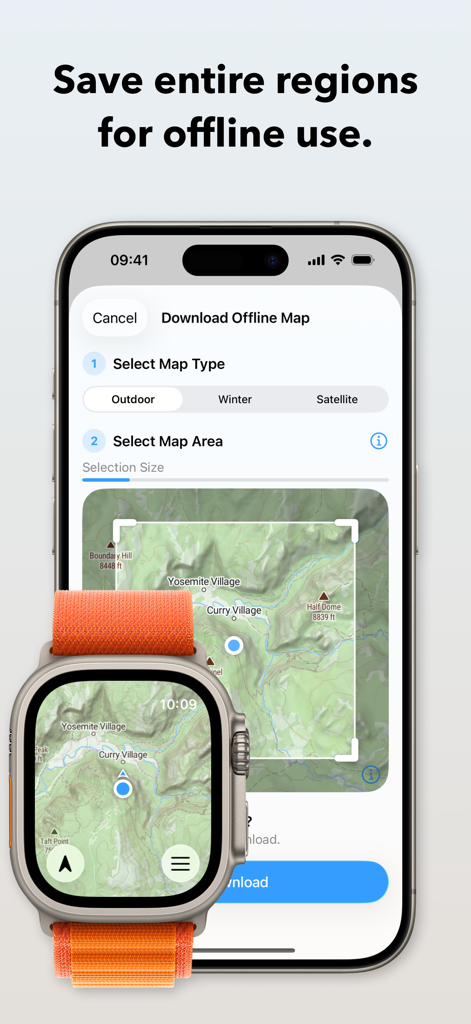
WristTopo: Offline Navigation - Interfaz de la aplicación WristTopo mostrando cómo descargar mapas topográficos sin conexión en iPhone y Apple Watch Ultra.
Interfaz de la aplicación WristTopo mostrando cómo descargar mapas topográficos sin conexión en iPhone y Apple Watch Ultra.

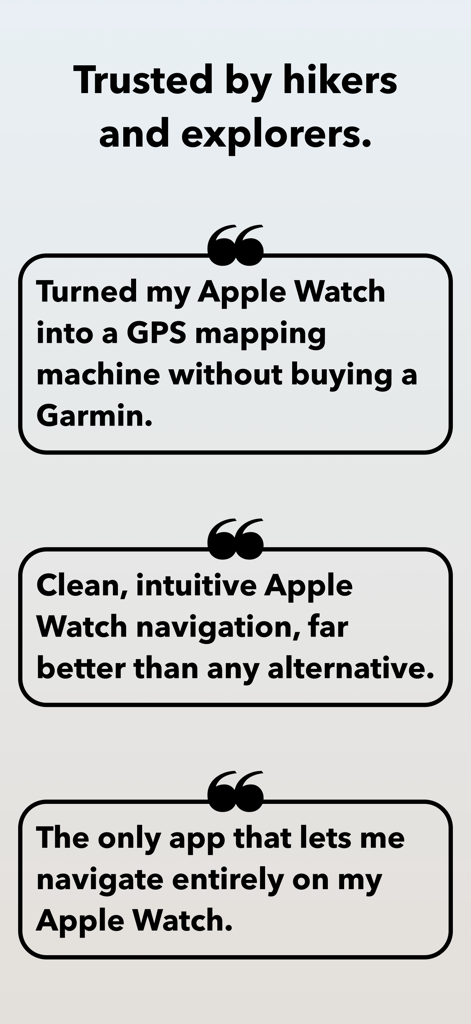
WristTopo: Offline Navigation - Testimonios de usuarios de WristTopo destacando sus capacidades de mapeo GPS y navegación sin conexión en Apple Watch

Testimonios de usuarios de WristTopo destacando sus capacidades de mapeo GPS y navegación sin conexión en Apple Watch

Descripción

Never lose your way. From planning to navigating — all in WristTopo. Plan routes on your iPhone, sync them instantly, and navigate offline on your Apple Watch. No fiddling with your phone on the trail, mid-run, or during a ride — just reliable navigation and maps, always ready when you need them. WristTopo works on your watch without your phone or network. FOR EVERY ADVENTURE Hiking mountain trails. Running in new places. Trail running. Road cycling new routes. Mountain biking technical descents. All better when you can navigate phone-free. WristTopo adapts to how you move — with routing optimized for hiking, running, biking, and mountain biking. TURN-BY-TURN NAVIGATION Stay on track with voice guidance and visual turn notifications right on your wrist. See upcoming turns, distances, and hear spoken directions — no phone needed. Navigation works with routes planned in WristTopo, giving you confidence to explore new trails without constantly checking your phone. ROUTE PLANNER Create your perfect route before you head out — whether you're planning a hike, run, trail run, or bike ride. Simply tap to set waypoints and watch your route come to life with instant distance and elevation feedback. Choose from running, hiking, biking, mountain biking, or straight-line routing modes to match your adventure. It's incredibly intuitive — no complex menus or confusing settings, just tap and plan. QUICK ROUTE ON YOUR WATCH Need a simple route on the go? Plan directly on your watch from wherever you are. Quick Route lets you create instant point-to-point routes right from your wrist — perfect for navigating to a viewpoint, finding your way back, or exploring from your current location. No phone needed. OFFLINE MAPS, FOR REAL Download detailed summer, winter, or satellite maps straight to your watch. Once saved, they're always available — no connection needed. Choose an entire area for general use, or download map sections around a route with a single tap. CUSTOM GPX ROUTES, INSTANT SYNC Import GPX files into the iPhone app and they sync instantly to your watch. Toggle routes with a tap. Display multiple tracks at once. Routes include gradient colors (orange uphill, blue downhill) and direction arrows, so you can see steepness and direction at a glance. The entire flow is designed for speed and clarity. BUILT FOR THE OUTDOORS Navigation on Apple Watch can be this smooth. Ultra-fast performance, sharp topography, shaded relief, satellite imagery, and winter ski trails — all optimized for Apple Watch and real-world conditions. BEAUTIFULLY DESIGNED Outdoor tools don't have to sacrifice beauty for functionality. WristTopo's Liquid Glass design proves that powerful navigation can also be elegantly crafted and intuitively beautiful. Every interaction feels natural and effortless, making complex route planning and map exploration a joy to use. WORKS WITH APPLE WORKOUT Track your hike, run, or ride using Apple's own Workout app — reliable, proven, and privacy-friendly. Swipe between it and WristTopo during your adventure — both stay active and visible when you need them. ICLOUD BACKUP Routes and offline maps sync between your devices. Everything survives reinstalls and device upgrades automatically. PRIVATE BY DESIGN No accounts. No ads. No third-party servers. Your data stays securely on your device and your private iCloud — always. FREE TO START WristTopo is free to try with everything you need for shorter adventures: • Up to 3 saved routes • 3 small offline map regions • Plan with up to 5 route points • Follow routes on your Apple Watch UNLOCK PRO Upgrade for more flexibility: • Unlimited routes and larger offline regions • Voice-guided turn-by-turn navigation • Quick Route planning on your Apple Watch • GPX export to share your own tracks • Support independent app development Terms of Use: https://www.apple.com/legal/internet-services/itunes/dev/stdeula/ Privacy Policy: https://wristtopo.app/privacy

Download

Descargar en App Store

Esta página no es una página oficial de la aplicación ni de su desarrollador, sino una publicación editorial independiente creada con fines informativos y de comentario. Salvo que se indique expresamente lo contrario, ni la aplicación ni su desarrollador están afiliados, respaldados, patrocinados, autorizados ni conectados oficialmente con MWM, Apple, Google Play, el editor de la aplicación ni su desarrollador, y nada en esta página implica que la aplicación haya sido desarrollada utilizando los servicios de MWM. Todas las marcas comerciales, logotipos, capturas de pantalla y demás contenidos son propiedad de sus respectivos propietarios.