
Cette page n'est pas une page officielle de l'application ou de son développeur, mais une publication éditoriale indépendante créée à des fins d'information et de commentaire. Sauf indication expresse contraire, ni l'application ni son développeur ne sont affiliés, approuvés, sponsorisés, autorisés ou autrement officiellement liés à MWM, Apple, Google Play, à l'éditeur de l'application ou au développeur de l'application, et rien sur cette page n'implique que l'application a été développée en utilisant les services de MWM. Toutes les marques, logos, captures d'écran et autres contenus restent la propriété de leurs propriétaires respectifs.


BOSS Small Business Accounting
Oubliez le matériel coûteux et les logiciels complexes. Suivez vos stocks, scannez des codes-barres et gérez vos ventes mondiales directement depuis votre smartphone avec l'outil tout-en-un le plus abordable pour les entrepreneurs.
Téléchargements
646K+Note
Nombre d'avis
2K+Éditeur
Catégorie
BusinessLangues
22Dernière version
3.0.33Taille
157.3 MBDate de sortie
3 déc. 2015Tout ce dont vous avez besoin pour faire croître votre entreprise
Arrêtez de gaspiller de l'argent dans du matériel onéreux et des logiciels complexes. BOSS met des outils professionnels d'inventaire, de comptabilité et de reporting directement dans votre poche.
Lecture de codes-barres mobile
Transformez votre smartphone en scanner professionnel. Gérez les stocks et mettez à jour les listes de prix instantanément sans acheter de matériel supplémentaire.
Aperçu des bénéfices en temps réel
Consultez vos ventes, vos dettes et votre flux de trésorerie en un coup d'œil. Générez des rapports financiers détaillés en quelques secondes pour prendre des décisions commerciales plus judicieuses.
Les captures d'écran et la description suivantes proviennent directement de la fiche officielle de l'application sur le store et sont la propriété du développeur.
App Store
Captures
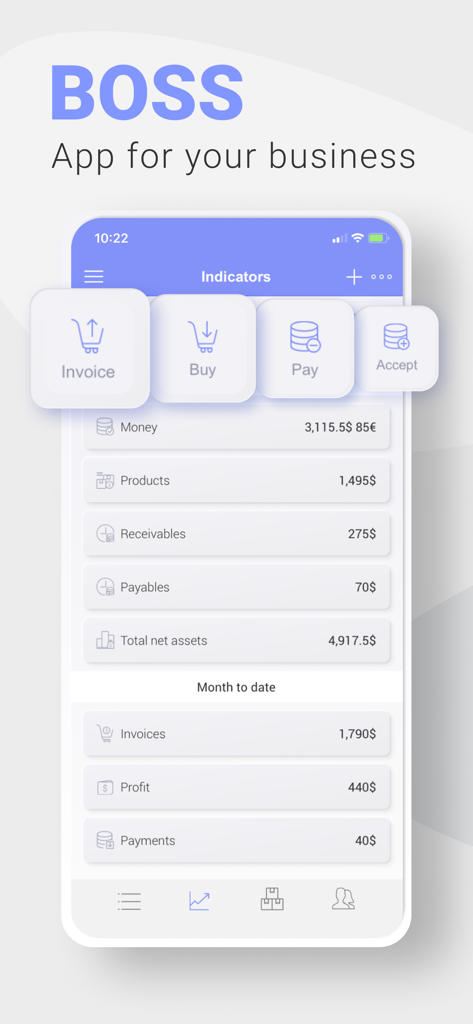
Tableau de bord mobile de BOSS Comptabilité TPE affichant les indicateurs financiers clés et des boutons d'action rapide
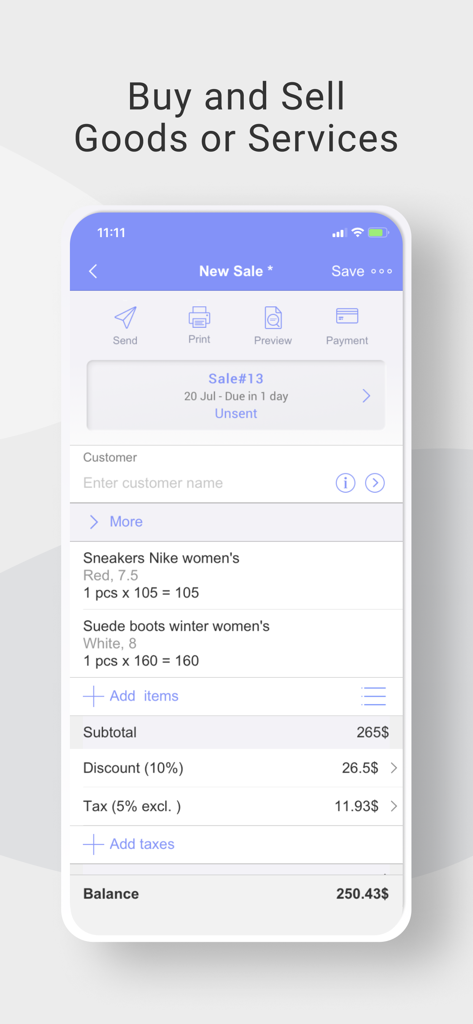
Interface de l'application BOSS Comptabilité TPE montrant un nouvel écran de vente avec les articles, les remises et le solde total
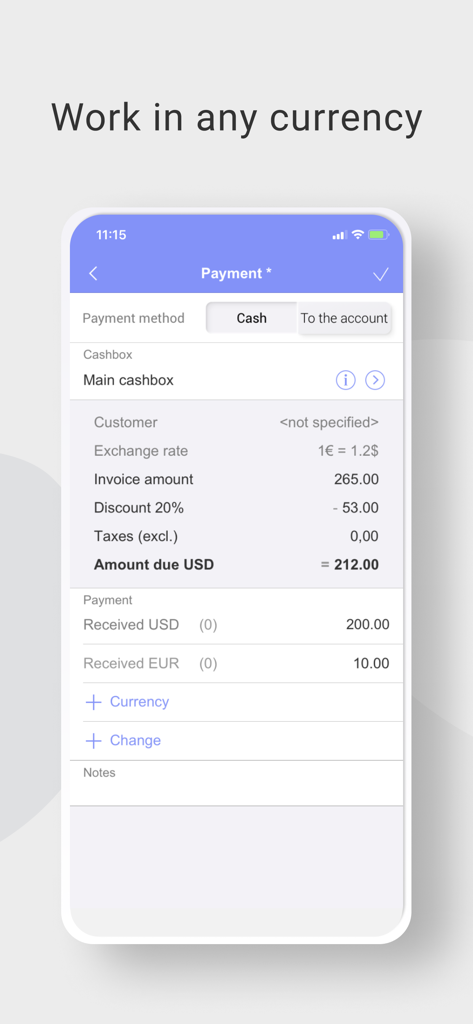
Écran de smartphone de l'application de comptabilité BOSS affichant un reçu de paiement avec conversion multi-devises entre l'Euro et l'USD.
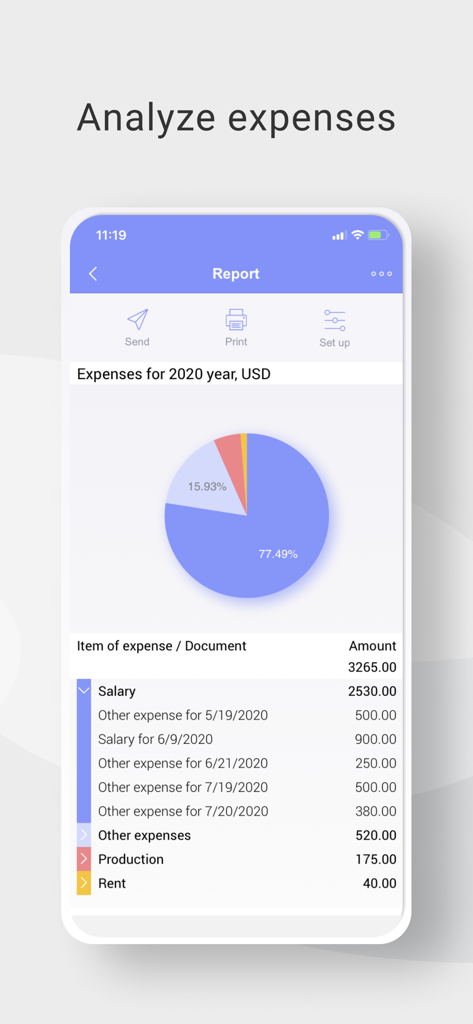
Rapport de dépenses annuel dans l'application de comptabilité BOSS avec un graphique circulaire et une liste de coûts
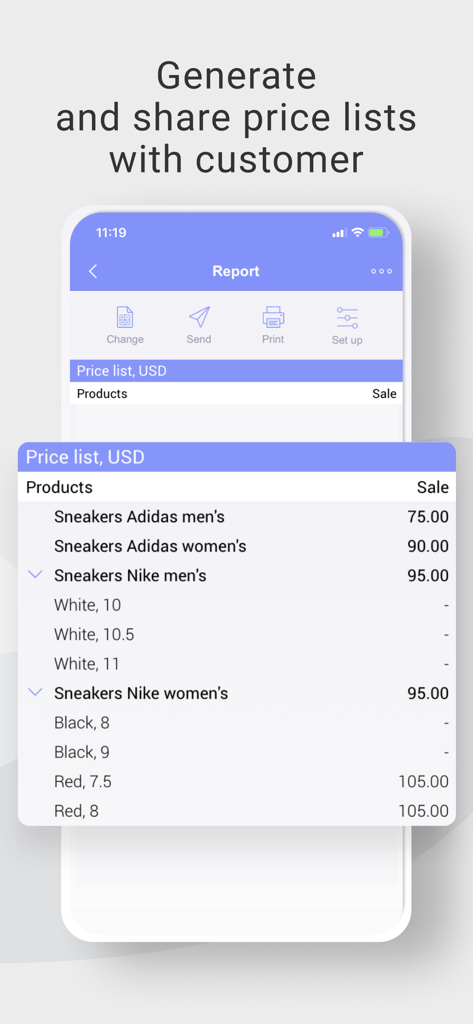
Un écran de smartphone de l'application BOSS Comptabilité TPE affichant une liste de prix détaillée pour des produits de détail
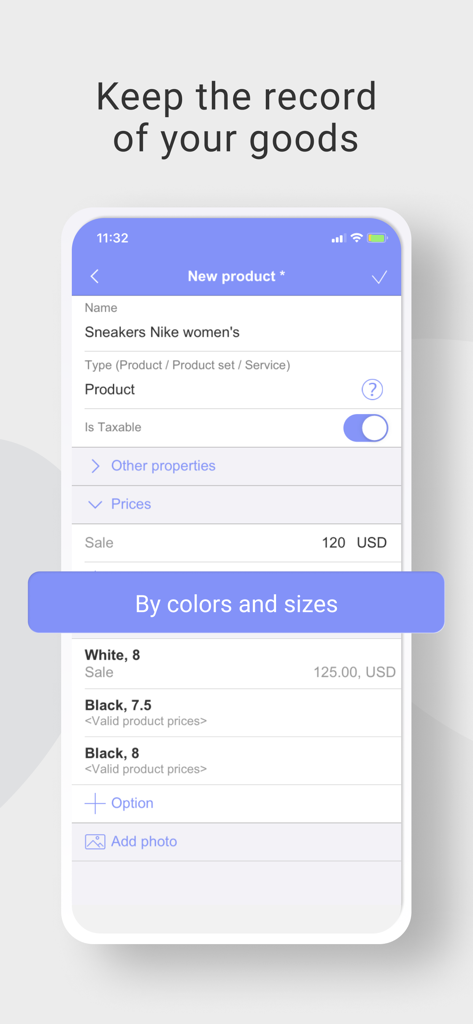
Écran de l'application BOSS Comptabilité TPE pour la gestion des stocks de produits avec des variations de taille et de couleur
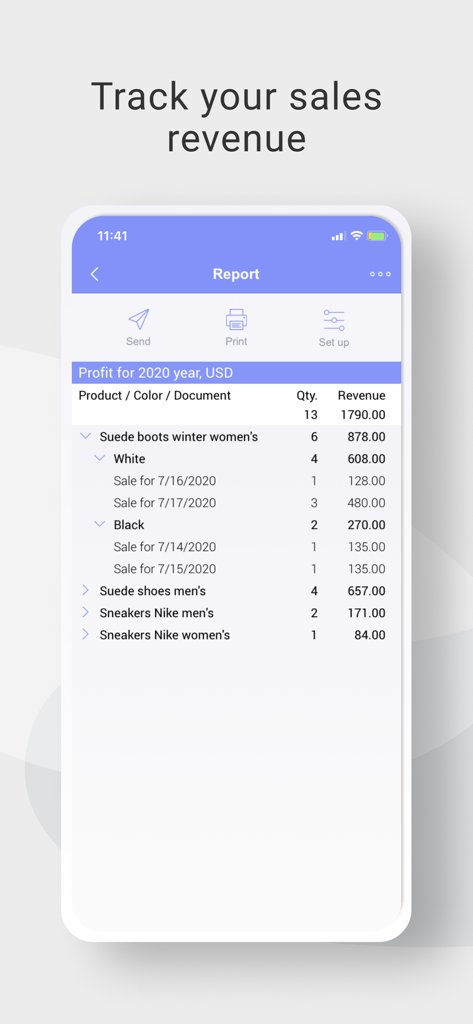
Un écran mobile de l'application de comptabilité BOSS affichant un rapport détaillé des bénéfices et du chiffre d'affaires pour divers produits
Description
Download
Apps Similaires
Apps avec des fonctionnalités et une expérience similaires

收钱吧-商家收款神器
Shanghai Shouqianba Internet Technology Co., Ltd.

Cielo Gestão: maquininha
Cielo S.A.

Clover Go - Dashboard & POS
Clover Network, Inc.

PagVendas NF-e, Vendas, Gestão
PagSeguro Internet S.A

Sổ Bán Hàng: Quản lý toàn diện
Finan Pte. Ltd.

智慧商贸进销存-库存、仓库管理进销存
Anhui QiSeMi Information Technology Co., Ltd.

МойСклад. Торговля, склад, CRM
Logneks OOO

TinyPOS:Make & Print Bills
志国 成

Jarbas: POS, Sales & Stock
Jarbas Software e Servicos LTDA
Cette page n'est pas une page officielle de l'application ou de son développeur, mais une publication éditoriale indépendante créée à des fins d'information et de commentaire. Sauf indication expresse contraire, ni l'application ni son développeur ne sont affiliés, approuvés, sponsorisés, autorisés ou autrement officiellement liés à MWM, Apple, Google Play, à l'éditeur de l'application ou au développeur de l'application, et rien sur cette page n'implique que l'application a été développée en utilisant les services de MWM. Toutes les marques, logos, captures d'écran et autres contenus restent la propriété de leurs propriétaires respectifs.