C Vault : Privacy Vault

C Vault : Privacy Vault

Télécharger sur App Store
Logo de C Vault : Privacy Vault

C Vault : Confidentialité furtive cachée derrière une vraie horloge

Le casier invisible ultime pour vos photos, vidéos et notes privées. Sécurisez vos médias avec des mots de passe basés sur l'heure, capturez des selfies d'intrus et naviguez sur le Web sans laisser de trace.

Éditeur

FENIL PATEL

Catégorie

Utilities

Téléchargements

84K+

Note

4.6/5

Nombre d'avis

3K+

Langues

9

Un aperçu derrière l'horloge

Découvrez l'interface utilisée par 84K+ utilisateurs.

Interface de l'application C Vault montrant plusieurs albums pour catégoriser les photos et fichiers cachés
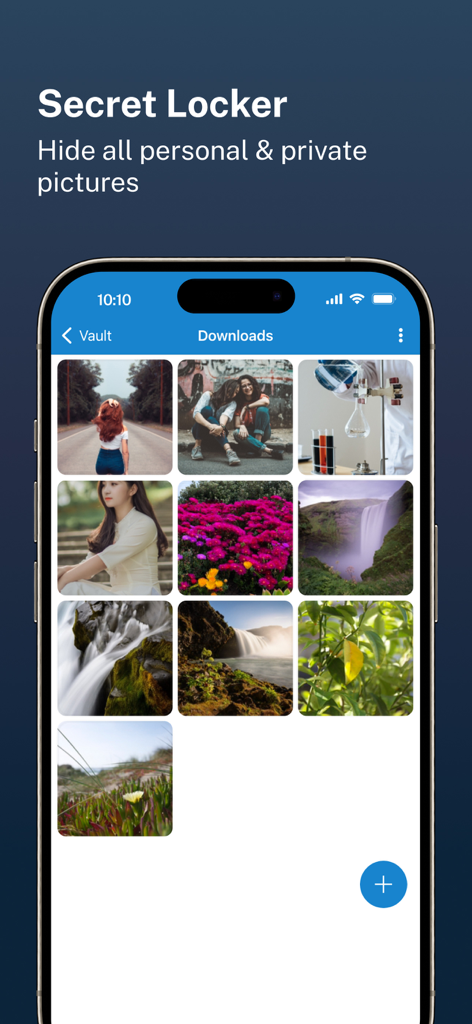
Interface de l'application C Vault montrant plusieurs albums pour catégoriser les photos et fichiers cachés

Interface de l'application C Vault montrant une galerie de photos personnelles cachées dans un casier secret.
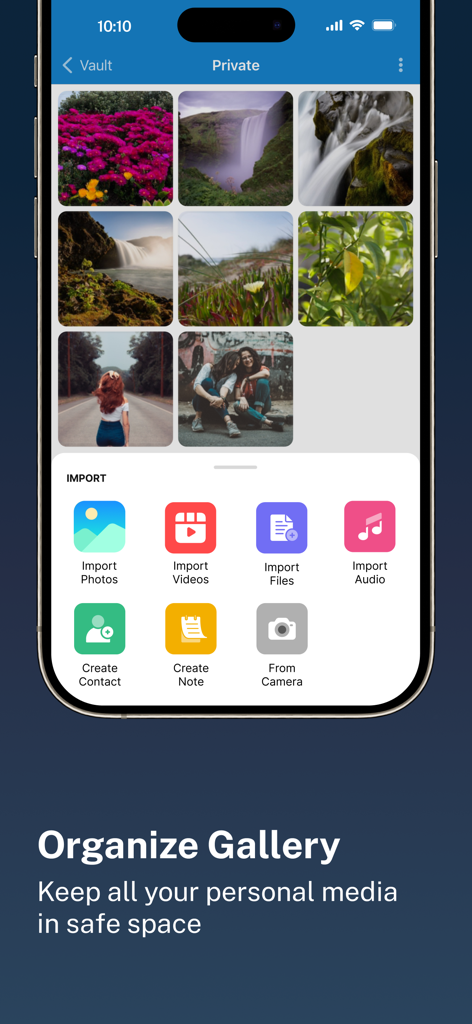
Interface de l'application C Vault montrant une galerie de photos personnelles cachées dans un casier secret.

Interface de l'application C Vault montrant une galerie de photos privées organisée et un menu d'importation pour divers types de fichiers
Interface de l'application C Vault montrant une galerie de photos privées organisée et un menu d'importation pour divers types de fichiers

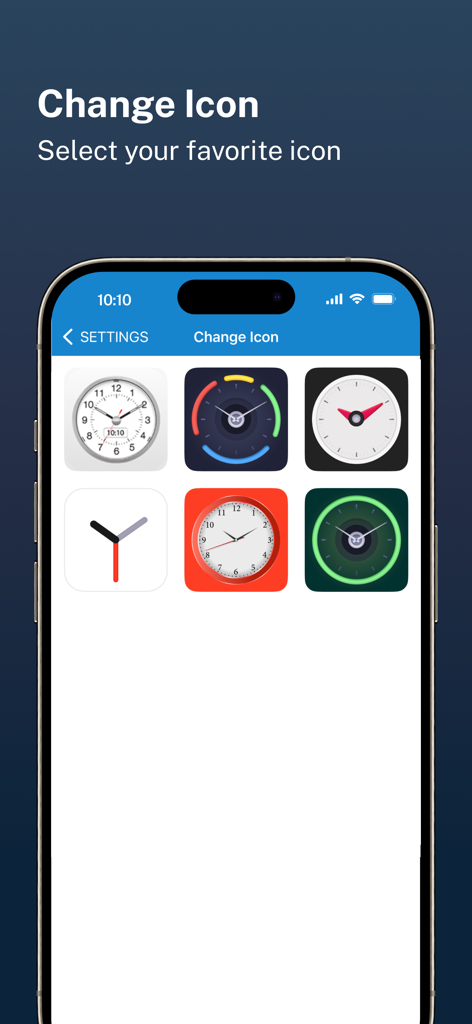
Une sélection d'icônes sur le thème de l'horloge pour l'interface de l'application de confidentialité C Vault
Une sélection d'icônes sur le thème de l'horloge pour l'interface de l'application de confidentialité C Vault

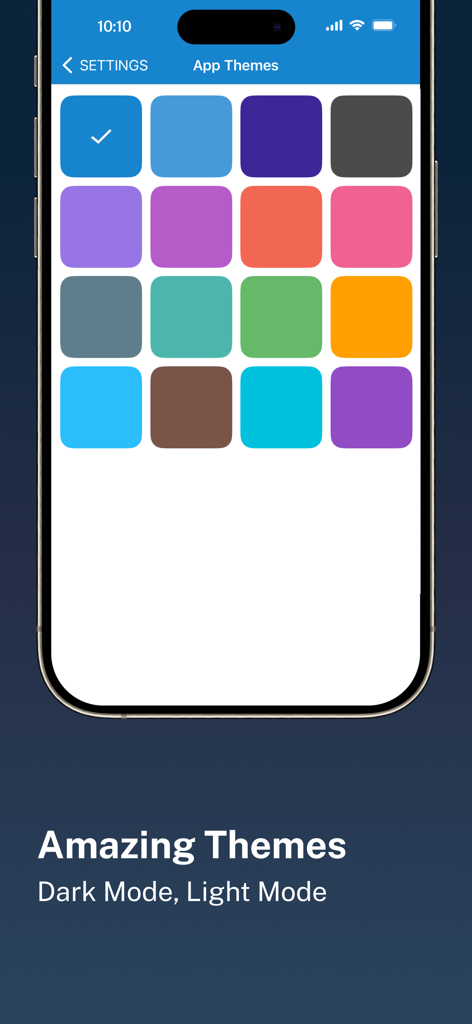
Une interface mobile montrant une variété d'options de thèmes de couleurs d'application pour l'application de confidentialité C Vault.
Une interface mobile montrant une variété d'options de thèmes de couleurs d'application pour l'application de confidentialité C Vault.

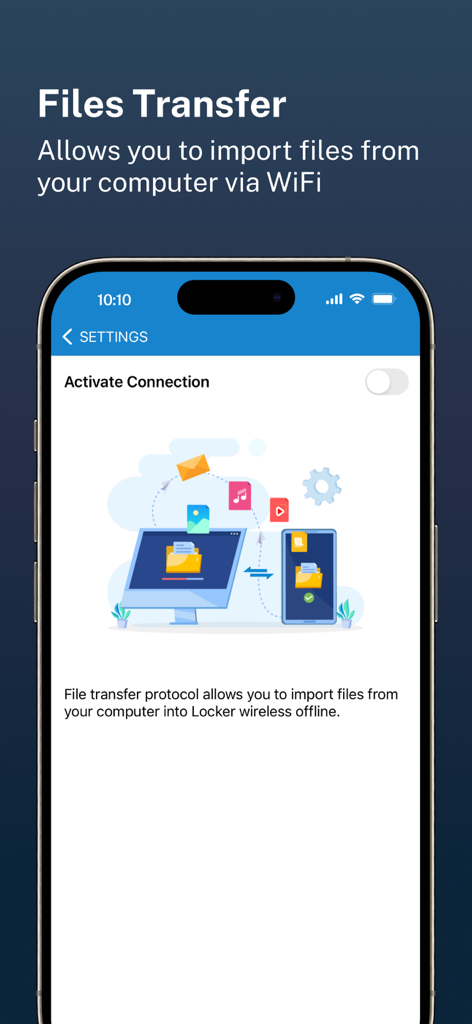
Écran de l'application C Vault montrant le transfert de fichiers sans fil de l'ordinateur vers le téléphone via WiFi

Écran de l'application C Vault montrant le transfert de fichiers sans fil de l'ordinateur vers le téléphone via WiFi

Votre monde privé, caché à la vue de tous

Les outils qui font la différence, choisis par 84K+ utilisateurs.

🕒

Interface d'horloge furtive

Seule vous connaissez l'heure secrète. Votre coffre-fort reste invisible aux autres, apparaissant comme une horloge utilitaire standard sur votre écran d'accueil pour éviter toute curiosité.

📸

Alerte d'intrusion et selfies

Surprenez les fouineurs en flagrant délit. L'application capture automatiquement une photo de toute personne qui tente d'accéder à votre coffre-fort avec un mot de passe incorrect, fournissant une preuve instantanée.

☁️

Propriété complète des données

Vos données vous appartiennent. Nous ne stockons jamais vos fichiers sur nos serveurs – profitez de sauvegardes sécurisées et cryptées directement sur votre Drive personnel pour un contrôle et une confidentialité totaux.

À propos de l'app

Tout ce que vous devez savoir sur C Vault : Privacy Vault.

Description

C Vault is photo locker & video locker app with great privacy protection to easily hide photos, hide videos & files. 
Top Features:

 • Import Pictures & Videos: Keep photos & videos safe into the Cloak⁺. View hidden photos inside the C Vault app. You can hide video in many formats. You can also play videos inside vault without unlock the file.
 • Private Audio: Hide music and voice notes. • Notes & Contacts: Whether you want to create a list of things you keep in your documents or write down your private feelings. you can do so securely with the ‘Create Notes’ feature. You can also create contacts inside this C Vault app. 
• Album Cover: You can set your desired album cover..

 • Private Browser: Private web browser to download and Lock photos, hide videos and music audios from the Internet. 

• Save Intruder Photos: Capture a picture of anyone who tries to open C Vault using wrong time password.

 • Themes: Choose different type of locker theme colours to beautify your app experience. • Cloud Backup: Easily backup your private photos, videos and files into your own Drive. Helps to prevent loss of important data and restore your data in case of loss or theft of device. • Device migration: Transfer all files seamlessly to the new device app works like the old one. How to set up the password?
 Step 1: Launch the ClockV app and the clock hands will be moved at 00:00 position for password setup.
 Step 2: Move the hour and/or minute clock hand to set a desired time password and press the Center button of the clock to confirm.
 Step 3: Now repeat the same password again and press the Center button of the clock to confirm. The vault will be open!

 How to unlock the app?
 Step 1: Launch ClockV, Press the Center button of the clock. The Clock Hands will be moved to the 00:00 positions.
 Step 2: Now you can move the clock hour and/or minute hands manually to your password position and press the Center button again to validate. Now you can hide photos, videos & other files. 

Forgot password?
 Question: What can I do if I forgot my password?
 Answer: Launch ClockV and press the Center button of the clock. Set 10:10 time by moving hour and minute clock hands and press the Center button again. It will open password recovery option. You must have set the password recovery option in order to use it. Disclaimer: To ensure your utmost security, C Vault does not keep your photos or data on any kind of our server. It uses the internal storage of your device for local storage and your own Drive account to backup and restore from online. If you delete the app, your photos & data saved in the app locally will also be deleted. So make sure to export your photos, videos and files from the app to your device's public storage if you need to delete the app for any reason! Premium Subscription: C Vault includes an optional auto-renewable subscription to access current and future premium categories: Note: Check within the app for exact pricing for your region - 1 month subscription USD 2.99 - 1 year subscription with 7 days free trial USD 9.99 - Lifetime premium subscription USD 19.99 • Payment will be charged to your iTunes account at confirmation of purchase and will automatically renew (at the duration/price selected) unless auto-renew is turned off at least 24 hours before the end of the current period. • Account will be charged for renewal within 24-hours prior to the end of the current period, and identify the cost of the renewal. • Any unused portion of a free trial period, if offered, will be forfeited when the user purchases a subscription to that publication, where applicable. • You can manage your subscription and/or turn off auto-renewal by going to your iTunes Account Settings, but refunds will not be given for any unused portion of the term. Terms of Service: https://clock-the-vault.web.app/terms-of-use-ios.html Privacy Policy: https://clock-the-vault.web.app/privacy-policy-ios.html

Dernière version

32.0

Taille

76.7 MB

Date de sortie

30 avr. 2021

Retrouvez votre confidentialité en toute transparence

Rejoignez plus de 84 000 utilisateurs qui protègent leurs photos, vidéos et notes derrière le déguisement d'horloge ultime. Sécurisez votre vie numérique dès aujourd'hui.

Télécharger sur App Store

App information, icons, screenshots, and descriptions displayed on this page are sourced from the Apple App Store and are the property of their respective developers. Download estimates and rankings are based on MWM's proprietary models and may not reflect actual figures. This page is provided for informational and analytical purposes only.

Believe this page infringes your intellectual property? File a dispute