
Cette page n'est pas une page officielle de l'application ou de son développeur, mais une publication éditoriale indépendante créée à des fins d'information et de commentaire. Sauf indication expresse contraire, ni l'application ni son développeur ne sont affiliés, approuvés, sponsorisés, autorisés ou autrement officiellement liés à MWM, Apple, Google Play, à l'éditeur de l'application ou au développeur de l'application, et rien sur cette page n'implique que l'application a été développée en utilisant les services de MWM. Toutes les marques, logos, captures d'écran et autres contenus restent la propriété de leurs propriétaires respectifs.


Commerzbank photoTAN
Profitez d'une sécurité optimale pour vos opérations bancaires Commerzbank. Approuvez vos transactions en quelques secondes grâce aux notifications push et à l'activation numérique instantanée, adaptées à votre mode de vie international.
Téléchargements
3M+Note
Nombre d'avis
242K+Éditeur
Catégorie
FinanceLangues
15Dernière version
15.1.0Taille
61.5 MBDate de sortie
23 nov. 2012Sécurité sans compromis, accès sans effort
Facilitez vos transactions entre votre mode de vie américain et les services bancaires allemands. L'application photoTAN vous offre la solution la plus rapide et la plus sûre pour autoriser vos transactions internationales, où que vous soyez dans le monde.
Approbation en un clic
Profitez d'une expérience bancaire simplifiée avec photoTAN-Push. Approuvez les virements instantanément grâce à des notifications sécurisées, sans saisie manuelle de code.
Normes de sécurité d'élite
Tirez parti de la technologie de sécurité la plus innovante d'Allemagne. Bénéficiez de contrôles matériels en temps réel et d'un chiffrement avancé pour protéger vos actifs transatlantiques.
Questions Fréquentes
Tout ce que vous devez savoir sur Commerzbank photoTAN
À quoi sert l'application photoTAN de Commerzbank ?
L'application photoTAN de Commerzbank est une méthode de sécurité pour les services bancaires en ligne et mobiles. Elle génère des numéros de transaction (TAN) pour vérifier les données de commande et sécuriser les connexions et les transactions, en utilisant soit des notifications push, soit la numérisation graphique.
Comment fonctionne la fonction de notification push de photoTAN dans l'application Commerzbank ?
La fonction de notification push de photoTAN envoie une notification pour les nouvelles commandes. Les utilisateurs ouvrent l'application, examinent la commande et l'approuvent en un seul clic. Cela permet une approbation de transaction rapide et sécurisée au sein de l'application Commerzbank.
Puis-je activer l'application photoTAN de Commerzbank numériquement ?
Oui, les utilisateurs peuvent s'identifier entièrement avec l'application VideoIdent. Après l'identification, un code est reçu par SMS pour une activation numérique rapide de l'application photoTAN dans les trois heures, éliminant ainsi l'attente des graphiques d'activation.
L'utilisation de l'application photoTAN de Commerzbank est-elle gratuite ?
Oui, l'utilisation de l'application photoTAN de Commerzbank est gratuite pour tous les utilisateurs. Elle est explicitement mentionnée comme l'un des principaux avantages des services de l'application.
Quels contrôles de sécurité l'application photoTAN de Commerzbank effectue-t-elle ?
L'application photoTAN de Commerzbank effectue des contrôles de sécurité d'exécution pour les vecteurs d'attaque connus tels que les appareils rootés/jailbreakés et les applications malveillantes. Les utilisateurs doivent consentir à ces contrôles pour l'installation et l'utilisation de l'application.
Puis-je utiliser l'application photoTAN de Commerzbank hors ligne ?
Oui, l'application photoTAN de Commerzbank prend en charge l'utilisation hors ligne. Si votre smartphone est hors ligne, vous pouvez continuer à approuver facilement les commandes en utilisant la fonction de numérisation.
Comment fonctionne la fonction de numérisation de photoTAN dans l'application Commerzbank ?
Après avoir passé une commande en ligne, un graphique ressemblant à une mosaïque apparaît. Les utilisateurs le numérisent avec l'application photoTAN pour générer un TAN. L'application affiche les détails de la commande pour vérification avant d'entrer le TAN.
Puis-je réinitialiser mon code PIN pour les services bancaires en ligne de Commerzbank via l'application photoTAN ?
Oui, l'application photoTAN de Commerzbank inclut une fonctionnalité pour réinitialiser votre code PIN pour les services bancaires en ligne de Commerzbank. Cette fonctionnalité est accessible directement via l'interface de l'application.
L'application photoTAN de Commerzbank prend-elle en charge la biométrie pour les paiements par carte de crédit ?
Oui, l'application photoTAN de Commerzbank prend en charge la biométrie pour les paiements par carte de crédit. Cette fonctionnalité est répertoriée parmi les actions disponibles sur le nouvel écran d'accueil pour la commodité et la sécurité de l'utilisateur.
Les captures d'écran et la description suivantes proviennent directement de la fiche officielle de l'application sur le store et sont la propriété du développeur.
App Store
Captures
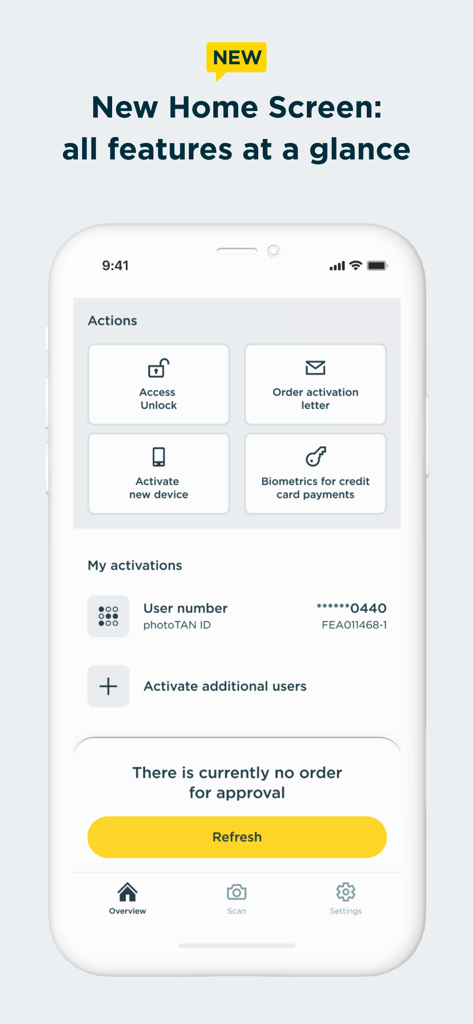
L'écran d'accueil de l'application Commerzbank photoTAN affichant les raccourcis d'action et l'état d'activation du compte
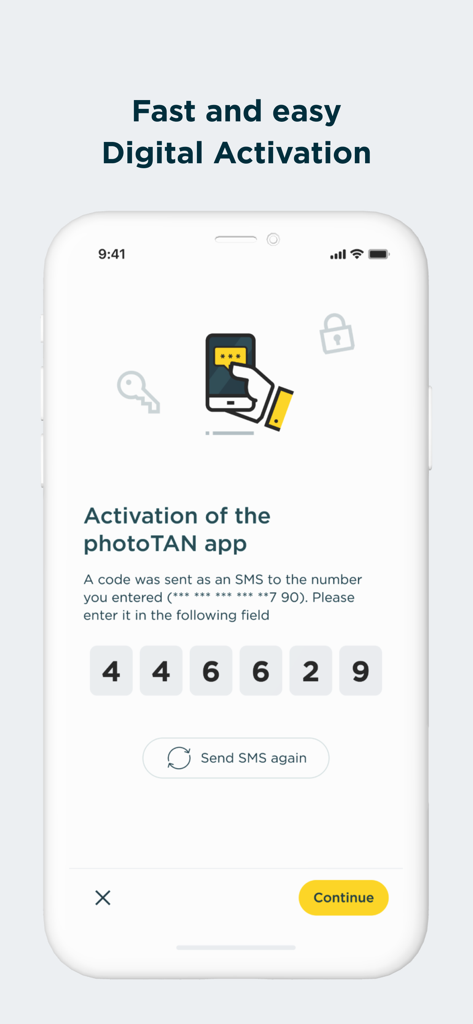
Écran d'activation numérique de l'application Commerzbank photoTAN affichant un champ de saisie de code SMS à six chiffres
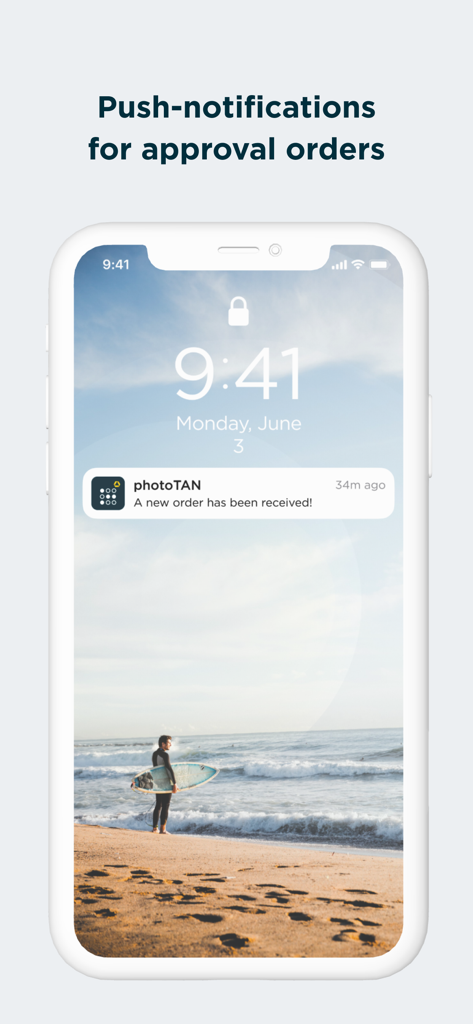
Notification push Commerzbank photoTAN pour approbation de commande
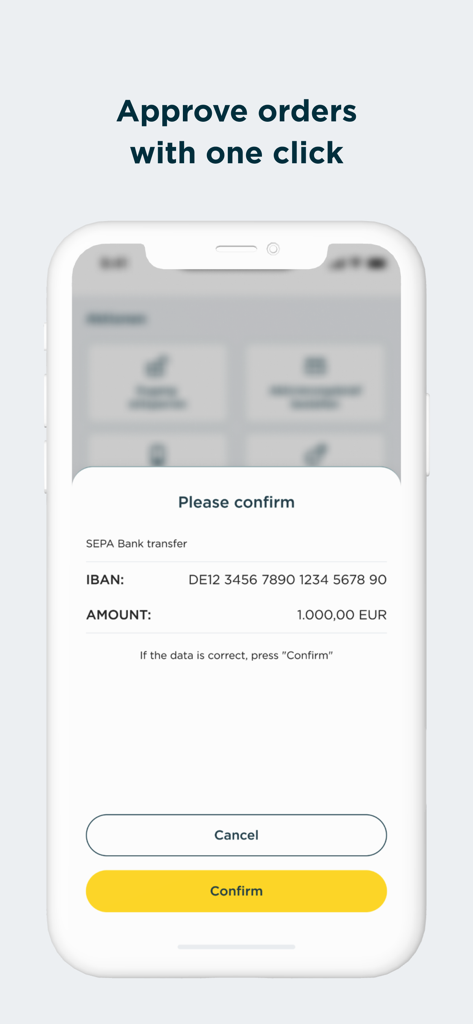
Capture d'écran mobile de l'application Commerzbank photoTAN affichant une demande de confirmation de virement bancaire SEPA de 1000 euros avec un bouton de confirmation jaune.
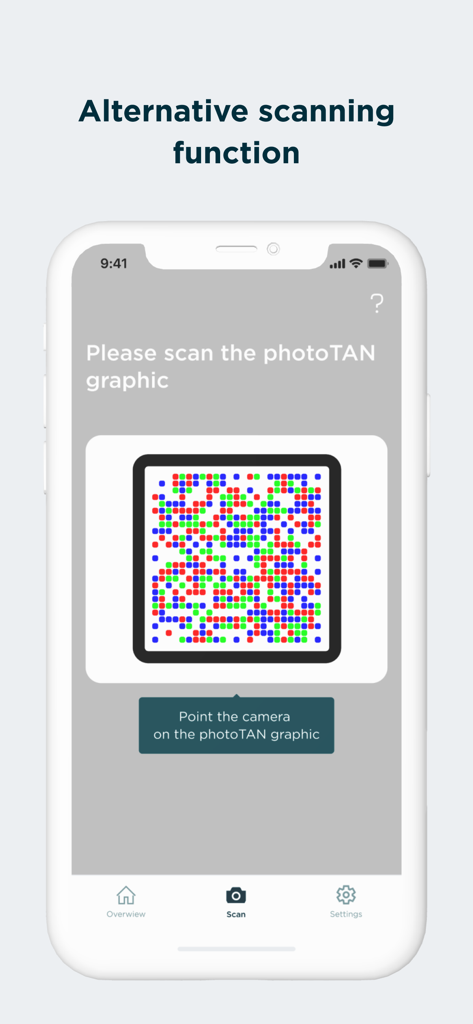
Capture d'écran de l'application Commerzbank photoTAN affichant la fonction de numérisation alternative pour les graphiques de sécurité
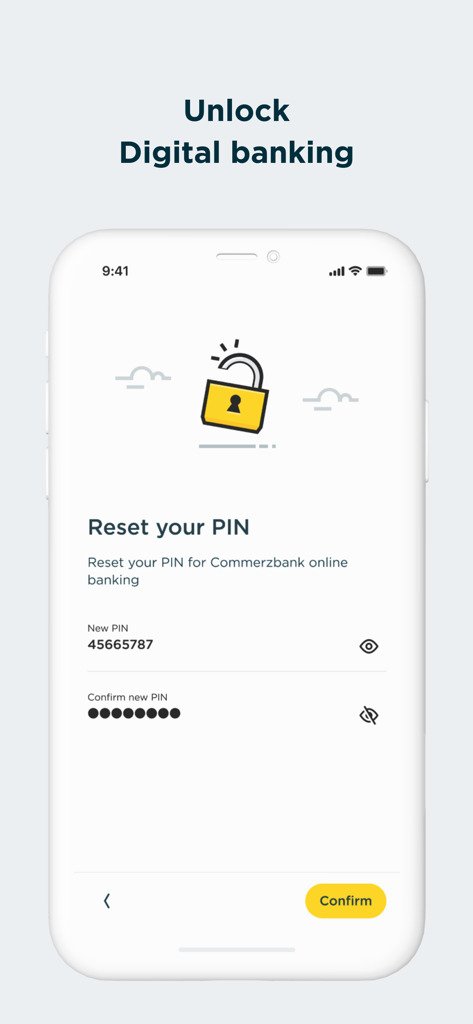
Capture d'écran de l'application Commerzbank photoTAN pour réinitialiser le code PIN des services bancaires numériques
Description
Download
Apps Similaires
Apps avec des fonctionnalités et une expérience similaires

Mi_Pass
Banco de Chile

Raiffeisen SmartToken
Raiffeisen Bank S.A.

Synology Secure SignIn
Synology Inc.

DATEV SmartLogin
DATEV eG

VR SecureGo plus
Atruvia AG

Namirial OTP
Namirial Spa

UBS Access – secure login
UBS AG

Mobilní klíč eGovernmentu
MINISTERSTVO VNITRA

comdirect photoTAN App
Commerzbank Aktiengesellschaft
Cette page n'est pas une page officielle de l'application ou de son développeur, mais une publication éditoriale indépendante créée à des fins d'information et de commentaire. Sauf indication expresse contraire, ni l'application ni son développeur ne sont affiliés, approuvés, sponsorisés, autorisés ou autrement officiellement liés à MWM, Apple, Google Play, à l'éditeur de l'application ou au développeur de l'application, et rien sur cette page n'implique que l'application a été développée en utilisant les services de MWM. Toutes les marques, logos, captures d'écran et autres contenus restent la propriété de leurs propriétaires respectifs.