
Cette page n'est pas une page officielle de l'application ou de son développeur, mais une publication éditoriale indépendante créée à des fins d'information et de commentaire. Sauf indication expresse contraire, ni l'application ni son développeur ne sont affiliés, approuvés, sponsorisés, autorisés ou autrement officiellement liés à MWM, Apple, Google Play, à l'éditeur de l'application ou au développeur de l'application, et rien sur cette page n'implique que l'application a été développée en utilisant les services de MWM. Toutes les marques, logos, captures d'écran et autres contenus restent la propriété de leurs propriétaires respectifs.


Copy Text On Screen
Arrêtez de lutter avec du texte non copiable. Extrayez, traduisez et partagez instantanément des données depuis n'importe quelle application ou image avec une OCR de haute précision conçue pour votre flux de travail le plus rapide.
Téléchargements
857K+Note
Nombre d'avis
17K+Éditeur
Catégorie
ProductivityLangues
1Dernière version
1.4.4Taille
82.0 MBDate de sortie
1 janv. 2018Débloquez chaque mot à l'écran
Arrêtez la saisie manuelle et commencez à capturer. Notre technologie OCR avancée vous permet d'extraire, de traduire et d'organiser du texte à partir de n'importe quelle application ou image avec une précision de 99,9 %.
Copiez l'incopiable
Récupérez sans effort du texte d'Instagram, YouTube ou de toute application qui bloque la sélection. Il suffit de faire une capture d'écran et de partager pour extraire les données en quelques secondes.
Extraction de données de précision
Bénéficiez d'une précision leader de l'industrie pour les numéros de téléphone, les adresses e-mail et les longs paragraphes. Transformez toute information visuelle en texte modifiable et consultable.
Les captures d'écran et la description suivantes proviennent directement de la fiche officielle de l'application sur le store et sont la propriété du développeur.
App Store
Captures
Bannière de l'application Copier le texte à l'écran montrant une note de 4,6 étoiles et plus d'un million d'utilisateurs
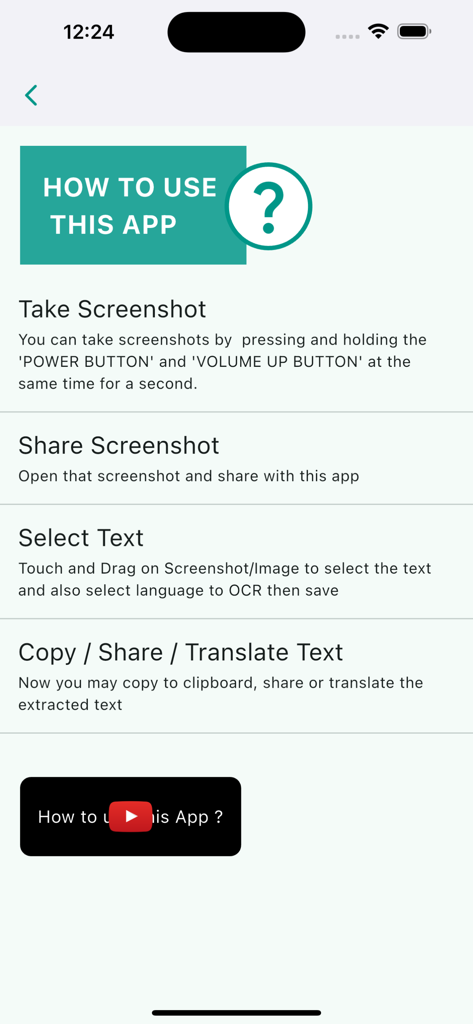
Un guide étape par étape montrant comment utiliser l'application Copier le texte à l'écran pour extraire du texte à partir de captures d'écran
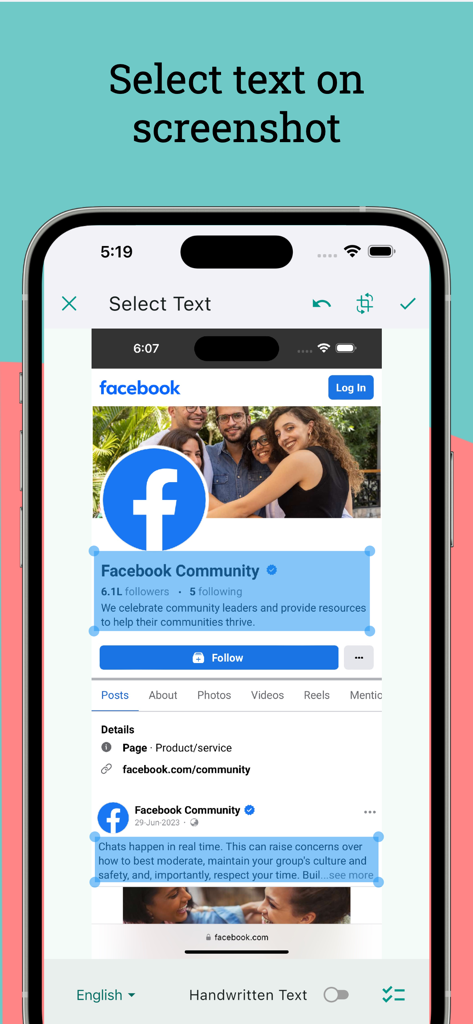
Sélection de texte à partir d'une capture d'écran d'une page Facebook dans l'application Copier le texte à l'écran
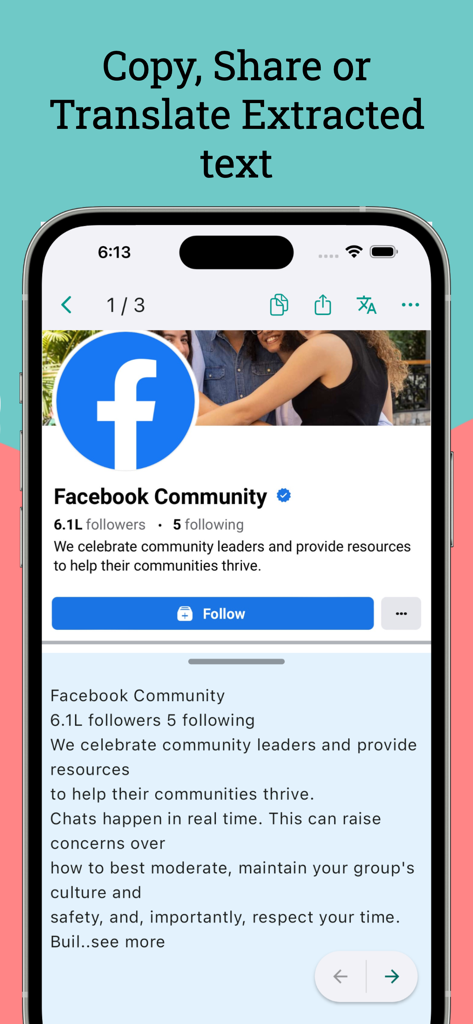
Capture d'écran de l'application Copier le texte à l'écran extrayant et traduisant du texte à partir d'une page de profil Facebook.
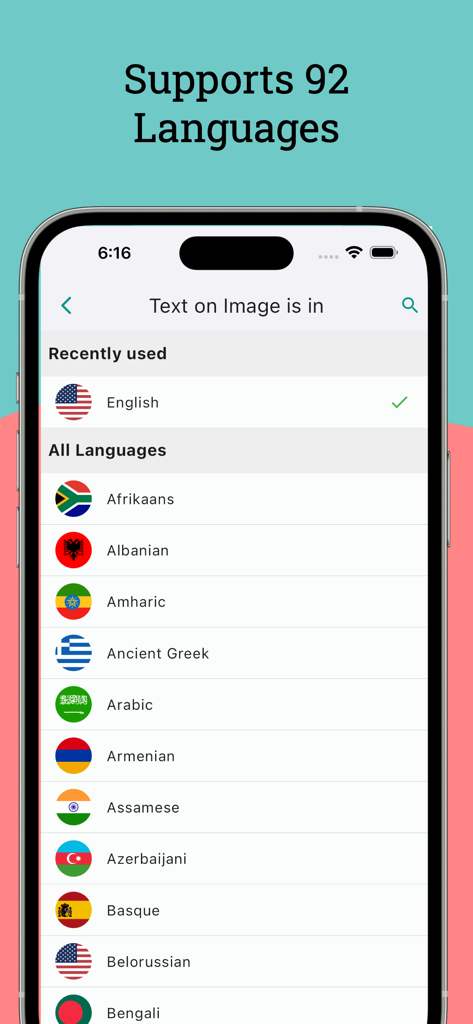
Écran d'application mobile affichant une liste de plus de 92 langues prises en charge pour l'extraction de texte et l'OCR
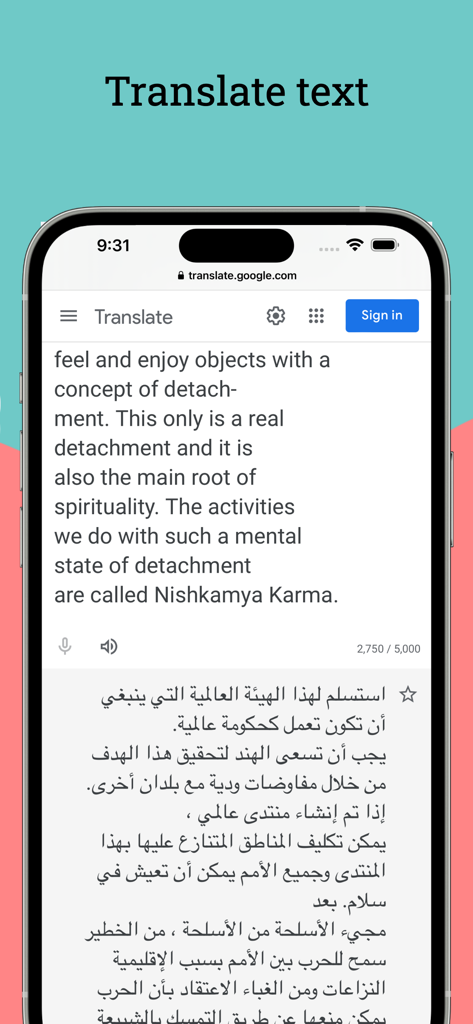
Écran de smartphone montrant la traduction de texte anglais vers arabe dans l'application Copier le texte à l'écran.
Description
Download
Apps Similaires
Apps avec des fonctionnalités et une expérience similaires

ScanScan(白描)-OCR Text Scanner
新乐 陶

Text Scanner AI - OCR Scan
EVOLLY HK LIMITED

Text Scan : Image to Text OCR
Appzys Technologies Private Limited
PDF AI Scanner
HONGKONG ADHEROS LIMITED

Screenshot PRO Screenshots App
Beatcode Srl

元ּ发生器
沛鑫 李

OCR Image AI - Photo to Text
RapidNova Private Limited

Klikk - Events
Levin Fritz
Cette page n'est pas une page officielle de l'application ou de son développeur, mais une publication éditoriale indépendante créée à des fins d'information et de commentaire. Sauf indication expresse contraire, ni l'application ni son développeur ne sont affiliés, approuvés, sponsorisés, autorisés ou autrement officiellement liés à MWM, Apple, Google Play, à l'éditeur de l'application ou au développeur de l'application, et rien sur cette page n'implique que l'application a été développée en utilisant les services de MWM. Toutes les marques, logos, captures d'écran et autres contenus restent la propriété de leurs propriétaires respectifs.