
Cette page n'est pas une page officielle de l'application ou de son développeur, mais une publication éditoriale indépendante créée à des fins d'information et de commentaire. Sauf indication expresse contraire, ni l'application ni son développeur ne sont affiliés, approuvés, sponsorisés, autorisés ou autrement officiellement liés à MWM, Apple, Google Play, à l'éditeur de l'application ou au développeur de l'application, et rien sur cette page n'implique que l'application a été développée en utilisant les services de MWM. Toutes les marques, logos, captures d'écran et autres contenus restent la propriété de leurs propriétaires respectifs.


Find Device - bluetooth finder
Arrêtez la panique et évitez les coûts de remplacement. Notre radar de signal visuel vous guide directement vers votre Apple Watch, AirPods, ou tout autre appareil Bluetooth égaré avec précision.
Téléchargements
7K+Note
Nombre d'avis
100Éditeur
Catégorie
UtilitiesLangues
33Dernière version
1.2.6Taille
15.4 MBDate de sortie
1 déc. 2020Arrêtez de chercher, commencez à trouver
Transformez votre iPhone en radar de haute précision pour localiser n'importe quel appareil Bluetooth perdu en quelques secondes, des AirPods aux Apple Pencils et aux traqueurs de fitness.
Radar de Signal en Temps Réel
Utilisez notre capteur de distance 'Plus chaud ou plus froid' pour voir exactement à quelle distance vous êtes de votre appareil. Ne perdez plus de temps à retourner la pièce.
Scanner BLE Universel
Spécifiquement optimisé pour l'écosystème Apple, mais suffisamment puissant pour trouver n'importe quel appareil Bluetooth Low Energy comme les haut-parleurs ou les bracelets connectés.
Les captures d'écran et la description suivantes proviennent directement de la fiche officielle de l'application sur le store et sont la propriété du développeur.
App Store
Captures
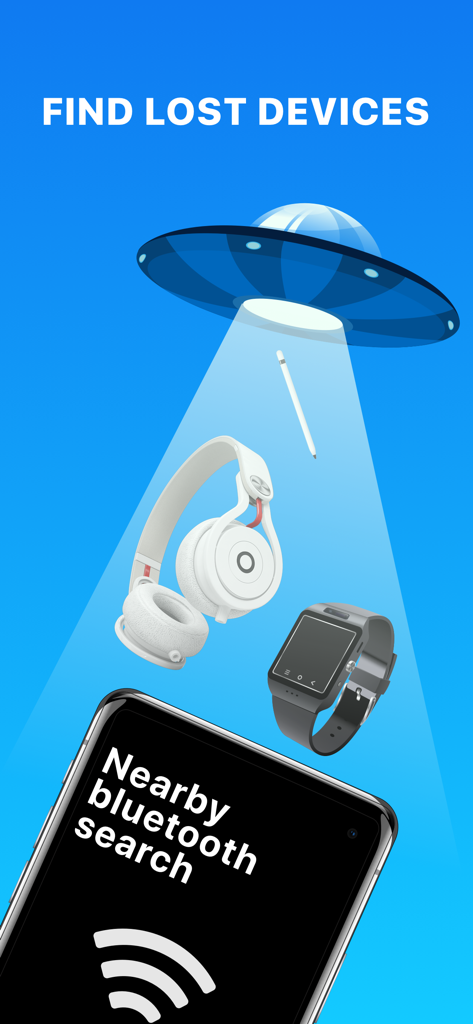
Une illustration montrant un faisceau d'OVNI scannant des objets perdus comme des écouteurs et des montres connectées au-dessus d'un téléphone exécutant l'application Trouver l'appareil.
Garçon de dessin animé célébrant avec une bulle de dialogue disant 'ça marche' et un compteur d'appareils trouvés.
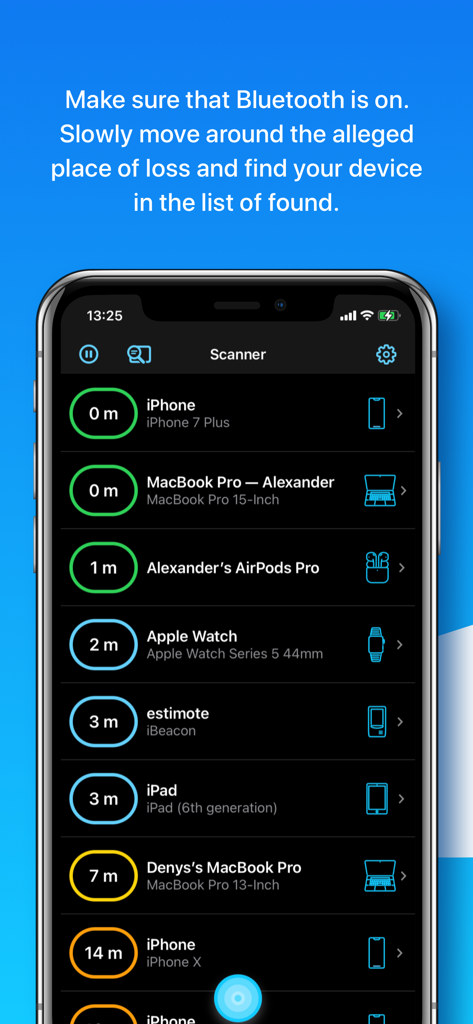
Interface de l'application Trouver l'appareil montrant une liste d'appareils Bluetooth à proximité avec des distances estimées en mètres.
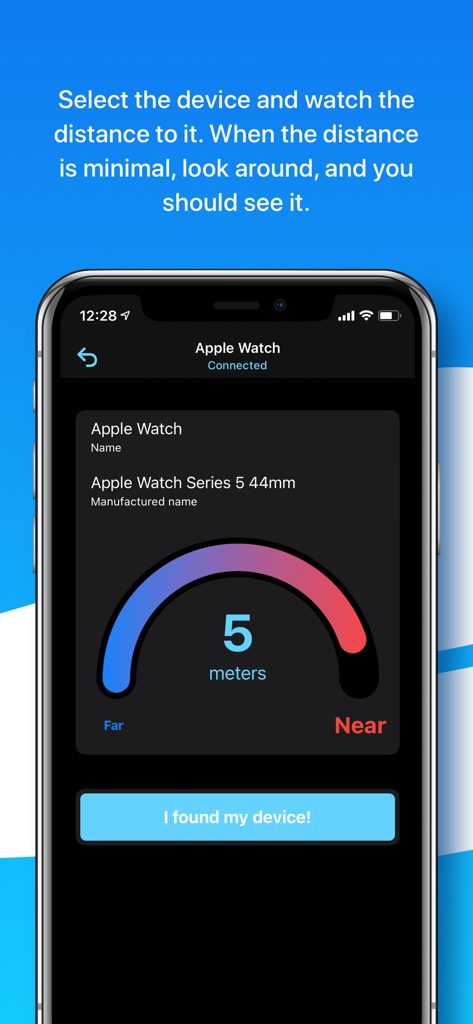
Interface d'un capteur de distance montrant cinq mètres jusqu'à une Apple Watch connectée.
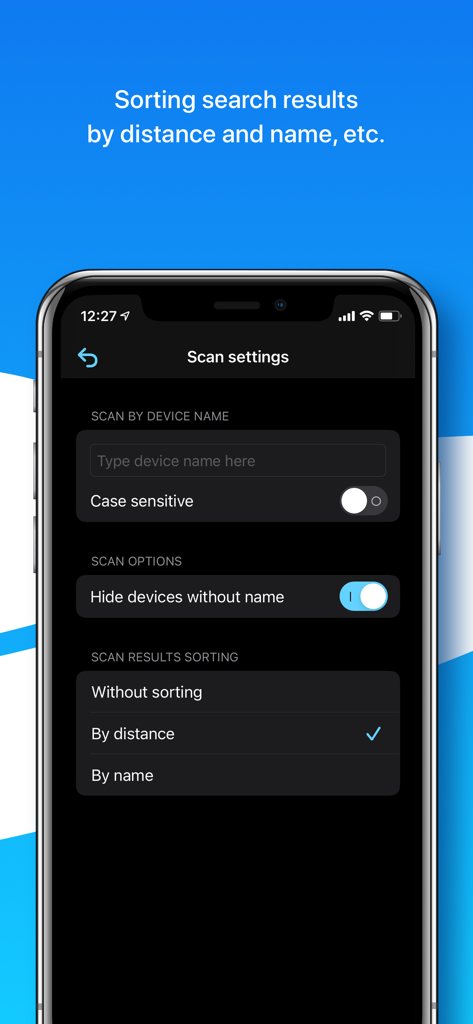
Écran des paramètres de scan dans l'application Trouver l'appareil montrant les options pour filtrer par nom d'appareil et trier les résultats par distance ou par nom.
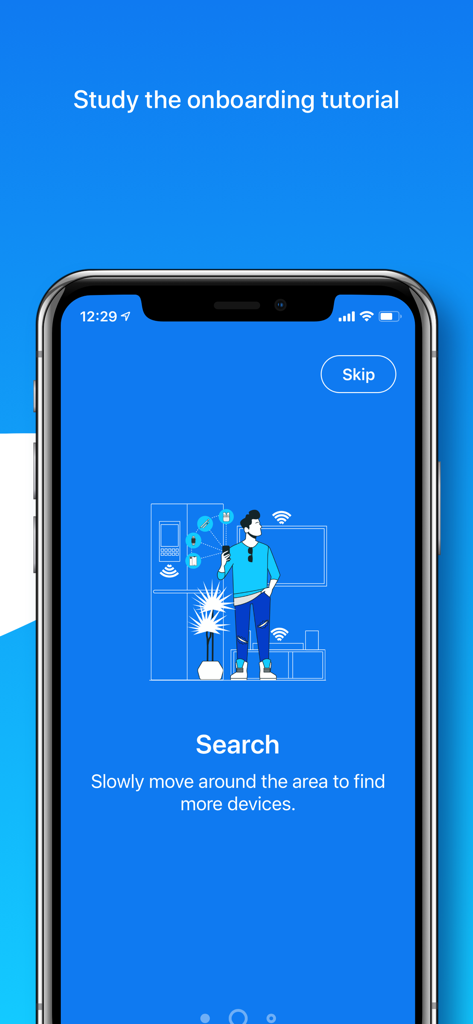
Écran d'accueil de l'application montrant une personne scannant une pièce à la recherche d'appareils Bluetooth perdus.
Description
Download
Apps Similaires
Apps les mieux classées dans la même catégorie

Google LLC

Google Chrome
Google LLC

中国移动(手机营业厅)
China Mobile Online Services Co., Ltd.

Google Authenticator
Google LLC

CNH do Brasil
Servicos e Informacoes do Brasil

Cleanup: Phone Storage Cleaner
DEEP FLOW SOFTWARE SERVICES - FZCO

gov.br
Servicos e Informacoes do Brasil

中国电信-全国统一官方服务平台
CHINA TELECOM Corporation Ltd.

Microsoft Edge: AI Browser
Microsoft Corporation
Cette page n'est pas une page officielle de l'application ou de son développeur, mais une publication éditoriale indépendante créée à des fins d'information et de commentaire. Sauf indication expresse contraire, ni l'application ni son développeur ne sont affiliés, approuvés, sponsorisés, autorisés ou autrement officiellement liés à MWM, Apple, Google Play, à l'éditeur de l'application ou au développeur de l'application, et rien sur cette page n'implique que l'application a été développée en utilisant les services de MWM. Toutes les marques, logos, captures d'écran et autres contenus restent la propriété de leurs propriétaires respectifs.