Markup Ultimate

Markup Ultimate

Télécharger sur App Store
Logo de Markup Ultimate

Markup Ultimate : Lisez plus intelligemment grâce aux analyses basées sur l’IA

La suite bureautique tout-en-un idéale pour les chercheurs et les professionnels. Synthétisez automatiquement les fichiers complexes, mettez en évidence le contenu web et optimisez votre flux de travail PDF où que vous soyez.

Télécharger sur App Store

Éditeur

Kdan Mobile Software LTD

Catégorie

Productivity

Téléchargements

378K+

Note

4.4/5

Nombre d'avis

2K+

Langues

13

Visualisation de l'efficacité

Découvrez l'interface utilisée par 378K+ utilisateurs.

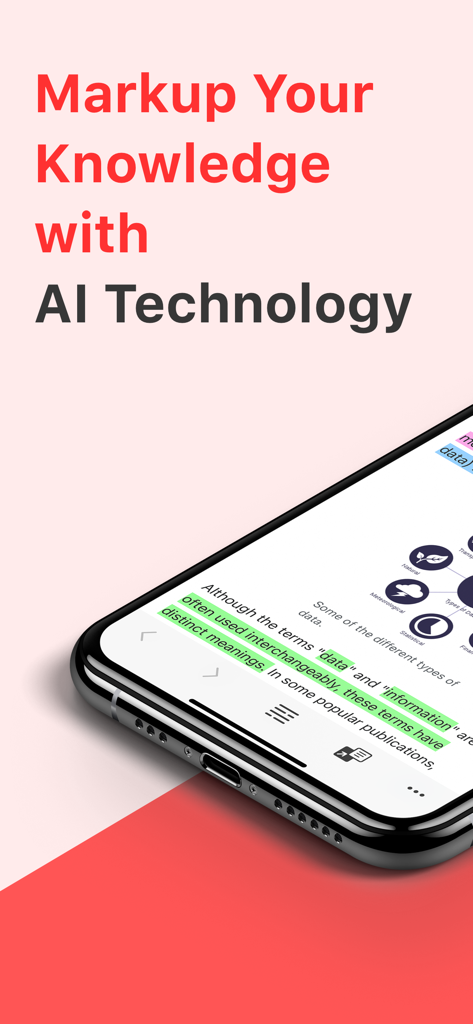
Écran de smartphone affichant l'application Markup Ultimate avec du texte surligné et des fonctionnalités d'annotation basées sur l'IA.
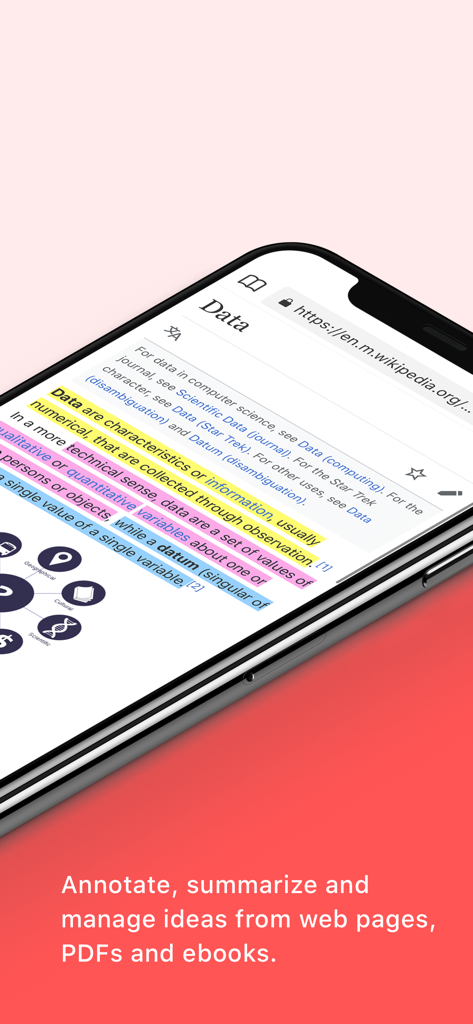
Écran de smartphone affichant l'application Markup Ultimate avec du texte surligné et des fonctionnalités d'annotation basées sur l'IA.

Écran d'un smartphone affichant l'application Markup Ultimate utilisée pour surligner et annoter une page Wikipédia sur les données
Écran d'un smartphone affichant l'application Markup Ultimate utilisée pour surligner et annoter une page Wikipédia sur les données

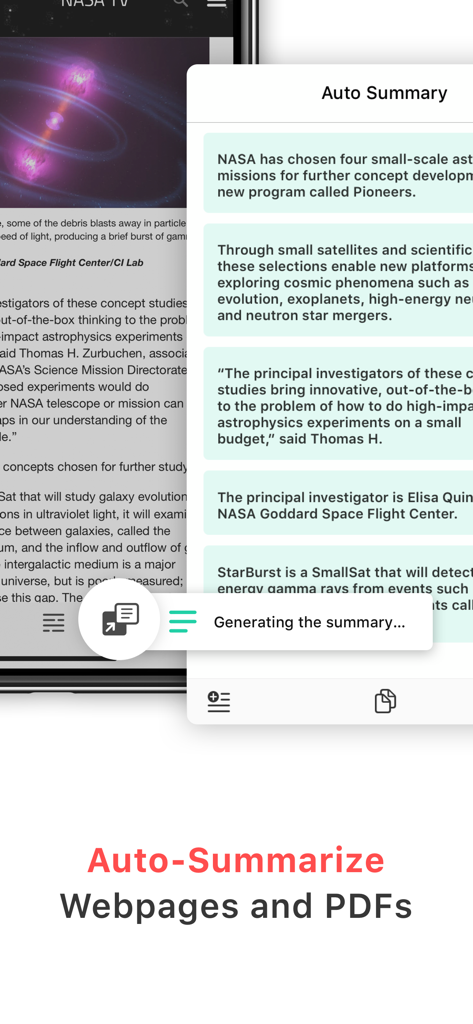
Écran de smartphone affichant la fonction de résumé automatique par IA de Markup Ultimate avec un article résumé sur la NASA
Écran de smartphone affichant la fonction de résumé automatique par IA de Markup Ultimate avec un article résumé sur la NASA

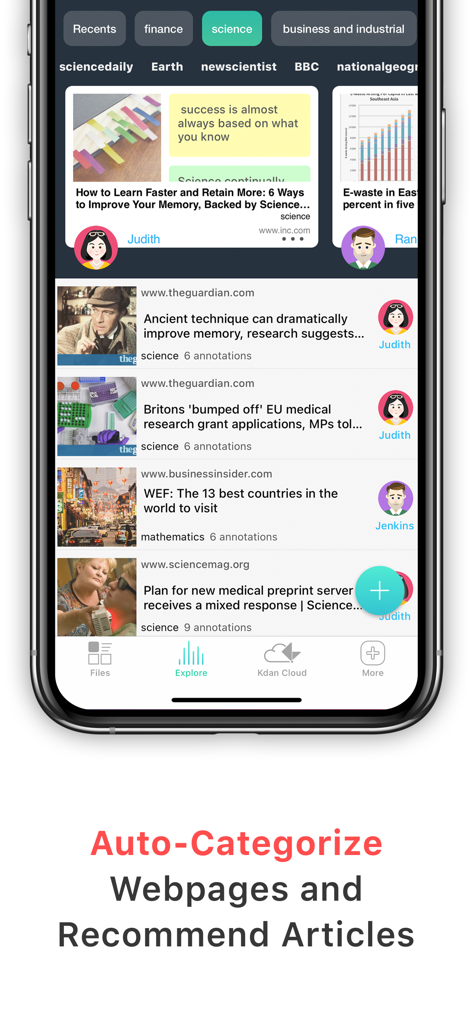
Interface de l'application Markup Ultimate affichant des pages Web automatiquement catégorisées et des recommandations d'articles personnalisées
Interface de l'application Markup Ultimate affichant des pages Web automatiquement catégorisées et des recommandations d'articles personnalisées

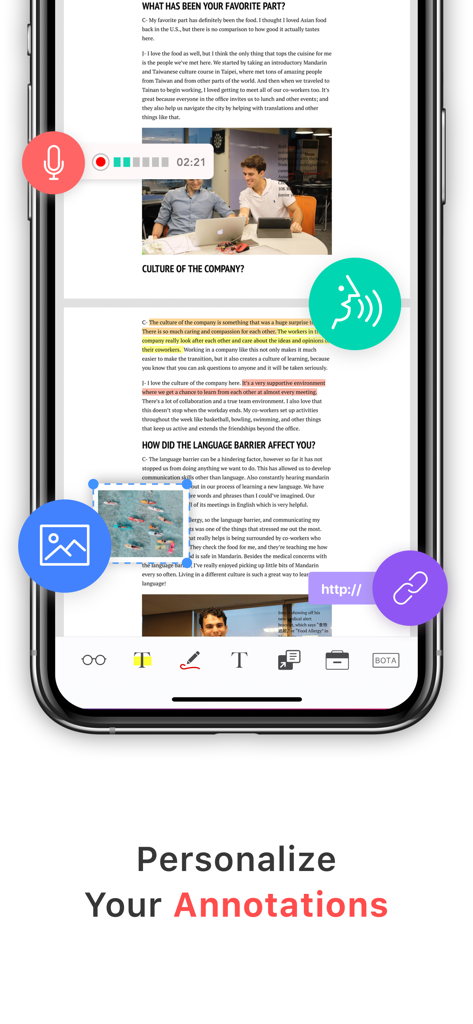
Écran de smartphone affichant des annotations multimédias personnalisées avec des notes vocales, des images et des liens dans l'application Markup Ultimate
Écran de smartphone affichant des annotations multimédias personnalisées avec des notes vocales, des images et des liens dans l'application Markup Ultimate

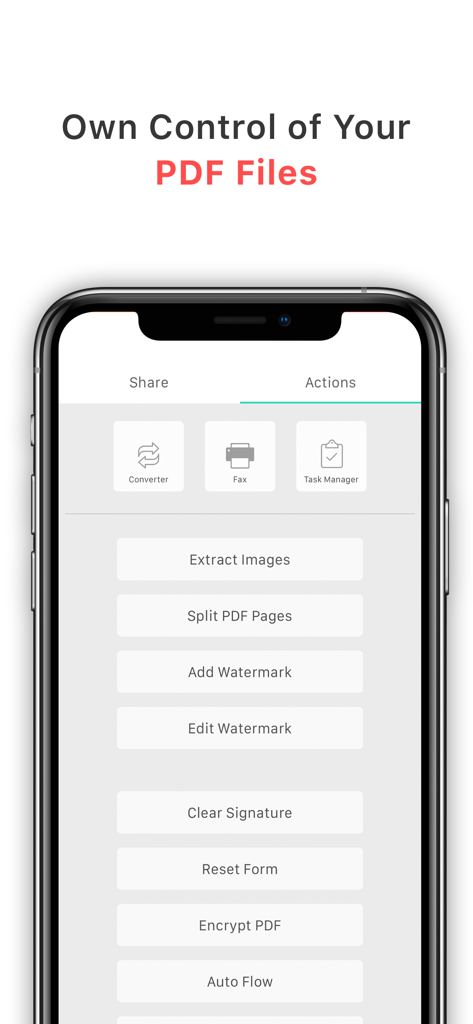
Interface de l'application Markup Ultimate présentant des actions avancées d'édition et de gestion de fichiers PDF.
Interface de l'application Markup Ultimate présentant des actions avancées d'édition et de gestion de fichiers PDF.

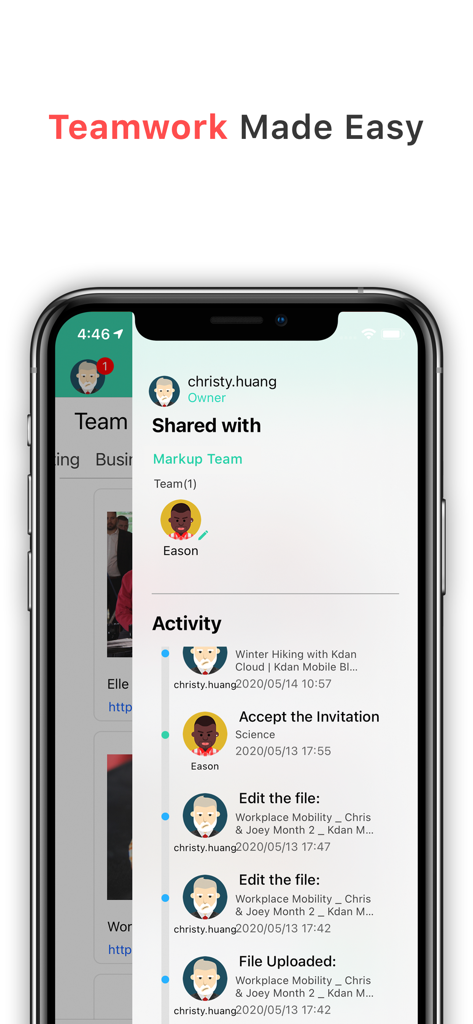
Interface de l'application Markup Ultimate affichant la collaboration d'équipe et le flux d'activité pour les fichiers partagés.
Interface de l'application Markup Ultimate affichant la collaboration d'équipe et le flux d'activité pour les fichiers partagés.

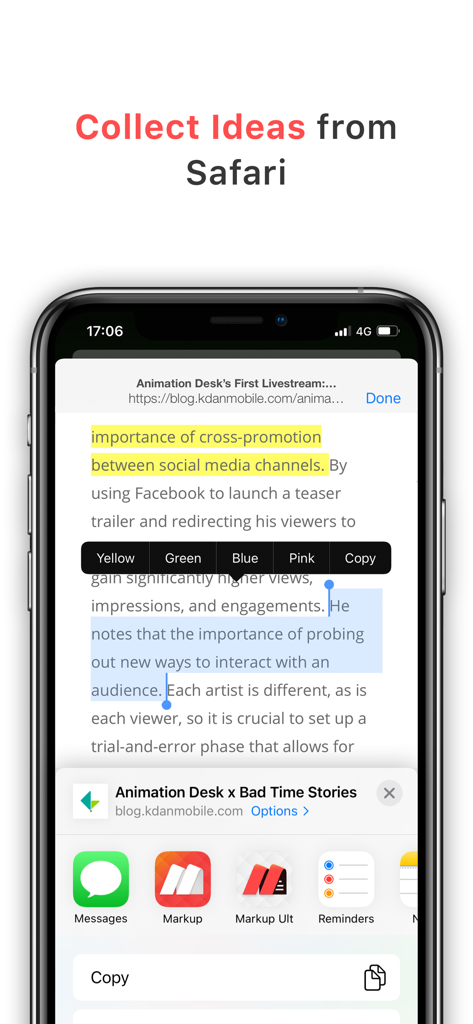
Interface de l'application Markup Ultimate montrant comment surligner du texte et collecter des idées directement depuis le navigateur Safari sur un iPhone.
Interface de l'application Markup Ultimate montrant comment surligner du texte et collecter des idées directement depuis le navigateur Safari sur un iPhone.

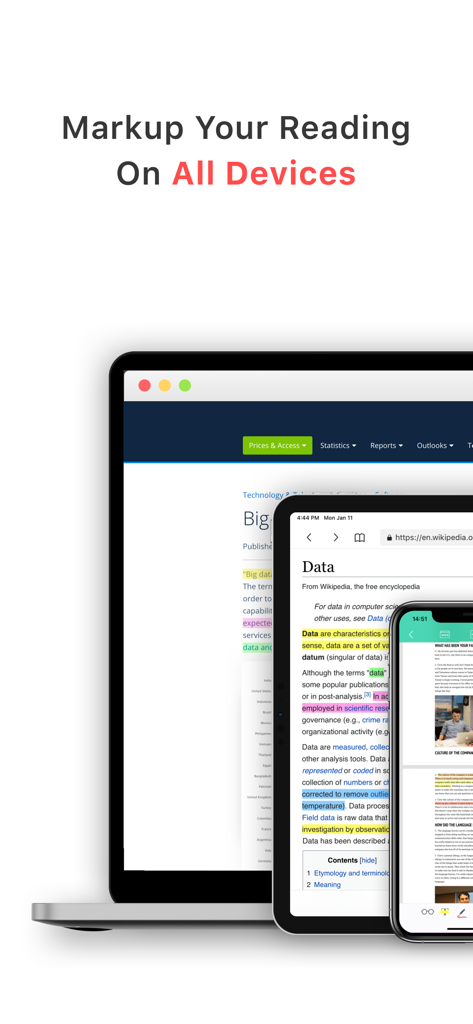
Ordinateur portable, tablette et smartphone affichant l'interface de l'application Markup Ultimate avec du texte surligné sur tous les appareils.

Ordinateur portable, tablette et smartphone affichant l'interface de l'application Markup Ultimate avec du texte surligné sur tous les appareils.

Améliorez votre intelligence de lecture

Les outils qui font la différence, choisis par 378K+ utilisateurs.

Résumés automatiques basés sur l'IA

Ne vous laissez plus submerger par les longs contenus. Notre IA extrait instantanément les informations clés des rapports et articles volumineux, pour que vous puissiez vous concentrer sur l'essentiel.

🖊️

Annotation unifiée pour le Web et les PDF

Surlignez des extraits directement dans Safari ou explorez en détail les PDF avec votre Apple Pencil. Vos notes sont automatiquement synchronisées et classées pour faciliter leur consultation.

👥

Collaboration d'équipe instantanée

Transformez vos recherches individuelles en intelligence collective. Partagez instantanément des extraits annotés, des balises Web et des dossiers organisés via des presse-papiers partagés au sein de l'équipe.

À propos de l'app

Tout ce que vous devez savoir sur Markup Ultimate.

Description

Markup Ultimate is the fully-working version of Markup. Search “Markup” on the App Store and try it out for free before purchasing. Markup is a productivity tool with unique AI-powered features to create a smart reading experience for users. It automatically extracts key reading points out of large files or text and learns the user’s preference and behavior to provide informed suggestions. Markup lets you highlight, annotate, and read with efficiency. ***Widely Recognized by Media & Our Users*** + Featured in All Digital School – Editor’s Choice for Reading + Featured in “Annotation and Screencasting to Extend the Reach of Your Classroom” by Yale Center of Language Study + Featured in “The 9 Best PDF Apps for the Apple iPad” by TabletPC Review + User Testimonial: “PDF Markup helps me to take work with me when I am not in the office. It really does make life better!” - Val Sigler KEY FEATURES AUTO SUMMARY (NEW) – Make every reading second count! •Immediately find your focus on reading by extracting information that matters •Automatically process heavyweight content in a summary view •Add to your own annotations to keep your ideas all in one place •Copy to your clipboards and share to other platforms for extensive reading AI INTEGRATION • Analyze highlighted stories with Markup's brilliant algorithm. • Automatically sort web pages you highlighted into different categories. • Discover more stories you are interested in. INSTANT TEAM COLLABORATION • Share files, pictures, articles, videos, and URLs with your team • Directly share highlighted Web Markups and annotations to your team • Onboard your team members via Teams Clipboards • Invite and manage your members in Team Panel to tracks team’s activity WEB HIGHLIGHTER • Highlight text and excerpts on web pages through built-in or Safari browser. • Sync your highlights through multiple devices. • Explore and share highlights from the markup community. • Link web highlights to your PDFs DOCUMENT VIEWER & ANNOTATOR • Support all mainstream formats, including PDF and ePub books • Add highlights, freehand writings, sticky notes, text boxes, arrows, shapes, etc. • Customize PDF stamps by adding texts or images • Sign & fills documents • BOTA list- display a summary of bookmark, outline, thumbnail and annotation • Text-to-Speech- read out text content with natural sounding voices • Multimedia note-taking - insert links, images, audio clips and capture screens •Advanced PDF Editing – merge and split pages, watermarks, flattened PDFs and more FILE TRANSFER & BACKUP • Get files from Dropbox, Google Drive, iCloud Drive, Photo gallery and local files KDAN CLOUD – FREE SIGN UP • Resume unfinished uploading. • Viewing PDFs online by sending file links. • Send download links from the web with password protection. IN-APP PURCHASE Subscribe to Kdan Cloud services for more advanced capabilities to convert, edit, fax, and sync PDFs on computers and mobile devices. WHAT IS CREATIVITY 365? (FREE TRIAL AVAILABLE) Creativity 365 is a cross-device contention creation toolset aimed at improving productivity and collaboration. The set includes five apps- Markup, Animation Desk, Pocket Scanner, NoteLedge, and Write-on Video plus 1TB Kdan Cloud storage. Creativity 365 subscribers can access to all the premium features commonly unavailable to free app users. IN-APP PURCHASE DETAILS • Creativity 365 subscription is USD$9.99/month or $4.99 per month if you pay annually (includes PDF editing tools, all premium features in all apps & 1 TB cloud storage) • We offer a 3-day or 7-day trial period to new subscribers of Creativity 365. • Subscriptions automatically renew unless canceled at least 24 hours before the end of current subscription period. Terms of service: https://www.kdanmobile.com/en/terms_of_service Privacy Policy: https://www.kdanmobile.com/en/privacy_policy

Dernière version

8.10.11

Taille

182.8 MB

Date de sortie

31 oct. 2014

Maîtrisez vos connaissances grâce à la précision de l'IA

Rejoignez plus de 378 000 professionnels et chercheurs. Téléchargez Markup Ultimate dès maintenant pour automatiser vos résumés et optimiser votre flux de travail de lecture.

Télécharger sur App Store

App information, icons, screenshots, and descriptions displayed on this page are sourced from the Apple App Store and are the property of their respective developers. Download estimates and rankings are based on MWM's proprietary models and may not reflect actual figures. This page is provided for informational and analytical purposes only.

Believe this page infringes your intellectual property? File a dispute