Nexans
Nexans
Télécharger sur App Store

Cette page n'est pas une page officielle de l'application ou de son développeur, mais une publication éditoriale indépendante créée à des fins d'information et de commentaire. Sauf indication expresse contraire, ni l'application ni son développeur ne sont affiliés, approuvés, sponsorisés, autorisés ou autrement officiellement liés à MWM, Apple, Google Play, à l'éditeur de l'application ou au développeur de l'application, et rien sur cette page n'implique que l'application a été développée en utilisant les services de MWM. Toutes les marques, logos, captures d'écran et autres contenus restent la propriété de leurs propriétaires respectifs.

Logo de Nexans
Télécharger sur App Store

Nexans

Rationalisez votre chantier avec le calcul de câbles EASYCALC™, les fiches techniques instantanées et l'authentification des produits en temps réel, directement depuis votre poche.

Chiffres Clés

Téléchargements

14K+

Note

3.7/5

Nombre d'avis

0

Éditeur

Nexans France

Catégorie

Business

Langues

-

Dernière version

2.3.3

Taille

27.1 MB

Date de sortie

7 févr. 2012
Fonctionnalités

Outils de précision pour les professionnels de l'électricité

Rationalisez votre flux de travail, du camion au chantier, avec un accès instantané aux spécifications techniques, au dimensionnement automatisé et à la vérification des produits.

Calcul automatisé EASYCALC™

Éliminez les erreurs de calcul manuelles. Déterminez la section de câble idéale en 4 étapes rapides en fonction de vos conditions spécifiques de puissance, de longueur et d'environnement.

Bibliothèque technique instantanée

Scannez un code-barres pour accéder immédiatement aux fiches techniques, aux manuels d'installation et aux documents réglementaires. Toutes les données techniques dont vous avez besoin sans les classeurs en papier.

Les captures d'écran et la description suivantes proviennent directement de la fiche officielle de l'application sur le store et sont la propriété du développeur.

App Store

Captures
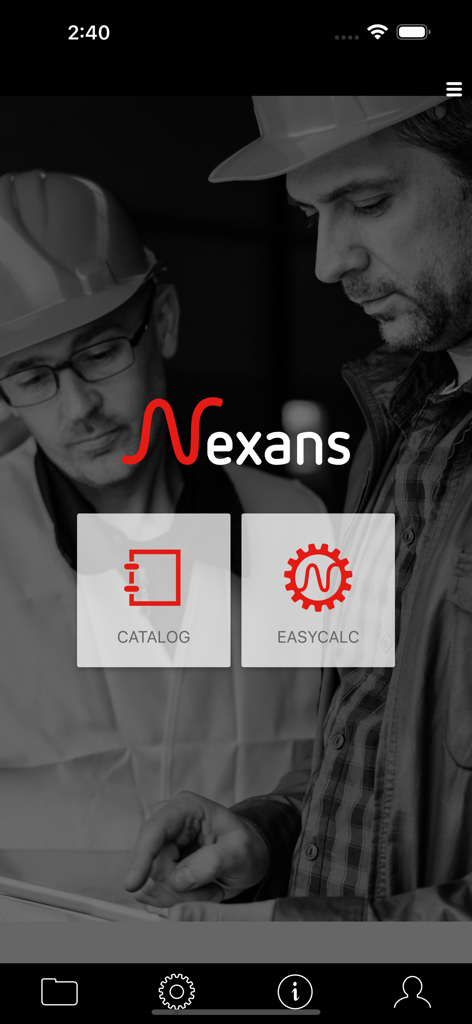
Nexans - Écran d'accueil de l'application mobile Nexans montrant les fonctionnalités Catalogue et EasyCalc pour les électriciens.
Écran d'accueil de l'application mobile Nexans montrant les fonctionnalités Catalogue et EasyCalc pour les électriciens.

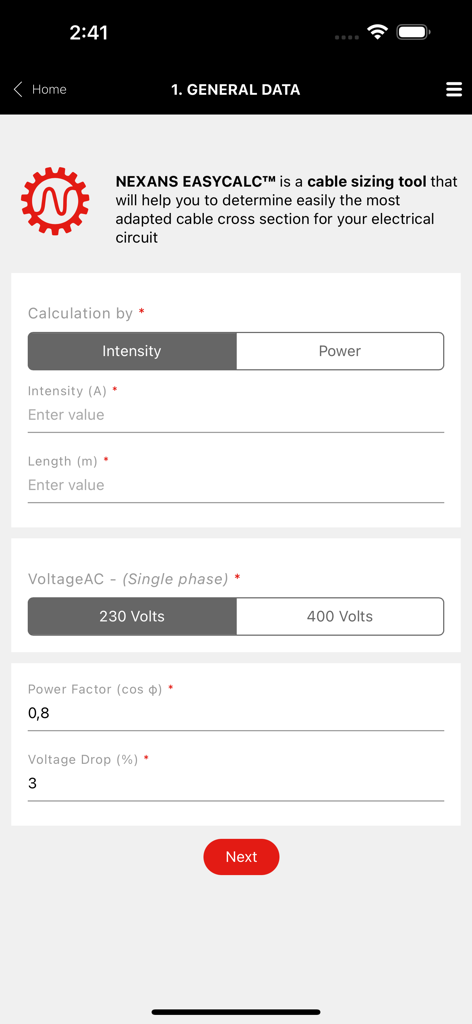
Nexans - Interface de l'outil de calcul de câbles Nexans EasyCalc pour la saisie des données des circuits électriques
Interface de l'outil de calcul de câbles Nexans EasyCalc pour la saisie des données des circuits électriques

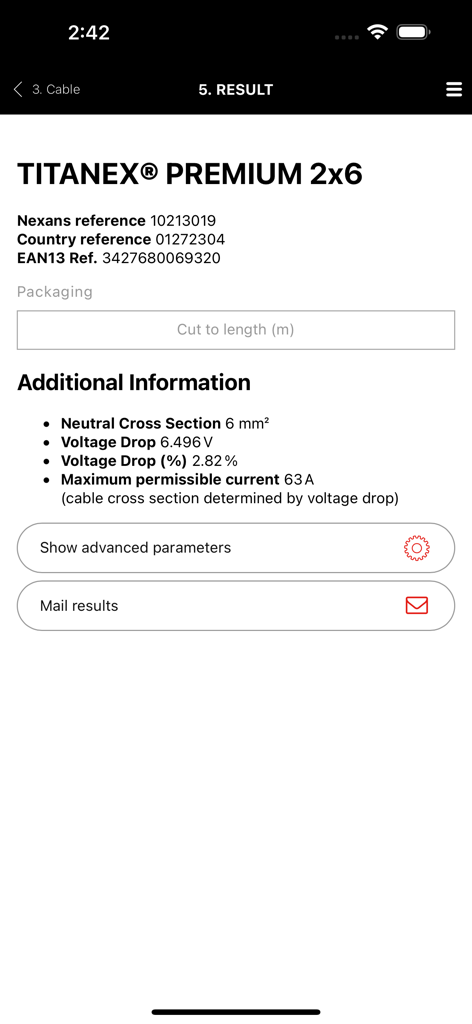
Nexans - Écran des résultats EasyCalc de l'application Nexans montrant les données techniques du câble Titanex Premium
Écran des résultats EasyCalc de l'application Nexans montrant les données techniques du câble Titanex Premium

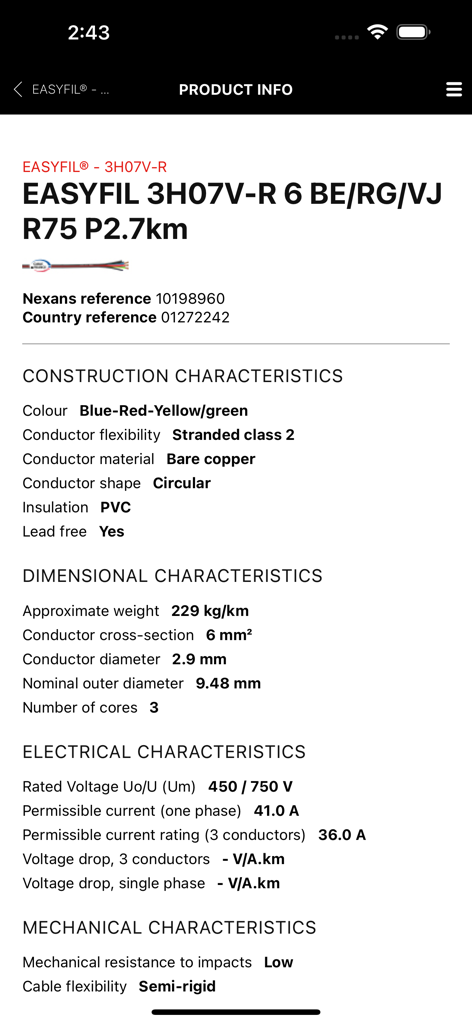
Nexans - Spécifications techniques et informations produit du câble Nexans Easyfil affichées sur l'écran d'une application mobile
Spécifications techniques et informations produit du câble Nexans Easyfil affichées sur l'écran d'une application mobile

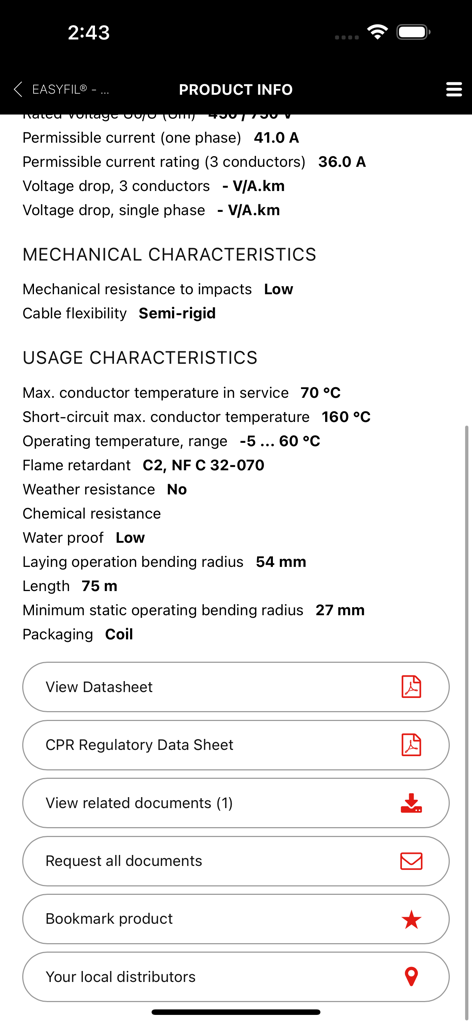
Nexans - Écran de l'application Nexans montrant les spécifications techniques des câbles et les options de téléchargement des fiches techniques

Écran de l'application Nexans montrant les spécifications techniques des câbles et les options de téléchargement des fiches techniques

Description

Nexans’ app provides quick and efficient access to information about Nexans’ products, when you are on the move. Access to product datasheets, installation instructions, regulatory information, user manuals and all related documents. to find the product you want, just enter its reference number, perform a general search or just browse the catalogue. Once you have identified the product, you can access datasheets, installation instructions, user manuals, environmental declarations and other documents. Products can be easily identified thanks to product pictures. Documents can be downloaded and stored on your phone for later use, or sent to one or more e-mail addresses. Note that datasheets cannot be stored on the phone as they are subject to change and it is important to access only the latest version. Scanning a barcode on a Nexans’ product provides you with immediate access to product information without having to search. Depending on your country, the App may provide the following features EASYCALC: Our cable sizing tool– electrical installers, electricians, end-users – that will help you determine the most adapted cable cross section for your installation; Calculation is performed in 4 quick and easy steps. Step1: Fill in general information regarding your installation: intensity/power, length to be installed, voltage and current type (single phase, three phase) Step 2: Select the required cable and conductor types. You will be able to select the one you wish to use among the most common cable families. A short description and a picture of the cable will help you identify easily the one you need. Once the cable type has been chosen, you will have to specify the type of conductor (single core, multicore, with or without PE, with or without neutral) and the number of phases. Again, a corresponding picture will help you check your selection. Step 3: Specify installation conditions: environment (air/ground) and laying options. Pictograms illustrating the various options will facilitate your selection. Step 4: View calculation results: Nexans EASYCALC™ will provide you with the corresponding Nexans product reference. You can then send the results per email or contact Nexans to get additional information PRODUCT AUTHENTICATION You can now validate the authenticity of Nexans products by scanning the label available on the packaging. This module works with a specific sticker tagged on the products. It will allow to check if the product is not counterfeit. STORE LOCATOR Allow you to access the product reseller. The app makes use of your phone’s GPS for geolocation, allowing it to suggest addresses, but with a manual override for when your position is not accurately known. WARRANTY FORMS A facility for filling out warranty forms for heating cables. The procedure is the same as completing the form on paper, but with the added advantage that you can mail it to yourself, send a copy to Nexans, who will store it for you, and even mail it to your customer, for example. GENERAL INFORMATION The app requires a network connection to work properly. All the data are retrieved in real time direct from Nexans’ web servers, ensuring that the information is always up to date. The app is free to download and use, but your phone service provider may charge you for the data traffic, typically as part of your call and data plan. Optionally, in the app’s settings menu, you can define a data download limit.

Download

Télécharger sur App Store

Cette page n'est pas une page officielle de l'application ou de son développeur, mais une publication éditoriale indépendante créée à des fins d'information et de commentaire. Sauf indication expresse contraire, ni l'application ni son développeur ne sont affiliés, approuvés, sponsorisés, autorisés ou autrement officiellement liés à MWM, Apple, Google Play, à l'éditeur de l'application ou au développeur de l'application, et rien sur cette page n'implique que l'application a été développée en utilisant les services de MWM. Toutes les marques, logos, captures d'écran et autres contenus restent la propriété de leurs propriétaires respectifs.








