
Cette page n'est pas une page officielle de l'application ou de son développeur, mais une publication éditoriale indépendante créée à des fins d'information et de commentaire. Sauf indication expresse contraire, ni l'application ni son développeur ne sont affiliés, approuvés, sponsorisés, autorisés ou autrement officiellement liés à MWM, Apple, Google Play, à l'éditeur de l'application ou au développeur de l'application, et rien sur cette page n'implique que l'application a été développée en utilisant les services de MWM. Toutes les marques, logos, captures d'écran et autres contenus restent la propriété de leurs propriétaires respectifs.


Otter Transcribe Voice Notes
Le cerveau humain est faillible, Otter est la mémoire numérique qui ne l'est pas.
Téléchargements
7.5M+Note
Nombre d'avis
90.0KÉditeur
Catégorie
ProductivityLangues
1Dernière version
3.96.0Taille
159.1 MBDate de sortie
17 févr. 2018Évaluation des capacités de 'Otter Transcribe Voice Notes' pour les professionnels, étudiants et télétravailleurs.
Analyse des Fonctionnalités Clés
Génération de notes et résumés AI
L'application propose un assistant de réunion intelligent qui génère automatiquement des notes détaillées et des résumés concis, libérant les utilisateurs de la prise de notes manuelle.
Transcription en temps réel
Cet outil permet d'enregistrer et de transcrire instantanément les conversations, réunions ou cours en direct, offrant une conversion immédiate de la parole en texte.
Recherche et lecture intelligente
Il offre des fonctionnalités de recherche textuelle au sein des transcriptions et une lecture audio interactive, permettant de naviguer rapidement et de retrouver des informations spécifiques.
IA conversationnelle et créative
L'outil intègre un chat IA pour poser des questions sur les conversations enregistrées et générer divers contenus, tels que des e-mails de suivi ou des ébauches.
Collaboration et partage
Cet outil facilite le partage des transcriptions et permet aux équipes de collaborer en temps réel en ajoutant des commentaires, en surlignant des passages et en assignant des actions.
Capture automatique de diapositives
Il permet la capture automatique des diapositives affichées durant les réunions virtuelles, enrichissant les notes de contexte visuel sans effort supplémentaire.
Édition et identification des intervenants
L'application offre la possibilité d'éditer les transcriptions pour corriger les erreurs et d'identifier les différents intervenants, améliorant ainsi la clarté et la précision des documents.
Intégration et gestion des fichiers
Cet outil supporte l'importation de fichiers audio/vidéo et la synchronisation avec des calendriers, optimisant l'organisation et l'intégration dans les flux de travail existants.
Questions Fréquentes
Tout ce que vous devez savoir sur Otter Transcribe Voice Notes
What is Otter AI and what does it do?
Otter AI is a meeting assistant that transcribes voice in real-time, records audio, captures slides, and generates summaries. It helps users avoid manual note-taking.
Does Otter AI provide real-time transcription?
Yes, Otter AI transcribes voice conversations, meetings, interviews, and lectures in real-time. This functionality enables users to focus on the discussion without manual note-taking.
What languages does Otter AI support for transcription?
Otter AI supports transcription in English, Spanish, French, and Japanese. This feature applies to real-time transcription and recorded audio files.
Is Otter AI free to use or does it have a subscription?
Yes, Otter AI offers a free starting option. Paid features are available through Otter Pro, a subscription service billed to your iTunes Account.
What artificial intelligence (AI) features does Otter AI offer?
Otter AI provides an AI Meeting Assistant for automated notes and summaries, AI Chat for quick answers, and AI Channels for team collaboration and async updates.
Which meeting platforms does Otter AI support?
Otter AI integrates with popular meeting platforms, providing automated notes for Zoom, Google Meet, and Microsoft Teams. It supports remote work collaboration.
How does Otter AI support collaboration and sharing?
Otter AI facilitates sharing and collaboration by allowing group members to view, edit, and highlight collaboratively. Users can add comments, assign action items, and share external links.
Are there any specific features for Otter AI on iOS devices?
Yes, Otter AI is optimized for iOS with features like Siri Shortcuts for recording, AirPods integration, and syncing with iOS Calendar, Contacts, and Camera.
How do I manage my Otter Pro subscription and billing?
You manage your Otter Pro subscription and auto-renewal settings in your Account Settings after purchase. Payment processes through your iTunes Account.
Where can I find the privacy policy for Otter AI?
The official privacy policy for Otter AI is accessible on their website. You can review the full policy at https://otter.ai/privacy-policy.
Les captures d'écran et la description suivantes proviennent directement de la fiche officielle de l'application sur le store et sont la propriété du développeur.
App Store
Captures
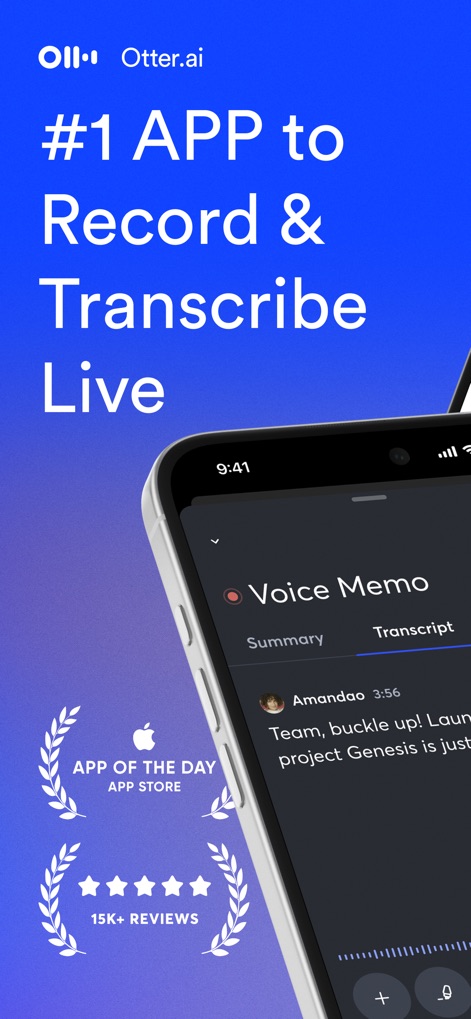
Découvrez comment l'application offre une transcription en temps réel d'une clarté inégalée et un accès rapide aux vues "Résumé" et "Transcription" pour une gestion efficace.
Capture Vocale Intuitive
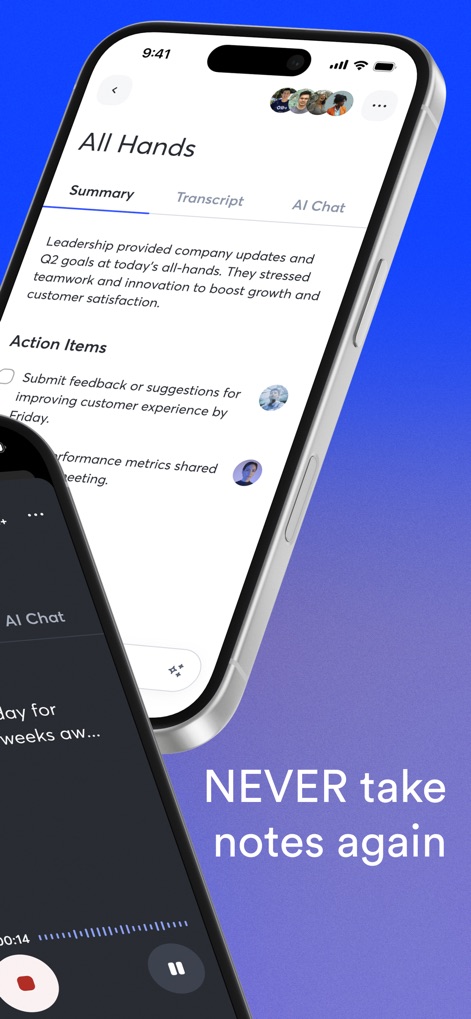
Cet outil transforme les réunions en documents exploitables, présentant clairement les "Action Items" et générant un "Summary" concis, libérant les utilisateurs de la prise de notes manuelle.
Résumés Automatiques Intelligents
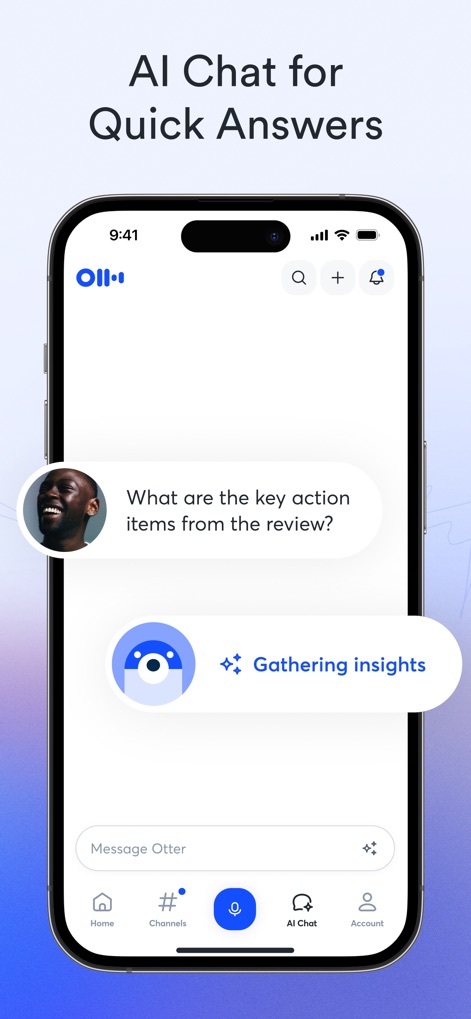
Interagissez directement avec l'assistant IA de l'application via le "AI Chat" pour obtenir des réponses instantanées et voir l'outil "Gathering insights" transformer vos conversations en connaissances exploitables.
Assistant IA Intelligent
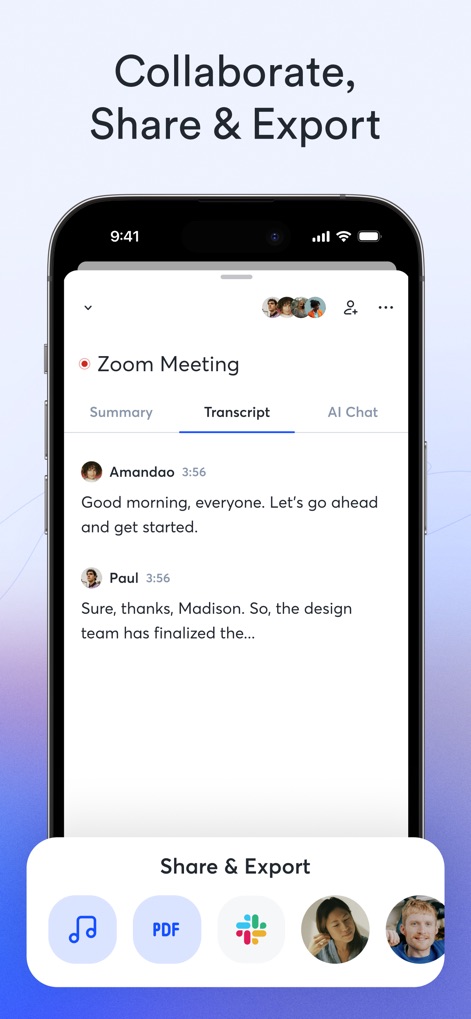
L'application fluidifie le travail d'équipe en proposant des options "Share & Export" variées et la possibilité d'inviter de multiples "group members" pour une collaboration transparente sur les transcriptions.
Partage Collaboration Facilité
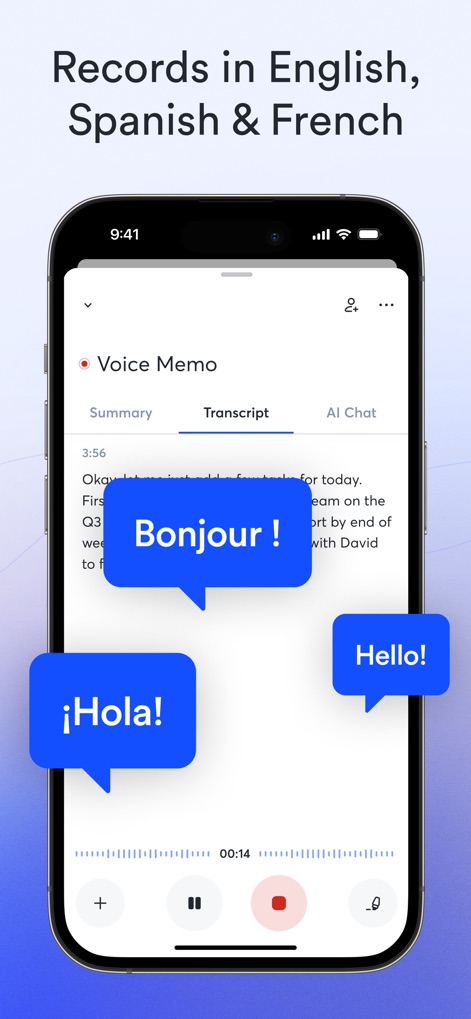
L'application excelle dans la reconnaissance de multiples langues, illustrée par les bulles de dialogue "Bonjour!, Hello!, ¡Hola!", démontrant son "multilingual support" pour des transcriptions précises en anglais, espagnol et français.
Transcriptions Multilingues Fluides
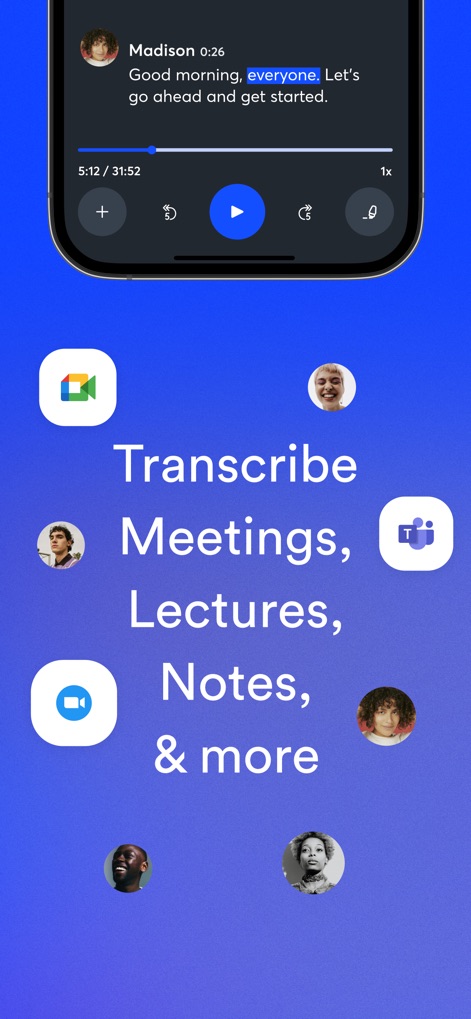
Optimisée pour une grande variété de contenus, l'application offre des "playback controls" avancés et s'intègre parfaitement aux plateformes populaires comme "Google Meet, Teams et Zoom" pour transcrire tous vos échanges.
Transcription Universelle Précise
Description
Download
Apps Similaires
Apps avec des fonctionnalités et une expérience similaires

Plaud: AI Note Taker
PLAUD LLC

Notee: AI Note Taker
GM UniverseApps Limited

클로바노트 - 음성 그 이상의 기록
NAVER Corp.

录音专家-专业录音转文字助手
Chongqing Yeyuegua Technology Co., Ltd

听脑AI - 实时录音转文字总结助手
Shanghai Xiuyu Network Technology Co., Ltd

Granola - AI Meeting Notes
Granola inc

Transkriptor - Speech to Text
Textintel FZE

Minutes: AI Meeting Note Taker
Minutes AI, LLC

Fireflies: AI notetaker
FIREFLIES.AI CORP.
Cette page n'est pas une page officielle de l'application ou de son développeur, mais une publication éditoriale indépendante créée à des fins d'information et de commentaire. Sauf indication expresse contraire, ni l'application ni son développeur ne sont affiliés, approuvés, sponsorisés, autorisés ou autrement officiellement liés à MWM, Apple, Google Play, à l'éditeur de l'application ou au développeur de l'application, et rien sur cette page n'implique que l'application a été développée en utilisant les services de MWM. Toutes les marques, logos, captures d'écran et autres contenus restent la propriété de leurs propriétaires respectifs.