PDF Markup & Annotation Maker

PDF Markup & Annotation Maker

Télécharger sur App Store
Logo de PDF Markup & Annotation Maker

Créateur d'annotations et de marquages PDF : L'outil de précision pour votre flux de travail numérique

Boostez votre productivité avec la mise en surbrillance intuitive, le texte personnalisé et les outils de dessin professionnels. Que vous révisiez des contrats ou que vous maîtrisiez des supports d'étude, annotez les PDF exactement comme vous le souhaitez sur votre iPad et iPhone.

Éditeur

Ruchira Ramesh

Catégorie

Business

Téléchargements

49K+

Note

4.5/5

Nombre d'avis

0

Langues

1

La précision dans chaque pixel

Découvrez l'interface utilisée par 49K+ utilisateurs.
Capture d'écran de l'application PDF Markup and Annotation Maker montrant les outils pour surligner, souligner et ajouter du texte à un document

Capture d'écran de l'application PDF Markup and Annotation Maker montrant les outils pour surligner, souligner et ajouter du texte à un document

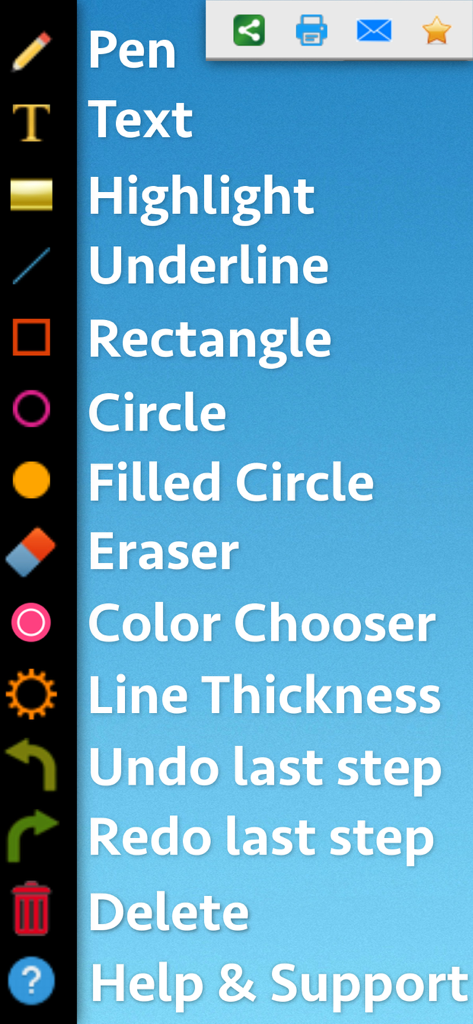
Interface montrant une liste verticale d'outils d'annotation PDF comme la plume, le texte, la surbrillance et les formes

Interface montrant une liste verticale d'outils d'annotation PDF comme la plume, le texte, la surbrillance et les formes

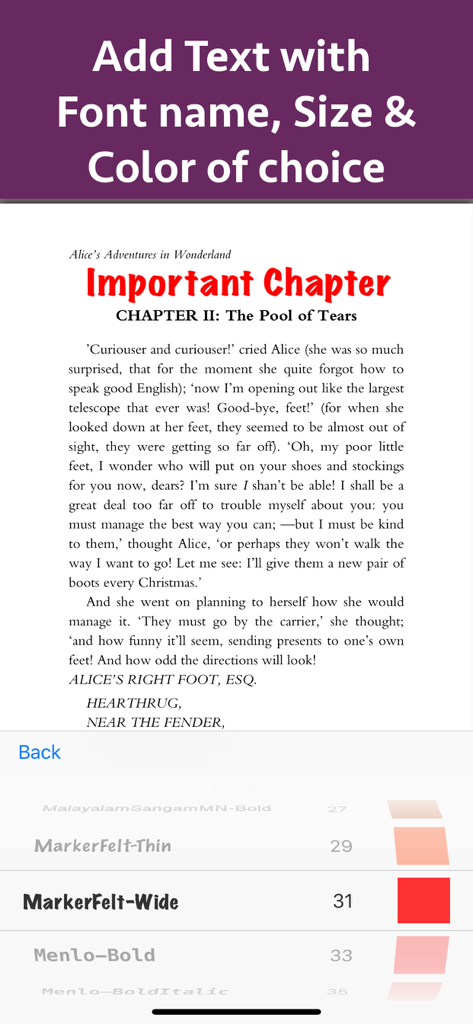
Ajouter et personnaliser du texte sur un document PDF avec des options de taille de police et de couleur

Ajouter et personnaliser du texte sur un document PDF avec des options de taille de police et de couleur

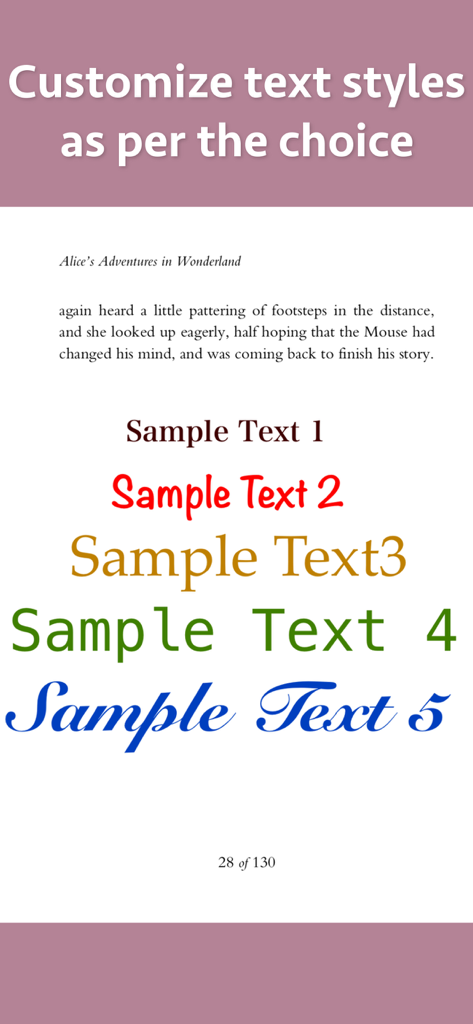
Démonstration de divers styles de texte personnalisés, polices et couleurs pour l'annotation et le marquage PDF

Démonstration de divers styles de texte personnalisés, polices et couleurs pour l'annotation et le marquage PDF

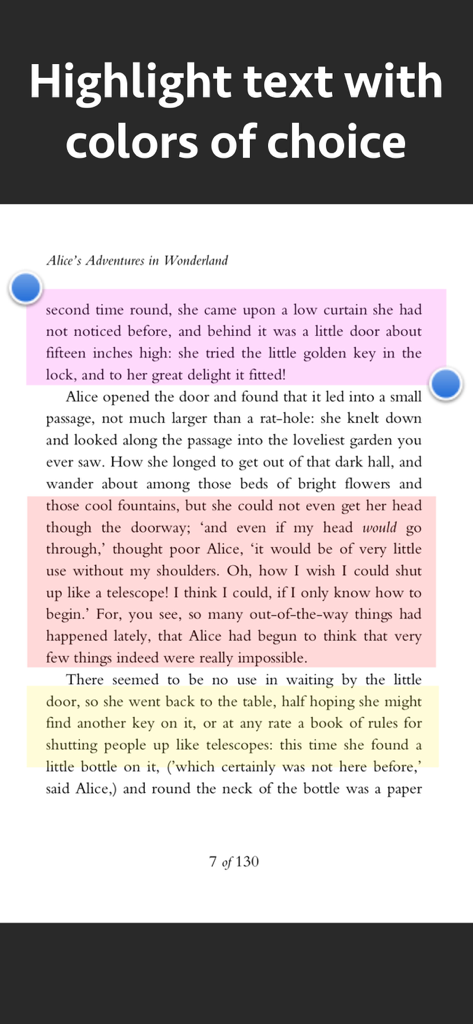
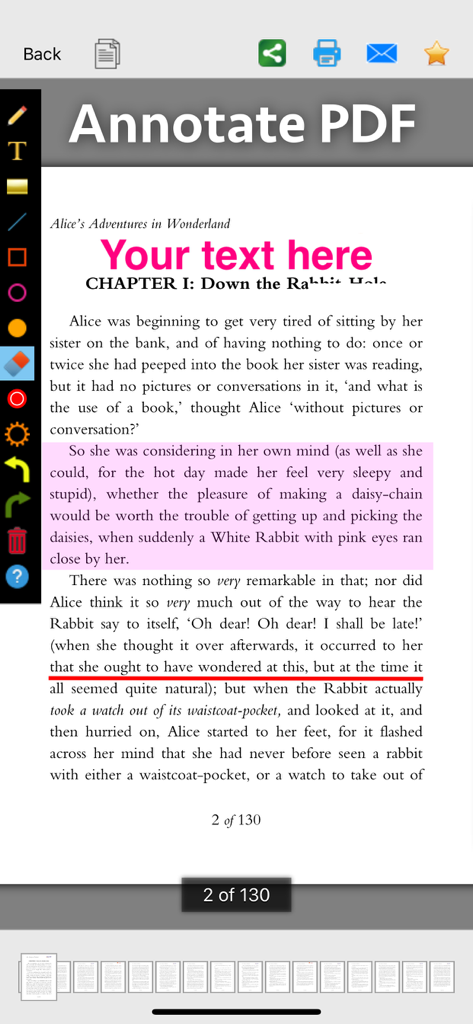
Un écran montrant des paragraphes de texte mis en surbrillance en rose, orange et jaune à l'aide d'un outil de marquage PDF

Un écran montrant des paragraphes de texte mis en surbrillance en rose, orange et jaune à l'aide d'un outil de marquage PDF

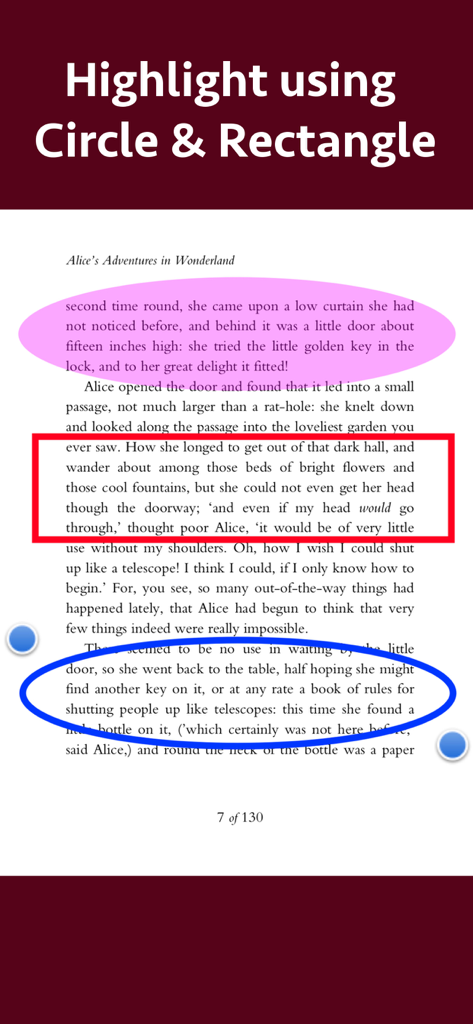
Document PDF avec des sections de texte mises en surbrillance à l'aide d'outils de formes circulaires et rectangulaires

Document PDF avec des sections de texte mises en surbrillance à l'aide d'outils de formes circulaires et rectangulaires

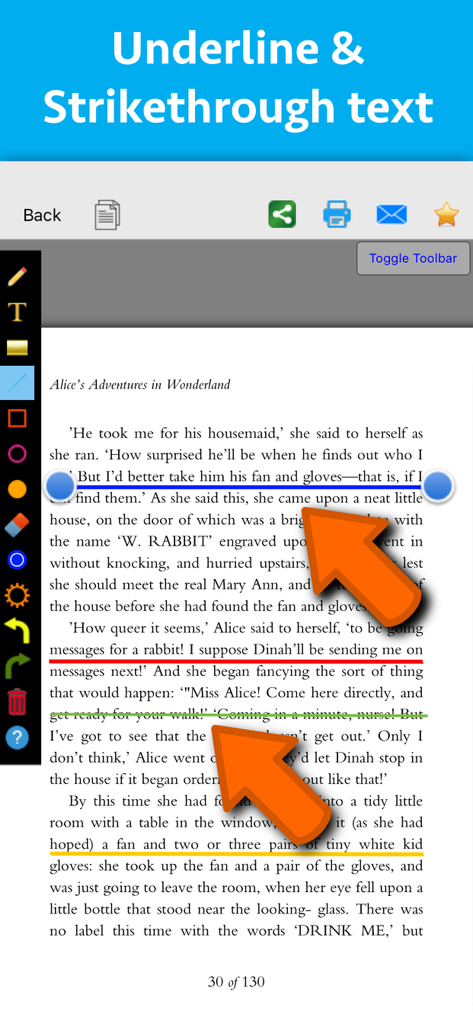
Interface d'une application de marquage PDF montrant des annotations colorées de soulignement et de barré sur une page de texte

Interface d'une application de marquage PDF montrant des annotations colorées de soulignement et de barré sur une page de texte

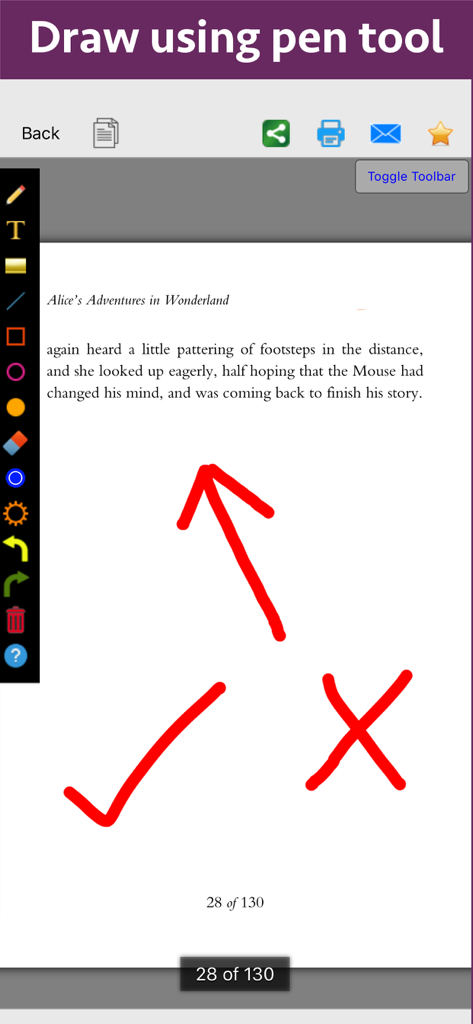
Une page de document PDF d'Alice au pays des merveilles présentant des annotations colorées comme une flèche, une coche et une croix dessinées avec l'outil plume.

Une page de document PDF d'Alice au pays des merveilles présentant des annotations colorées comme une flèche, une coche et une croix dessinées avec l'outil plume.

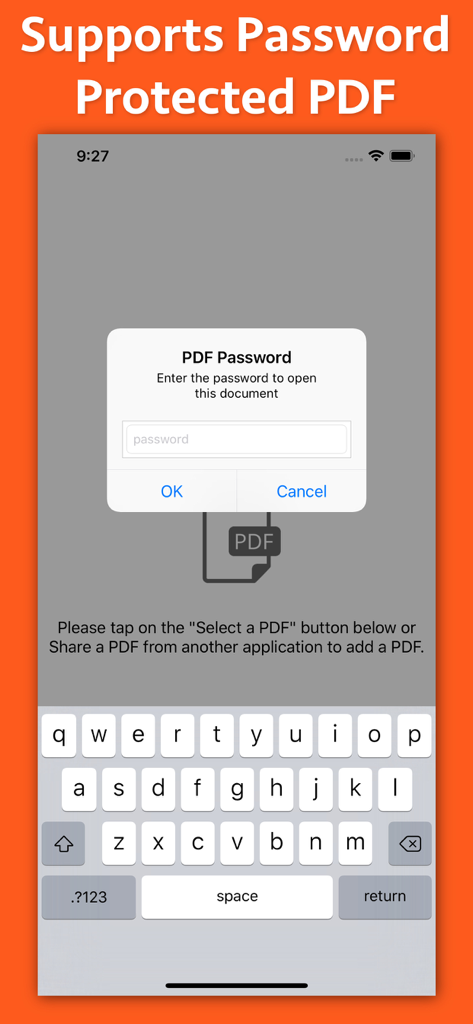
Interface de l'application PDF Markup montrant une fenêtre contextuelle de saisie de mot de passe pour les documents protégés

Interface de l'application PDF Markup montrant une fenêtre contextuelle de saisie de mot de passe pour les documents protégés

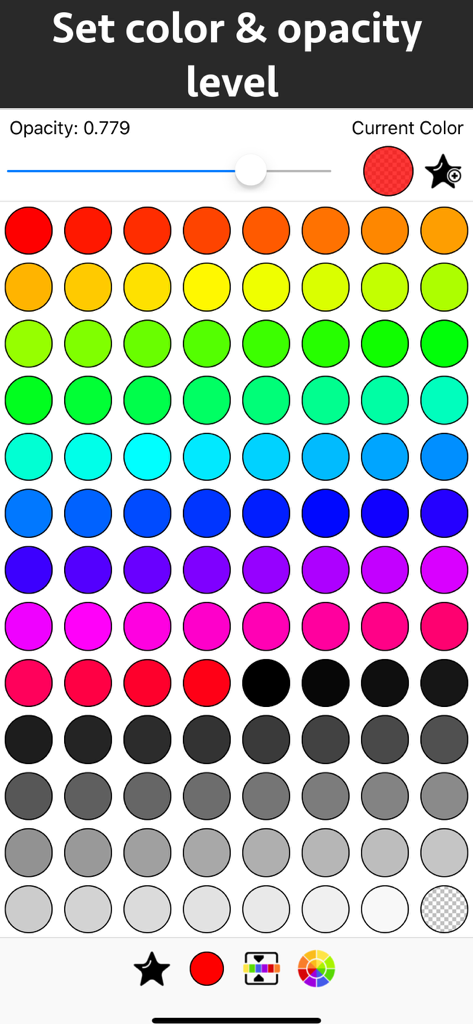
Interface pour choisir des couleurs et définir des niveaux d'opacité pour les annotations PDF

Interface pour choisir des couleurs et définir des niveaux d'opacité pour les annotations PDF

Maîtrisez vos documents avec précision

Les outils qui font la différence, choisis par 49K+ utilisateurs.

📝

Mise en surbrillance et notes intelligentes

Codez par couleur les informations clés et ajoutez du texte personnalisé avec un contrôle total sur les polices et les styles pour faire ressortir vos notes d'étude ou de travail.

🖋️

Outils de dessin intuitifs

Utilisez l'outil plume ou des formes de précision comme les cercles et les flèches pour mettre en évidence exactement ce qui est important dans les plans, les diagrammes ou les documents.

Boucle de rétroaction rationalisée

Simplifiez votre processus de révision avec des outils d'annotation faciles à utiliser et des contrôles de transparence, parfaits pour approuver des contrats ou des commentaires entre pairs.

À propos de l'app

Tout ce que vous devez savoir sur PDF Markup & Annotation Maker.

Description

Write text on PDF, Highlight, underline ,draw shapes & customise using different Fonts, text size, colors and transparency level. Using these features you could highlight important lines in a PDF.You could also write text on pages of the PDF.For example : you could write "Important" on the important pages of the PDF. This could be very helpful in making notes, preparing documentation or for making presentation. Annotated PDF files are easier to understand and help to focus on important points, images and topics. Below are some additional usage : -- Getting feedback on a document that is sent for review. The reviewer could highlight the areas, or write text at the places that need correction or improvements. -- Holding a meeting or discussion on a PDF Document with several users and adding highlights, writing text & drawing shapes using pen tool like arrows, checkmark and cross marks wherever the document needs changes or where it needs more discussions. -- Adding your own notes makes it much easier to find the document later and to remember why it is important or which pages & topics are important. -- Approving documents with text and commenting on the PDF. -- Highlighting the important paragraphs in the study materials. -- Adding references or points on the PDF pages by writing text on the PDF. Using the application you could do below operations : a) Write Text on PDF : Using the application the Text could be written anywhere on the pages.After the text is written, you could perform various customisations as shown below : -- Change Font of the text -- Change the Text Size -- Change the the text color -- Resize or change the location of the text as per the requirements. b) Highlight Text in PDF : Using the highlight tool, the text could be highlighted. The highlighting colors could be changed to any color of your choice.Once the Text is highlighted, you could also resize or reposition the highlighted part as per the requirements. c) Underline Text - Underline the text using the line tool.The underline color could be changed as per the requirements. The line tool could also be used to draw lines and shapes. d) Strikethrough Text - Strikethrough the text.The strikethrough color could be changed as per the requirements.This could be also be done using the line tool. e) Draw Circle - Draw a circle using the circle tool. It also supports various customisations as below : -- Change the thickness of the border from settings. -- Change its border color. -- Draw circle which is filled with the color of choice. -- Set transparency/opacity of the colors. (from Color settings) f) Draw a Square or Rectangle - A square or rectangle could also be drawn on the PDF. Just like the Circle the below operations could be performed : -- Change the thickness of the border from settings. -- Change its border color. -- Draw a rectangle or square which is filled with the color of choice. -- Set transparency/opacity of the colors. (from Color settings) g) Draw any shape using the Pen tool : using the pen tool any custom shapes could be drawn. For example : shapes like arrow, checkmark,cross mark and etc could be drawn using the Pen tool. h) Erase using the eraser tool - Use the eraser tool to erase the unwanted annotations. i) Undo and Redo support : Make the editing task easier by performing Undo or Redo operations. j) Delete tool : Delete the contents of the current page using the delete tool.

Dernière version

8.1

Taille

3.3 MB

Date de sortie

16 oct. 2018

Votre productivité numérique commence ici

Rejoignez plus de 49 000 utilisateurs et transformez la façon dont vous révisez, mettez en surbrillance et annotez vos documents en déplacement.

Télécharger sur App Store

App information, icons, screenshots, and descriptions displayed on this page are sourced from the Apple App Store and are the property of their respective developers. Download estimates and rankings are based on MWM's proprietary models and may not reflect actual figures. This page is provided for informational and analytical purposes only.

Believe this page infringes your intellectual property? File a dispute