
Cette page n'est pas une page officielle de l'application ou de son développeur, mais une publication éditoriale indépendante créée à des fins d'information et de commentaire. Sauf indication expresse contraire, ni l'application ni son développeur ne sont affiliés, approuvés, sponsorisés, autorisés ou autrement officiellement liés à MWM, Apple, Google Play, à l'éditeur de l'application ou au développeur de l'application, et rien sur cette page n'implique que l'application a été développée en utilisant les services de MWM. Toutes les marques, logos, captures d'écran et autres contenus restent la propriété de leurs propriétaires respectifs.

PDF pages Extractor & Splitter
Arrêtez de partager des fichiers volumineux et commencez à partager uniquement ce qui compte. Extrayez des plages de pages spécifiques, supprimez les mots de passe et organisez vos PDF avec une précision chirurgicale — parfaitement intégré à l'application Fichiers d'iOS.
Téléchargements
3K+Note
Nombre d'avis
0Éditeur
Catégorie
ProductivityLangues
1Dernière version
15Taille
6.8 MBDate de sortie
31 janv. 2018Travaillez Plus Intelligemment avec des Outils PDF de Précision
Arrêtez de vous battre avec des documents volumineux. Extrayez exactement ce dont vous avez besoin, réduisez la taille des fichiers et rationalisez votre flux de travail mobile en quelques secondes.
Extraction Chirurgicale de Pages
Sélectionnez des plages de pages spécifiques ou des numéros individuels comme 2, 8 et 25. Parfait pour extraire des pages de signature ou des chapitres d'étude clés sans le superflu.
Gestion Sécurisée des Mots de Passe
Traitez facilement les documents protégés et supprimez les mots de passe pour un partage plus rapide. Idéal pour gérer des fichiers juridiques ou financiers sensibles en déplacement.
Les captures d'écran et la description suivantes proviennent directement de la fiche officielle de l'application sur le store et sont la propriété du développeur.
App Store
Captures
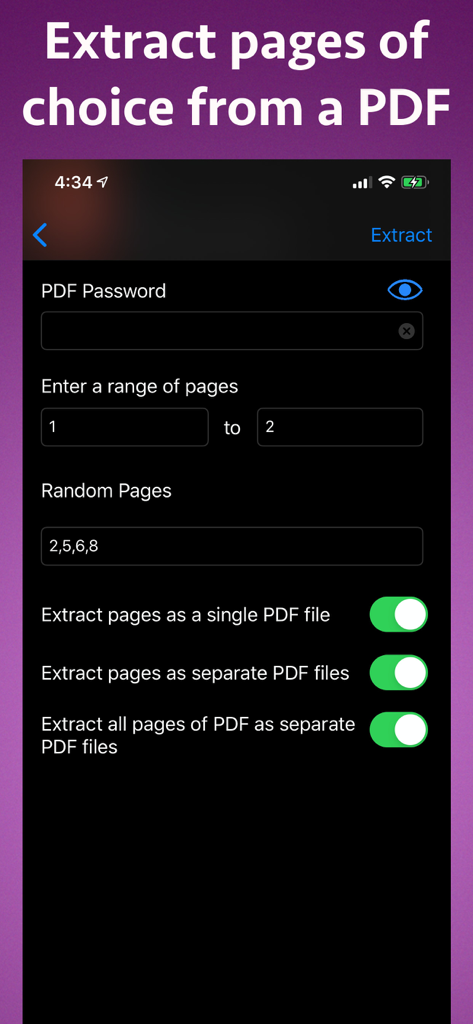
Interface pour extraire des pages spécifiques d'un fichier PDF sur iPhone
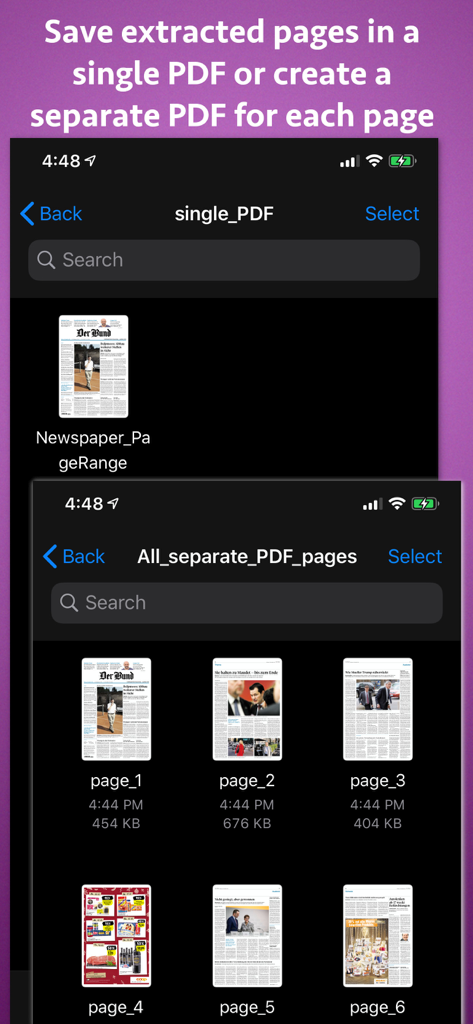
Interface montrant les options pour enregistrer les pages PDF extraites sous forme de document unique ou de fichiers séparés pour chaque page
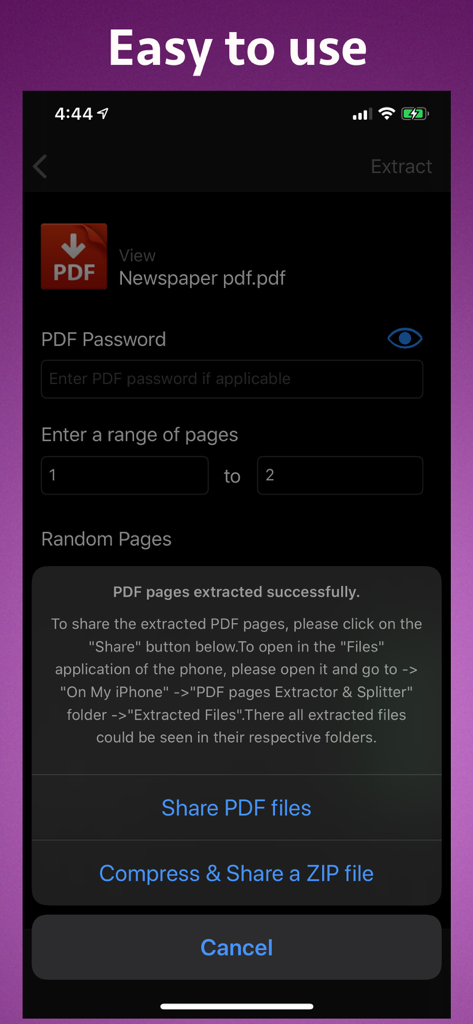
Interface montrant l'extraction réussie de pages PDF avec des options pour partager des fichiers ou les compresser dans un fichier ZIP
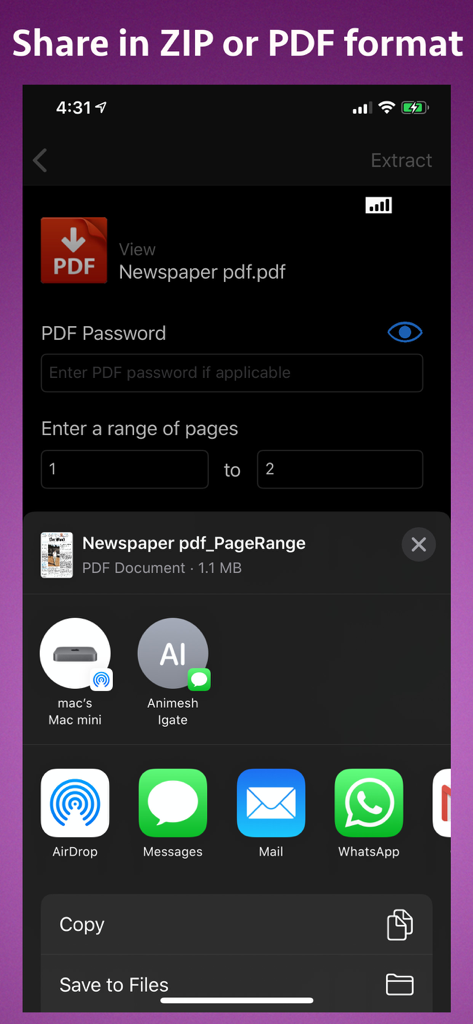
Interface montrant les paramètres d'extraction de pages PDF et les options de partage sur iPhone
Description
Download
Apps Similaires
Apps les mieux classées dans la même catégorie

ChatGPT
OpenAI OpCo, LLC

Google Gemini
Google LLC

Grok
X.AI Corporation

Gmail - Email by Google
Google LLC

千问 - 阿里最强大模型官方AI助手
Shanghai Zhixin Puhui Technology Co., Ltd.

Google Drive
Google LLC

Microsoft Authenticator
Microsoft Corporation

Google Sheets
Google LLC

Google Docs
Google LLC
Cette page n'est pas une page officielle de l'application ou de son développeur, mais une publication éditoriale indépendante créée à des fins d'information et de commentaire. Sauf indication expresse contraire, ni l'application ni son développeur ne sont affiliés, approuvés, sponsorisés, autorisés ou autrement officiellement liés à MWM, Apple, Google Play, à l'éditeur de l'application ou au développeur de l'application, et rien sur cette page n'implique que l'application a été développée en utilisant les services de MWM. Toutes les marques, logos, captures d'écran et autres contenus restent la propriété de leurs propriétaires respectifs.