PDF to PowerPoint by Flyingbee

PDF to PowerPoint by Flyingbee

Télécharger sur App Store
Logo de PDF to PowerPoint by Flyingbee

Convertir des PDF en PowerPoint avec Flyingbee : Transformez vos PDF en diapositives modifiables en quelques secondes

Conversion 100 % locale et de qualité professionnelle préservant parfaitement vos mises en page, polices et graphismes. Convertissez en toute sécurité des documents complexes hors ligne sur votre iPad ou iPhone sans jamais compromettre vos données.

Éditeur

Flyingbee Software Co., Ltd.

Catégorie

Business

Téléchargements

80K+

Note

3.2/5

Nombre d'avis

0

Langues

12

Précision dans chaque diapositive

Découvrez l'interface utilisée par 80K+ utilisateurs.
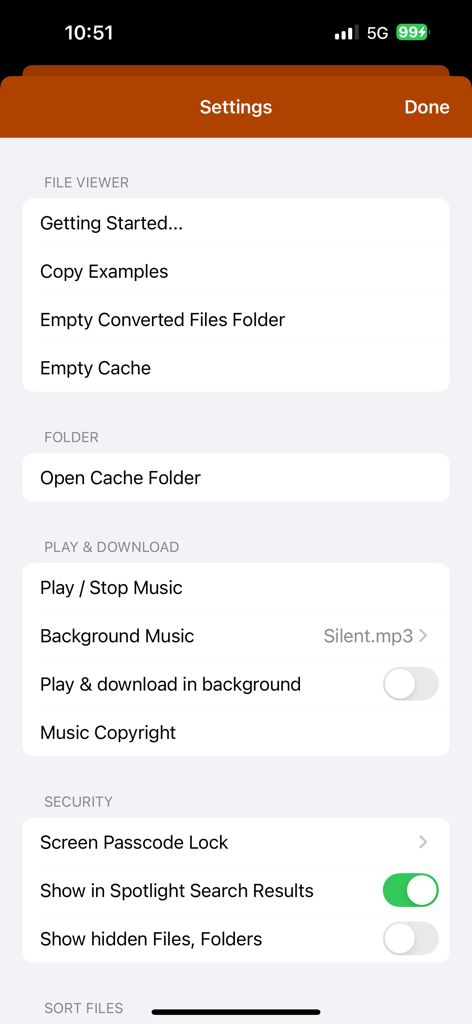
Écran des paramètres de l'application de conversion PDF vers PowerPoint affichant les paramètres de gestion et de sécurité des fichiers

Écran des paramètres de l'application de conversion PDF vers PowerPoint affichant les paramètres de gestion et de sécurité des fichiers

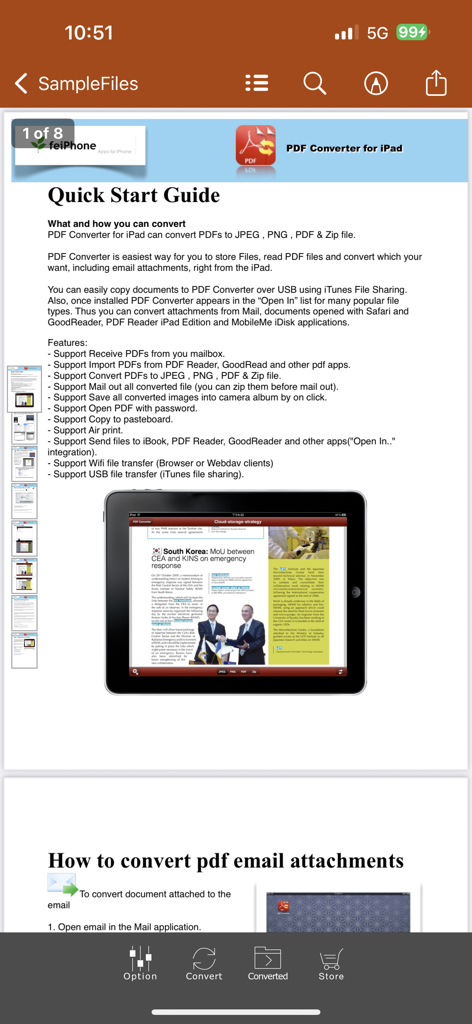
Une page de guide de démarrage rapide intégrée à l'application de conversion PDF vers PowerPoint présente les fonctionnalités et les instructions de conversion sur iPad.

Une page de guide de démarrage rapide intégrée à l'application de conversion PDF vers PowerPoint présente les fonctionnalités et les instructions de conversion sur iPad.

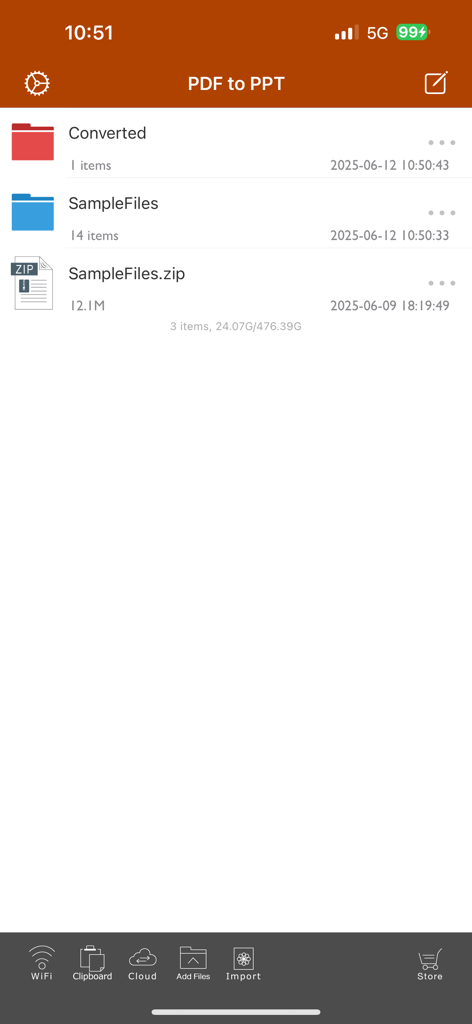
Écran principal de gestion des fichiers de l'application PDF vers PowerPoint affichant les dossiers et des exemples de fichiers.

Écran principal de gestion des fichiers de l'application PDF vers PowerPoint affichant les dossiers et des exemples de fichiers.

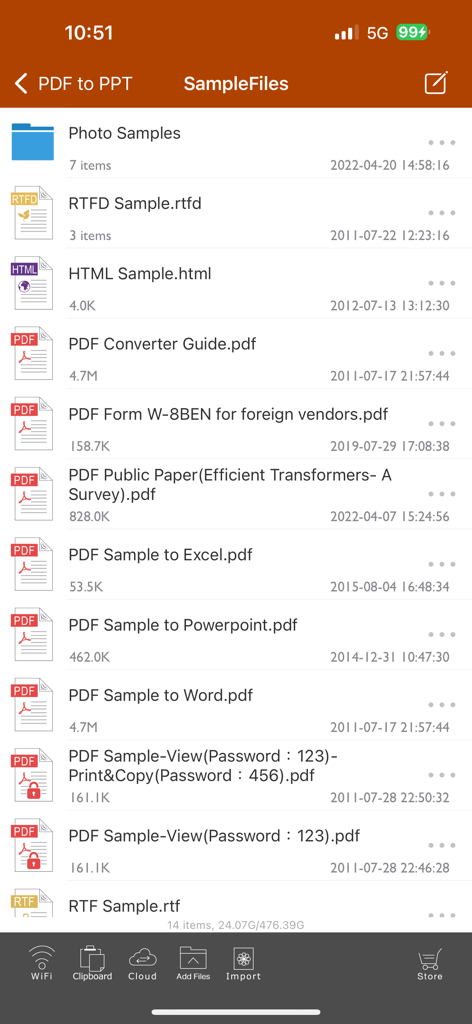
Liste d'exemples de fichiers dans l'interface de l'application de conversion PDF vers PowerPoint

Liste d'exemples de fichiers dans l'interface de l'application de conversion PDF vers PowerPoint

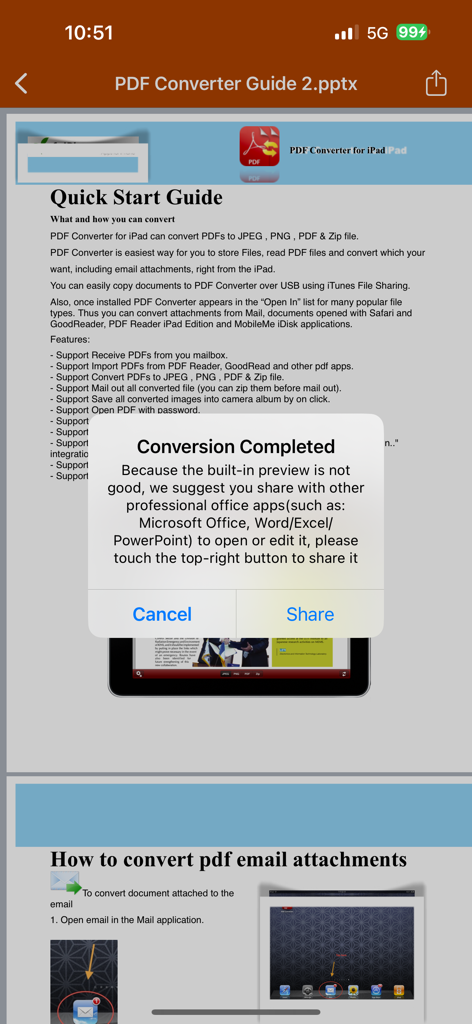
Une fenêtre contextuelle de confirmation s'affiche dans l'application PDF vers PowerPoint indiquant que la conversion est terminée, avec une option permettant de partager le fichier vers les applications Microsoft Office.

Une fenêtre contextuelle de confirmation s'affiche dans l'application PDF vers PowerPoint indiquant que la conversion est terminée, avec une option permettant de partager le fichier vers les applications Microsoft Office.

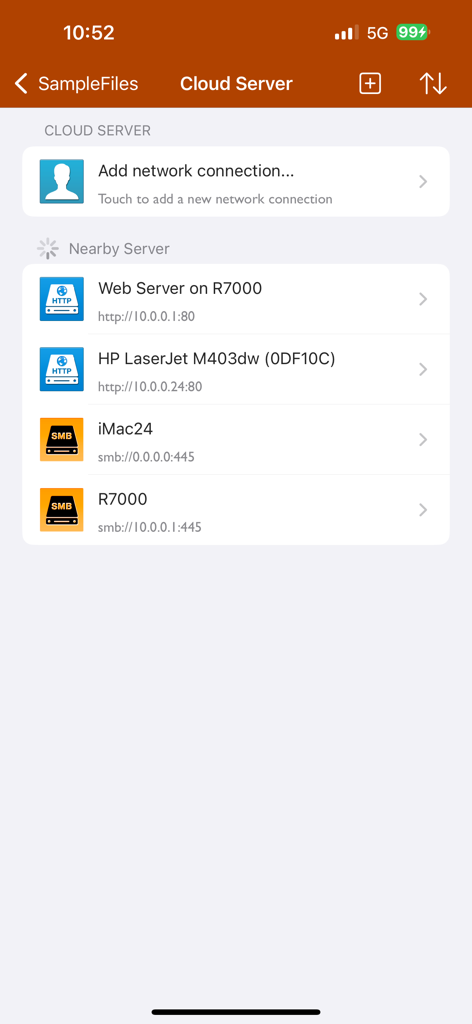
Interface serveur cloud et de connexion réseau de l'application PDF vers PowerPoint

Interface serveur cloud et de connexion réseau de l'application PDF vers PowerPoint

Maîtrisez votre flux de travail en déplacement

Les outils qui font la différence, choisis par 80K+ utilisateurs.

Conversion ultra-rapide

Convertissez un PDF de 50 pages en moins de 20 secondes. Gagnez du temps grâce à une conversion haute fidélité qui préserve parfaitement la mise en page, les polices et les images.

🔒

100% privé et hors ligne

Traitez vos documents d'entreprise confidentiels directement sur votre appareil. Aucun transfert via Internet ou le cloud n'est nécessaire : vos données restent ainsi sécurisées et accessibles où que vous soyez.

🎯

Sélection précise de la page

Ne perdez plus de temps avec du contenu inutile. Sélectionnez des pages ou des plages de texte spécifiques pour extraire exactement ce dont vous avez besoin pour votre prochaine présentation cruciale.

À propos de l'app

Tout ce que vous devez savoir sur PDF to PowerPoint by Flyingbee.

Description

Flyingbee PDF to PowerPoint Converter convert PDF to PowerPoint documents quickly and efficiently. It convert PDF file back to files to editable and modifiable Microsoft Office PowerPoint Presentation with well-preserved original texts, images, layouts, hyperlinks, tables, and bezier graphics. it support opened in popular mobile office editor app(such as: Microsoft PowerPoint iOS, Polaris Office, WPS or QuickOffice).  Key Features: • Easily import PDF, convert a 50 pages PDF to PowerPoint within 20 secs, Extremely fast!! • Conversion Process 100% on your local iOS device, No internet connection need. • Output well organized powerpoint content, preserving content layout, the color, font style and images remain the same as the original pdf document, Very convenient tool, Reusing the presentation cannot be easier. • Convert any particular pages (e.g. 1, 3-8, 26 or all pages) to save your time. • Save time on learning complicated PowerPoint editing knowledge; • Save energy on skipping ads and annoying pop-up window ask for buying; • Connect to online cloud storage support, include Cloud Me, any FTP or WebDAV Server. • Offer you 4 ways to transfer files(Open in.., iTunes USB file sharing, Wifi Sharing and Cloud Disk) • Support Microsoft Office 2007, 2008, 2011, 2025 PowerPoint Application, not completely compatible with iWork Keynote.  == Quick Start Guide == Convert pdf to powerpoint in mail app can be as easy as three steps: 1. Open Mail app, use "Open In.." to send source PDF file to PDF to PowerPoint. 2. Go to PDF to PowerPoint app, touch to open the source PDF file where text come from. 3. Click "Convert" button to extract PDF to PowerPoint files.  Notice: Currently PDF to PowerPoint version don't have OCR function, the scanned PDF files will be extracted to image in powerpoint pptx. However, we suggest you to use other professional OCR app to recognize editable text from image.  Several sample files have been included, you can test it right now!  Q&A 1. Why I get "Converting failed" error message when I extracting from a PDF file? Do you have a PDF (Adobe Acrobat) file which cannot be printed, copied, or edited? Your PDF file has had password security and other restrictions added, you need remove restrictions.  2. Why some text in PDF file can not be extracted out? The PDF file format is complex, there are cases that text in a PDF file are actually pictures. We do not grantee PDF to PowerPoint will work for every PDF file, especially ones that have picture text, we suggest you to use professional OCR app to recognize text from image. == Subscriptions Information == Duration and price of each subscription are displayed in app storefront, updated at the time of purchase. Payment will be charged to iTunes account at confirmation of purchase. Subscriptions automatically renew unless auto-renew is turned off no later than 24 hours before the end of the current period. Subscriptions and auto-renewal can be managed/turned off in the iTunes account settings. Any unused portion of a free trial period is forfeited as soon as a subscription is purchased.  Terms of use & Privacy policy: https://www.flyingbee.com/term-of-service/ https://www.flyingbee.com/privacy-policy/ 

Dernière version

8.8.6

Taille

79.2 MB

Date de sortie

22 janv. 2015

Prêt à arrêter de retaper et à commencer à présenter ?

Rejoignez plus de 80 000 professionnels qui utilisent le convertisseur hors ligne le plus rapide et le plus sécurisé pour iOS. Créez des présentations PowerPoint impeccables en moins de 20 secondes.

Télécharger sur App Store

App information, icons, screenshots, and descriptions displayed on this page are sourced from the Apple App Store and are the property of their respective developers. Download estimates and rankings are based on MWM's proprietary models and may not reflect actual figures. This page is provided for informational and analytical purposes only.

Believe this page infringes your intellectual property? File a dispute