PenToPrint Handwriting to PDF
Télécharger sur App Store

Cette page n'est pas une page officielle de l'application ou de son développeur, mais une publication éditoriale indépendante créée à des fins d'information et de commentaire. Sauf indication expresse contraire, ni l'application ni son développeur ne sont affiliés, approuvés, sponsorisés, autorisés ou autrement officiellement liés à MWM, Apple, Google Play, à l'éditeur de l'application ou au développeur de l'application, et rien sur cette page n'implique que l'application a été développée en utilisant les services de MWM. Toutes les marques, logos, captures d'écran et autres contenus restent la propriété de leurs propriétaires respectifs.

Logo de PenToPrint Handwriting to PDF
Télécharger sur App Store

PenToPrint Handwriting to PDF

Le pont OCR ultime pour les penseurs analogiques. Convertissez instantanément vos notes papier en archives numériques interrogeables tout en préservant votre mise en page d'origine et votre style d'écriture unique.

Chiffres Clés

Téléchargements

800

Note

4.4/5

Nombre d'avis

0

Éditeur

Serandi systems LTD

Catégorie

Productivity

Langues

1

Dernière version

1.02

Taille

34.2 MB

Date de sortie

6 nov. 2024
Fonctionnalités

Maîtrisez votre flux de travail analogique-numérique

Découvrez le pont ultime entre le stylo et le papier et votre second cerveau numérique. Numérisez, convertissez et organisez vos pensées en toute simplicité.

Capacités de recherche intelligentes

Trouvez exactement ce dont vous avez besoin en quelques secondes. Notre OCR transforme votre écriture manuscrite en une base de données interrogeable, rendant la recherche manuelle obsolète.

Préservation de la mise en page d'origine

Gardez l'âme de vos notes. Nous numérisons votre texte tout en conservant l'aspect authentique de votre écriture et de vos croquis uniques.

Les captures d'écran et la description suivantes proviennent directement de la fiche officielle de l'application sur le store et sont la propriété du développeur.

App Store

Captures
PenToPrint Handwriting to PDF - Fonction de conversion d'écriture manuscrite en PDF pour rendre les notes manuscrites interrogeables
Fonction de conversion d'écriture manuscrite en PDF pour rendre les notes manuscrites interrogeables

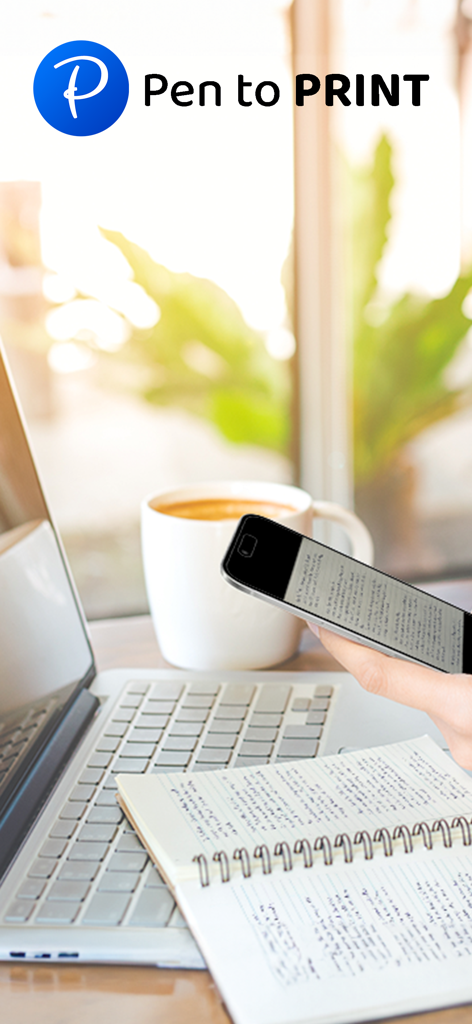
PenToPrint Handwriting to PDF - Une personne utilisant un smartphone pour numériser des notes manuscrites dans un carnet sur un bureau à côté d'un ordinateur portable et d'un café
Une personne utilisant un smartphone pour numériser des notes manuscrites dans un carnet sur un bureau à côté d'un ordinateur portable et d'un café

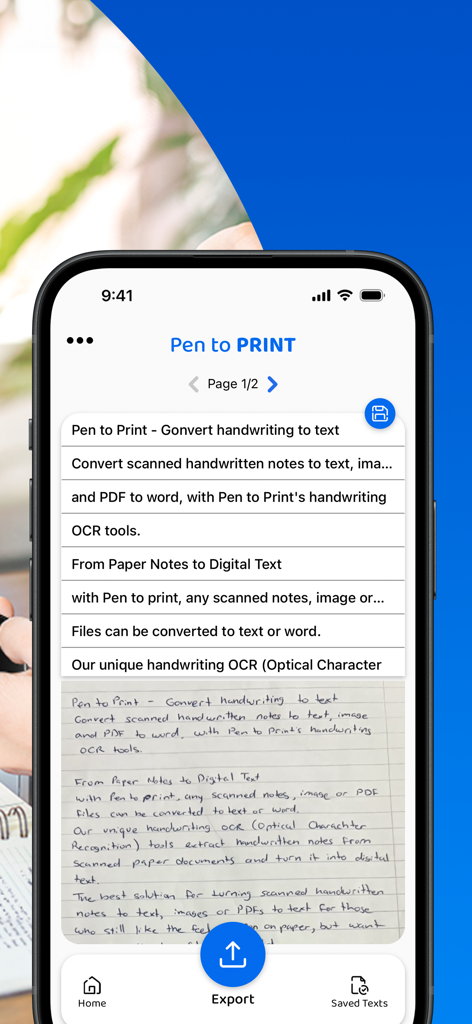
PenToPrint Handwriting to PDF - Interface de l'application PenToPrint montrant des notes manuscrites converties en lignes de texte numériques sur un écran mobile
Interface de l'application PenToPrint montrant des notes manuscrites converties en lignes de texte numériques sur un écran mobile

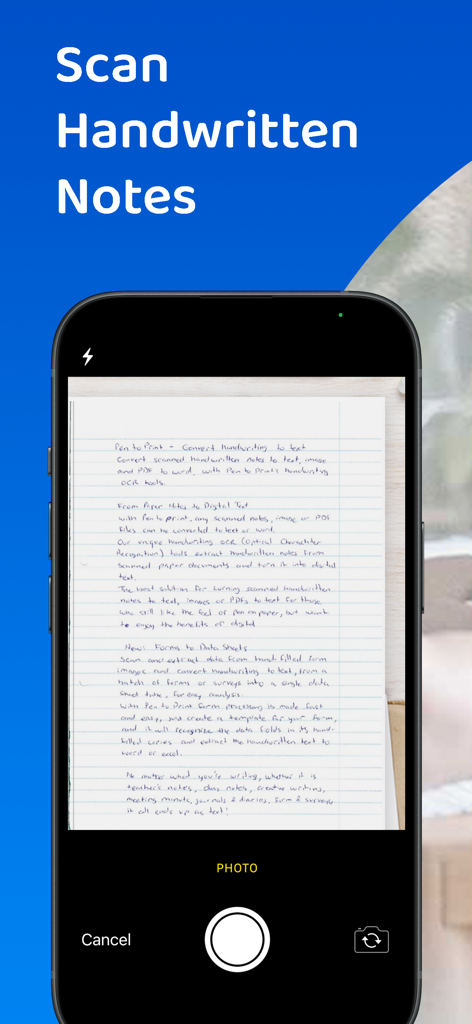
PenToPrint Handwriting to PDF - Smartphone numérisant des notes manuscrites sur papier avec l'interface de l'application PenToPrint
Smartphone numérisant des notes manuscrites sur papier avec l'interface de l'application PenToPrint

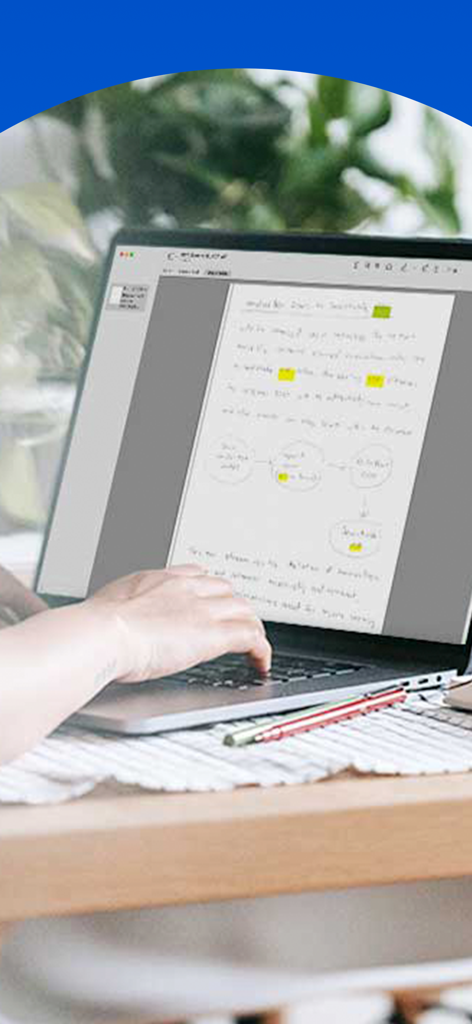
PenToPrint Handwriting to PDF - Notes manuscrites numérisées avec surlignages et diagrammes affichés sur un écran d'ordinateur portable
Notes manuscrites numérisées avec surlignages et diagrammes affichés sur un écran d'ordinateur portable

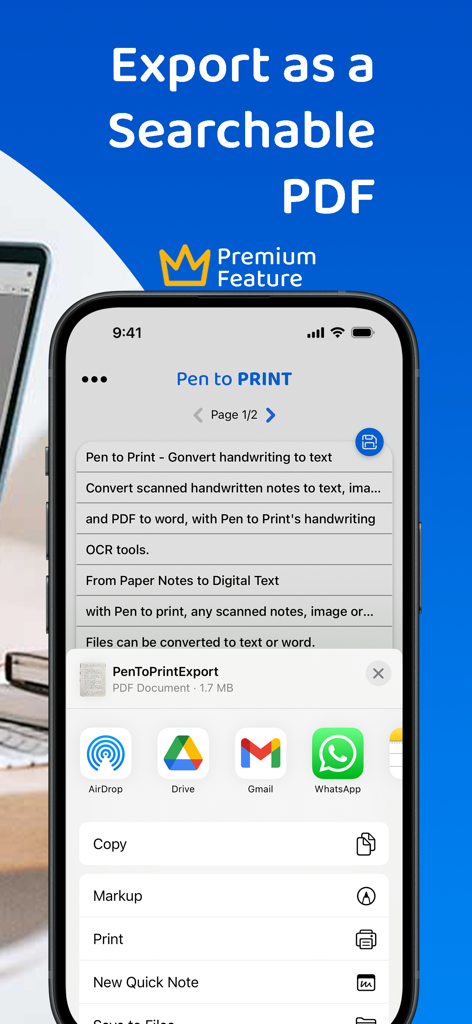
PenToPrint Handwriting to PDF - Un écran d'iPhone affichant l'application PenToPrint avec le menu de partage ouvert pour exporter un document manuscrit en PDF interrogeable.
Un écran d'iPhone affichant l'application PenToPrint avec le menu de partage ouvert pour exporter un document manuscrit en PDF interrogeable.

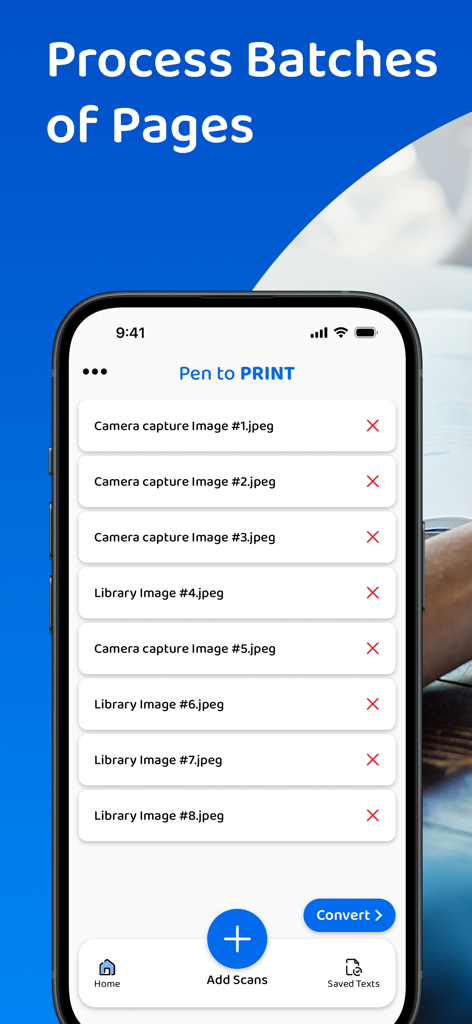
PenToPrint Handwriting to PDF - Une interface mobile de l'application PenToPrint montrant une liste de plusieurs images numérisées prêtes à être traitées par lots pour conversion en PDF.

Une interface mobile de l'application PenToPrint montrant une liste de plusieurs images numérisées prêtes à être traitées par lots pour conversion en PDF.

PenToPrint Handwriting to PDF - Une personne utilisant un smartphone pour numériser des notes manuscrites d'un carnet en vue d'une conversion numérique en PDF interrogeable.
Une personne utilisant un smartphone pour numériser des notes manuscrites d'un carnet en vue d'une conversion numérique en PDF interrogeable.

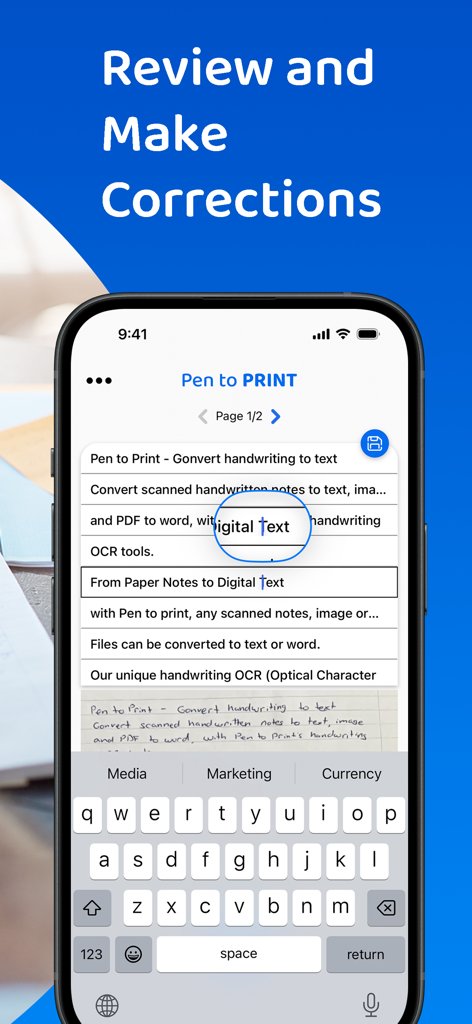
PenToPrint Handwriting to PDF - Interface pour réviser et corriger des notes manuscrites converties en texte numérique

Interface pour réviser et corriger des notes manuscrites converties en texte numérique

Description

Pen to Print - Convert scanned handwritten images to PDF and make your notes searchable. Pen to Print's Searchable PDF maker is designed to effortlessly transform scanned handwritten notes to a searchable PDF using OCR. It easily converts scanned images into fully searchable PDF documents, digitizing the scanned handwriting to text. Its advanced OCR technology, accurately recognizes and converts handwriting to text, enabling users to easily transform their scanned images to PDF and allow them to search, highlight, and extract information from their scanned handwritten notes. This OCR app preserves the authenticity of scanned handwritten notes with its original layout and unique handwriting, while providing the convenience of digital search capabilities, making a huge leap in the efficiency of document management with a quick and easy access to relevant information within the converted texts. The Pen to Print searchable PDF maker offers many advantages, transforming the way users interact with handwritten content. One of its key strengths lies in the significant time efficiency it brings to document management. By converting handwritten images to PDF with the precision of Pen to Print’s OCR technology, users can swiftly locate specific information within the handwritten text, eliminating the need for laborious manual searches. Enhanced accessibility is another notable advantage, allowing users to access their documents from any device at any time, fostering flexibility in a fast-paced digital environment. The preservation of scanned handwritten notes, from image to PDF, in a searchable format, strikes a harmonious balance between tradition and modern efficiency, and boosts productivity while preserving the authenticity of the original handwritten scanned notes. We welcome all feedback and are always happy to hear from our users. If you like our app, an app review will be well appreciated :-) If you encounter a problem, please contact us at: contact@serendi.me, so we can provide you assistance and support. For more information and online OCR tools, visit our website: https://www.pen-to-print.com Download Pen to Print now, and start converting your handwriting to text! The Yearly Plan and Monthly Plan are auto-renewing subscriptions, providing an unlimited amount of text exports for a year/a month respectively, therefore: Payment will be charged to iTunes Account at confirmation of purchase. Subscription automatically renews unless auto-renew is turned off at least 24 hours before the end of the current period. Account will be charged for renewal within 24 hours prior to the end of the current period, and identify the cost of the renewal. Subscriptions may be managed by the user and auto-renewal may be turned off by going to the user's Account Settings after purchase. Any unused portion of a free trial period, if offered, will be forfeited when the user purchases a subscription to that publication, where applicable. Check out the user terms of use at: https://www.apple.com/legal/internet-services/itunes/dev/stdeula, and our privacy policy: https://www.pen-to-print.com/privacy

Download

Télécharger sur App Store

Cette page n'est pas une page officielle de l'application ou de son développeur, mais une publication éditoriale indépendante créée à des fins d'information et de commentaire. Sauf indication expresse contraire, ni l'application ni son développeur ne sont affiliés, approuvés, sponsorisés, autorisés ou autrement officiellement liés à MWM, Apple, Google Play, à l'éditeur de l'application ou au développeur de l'application, et rien sur cette page n'implique que l'application a été développée en utilisant les services de MWM. Toutes les marques, logos, captures d'écran et autres contenus restent la propriété de leurs propriétaires respectifs.








