RPGEmu for RPG Maker MV

RPGEmu for RPG Maker MV

Télécharger sur App Store
Logo de RPGEmu for RPG Maker MV

RPGEmu pour RPG Maker MV : Vos jeux indépendants préférés, partout

Découvrez le meilleur de RPG Maker MV et MZ sur votre iPhone ou iPad. Téléchargez des jeux directement depuis Safari et jouez instantanément avec notre clavier virtuel personnalisé — aucun PC requis.

Éditeur

Ping Yan

Catégorie

Utilities

Téléchargements

3K+

Note

4.1/5

Nombre d'avis

0

Langues

100

L'aventure dans votre poche

Découvrez l'interface utilisée par 3K+ utilisateurs.

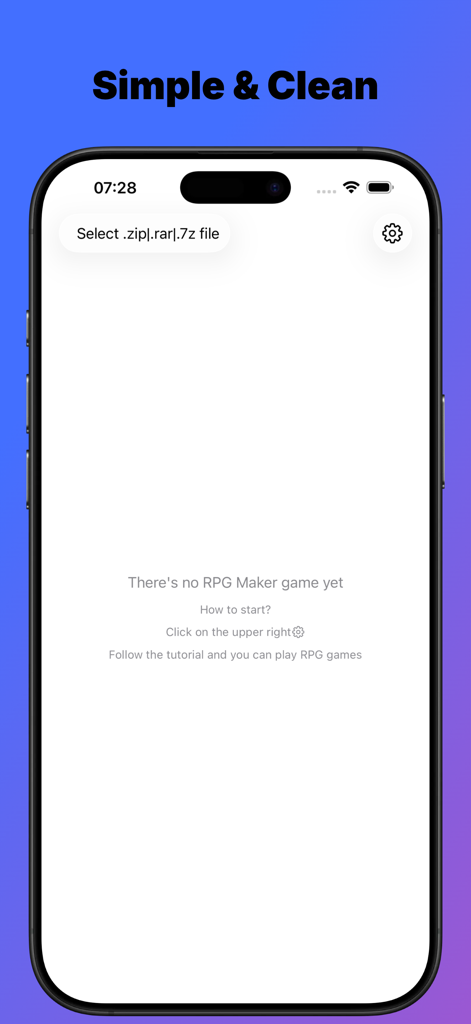
Interface principale de l'application RPGEmu montrant l'option d'importer des fichiers de jeu RPG Maker sur iPhone.
Interface principale de l'application RPGEmu montrant l'option d'importer des fichiers de jeu RPG Maker sur iPhone.

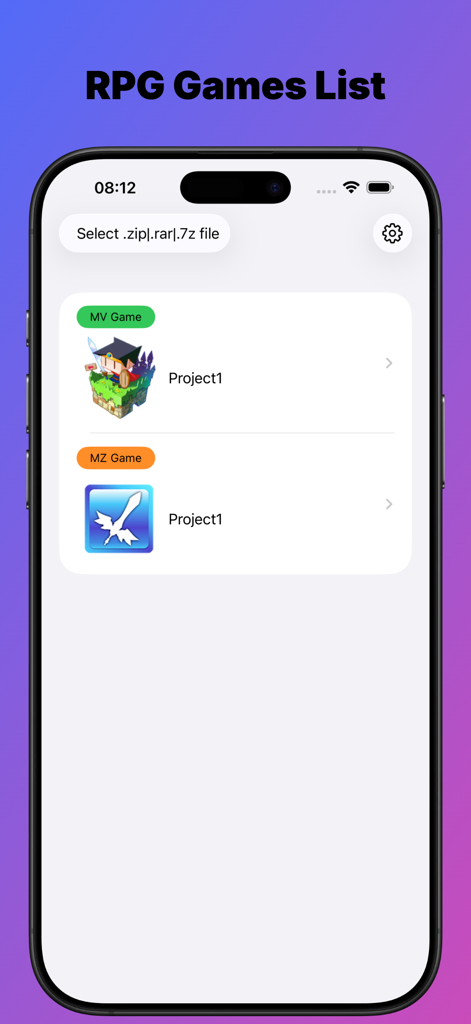
Une liste des jeux RPG Maker MV et MZ importés dans l'interface de l'application RPGEmu
Une liste des jeux RPG Maker MV et MZ importés dans l'interface de l'application RPGEmu

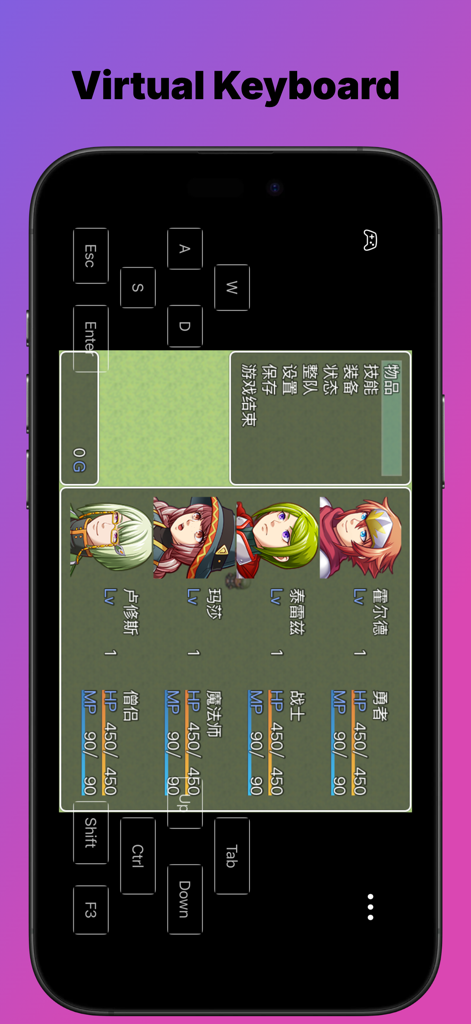
Écran de smartphone montrant l'application RPGEmu avec un clavier virtuel superposé sur le menu d'un jeu RPG Maker.

Écran de smartphone montrant l'application RPGEmu avec un clavier virtuel superposé sur le menu d'un jeu RPG Maker.

Jeux de rôle sur bureau. Liberté sur mobile.

Les outils qui font la différence, choisis par 3K+ utilisateurs.

🚀

Importations Safari instantanées

Oubliez votre ordinateur portable. Téléchargez des fichiers .zip de jeux indépendants directement dans Safari et lancez-les en quelques secondes sans synchronisation PC.

🕹️

Commandes virtuelles fluides

Ne soyez plus jamais bloqué sur un écran "Appuyez sur Z". Notre clavier virtuel personnalisé est optimisé pour les Visual Novels et les mécaniques de RPG.

📱

Performances natives iOS

Profitez d'un gameplay fluide et sans lag avec une interface SwiftUI conçue spécifiquement pour les écrans haute résolution de l'iPhone et de l'iPad.

À propos de l'app

Tout ce que vous devez savoir sur RPGEmu for RPG Maker MV.

Description

Why RPGEmu not others? 1.SwiftUI design, to play or not to play the RPG Maker MV games is easier than ever 2.Support zip files downloaded by Safari directly, that means you do not need to have any windows pc 3.Virtual keyboard, sometimes it is not a plus but a must, if you want to go on playing the visual novels Notes: To get the RPG maker MV games, it is really very easy. You could search "rpg maker mv game free download" by Google. One of the search result maybe: https://itch.io/games/tag-rpg-maker-mv There're many free those games to download, most of them should be ok to play with this app, if it does not, let me know. RPG maker MV is game framework, so one is ok, another is ok too, as both of them are made with the same tool. Maybe you have encountered such situation: When you downloaded a wonderful Visual Novel game from website, you do not want to play it on your windows pc, while you want to play it on your iPhone or iPad. If the visual novel game is made with RPG Maker MV, you are good to go with this app then. RPGEmu gives your a new chance to play those windows games which made by RPG Maker MV tool on your iPhone or iPad. Though RPGEmu itself does not supply any games, it is not very hard to get "RPG Maker MV Games". I have tried it by myself, just search google, it is really too easy to get many visual novel games which made with "RPG Maker MV". If you could play those games on your windows pc, it should be ok to play them on your iPhone or iPad. I noted such kind of visual novel games do heavily depends on keyboard, so I made a virtual keyboard. Notes: when you see "Press Z to start", you could press "Enter" to start also. RPGEmu also supports RPG Maker MZ game. The game was made with RPG Maker MV tool, we call it RPG Maker MV game, or [MV Game]. The game was made with RPG Maker MZ tool, we call it RPG Maker MZ game, or [MZ Game]. Once you installed RPGEmu, you have the ability to play windows [MV Game] on your iPhone or iPad. If you also want to play windows [MZ Game] on your iPhone or iPad, you will need to purchase [MZ Function]. [MZ Function] is a non-consume product, once you purchased it, you get the ability to play [MZ Game] on your iPhone or iPad device forever. You will only need to purchase [MZ Function] when you imported a MZ game file, if no MZ game file, you do not need to pay for [MZ Function]. Note: When you imported the game zip file, the transfer process may need minutes to finish, please do not leave the app RPGEmu, or else, transfer process will be terminated and app will crash. Do not leave screen that means you should not go to Home Screen or open another APP, you must keep you are on the RPGEmu's screen. Of course, if you have to open another app, that's ok, just open the RPGEmu again, and start to transfer the game zip file from beginning again. This behavior is not a BUG, hope you could understand it. After transfer process finished, you could leave RPGEmu and back to RPGEmu, only when the file is in transferring, you could not leave RPGEmu.

Dernière version

12.0.1

Taille

44.8 MB

Date de sortie

25 juin 2025

Toute votre bibliothèque RPG Maker, maintenant dans votre poche

Cessez d'être lié à votre PC. Téléchargez des jeux directement depuis Safari et commencez à jouer vos RPG indépendants et Visual Novels préférés sur iOS dès aujourd'hui.

Télécharger sur App Store

App information, icons, screenshots, and descriptions displayed on this page are sourced from the Apple App Store and are the property of their respective developers. Download estimates and rankings are based on MWM's proprietary models and may not reflect actual figures. This page is provided for informational and analytical purposes only.

Believe this page infringes your intellectual property? File a dispute